كيف سيساعد هذا؟
تقلل قدرة ذاكرة Trim الذاكرة التي يستخدمها BlueStacks 5 Beta على جهاز الكمبيوتر الخاص بك. على سبيل المثال ، إذا كنت تواجه أي مشكلات متعلقة بالأداء أو التأخر ، فقد يساعدك استخدام ذاكرة Trim في حل هذه المشكلات.
ستوضح هذه المقالة التفصيلية كيفية اقتطاع الذاكرة في BlueStacks 5 Beta وفوائد استخدامها.
كيف يمكنني استخدام ذاكرة Trim؟
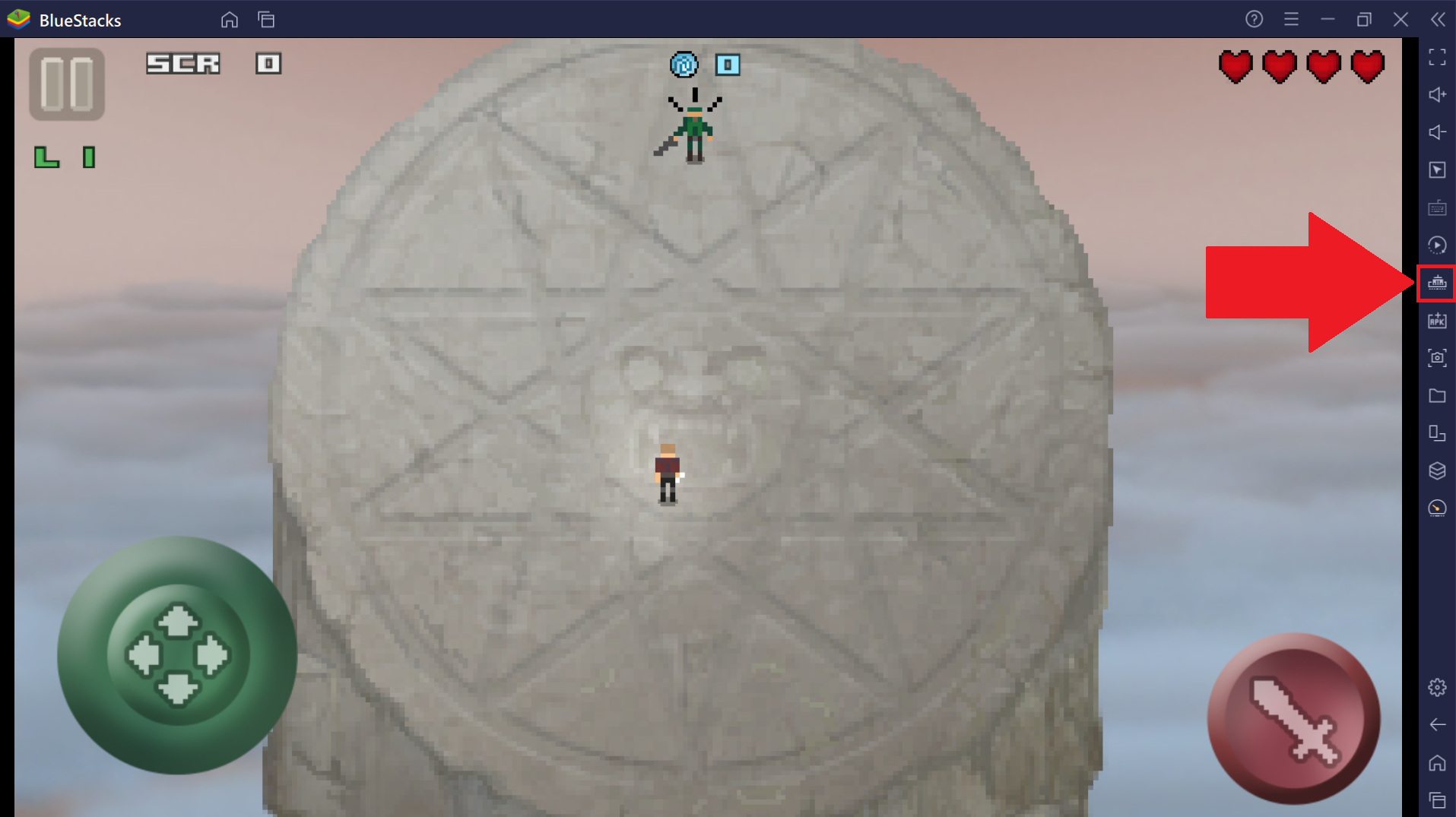
تقليم الذاكرة من خلال النقر على أيقونة من شريط الأدوات الجانبي ، كما هو موضح أدناه.
إذا كنت تستخدم مثيلات متعددة من BlueStacks 5 Beta وترغب في تقليل الذاكرة التي تستخدمها ، فستحتاج إلى النقر فوق ذاكرة Trim مرة واحدة فقط في أي حالة معينة.
كيف تساعدني ذاكرة Trim؟
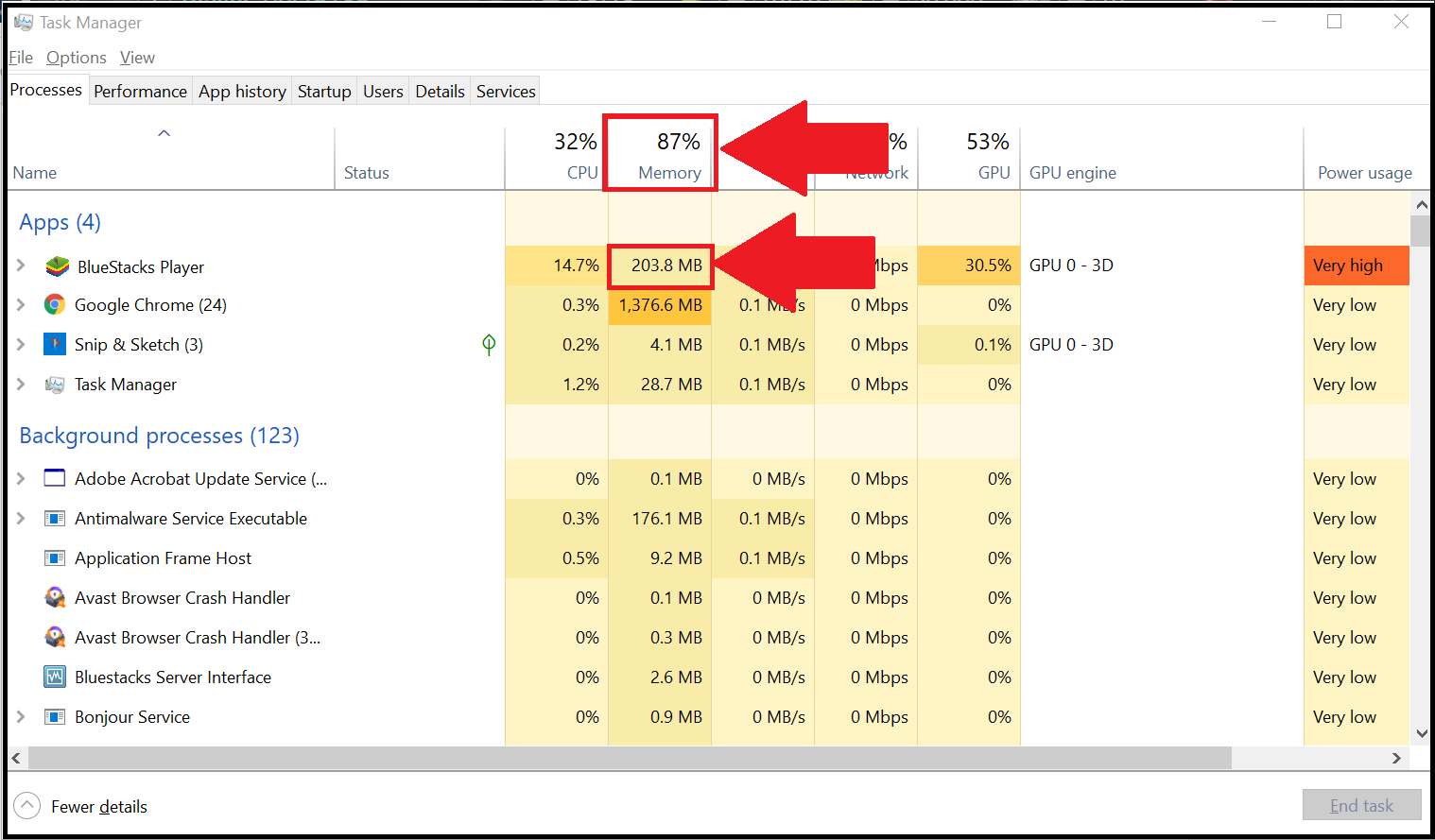
تتيح لك ذاكرة القطع تحرير بعض الذاكرة التي يستخدمها BlueStacks 5 Beta على جهاز الكمبيوتر الخاص بك. فيما يلي مثال على الذاكرة التي يستخدمها BlueStacks 5 Beta للتشغيل.
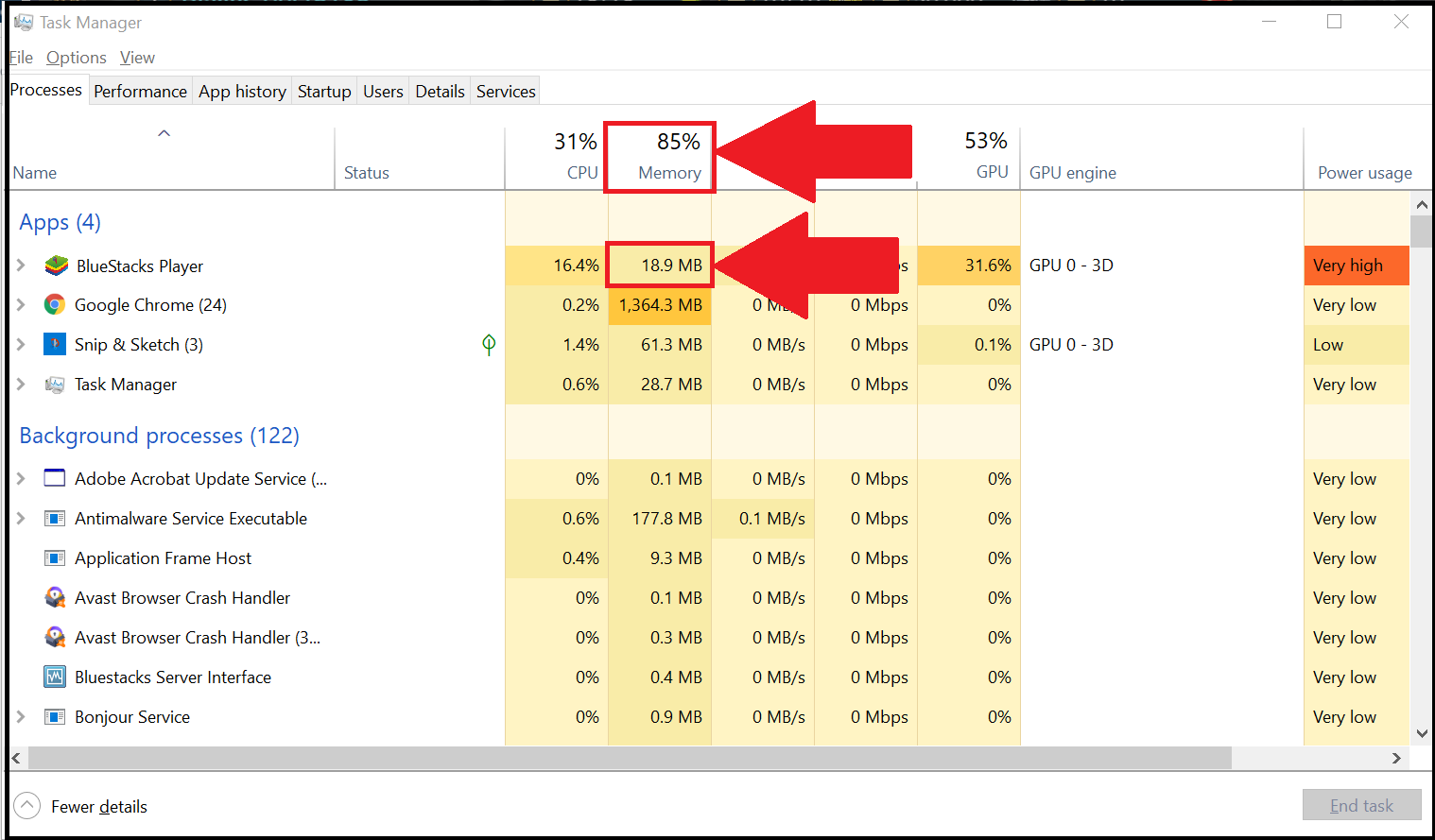
 عند النقر فوق Trim memory ، ستنخفض الذاكرة المستخدمة بواسطة BlueStacks 5 بشكل ملحوظ ، كما هو موضح أدناه.
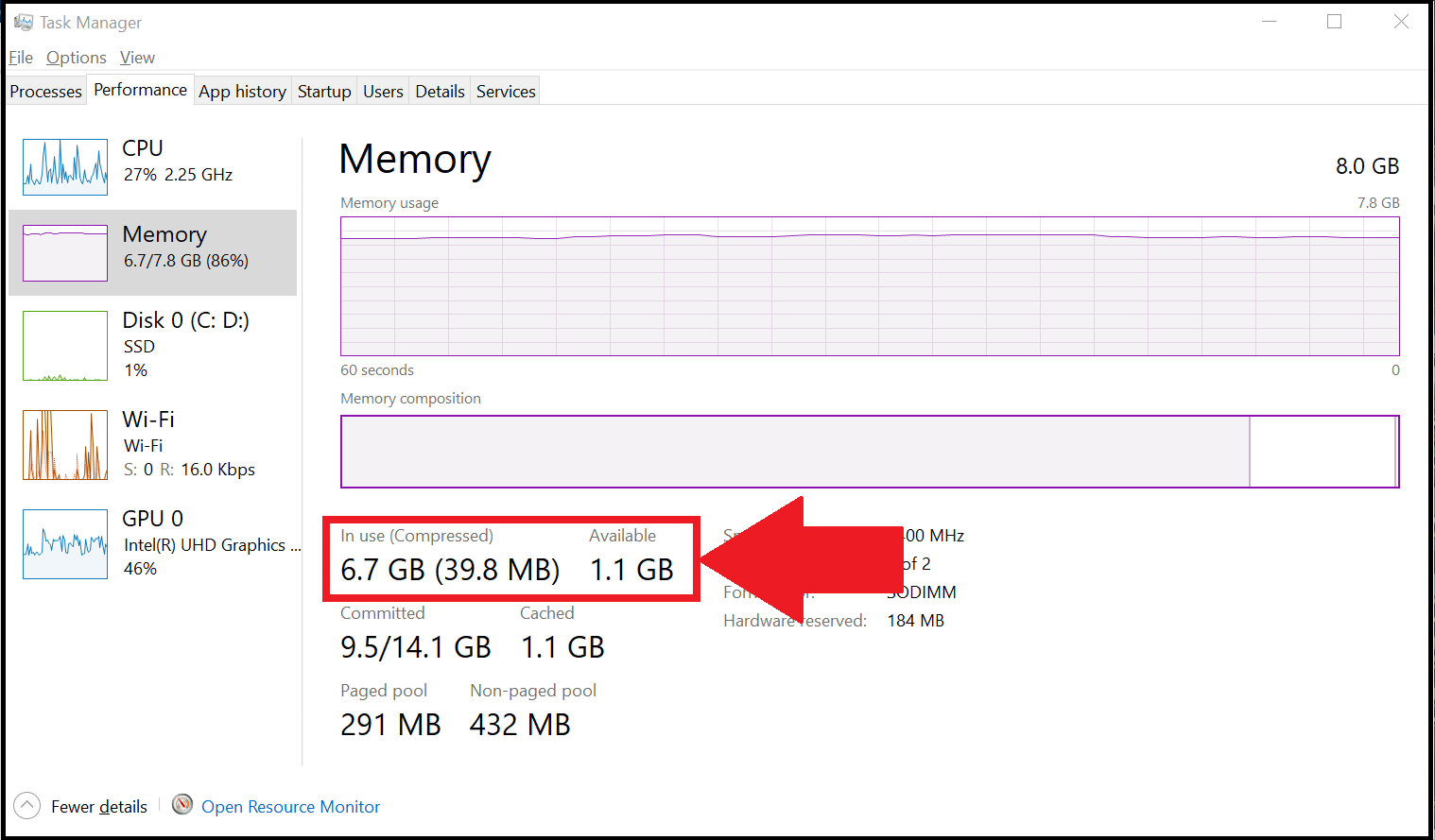
 تحرر ذاكرة القطع بعض الذاكرة التي يمكن استخدامها لتشغيل التطبيقات والألعاب الأخرى. فيما يلي عرض للذاكرة الإجمالية المتاحة قبل استخدام ذاكرة Trim.
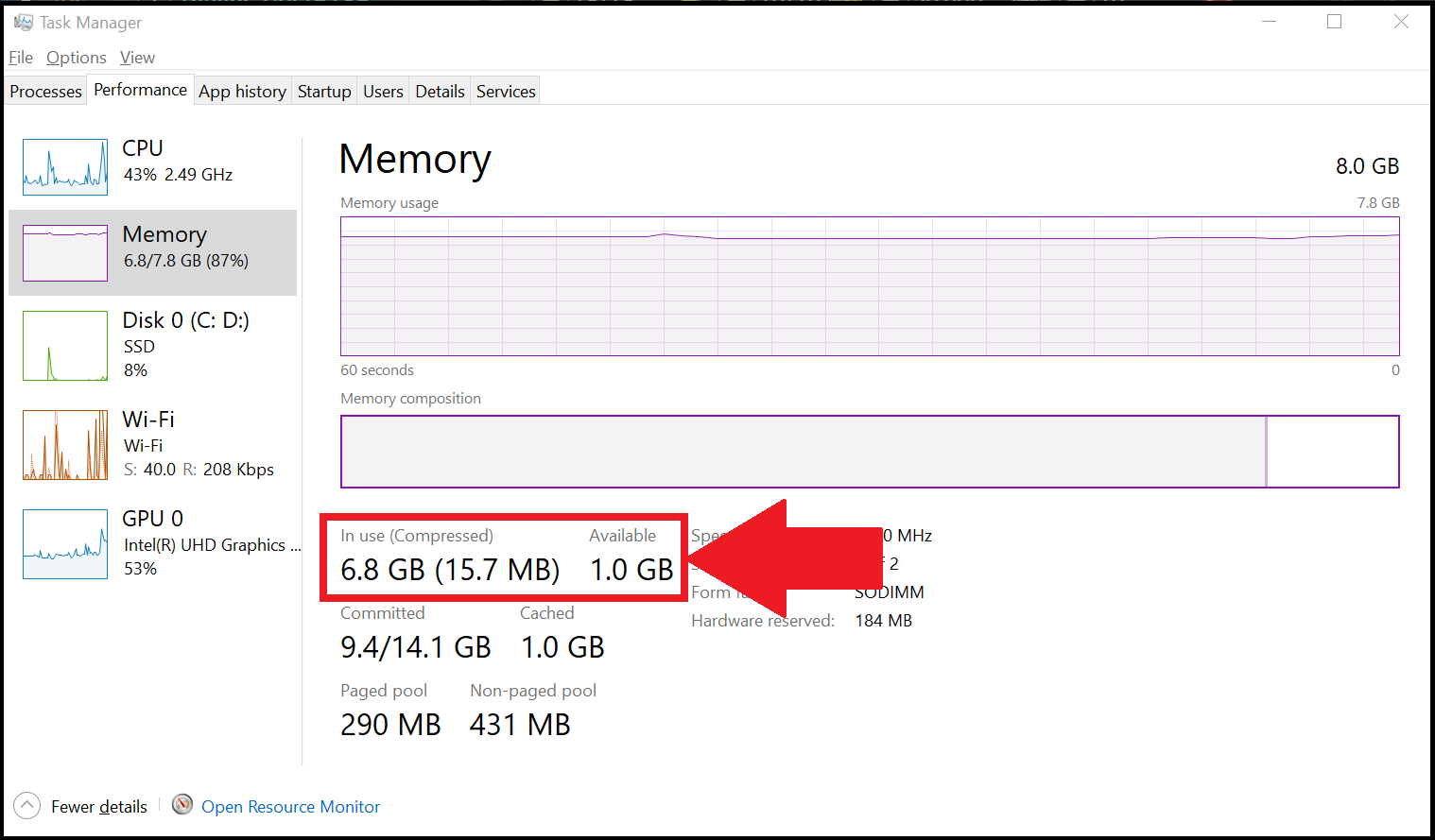 عند استخدام ذاكرة Trim ، هناك زيادة في إجمالي الذاكرة المتاحة للاستخدام.
نحن نقدر حقا اختيارك بلو ستاكس. نأمل أن تستمتع باستخدامه. إذا كان لديك أي أسئلة أخرى ، يرجى الاتصال بنا على .support.bluestacks.com شكرا جزيلا.