كيف سيساعد هذا؟
يمكنك بسهولة إضافة أو إزالة حساب Google الخاص بك ، والذي يمكن ربطه بالتقدم داخل اللعبة على تطبيقات مختلفة ، باتباع الخطوات المذكورة أدناه.
كيف يمكنني أن أفعل هذا؟
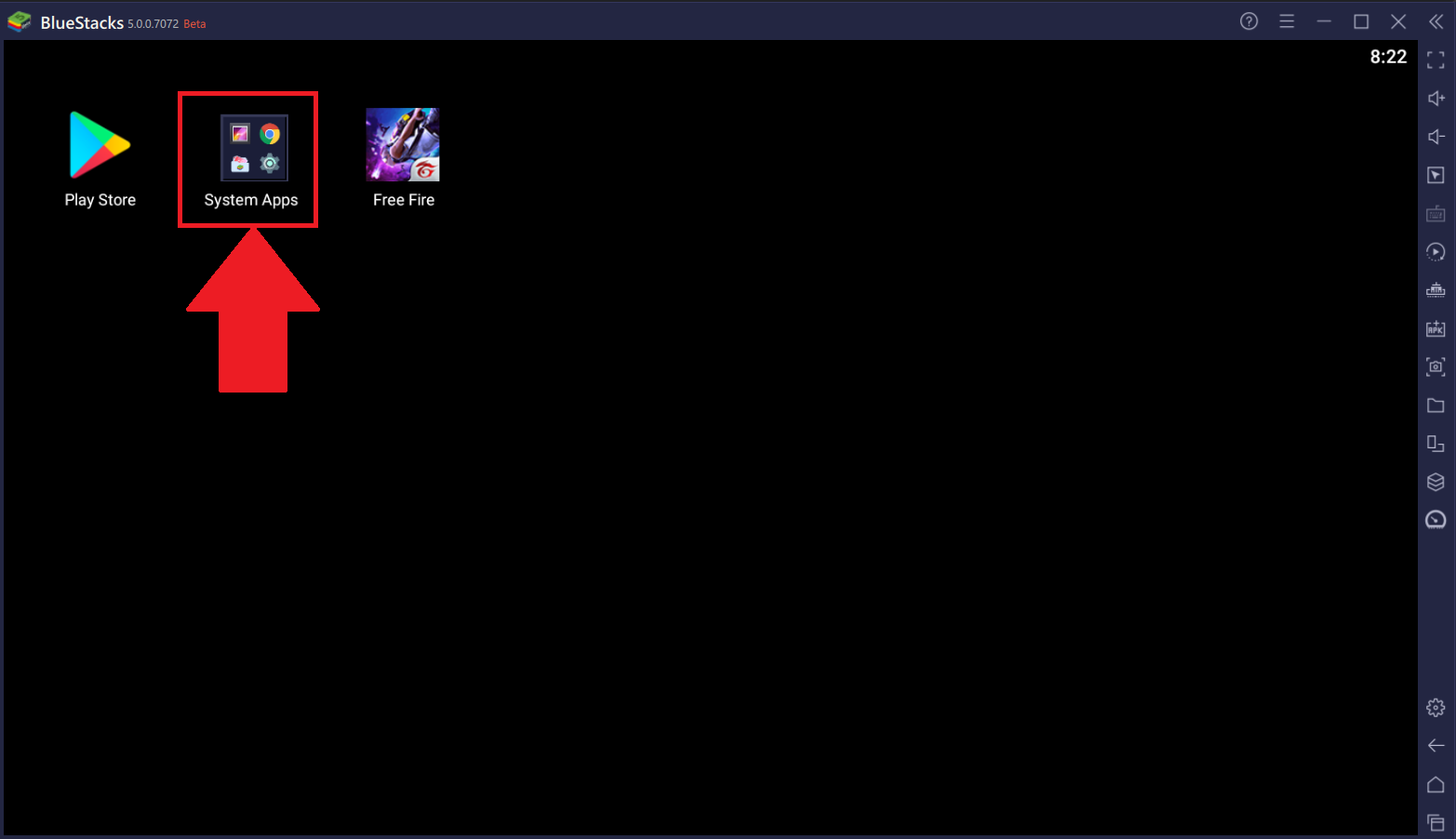
1. انقر فوق "تطبيقات النظام" على شاشتك الرئيسية بلوستاكس 5 بيتا.
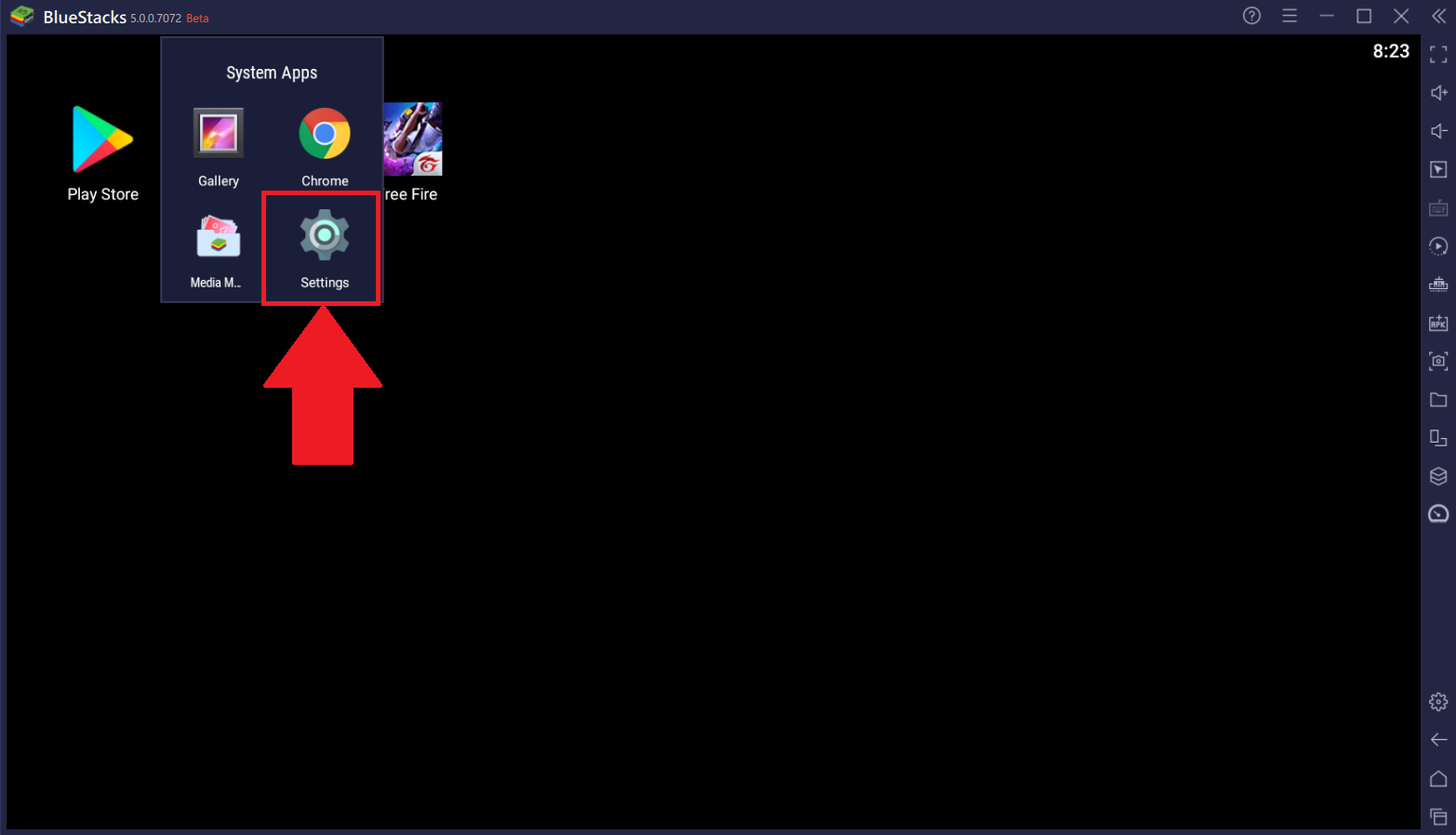
2. بعد ذلك ، انقر فوق "إعدادات" ، كما هو موضح أدناه.
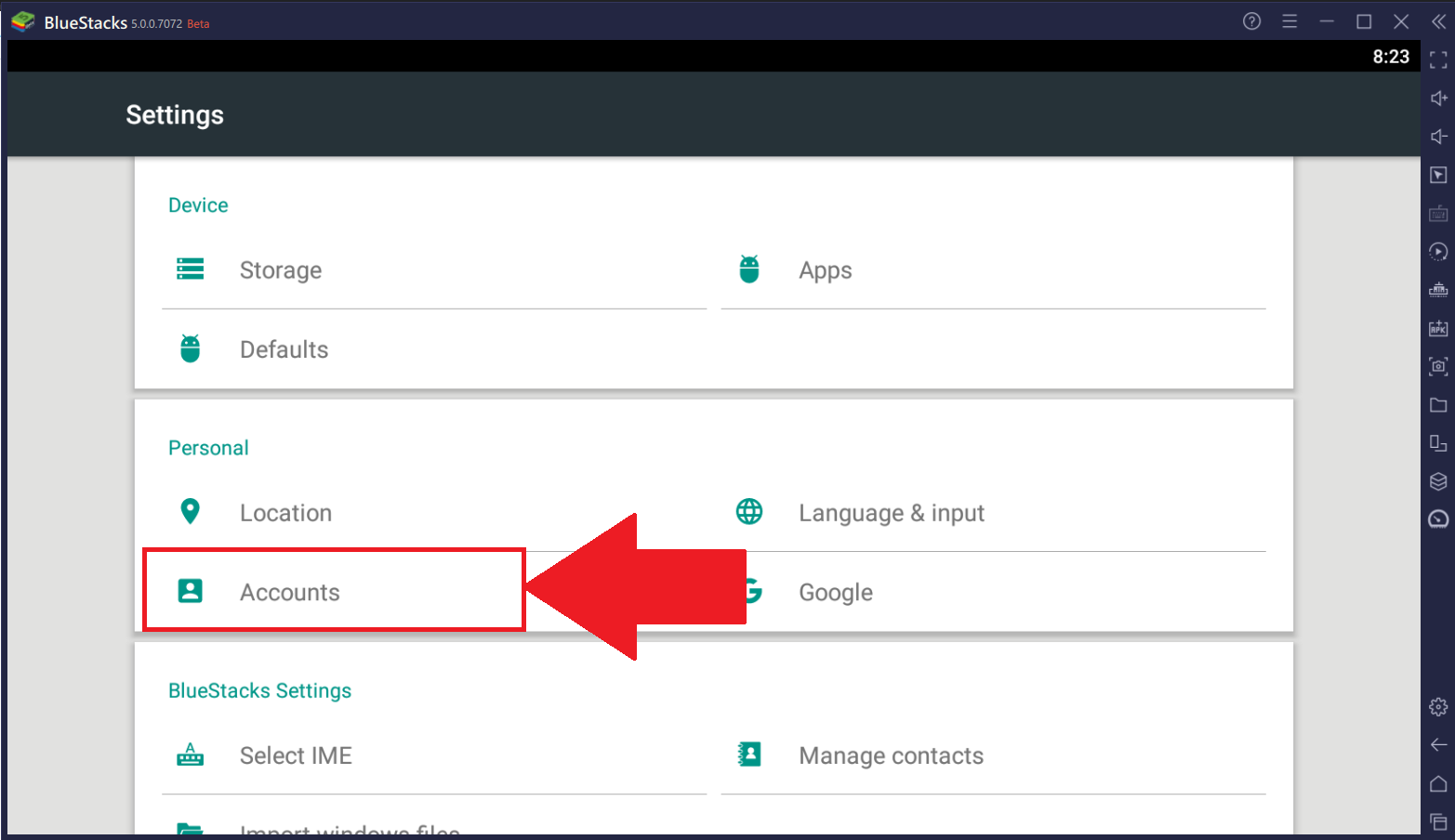
3. انقر فوق "حسابات" ، كما هو موضح أدناه.
ستقوم الروابط أدناه الآن بإعادة توجيهك إلى المعلومات ذات الصلة في المقالة.
إزالة حساب Google الخاص بك
The steps for removing your Google account can vary based on the instance you're on. Click on any of the links below if you're on:
Nougat 32 بت أو Nougat 64 بت
1. للاطلاع على تفاصيل حساب Google الحالي الذي تستخدمه ، انقر فوق "Google".
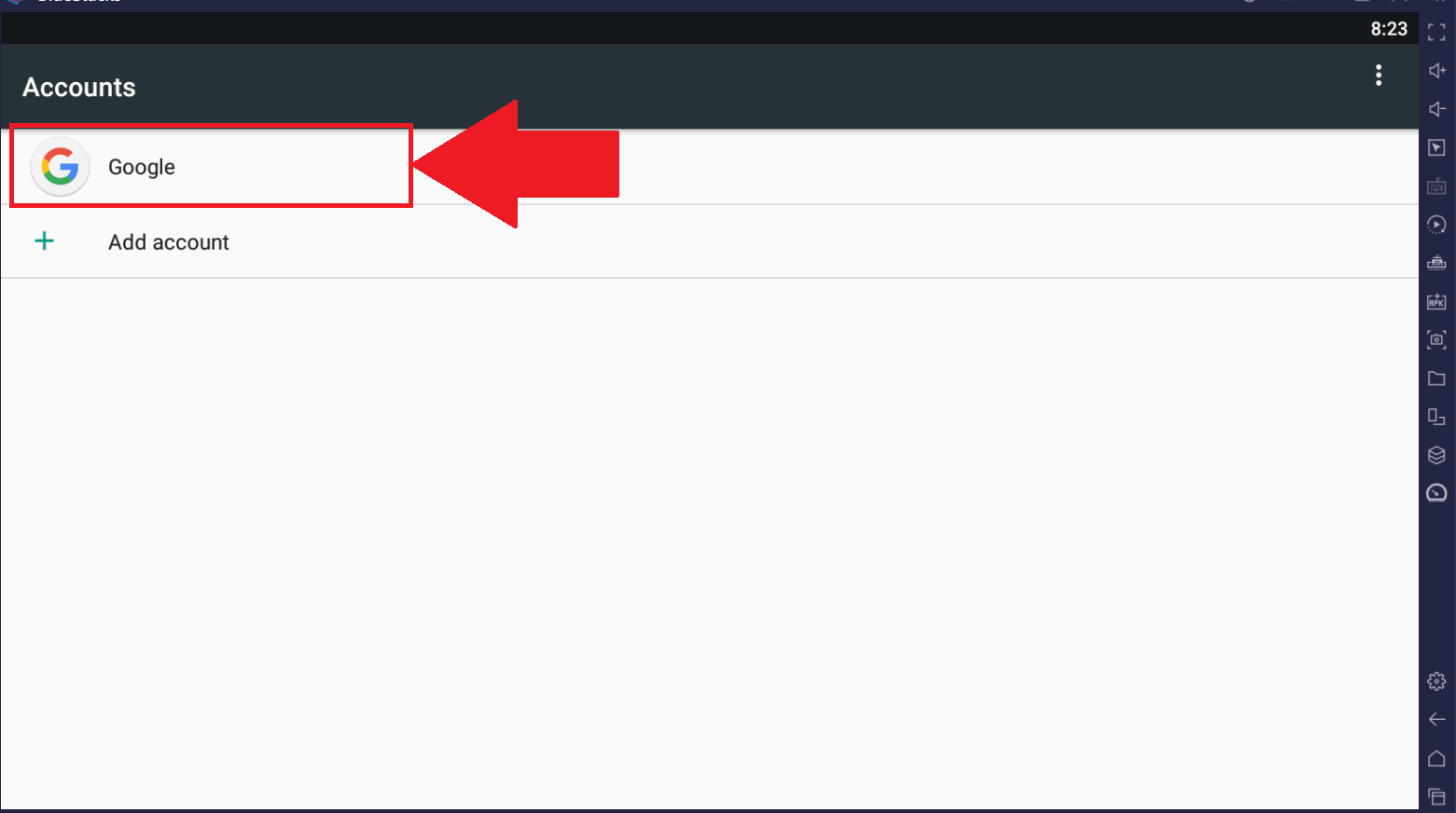
2. بعد ذلك ، انقر فوق النقاط الثلاث ، كما هو موضح أدناه.
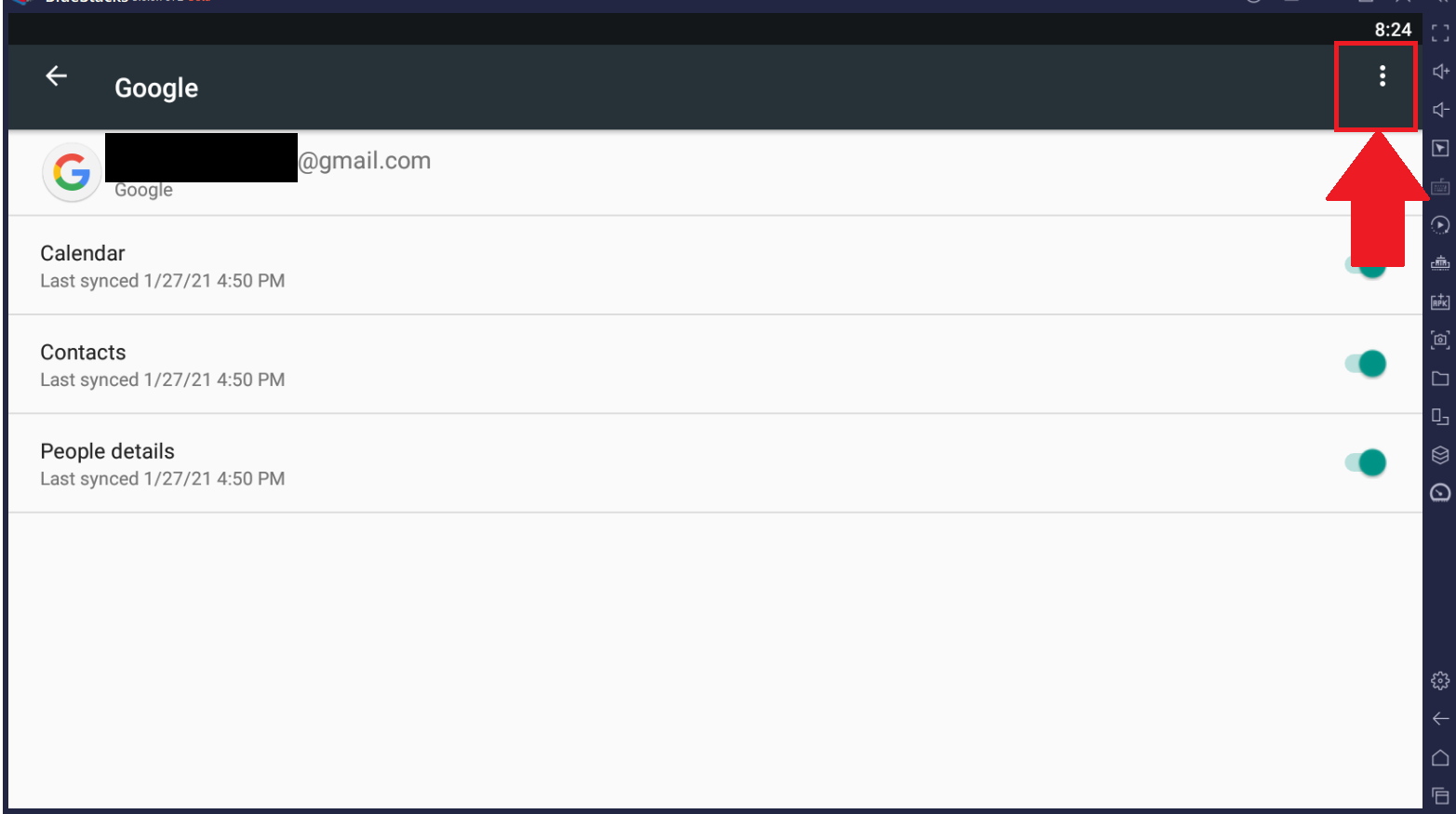
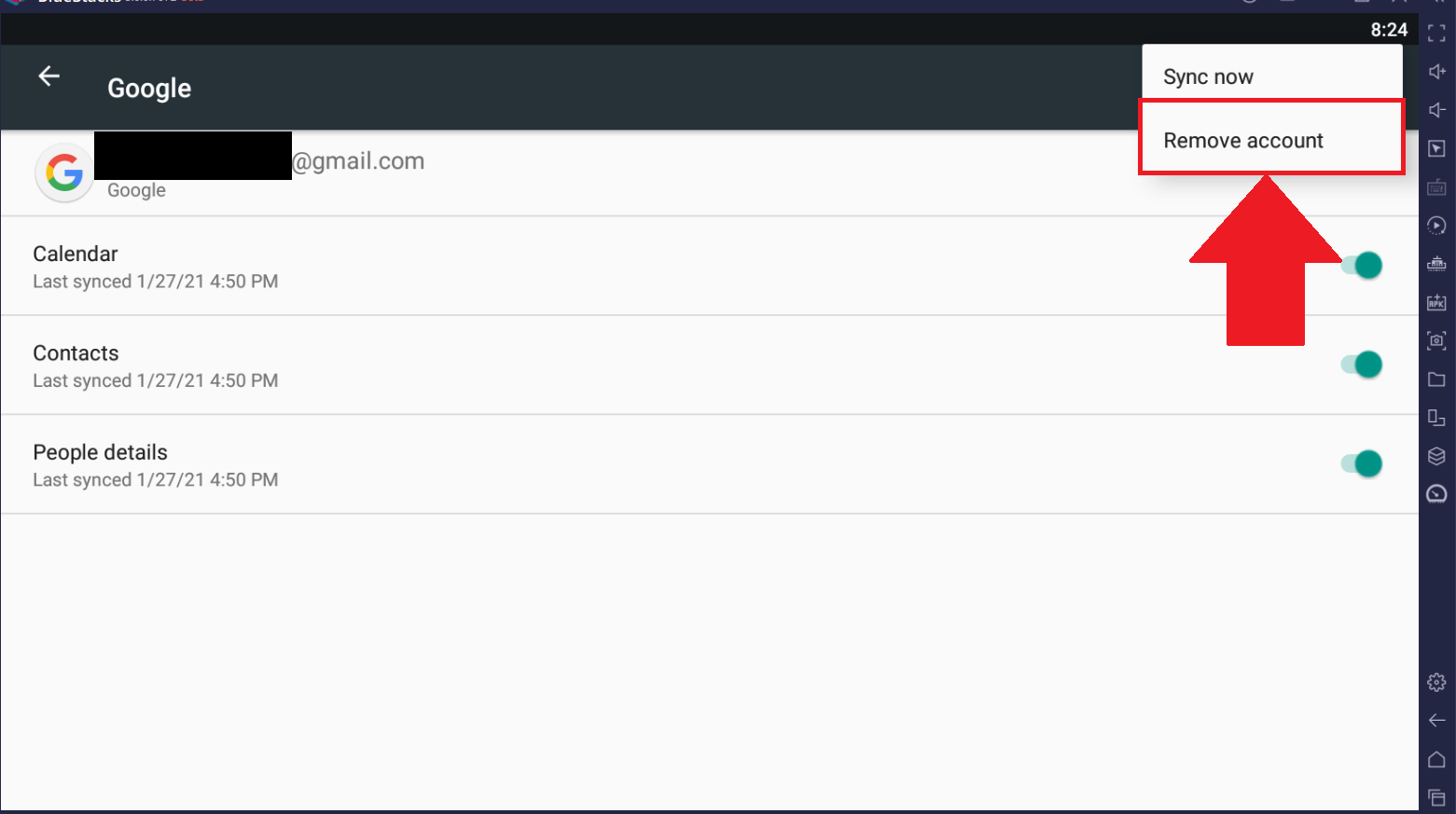
3. من هنا ، حدد "إزالة الحساب".
Pie 64 بت أو Android 11
1. انقر فوق حساب Google الذي ترغب في حذفه ، كما هو موضح أدناه.
2. انقر فوق "إزالة الحساب".
إضافة حساب جوجل
1. انقر فوق "إضافة حساب".
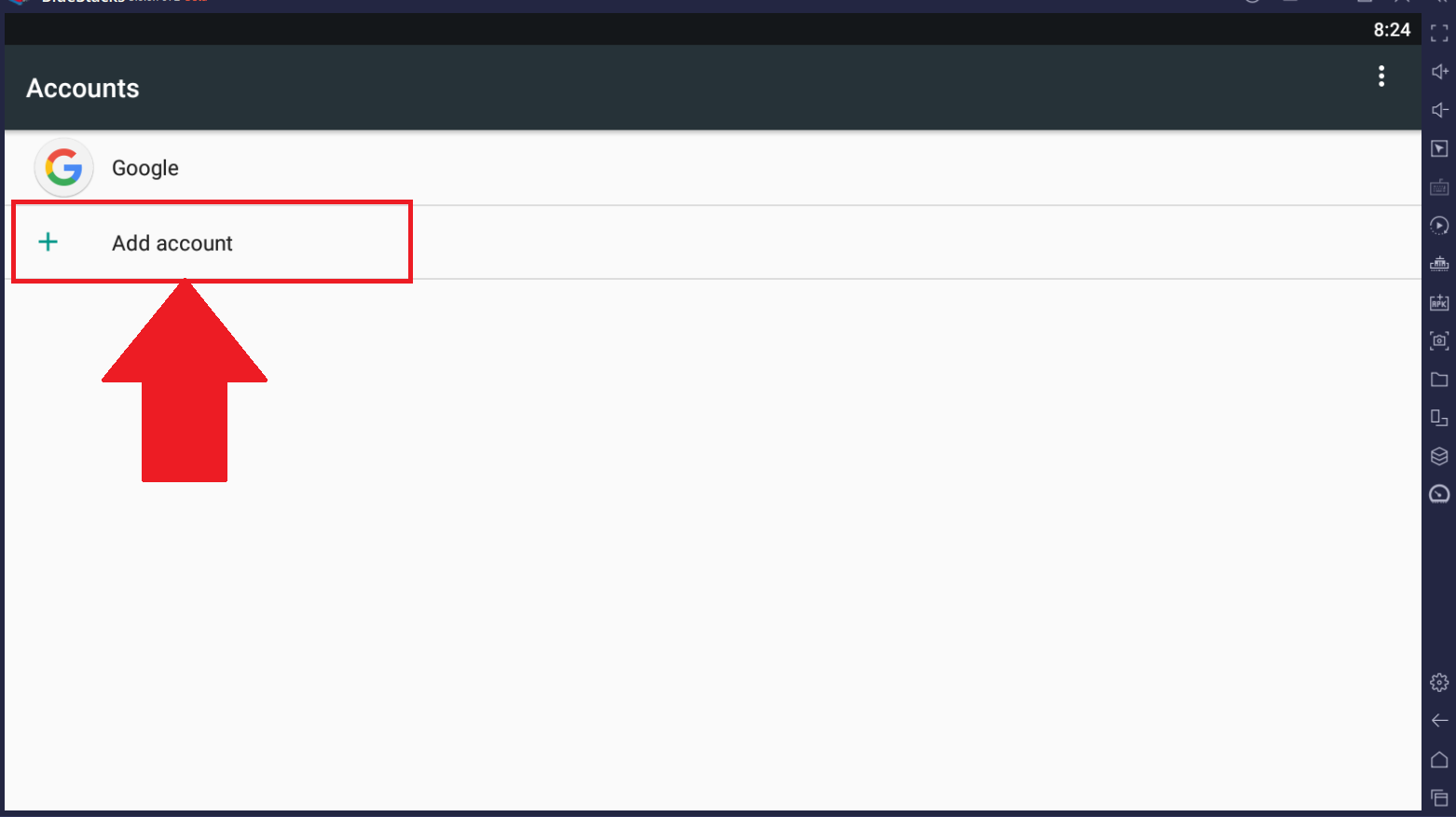
أخيرًا ، اتبع التعليمات التي تظهر على الشاشة. بمجرد الانتهاء ، يمكن الآن استخدام حساب Google الخاص بك على BlueStacks 5.
نحن نقدر حقا اختيارك بلو ستاكس. نأمل أن تستمتع باستخدامه. إذا كان لديك أي أسئلة أخرى ، يرجى الاتصال بنا على .support.bluestacks.com شكرا جزيلا.