كيفية تغيير حالة Whatsapp الخاصة بك على BlueStacks 5

كيف سيساعد هذا؟

تشرح هذه المقالة كيف يمكنك تغيير الحالة في ملف تعريف Whatsapp الخاص بك ، أثناء استخدام BlueStacks 5.


كيف يمكنني تغيير حالتي على WhatsApp؟

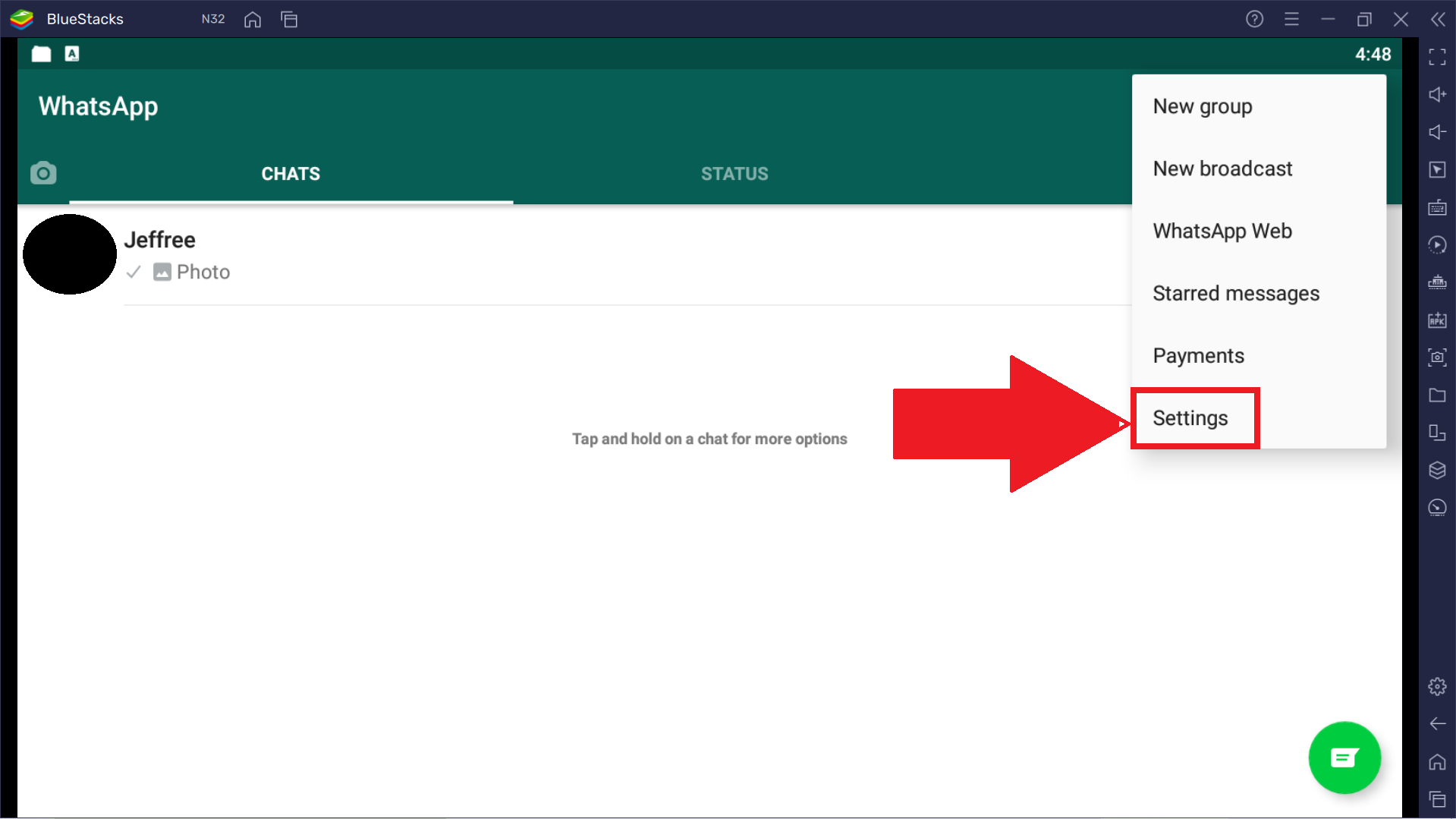
1. قم بتشغيل WhatsApp وانقر على النقاط الثلاث الرأسية في الزاوية العلوية اليمنى.
1.png

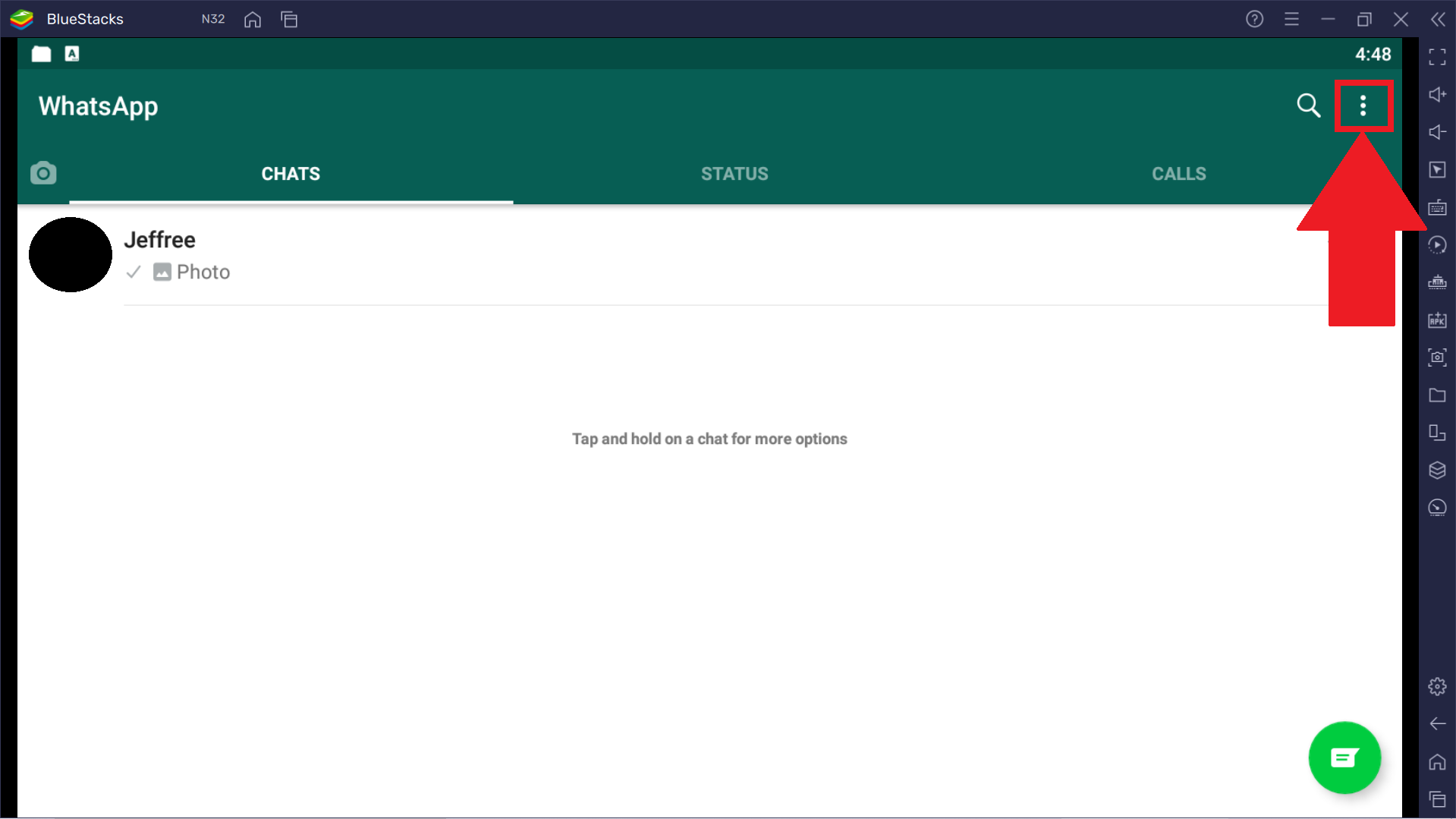
2. حدد خيار "الإعدادات".

2.png

3. الآن ، انقر فوق قسم ملف التعريف الخاص بك في الأعلى.
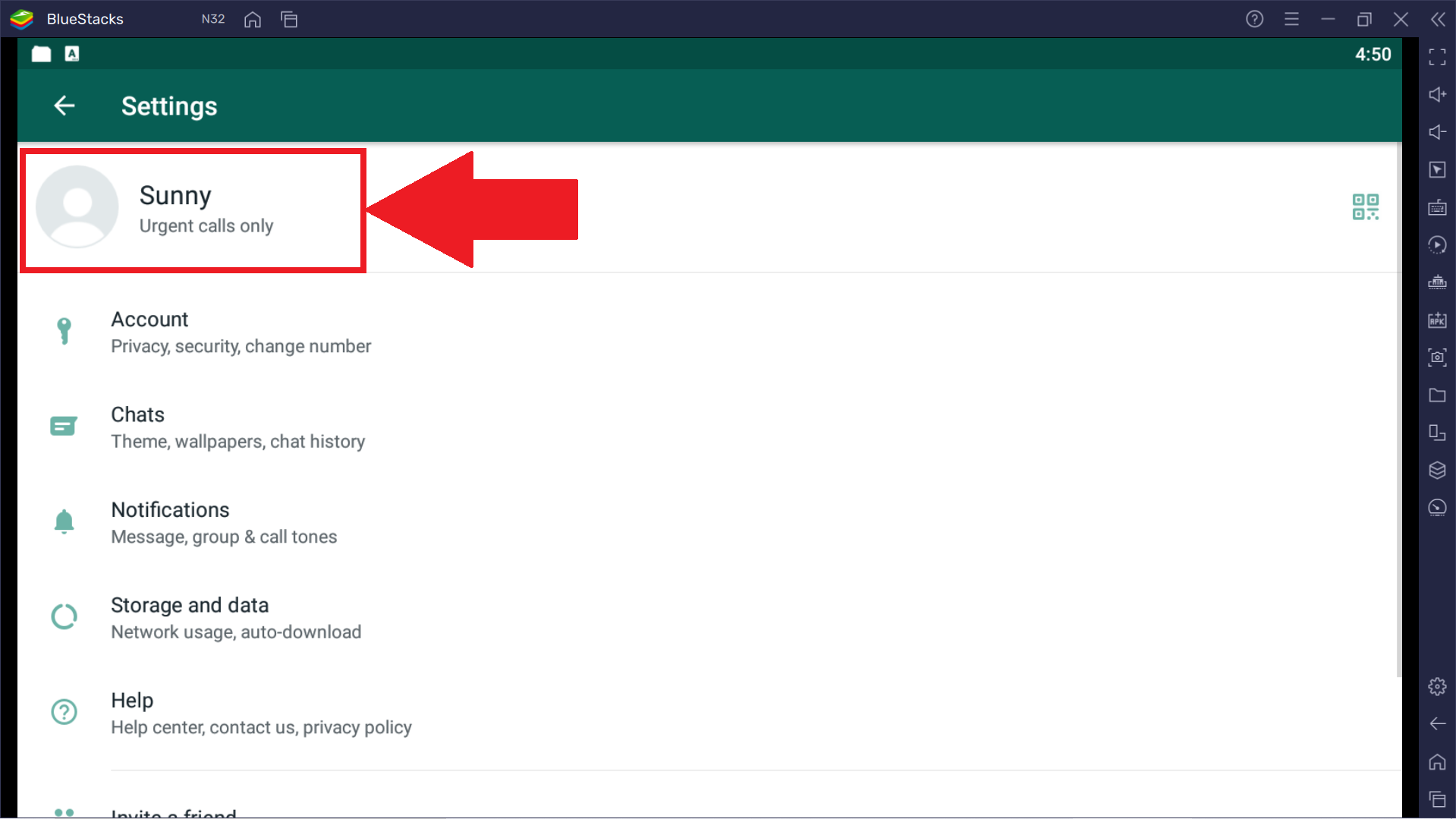
3.png

4. انقر هنا على رمز القلم الرصاص بجوار قسم "حول".
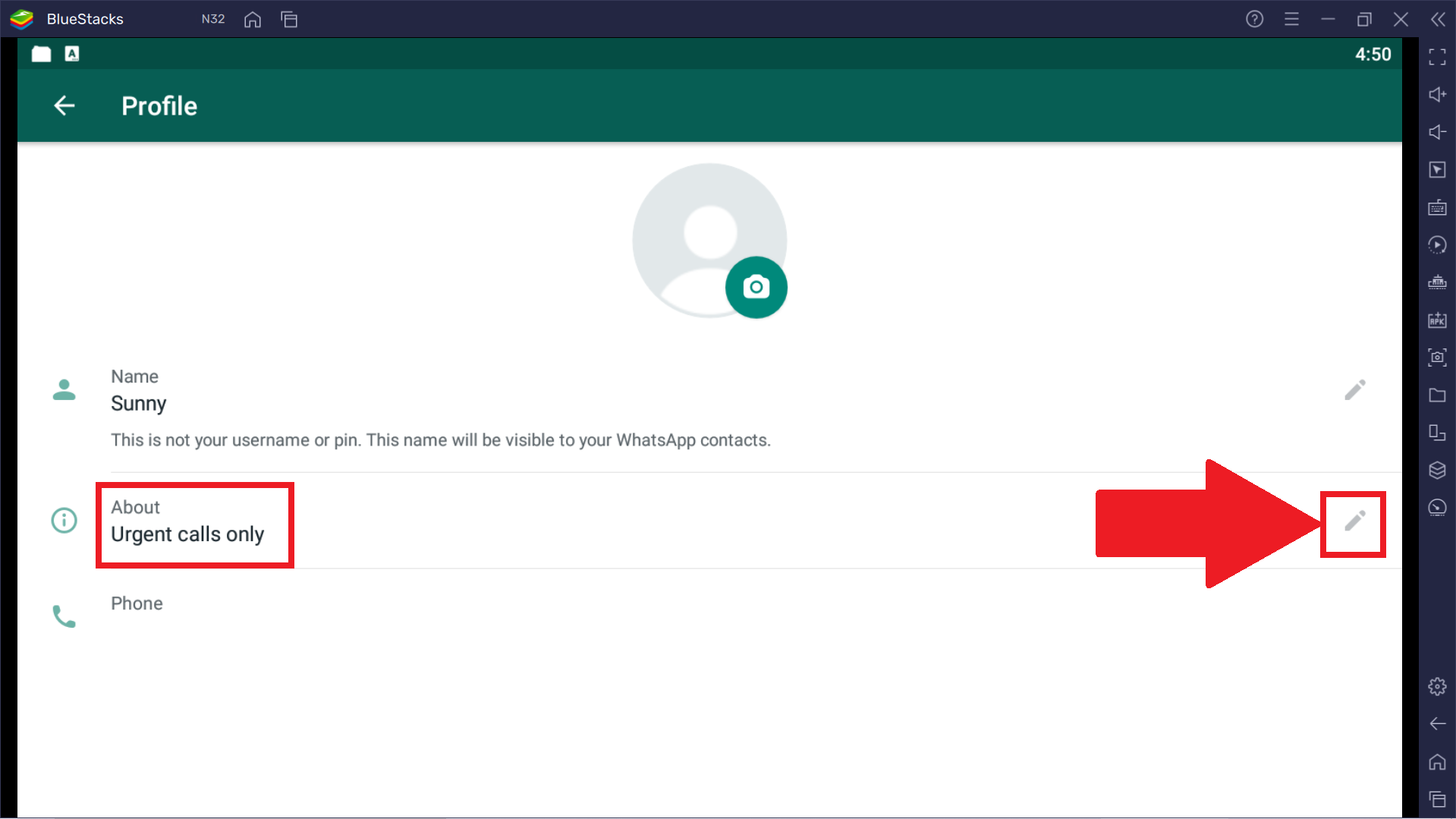
4.png

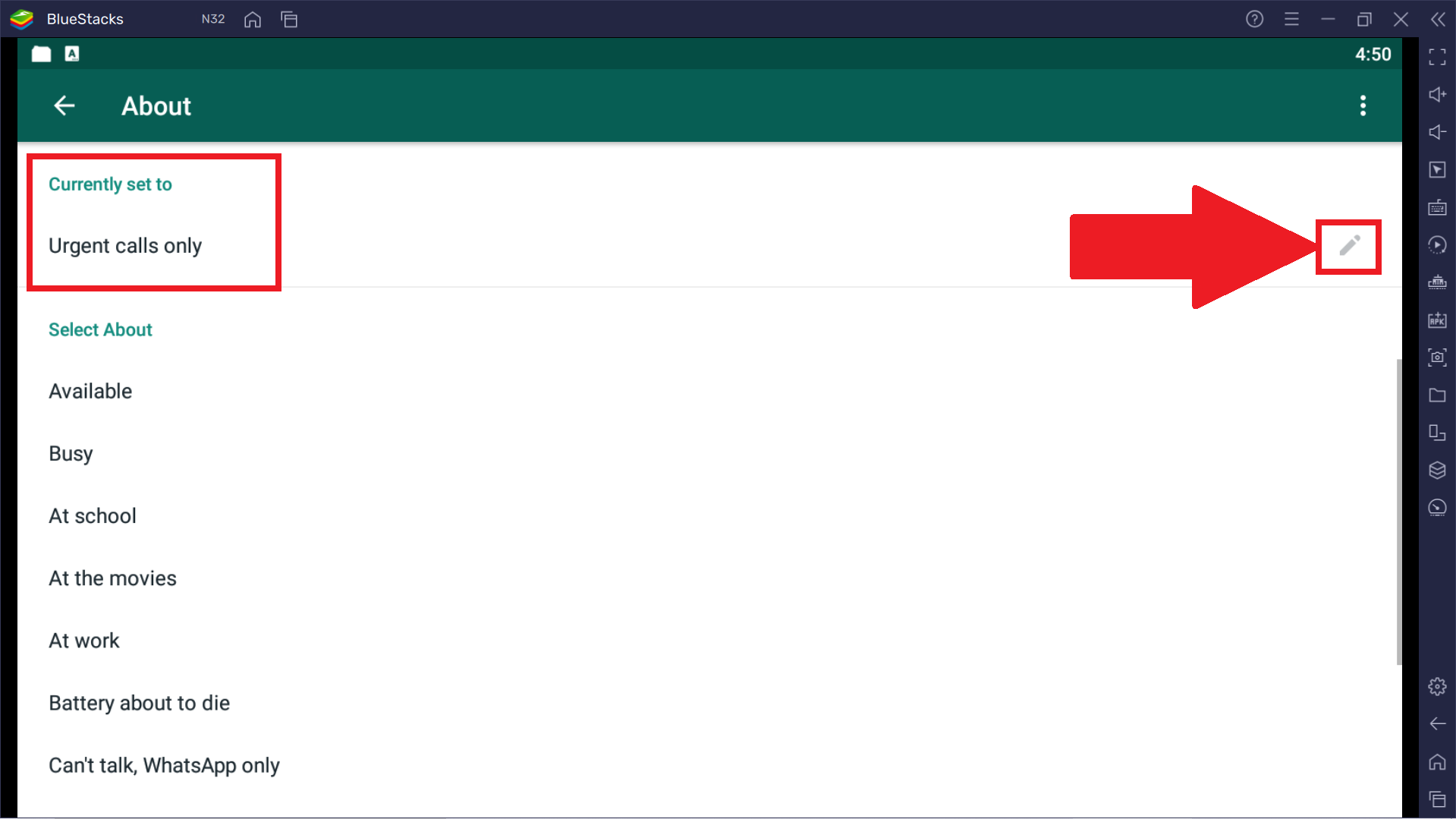
5. هنا ، انقر فوق رمز القلم الرصاص بجوار قسم "تم تعيينه حاليًا على" واكتب حالتك المخصصة. يمكنك أيضًا الاختيار من بين مجموعة مخزون من العبارات أدناه.
5.png

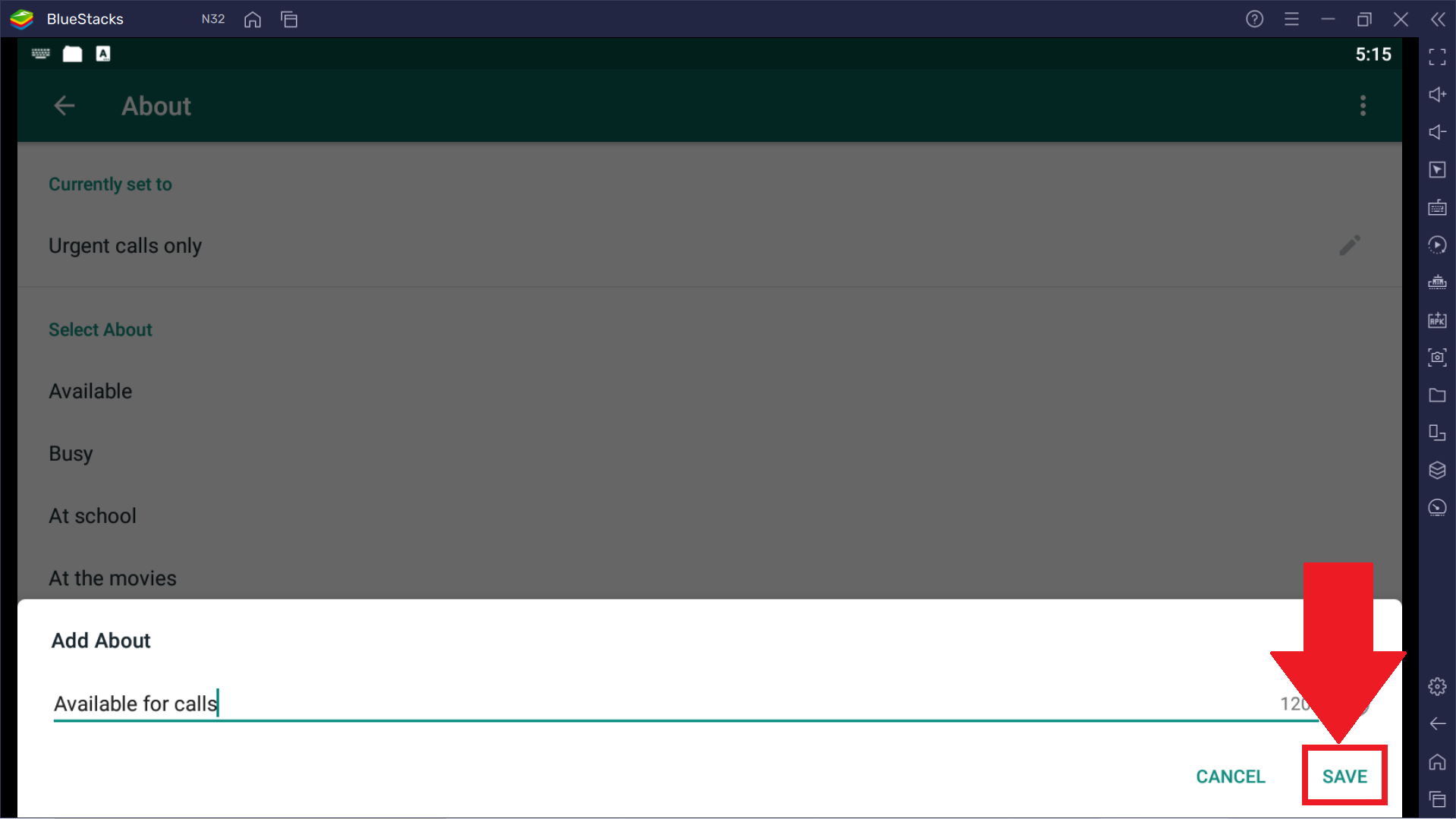
6. بمجرد الانتهاء ، انقر فوق "حفظ". سيتم الآن تطبيق حالة WhatsApp المفضلة لديك على ملف التعريف الخاص بك.
6.png


شكرًا لاختيارك BlueStacks. نأمل أن تستمتع باستخدامه. إذا كانت لديك أي أسئلة أخرى ، فيرجى الاتصال بنا على support@bluestacks.com. ألعاب سعيدة!

هل كان هذا المقال مفيداً؟
55 من 89 وجدوا هذا مفيداً
Reach out to us on Reddit (Join Reddit) or Discord (Join Discord) or at support@bluestacks.com with your questions.

We’d love to hear from you! Please take a moment to share your thoughts on the BlueStacks Help Center via this survey.
Subscribe to BlueStacks Weekly!
Get updates on new releases, features, and fixes. Discover trending games & enjoy exclusive gift codes!
By subscribing, I agree to receive weekly updates from the BlueStacks Help Center.
Thank you for subscribing to BlueStacks Weekly
Keep an eye on your inbox for updates on the latest features, gaming trends, bug fixes, gift codes, and much more!