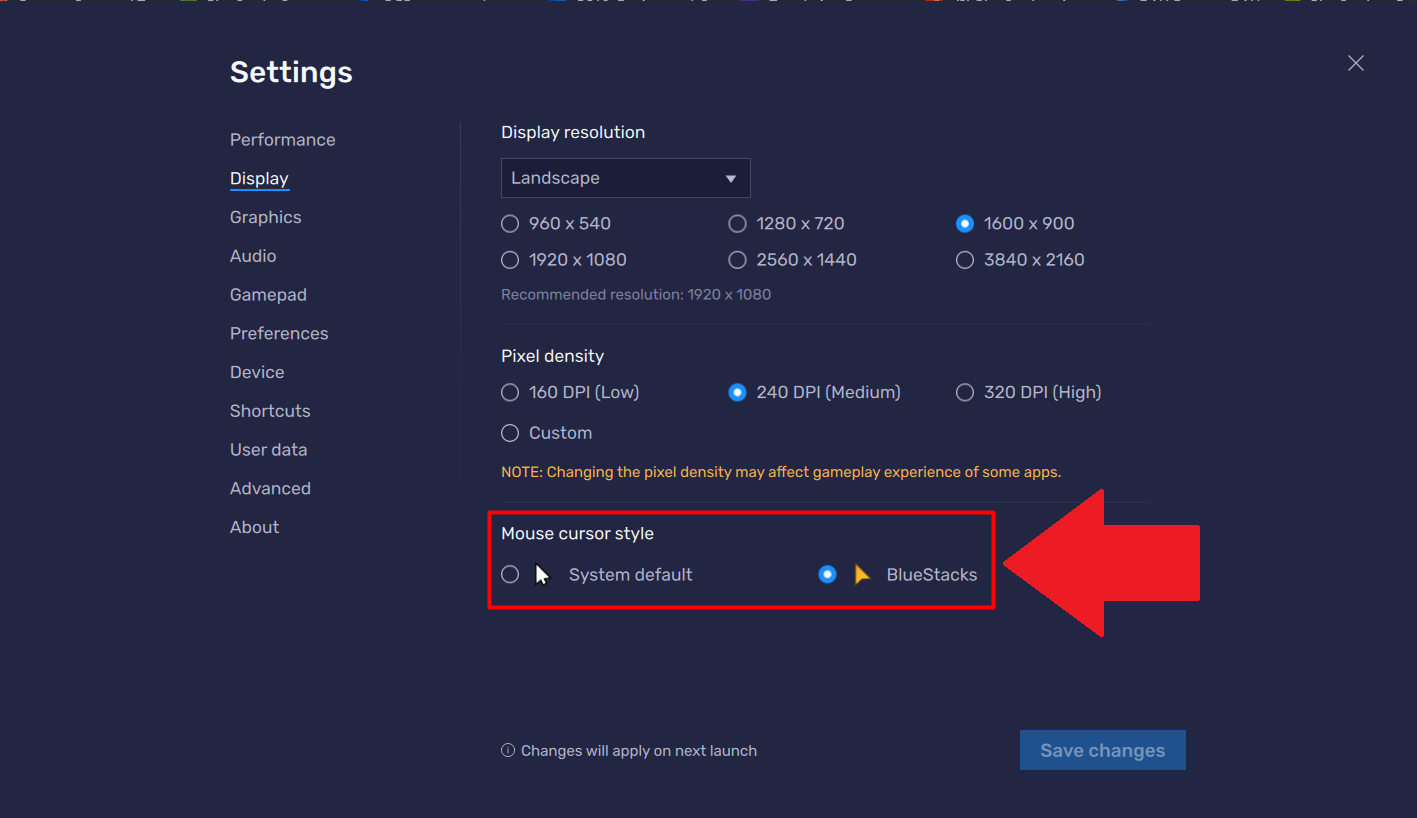
كيفية تغيير مؤشر الماوس على BlueStacks 5

كيف يمكنني تحديد مؤشر ماوس مختلف؟

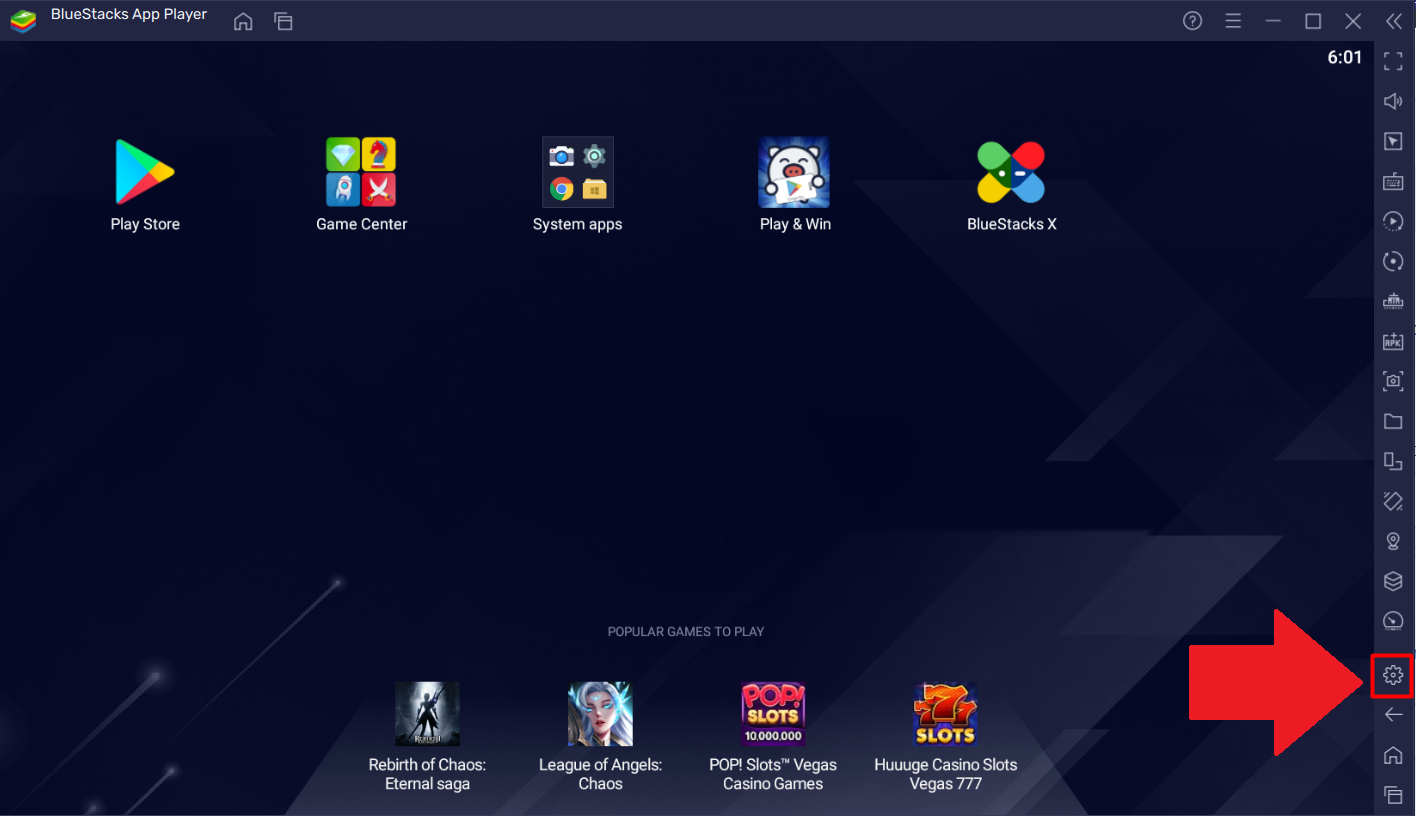
1. افتح قائمة الإعدادات في BlueStacks من خلال النقر على أيقونة الترس في شريط الأدوات الجانبي ، كما هو موضح أدناه.
Screenshot_8.png

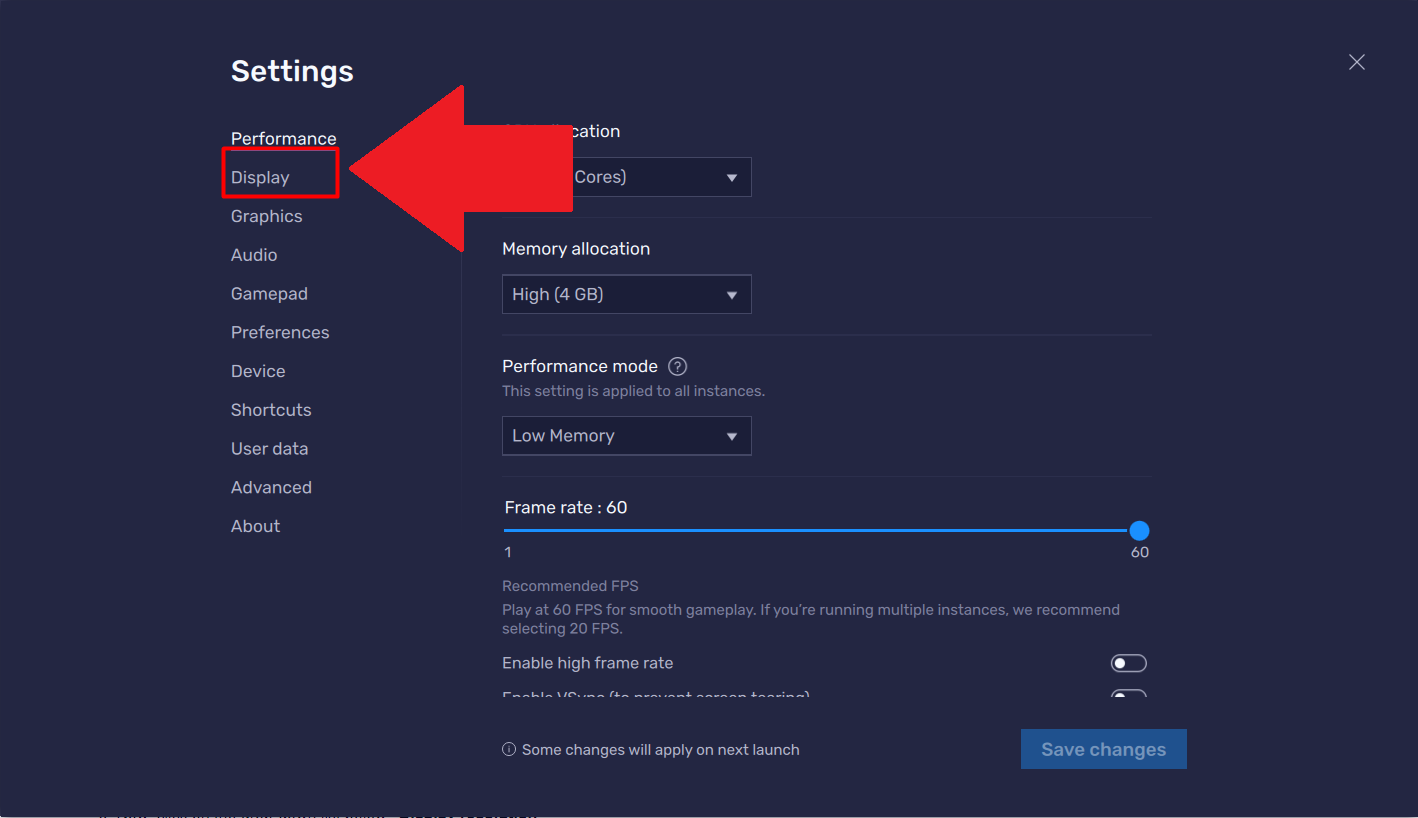
2. في صفحة الإعدادات ، حدد علامة التبويب "عرض".
Screenshot_2.png

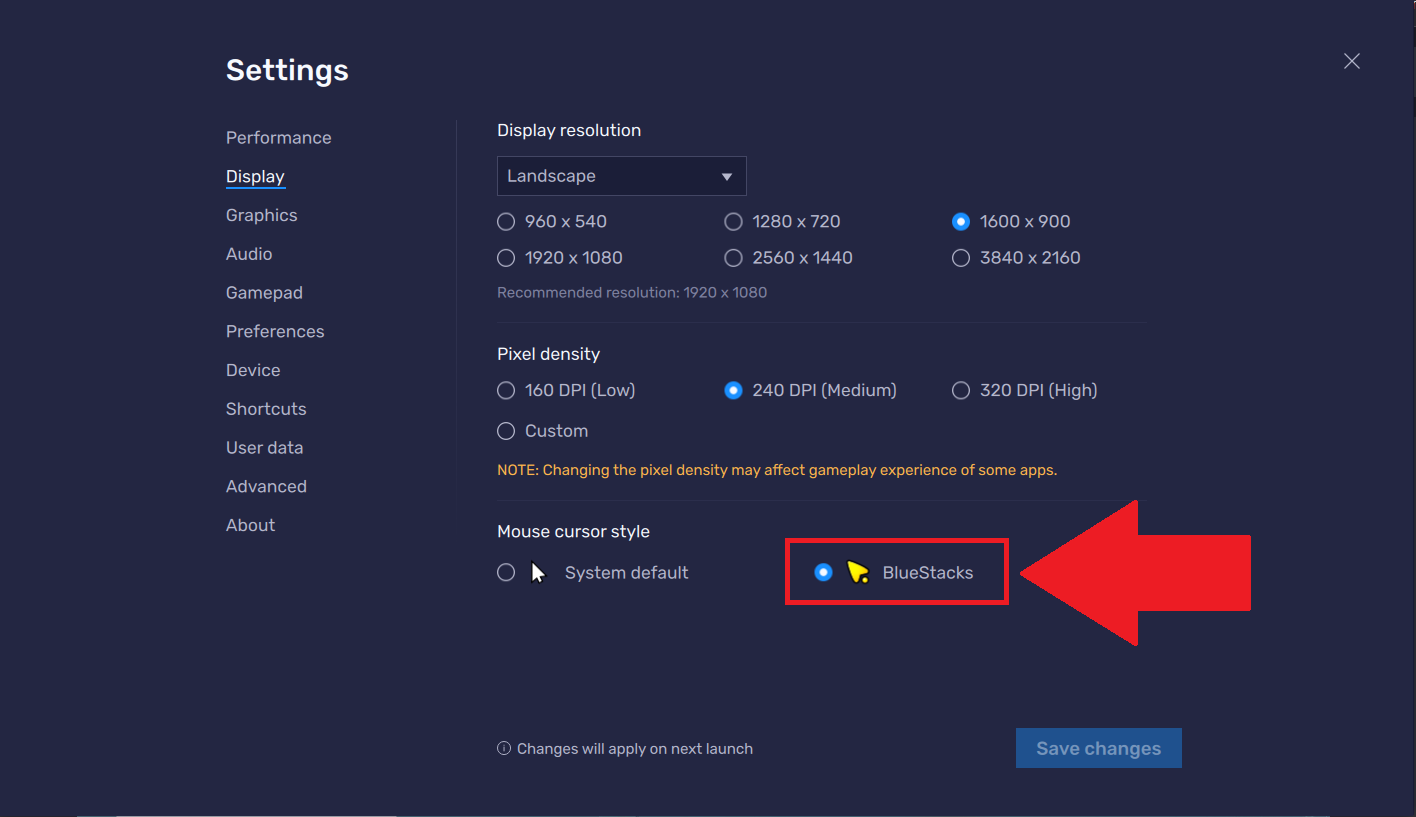
3. ضمن علامة التبويب هذه ، يمكنك الآن تحديد مؤشر الماوس الذي ترغب في استخدامه من أيٍّ من:

  • النظام الافتراضي
  • BlueStacks

Screenshot_12.png

ملاحظة: هذه الميزة متاحة فقط في أحدث إصدار من BlueStacks.
Screenshot_18.png

ألق نظرة على الفيديو أدناه لمعرفة المزيد حول مؤشر MOBA على BlueStacks 5.

4. لتطبيق هذا المظهر الجديد على المؤشر ، انقر فوق "حفظ التغييرات". اخرج من قائمة الإعدادات وشاهد المؤشر يتحول على الفور ، كما هو موضح أدناه.
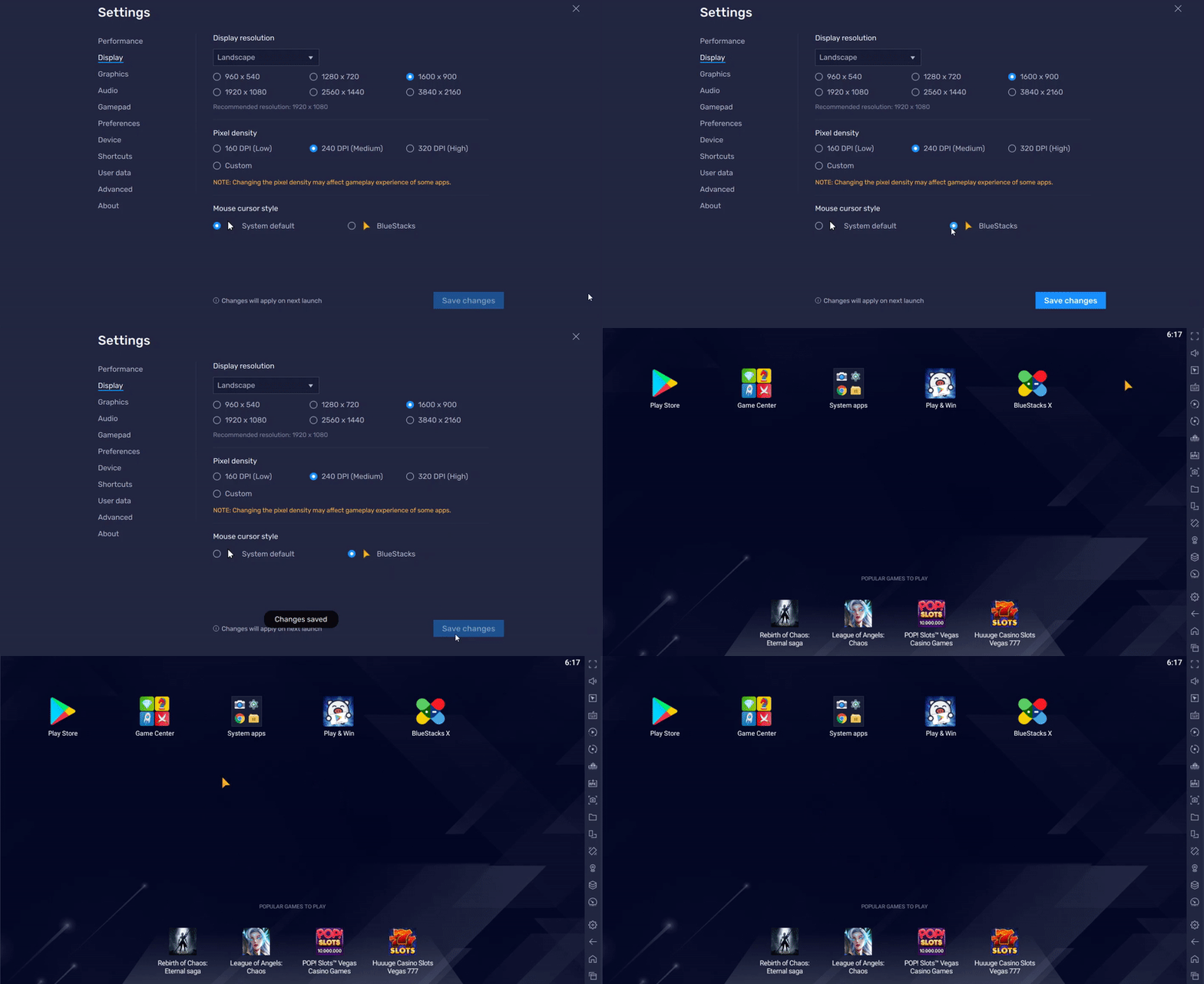
1.gif


شكرًا لاختيارك BlueStacks. نأمل أن تستمتع باستخدامه. إذا كانت لديك أي أسئلة أخرى ، فيرجى الاتصال بنا على support@bluestacks.com. ألعاب سعيدة!

هل كان هذا المقال مفيداً؟
135 من 355 وجدوا هذا مفيداً
Reach out to us on Reddit (Join Reddit) or Discord (Join Discord) or at support@bluestacks.com with your questions.

We’d love to hear from you! Please take a moment to share your thoughts on the BlueStacks Help Center via this survey.
Subscribe to BlueStacks Weekly!
Get updates on new releases, features, and fixes. Discover trending games & enjoy exclusive gift codes!
By subscribing, I agree to receive weekly updates from the BlueStacks Help Center.
Thank you for subscribing to BlueStacks Weekly
Keep an eye on your inbox for updates on the latest features, gaming trends, bug fixes, gift codes, and much more!