كيف سيساعد هذا؟
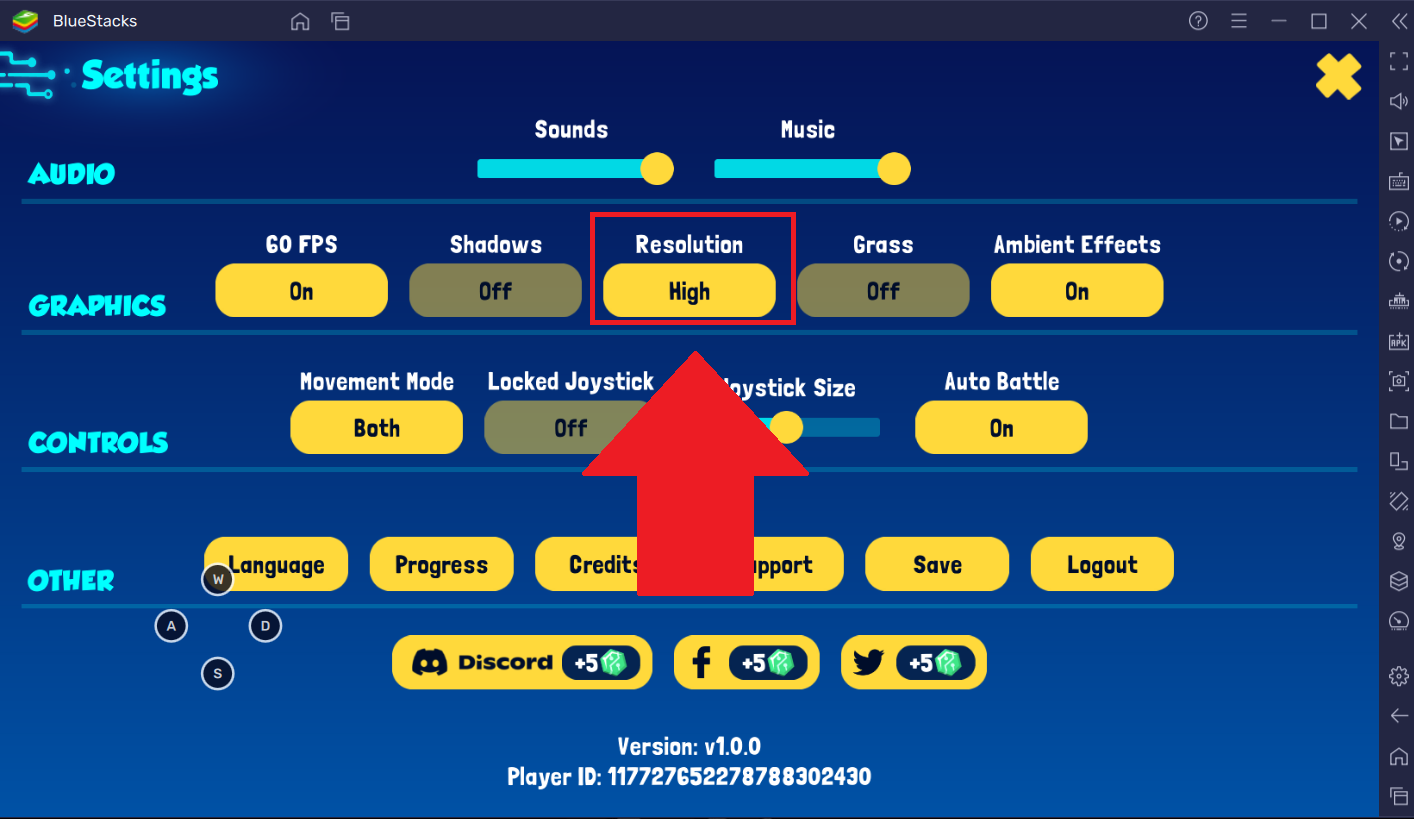
يمكنك الآن الاستمتاع بتجربة رسومية محسّنة عند لعب Botworld Adventure على BlueStacks 5. للقيام بذلك ، اضبط "Resolution" على "High" في علامة تبويب Graphics ضمن إعدادات اللعبة.
ملاحظة: يمكن تثبيت Botworld Adventure وتشغيله على مثيل Pie 64 بت من BlueStacks 5. لمعرفة كيفية إنشاء مثيل Pie 64 بت ، من فضلك click here.
كيف يمكنني تطبيق هذه الإعدادات؟
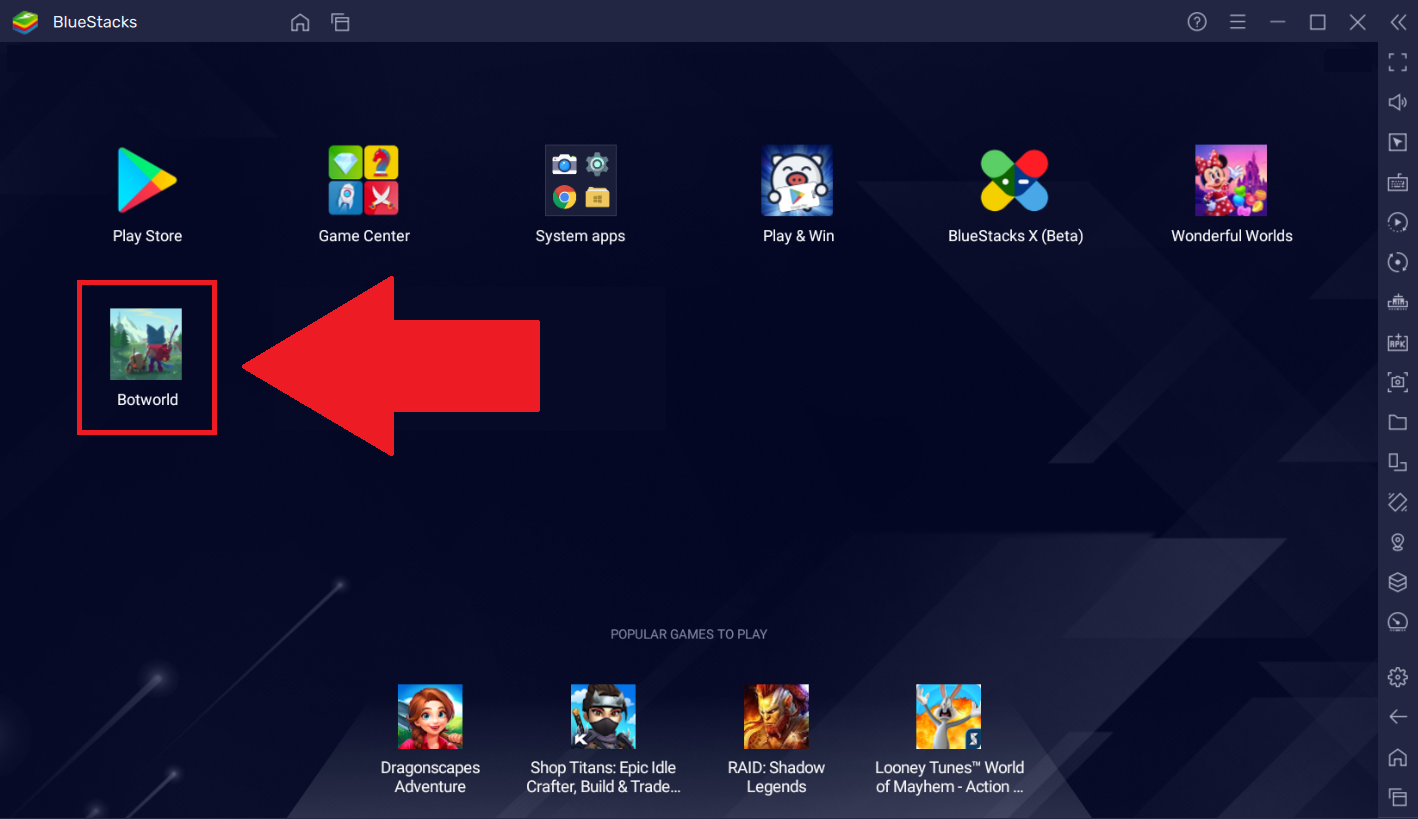
1. افتح BlueStacks 5 على سطح المكتب / الكمبيوتر المحمول وابدأ تشغيل Botworld Adventur من الشاشة الرئيسية.
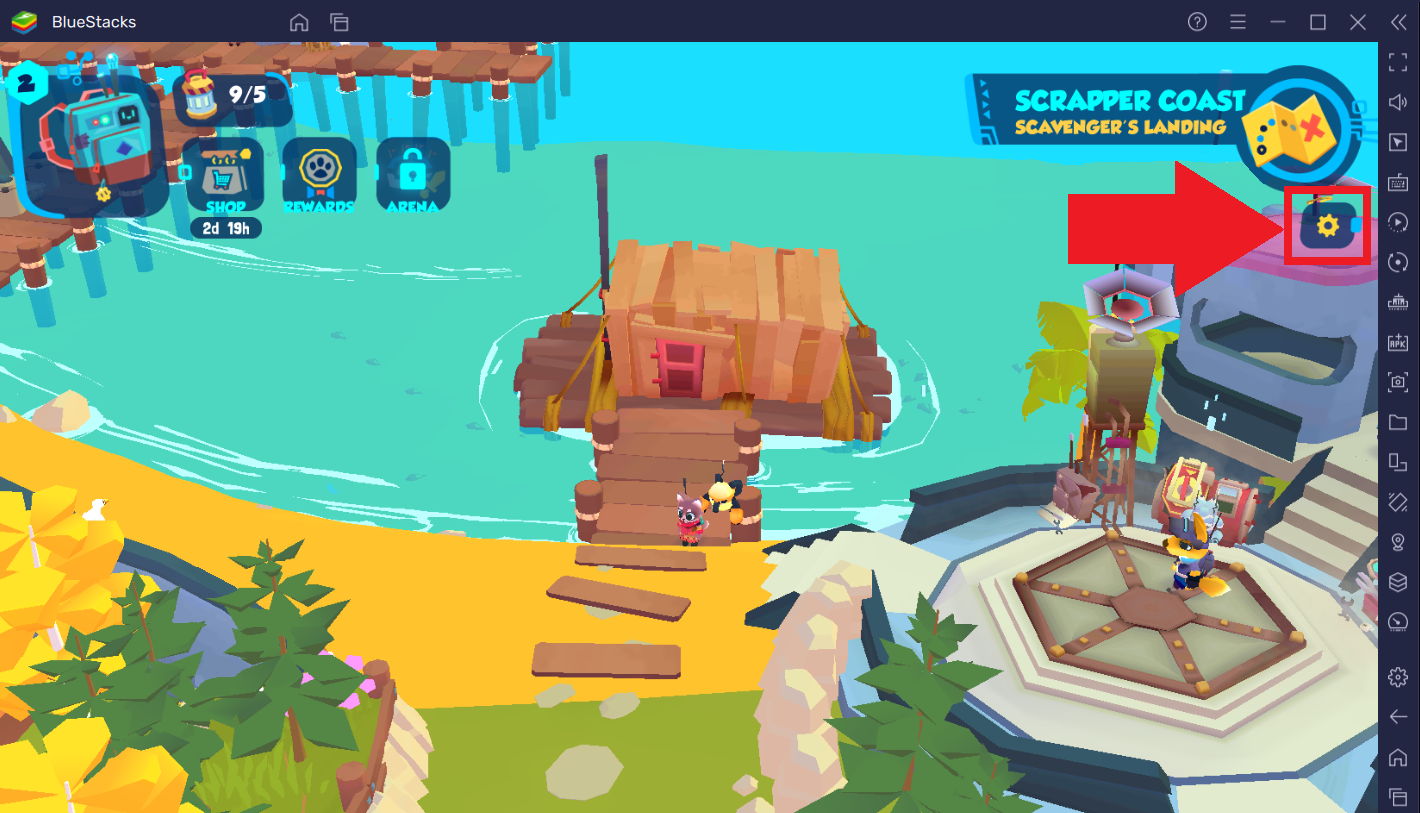
2. انقر فوق "رمز الترس" على الجانب الأيمن من شاشتك للوصول إلى إعدادات اللعبة.
3. في علامة التبويب "الرسومات" ، اضبط "الدقة" على "عالية".
يمكنك بعد ذلك إغلاق قائمة الإعدادات ولعب Botworld Adventure بأعلى الإعدادات الرسومية على BlueStacks 5.
شكرًا لاختيارك BlueStacks 5. نأمل أن تستمتع باستخدامه. إذا كانت لديك أي أسئلة أخرى ، فيرجى الاتصال بنا على support@bluestacks.com. ألعاب سعيدة!