BlueStacks 5 ベータ版で『七つの大罪 光と闇の交戦 : グラクロ』がクラッシュする問題を解決する方法

問題を解決する方法

BlueStacks 5 ベータ版で『七つの大罪 光と闇の交戦 : グラクロ』がクラッシュする問題を解決するには、以下の手順で紹介されるクイックフィックス用ツールを実行してください。このツールの実行後、クラッシュが発生することなく『七つの大罪 光と闇の交戦 : グラクロ』をプレイできます。

1. リンクをクリックして、お使いのPCにこのツールをダウンロードしてください。

2. ツールのダウンロードが完了したら、保存先に移動し、.exeファイルをダブルクリックしてください。ツールが開き、短時間起動した後、自動的に終了します。
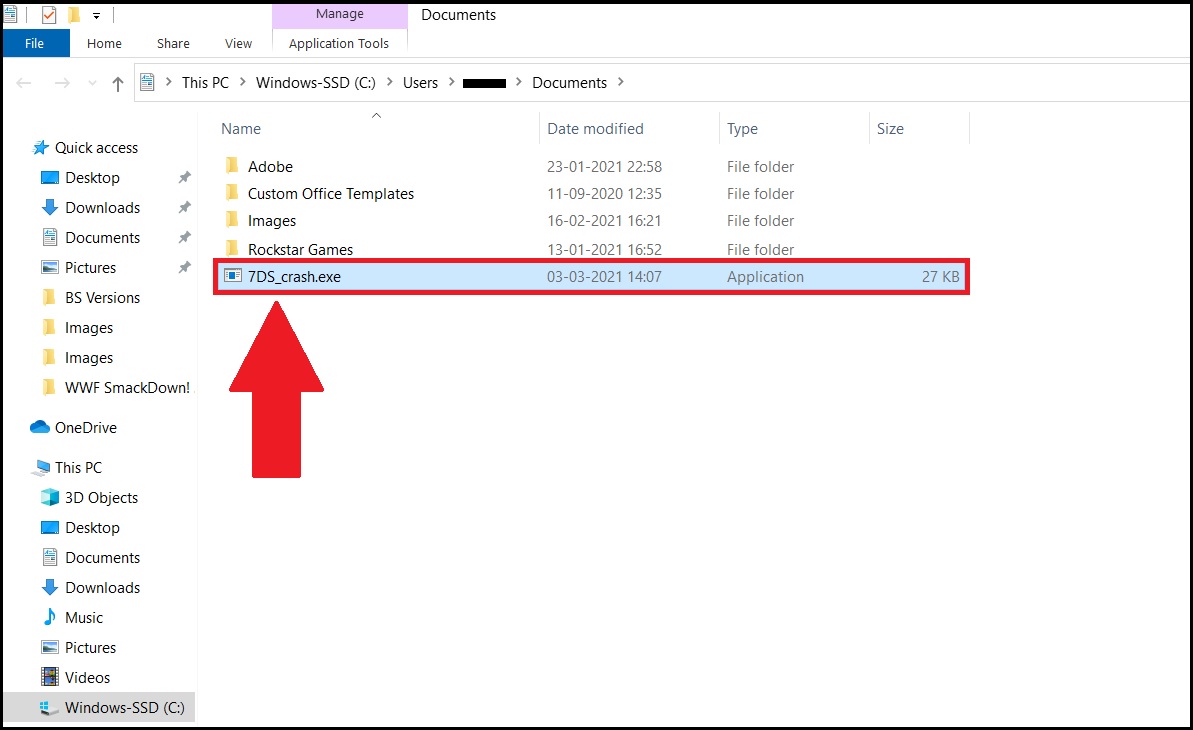
1.jpg

※  ツールの起動により、すべてのBlueStacks 5 ベータ版のアクティブインスタンスが終了します。

3. ホーム画面からBlueStacks 5 ベータ版を再起動し、『七つの大罪 光と闇の交戦 : グラクロ』を起動してください。手順は以上になります。これでゲームのプレイ中に発生していたクラッシュの問題が解決します。

1.jpg

ご不明な点がございましたら、support@bluestacks.comまでお問い合わせください。Happy Gaming! 更新日:2021年5月22日

この記事は役に立ちましたか?
362人中76人がこの記事が役に立ったと言っています
Reach out to us on Reddit (Join Reddit) or Discord (Join Discord) or at support@bluestacks.com with your questions.

We’d love to hear from you! Please take a moment to share your thoughts on the BlueStacks Help Center via this survey.
Subscribe to BlueStacks Weekly!
Get updates on new releases, features, and fixes. Discover trending games & enjoy exclusive gift codes!
By subscribing, I agree to receive weekly updates from the BlueStacks Help Center.
Thank you for subscribing to BlueStacks Weekly
Keep an eye on your inbox for updates on the latest features, gaming trends, bug fixes, gift codes, and much more!