BlueStacks 5で高グラフィックスのStumble Guys: Multiplayer Royaleをプレイする

これはどのように役立ちますか?

これで、BlueStacks 5で高グラフィックスのStumble Guys: Multiplayer Royaleをプレイできます。この大規模なマルチプレイヤーパーティーのノックアウトゲームで、対戦相手を追い越す準備をしましょう。

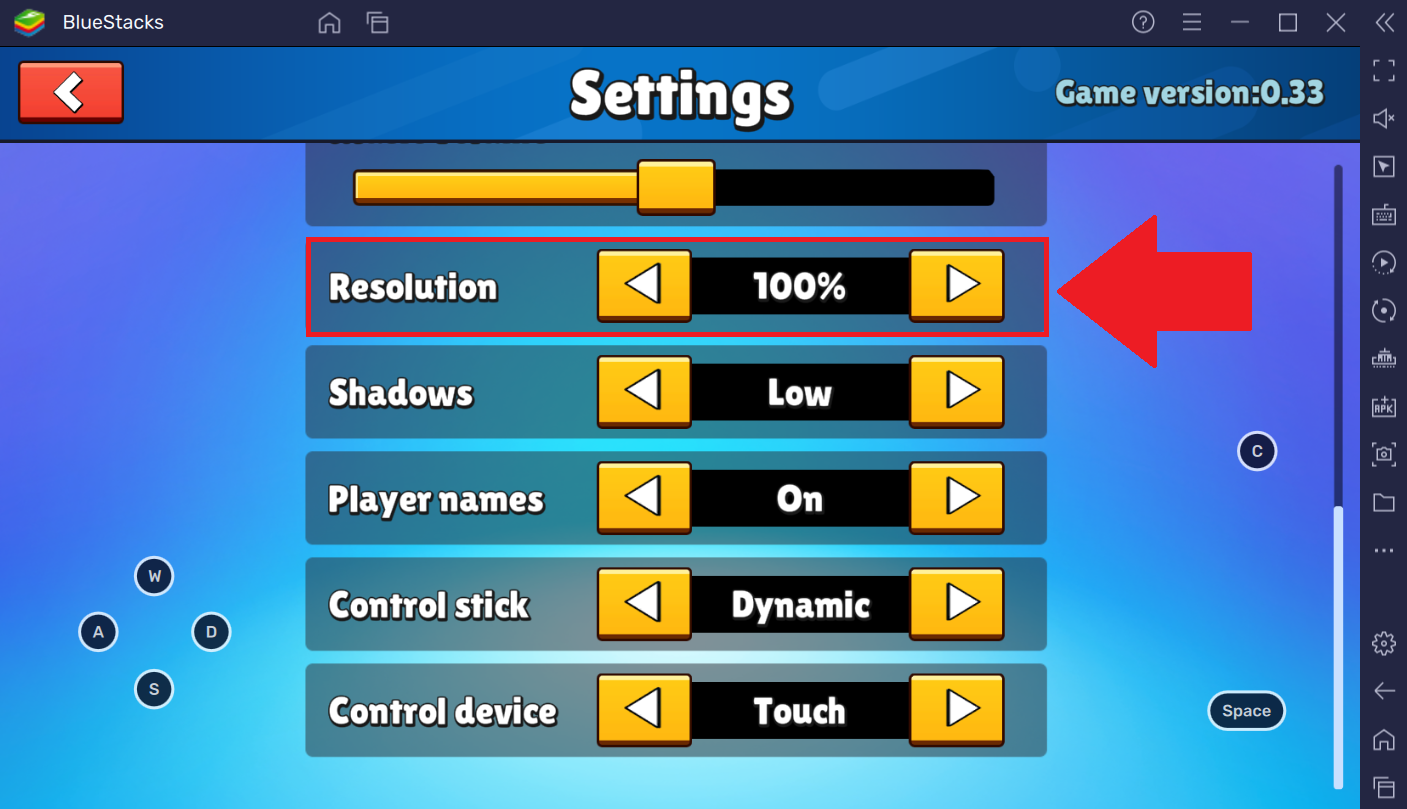
ミニチュアの世界での冒険を新たなレベルに引き上げる、よりリアルな視覚に備えましょう。これを行うには、 ゲーム内設定で「解像度」「100%」に設定します。

対戦相手をノックダウンし、詳細を逃さずに障害物を克服しましょう!さあ、あなたはやられる準備ができていますか、それとも勝つ準備ができていますか?


これはどうやって行いますか?

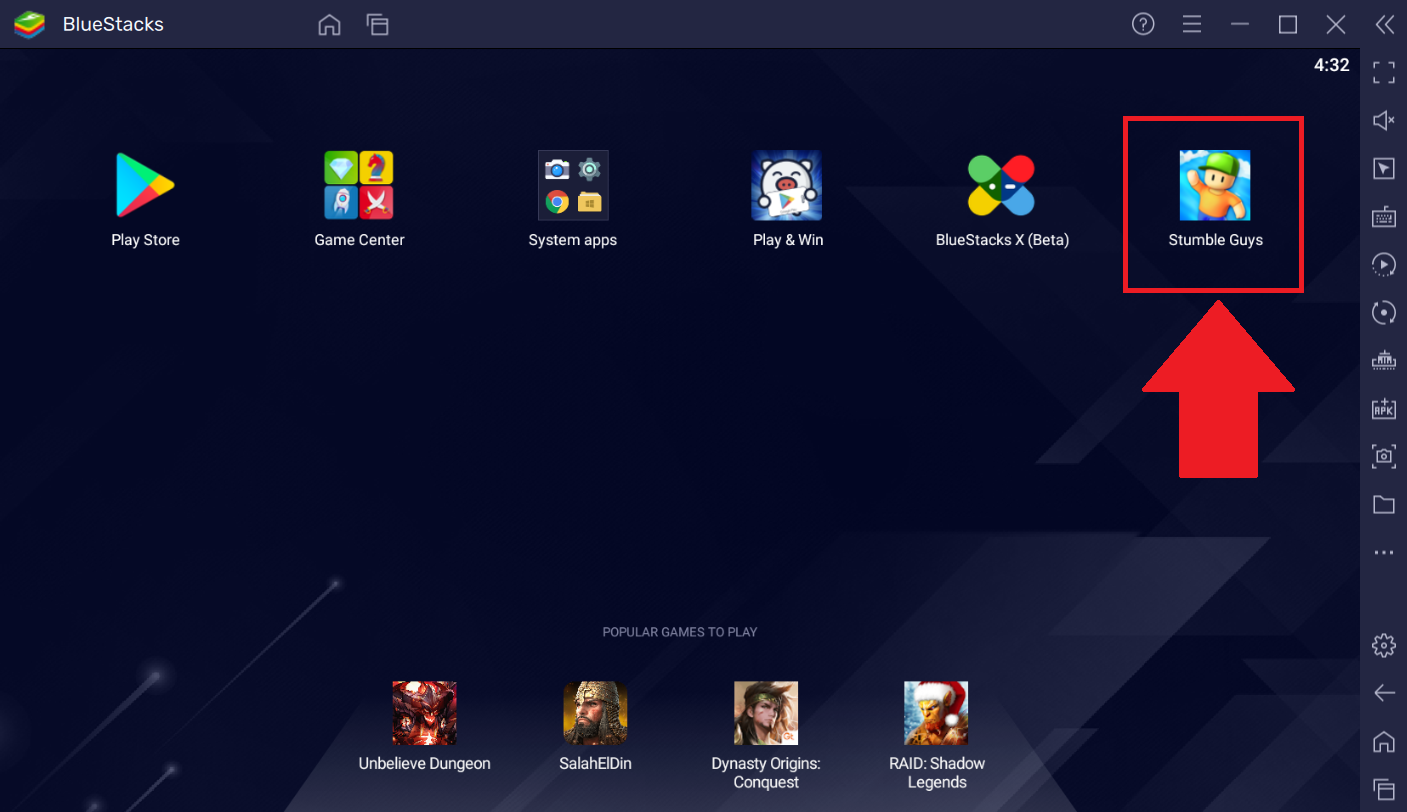
1. PCでBlueStacks 5を開き、ホーム画面から「Stumble Guys: Multiplayer Royale」を起動します。
3.png

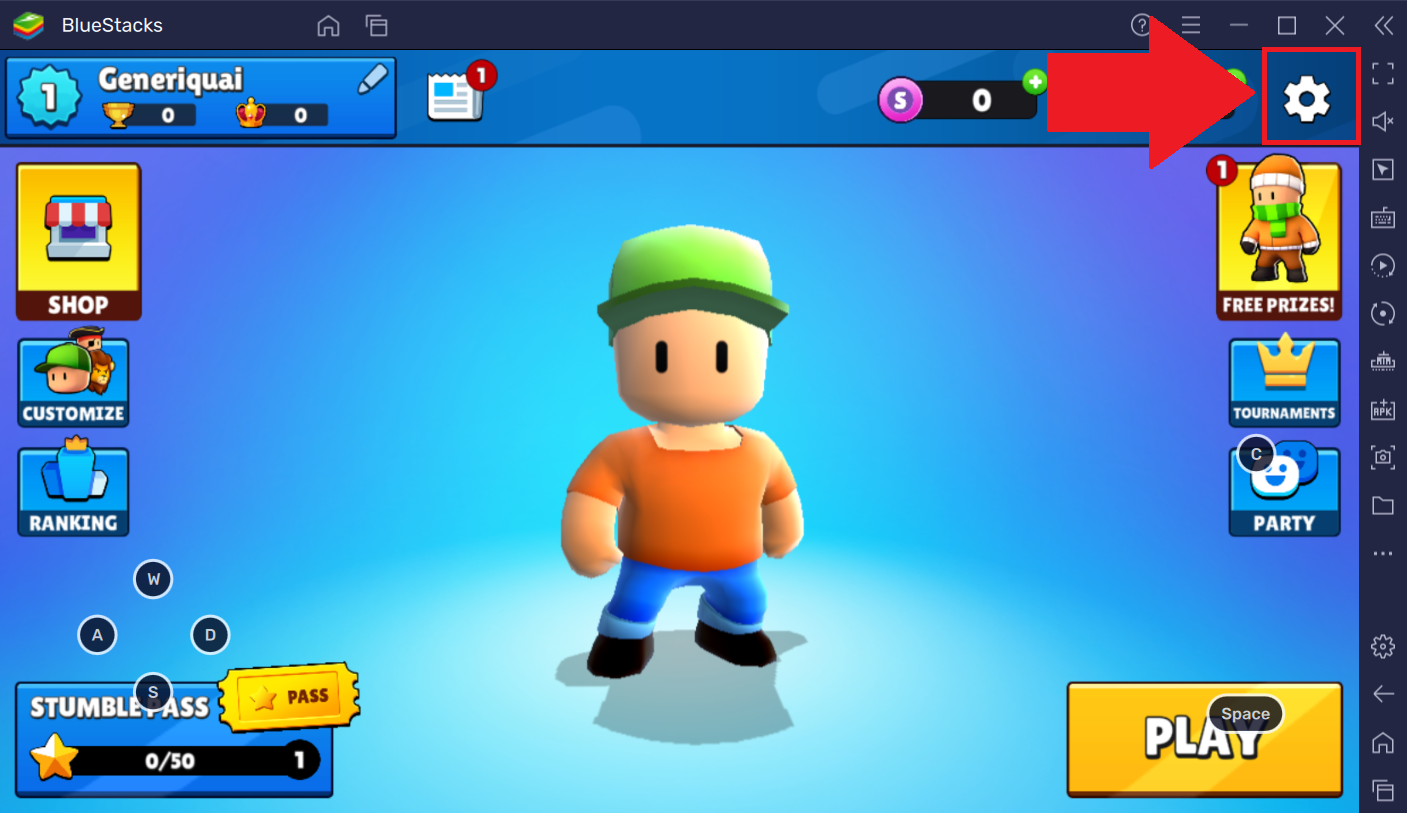
2. 画面右上の 「ギアアイコン」をクリックして「設定」 メニューにアクセスします。
1.png

3. 「解像度」オプションまでスクロールし、「100%」に設定します。

2.png

BlueStacks 5でStumble Guys: Multiplayer Royaleをプレイすると、完璧な解像度で一連のばかげたチャレンジや奇妙な障害物に飛び込めます。


BlueStacks 5を選んでいただきありがとうございます。お楽しみいただけることを願っています。楽しいゲームを!

この記事は役に立ちましたか?
1137人中991人がこの記事が役に立ったと言っています
Reach out to us on Reddit (Join Reddit) or Discord (Join Discord) or at support@bluestacks.com with your questions.

We’d love to hear from you! Please take a moment to share your thoughts on the BlueStacks Help Center via this survey.
Subscribe to BlueStacks Weekly!
Get updates on new releases, features, and fixes. Discover trending games & enjoy exclusive gift codes!
By subscribing, I agree to receive weekly updates from the BlueStacks Help Center.
Thank you for subscribing to BlueStacks Weekly
Keep an eye on your inbox for updates on the latest features, gaming trends, bug fixes, gift codes, and much more!