BlueStacks 5 - 『State of Survival: Zombie War』をプレイする方法

はじめに

こちらの記事では、BlueStacks 5で『State of Survival: Zombie War』をプレイするための方法を紹介します。詳細については以下のリンクをクリックしてください。


BlueStacks 5 Nougat 32bitを入手する方法

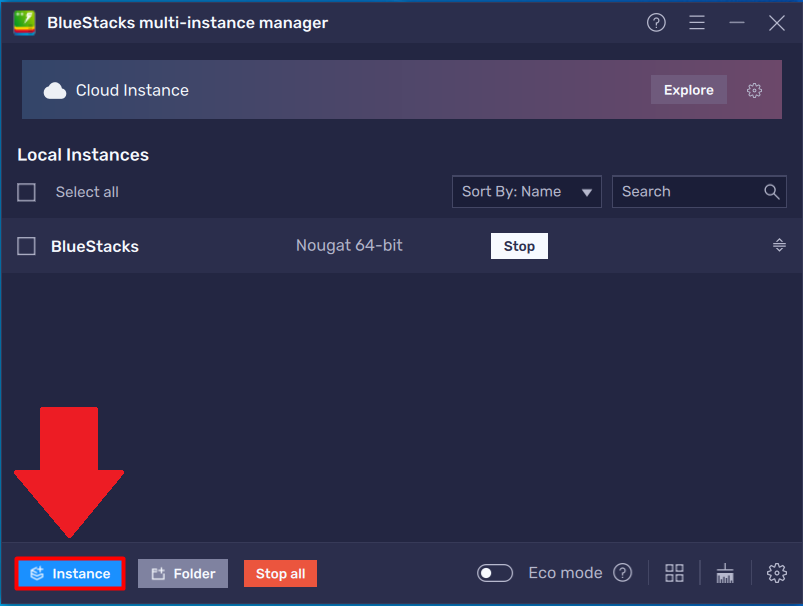
1. BlueStacks 5 がすでにPCにインストールされている場合、マルチインスタンスマネージャーを使用してNougat 32bitのインスタンスを作成することができます。詳細な手順はこちらの記事をご覧ください。
Screenshot_2.png

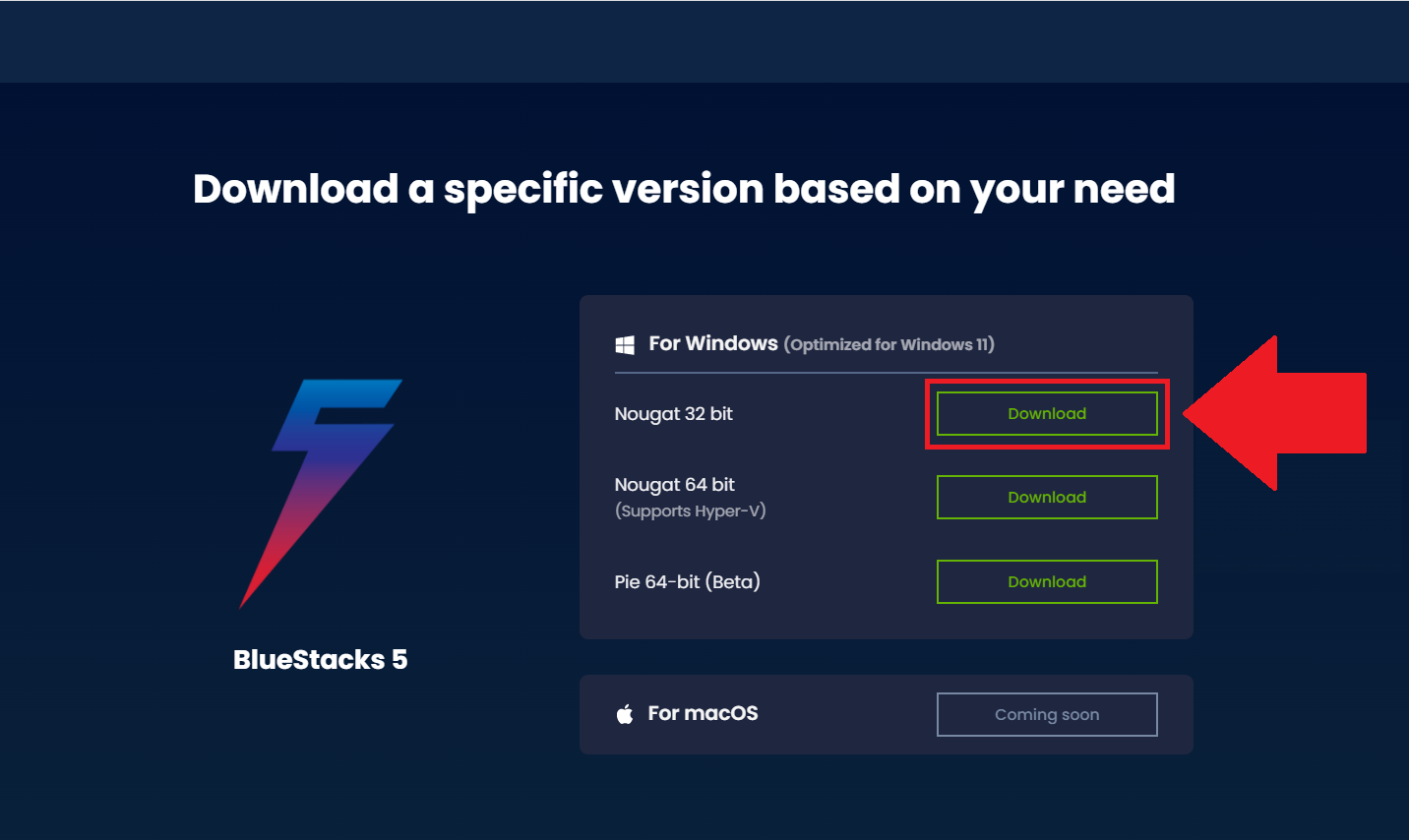
2. または、公式ページにアクセスし、BlueStacks 5 Nougat 32bitをダウンロードすることも可能です。 
Screenshot_3.png


BlueStacks 5で『State of Survival: Zombie War』をダウンロードする方法

1. BlueStacks 5を起動し、ホーム画面でGoogle Play ストアのアイコンをクリックします。

Screenshot_4.png

2. Google Play ストアにログインして『State of Survival: Zombie War』を検索します。

BlueStacks 5でGoogle Play ストアにログインする方法は、こちらの記事をご覧ください。

Screenshot_5.png

3. 検索結果にゲームが表示されたら、ゲームを選択します。次の画面で、「インストール」をクリックします。

Screenshot_6.png

4. インストールが完了したら、BlueStacks 5のホーム画面にあるアイコンをクリックしてゲームを起動します。

Screenshot_7.png

これでBlueStacks 5で『State of Survival: Zombie War』を遊べるようになります。


いつもBlueStacksをご利用いただきありがとうございます。Happy Gaming!

この記事は役に立ちましたか?
23人中13人がこの記事が役に立ったと言っています
Reach out to us on Reddit (Join Reddit) or Discord (Join Discord) or at support@bluestacks.com with your questions.

We’d love to hear from you! Please take a moment to share your thoughts on the BlueStacks Help Center via this survey.
Subscribe to BlueStacks Weekly!
Get updates on new releases, features, and fixes. Discover trending games & enjoy exclusive gift codes!
By subscribing, I agree to receive weekly updates from the BlueStacks Help Center.
Thank you for subscribing to BlueStacks Weekly
Keep an eye on your inbox for updates on the latest features, gaming trends, bug fixes, gift codes, and much more!