BlueStacks 5で60 FPSのThe Legend of Neverlandをプレイする

これがどのように役立つのですか?

BlueStacks 5でThe Legend of Neverlandを60 FPSでプレイし、ゲーム内設定メニューで「フレームレート制限」「60 Hz」に設定することで、よりスムーズで反応の良いゲーム体験を楽しむことができます。

世界の謎を明らかにする準備はできましたか?ファンタジー王国カバラに足を踏み入れ、冒険を始めましょう!


これはどうやって行うのですか?

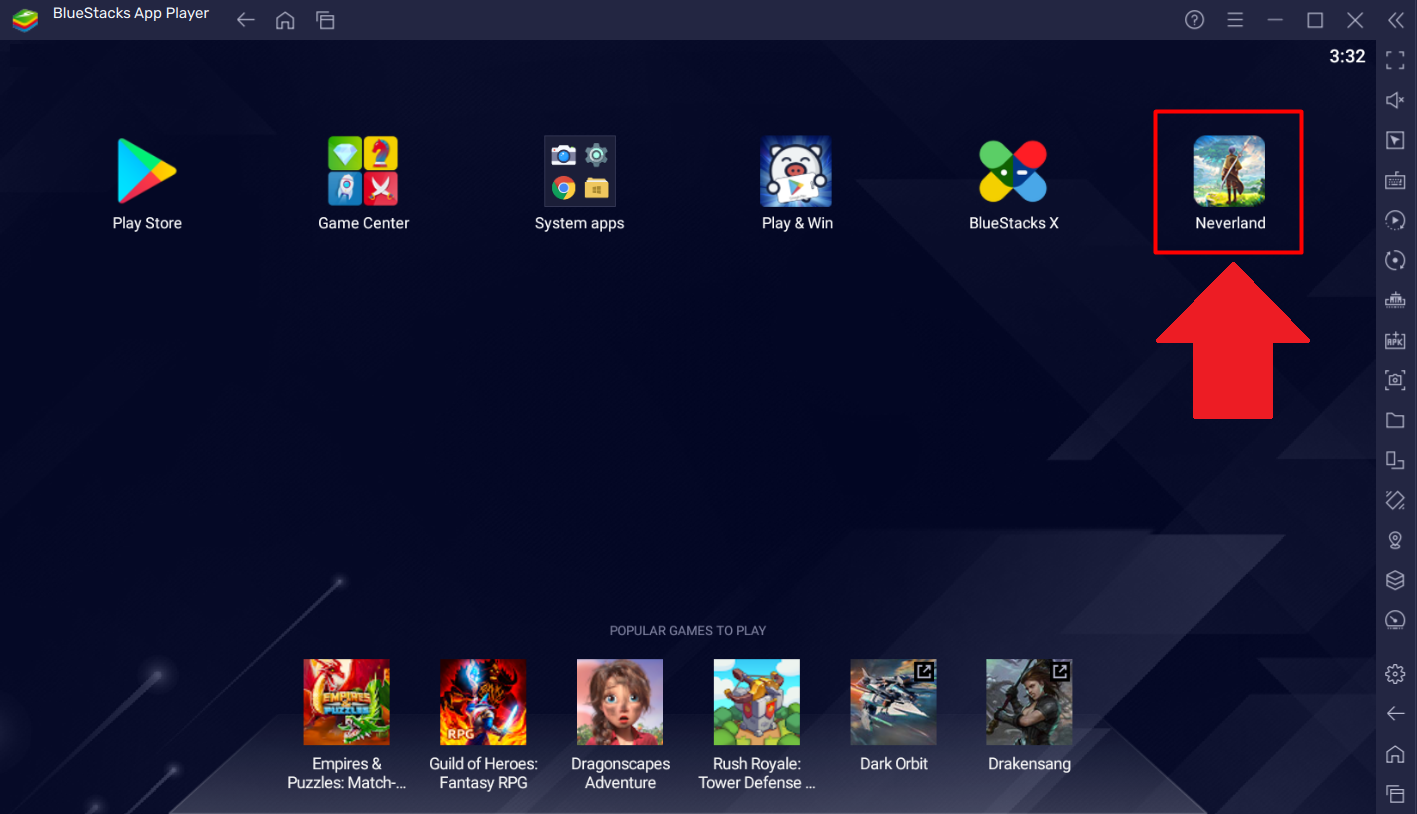
1. BlueStacks 5を開き、ホーム画面からThe Legend of Neverland を起動します。
1.png

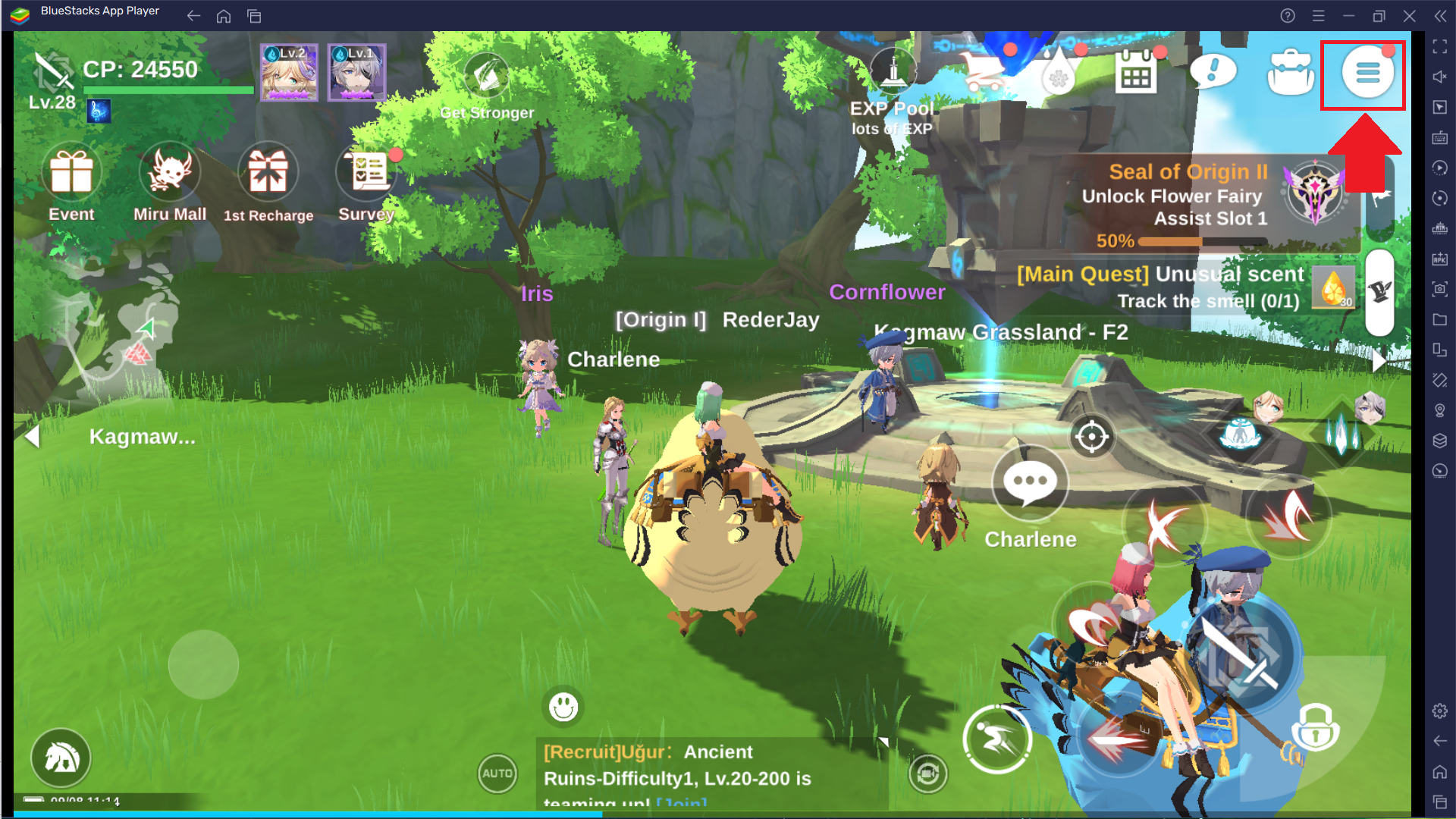
2. 画面の右上隅にある「ハンバーガーアイコン」をクリックします。

2.png

3. ドロップダウンメニューから「ギアアイコン」を選択し、ゲーム内設定メニューにアクセスします。

3.png

4. 次の画面で、以下に示すように「グラフィックス」タブに移動します。

4.png

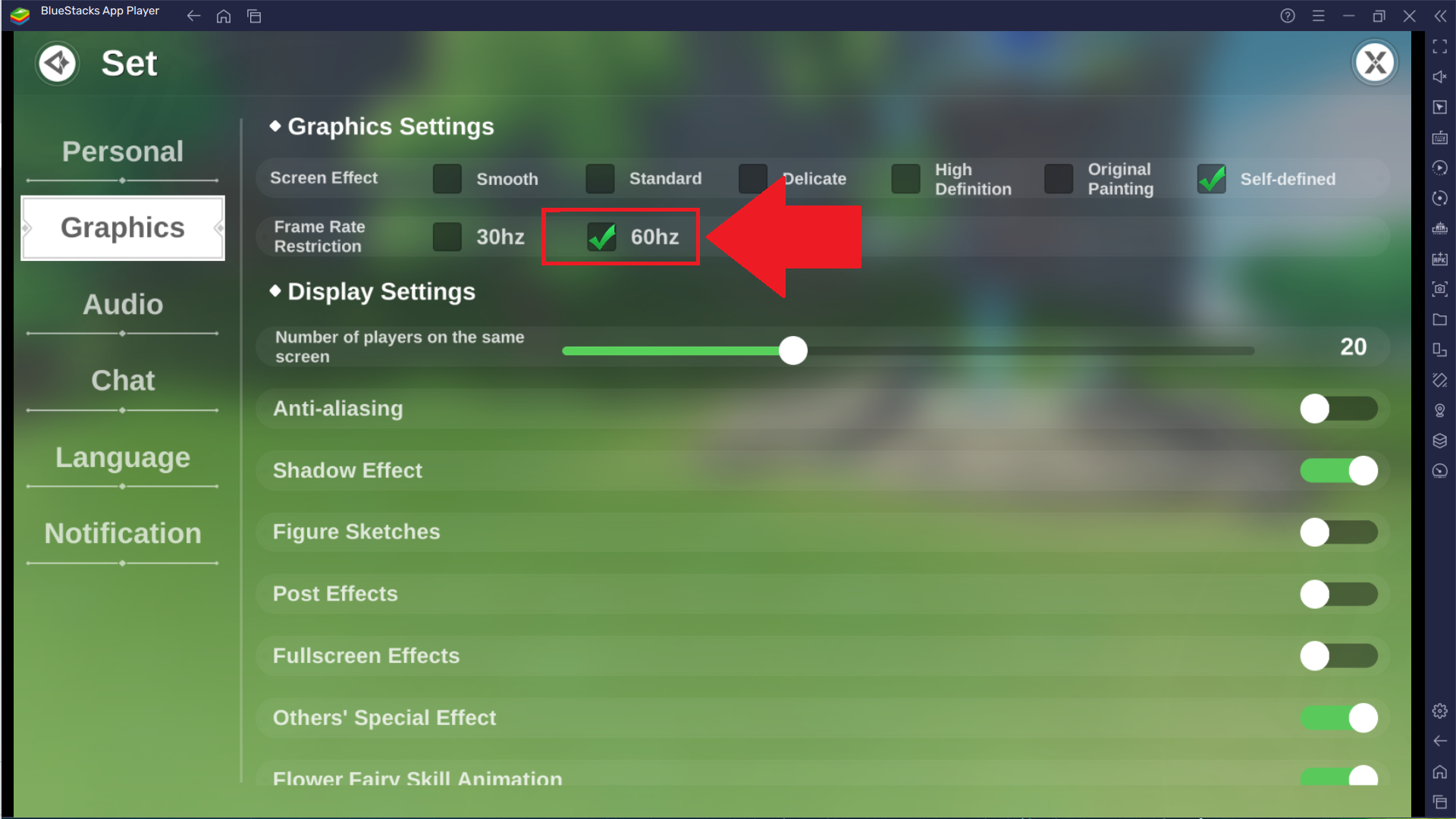
5. ここで「フレームレート制限」「60 Hz」に設定します。

5.png

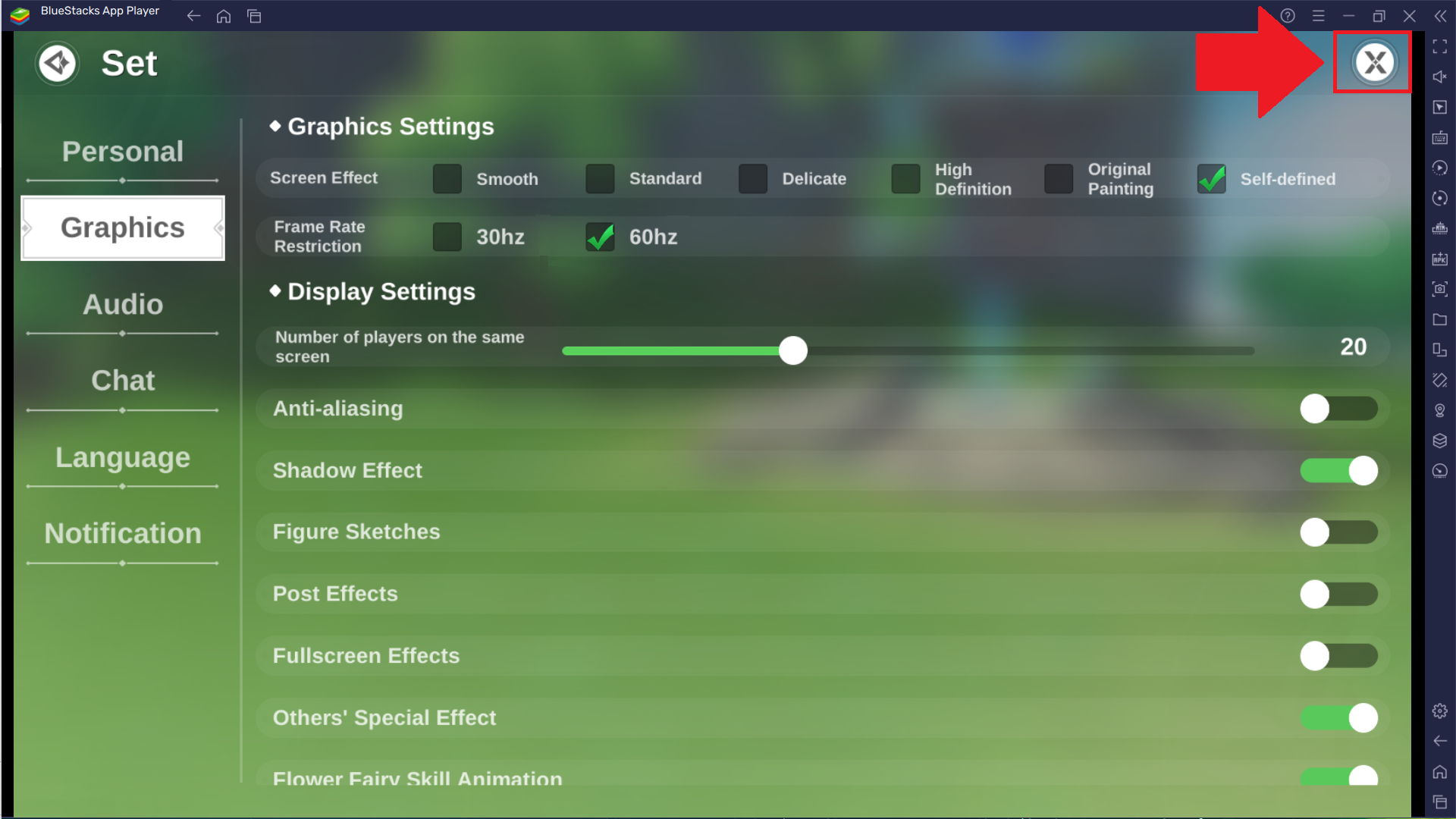
6. 右上隅の「X」をクリックして設定を保存し、ゲームロビーに戻ります。

6.png

これで、BlueStacks 5で60 FPSのThe Legend of Neverlandをプレイするときに、生命の樹の素晴らしい旅を体験する準備が整いました。


BlueStacks 5を選んでいただきありがとうございます。ご利用を楽しんでいただけることを願っています。楽しいゲームを!

この記事は役に立ちましたか?
17人中7人がこの記事が役に立ったと言っています
Reach out to us on Reddit (Join Reddit) or Discord (Join Discord) or at support@bluestacks.com with your questions.

We’d love to hear from you! Please take a moment to share your thoughts on the BlueStacks Help Center via this survey.
Subscribe to BlueStacks Weekly!
Get updates on new releases, features, and fixes. Discover trending games & enjoy exclusive gift codes!
By subscribing, I agree to receive weekly updates from the BlueStacks Help Center.
Thank you for subscribing to BlueStacks Weekly
Keep an eye on your inbox for updates on the latest features, gaming trends, bug fixes, gift codes, and much more!