BlueStacks 5에서 기본값으로 컨트롤 재설정하는 방법

이것이 어떻게 도움이 될까요?

컨트롤을 편집하거나 추가한 경우 컨트롤 스킴을 기본값으로 재설정할 수 있습니다. 이 기사에 제공된 단계는 이를 수행하는 방법을 보여줍니다.


컨트롤을 어떻게 재설정할 수 있나요?

1. 게임을 실행하고 사이드 툴바에서 "게임 컨트롤" 아이콘을 마우스 오른쪽 버튼으로 클릭합니다.
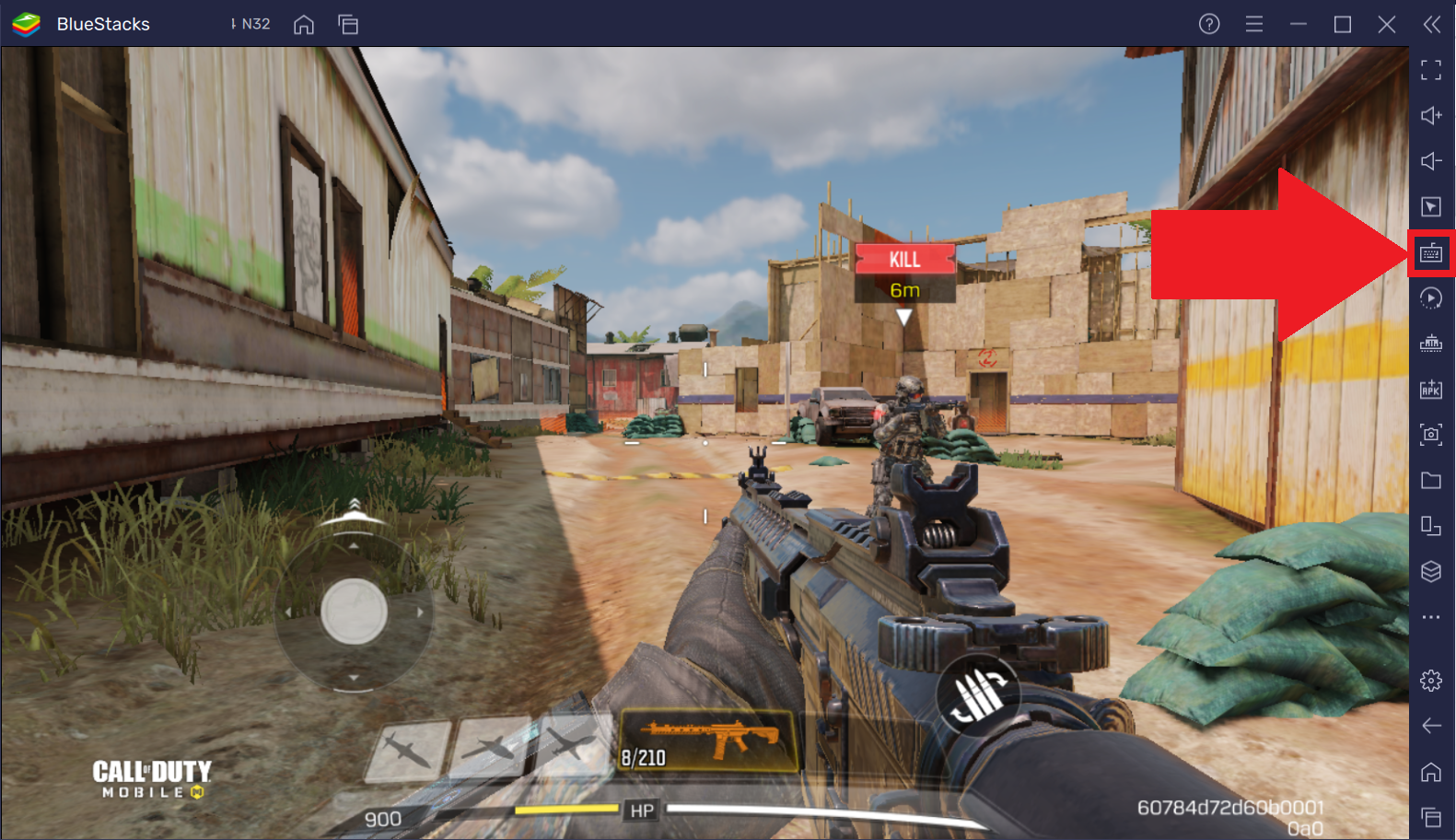
1.png

2. 컨트롤 편집기가 열립니다. 여기에서 아래와 같이 현재 선택된 컨트롤 스킴을 클릭합니다.
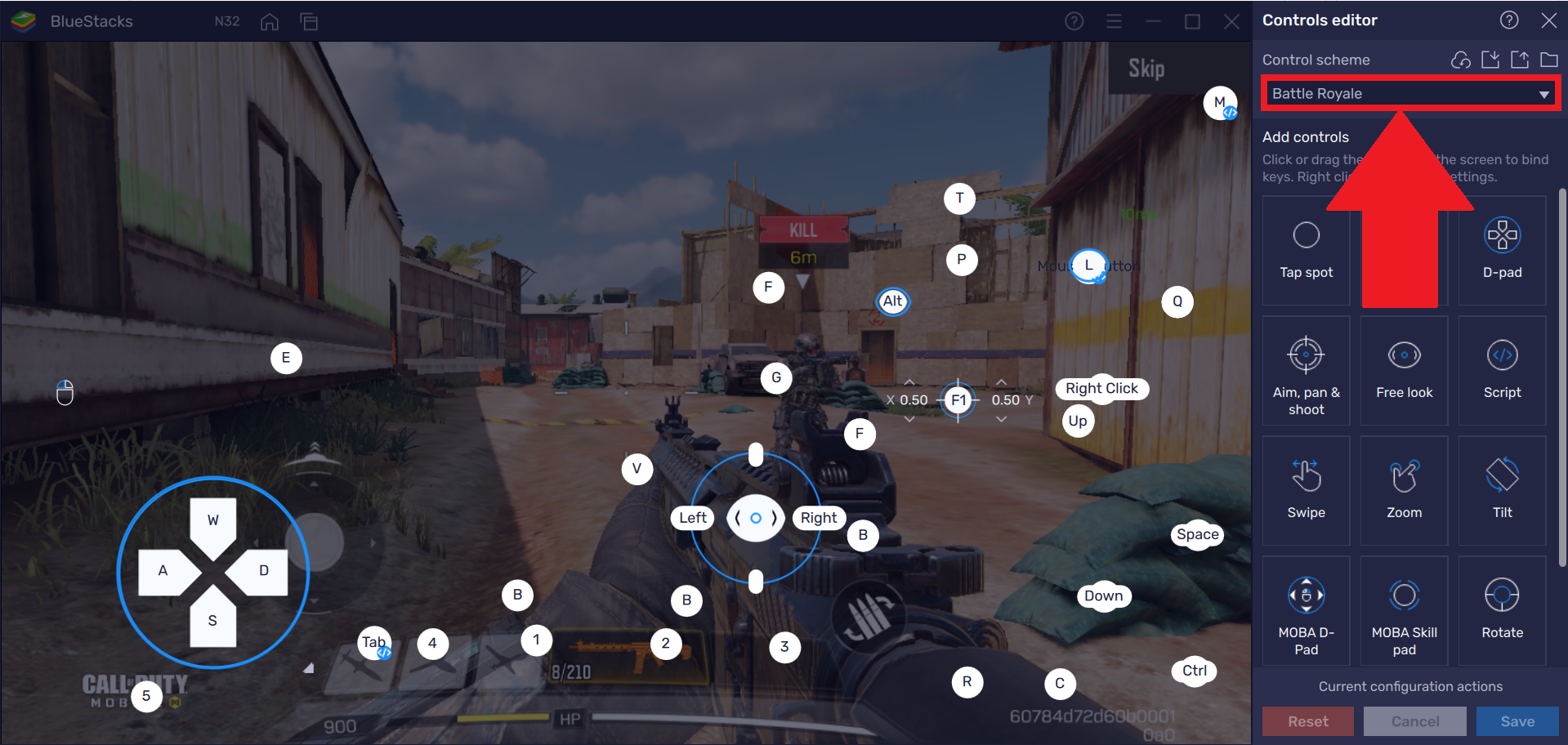
1a.png

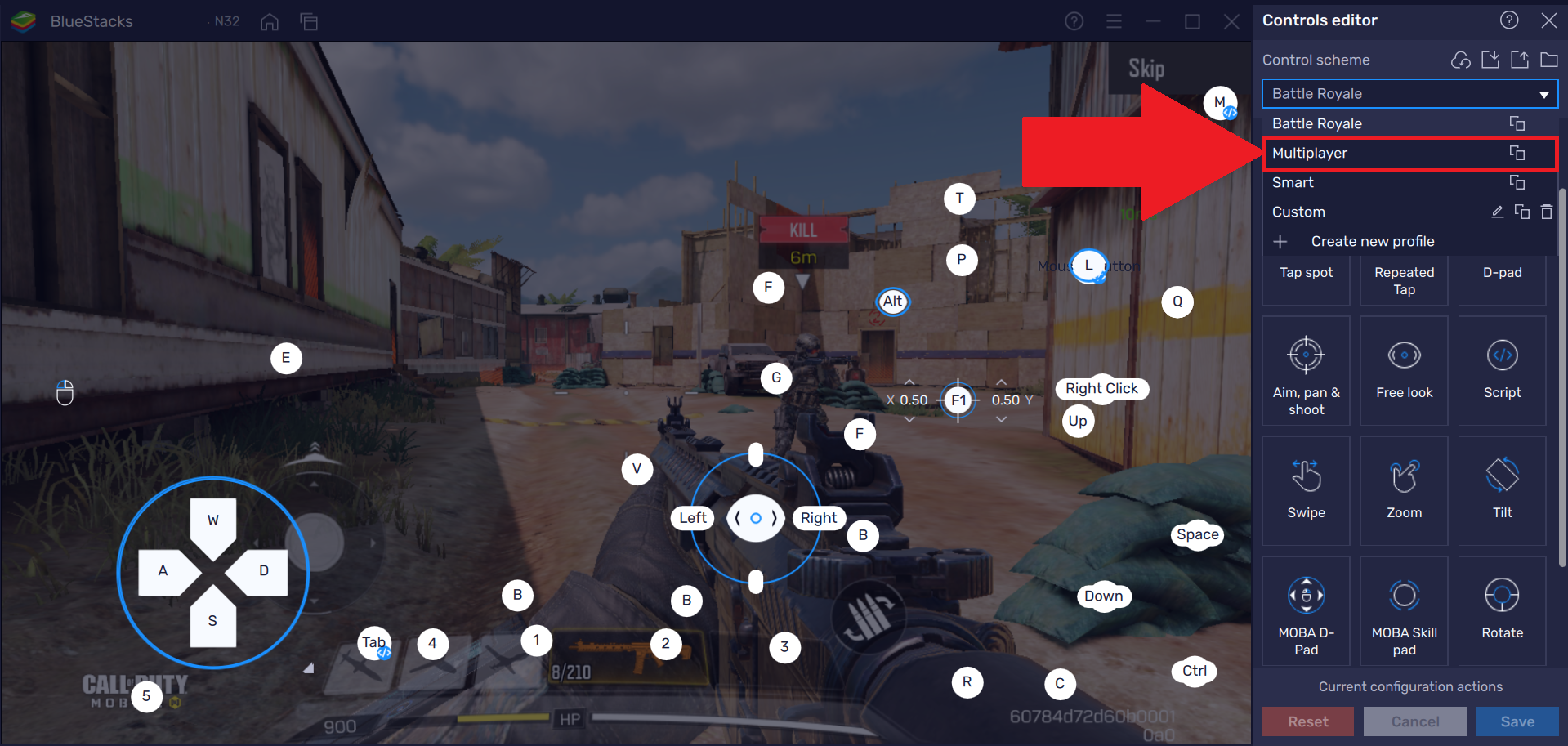
3. 이제 드롭다운 메뉴에서 재설정할 컨트롤 스킴을 선택합니다. 

2.png

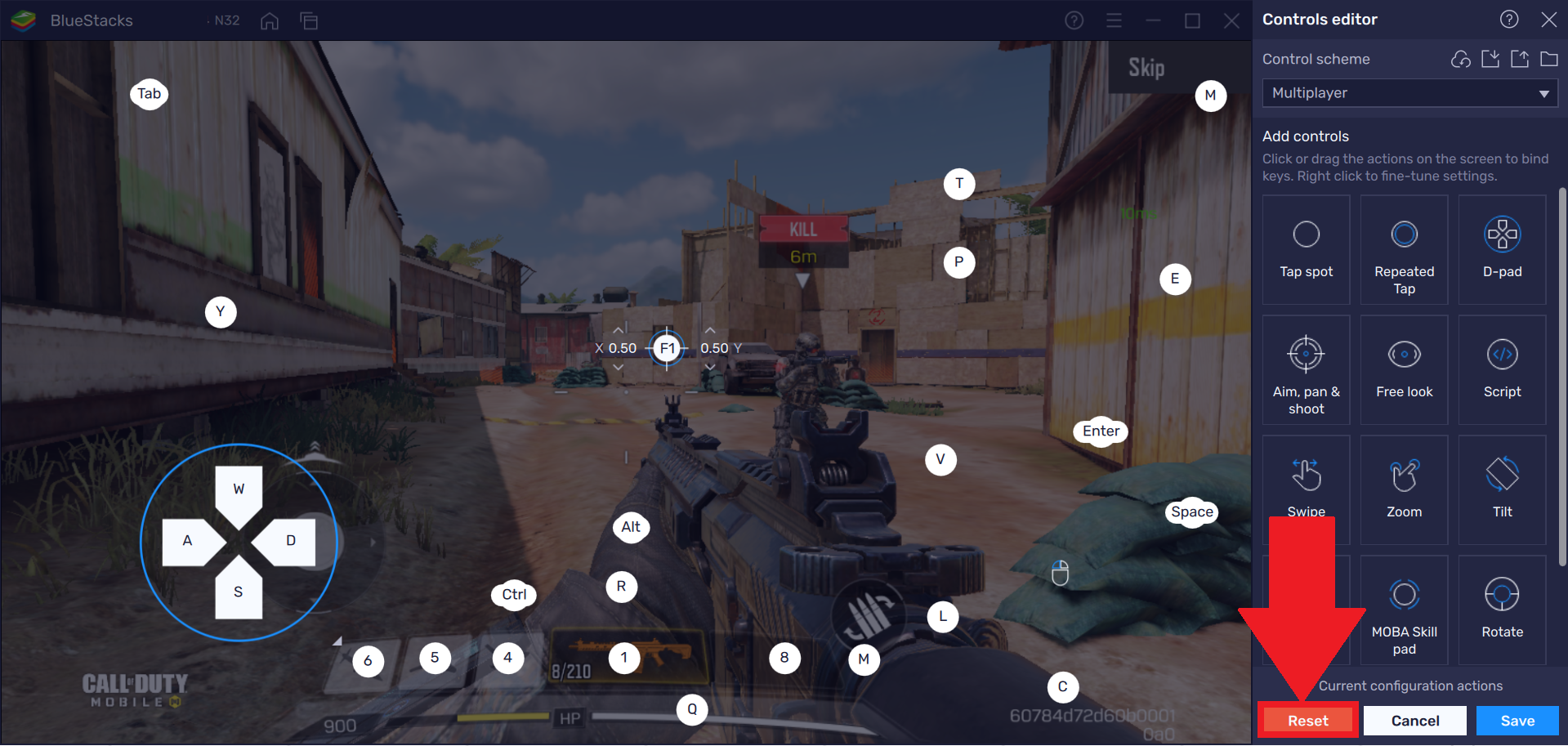
4. 아래와 같이 "재설정" 버튼을 클릭합니다.

3.png

5. 이제 컨트롤 스킴을 재설정할 것인지 확인하는 메시지가 표시됩니다. C"재설정"을 클릭하여 진행합니다.
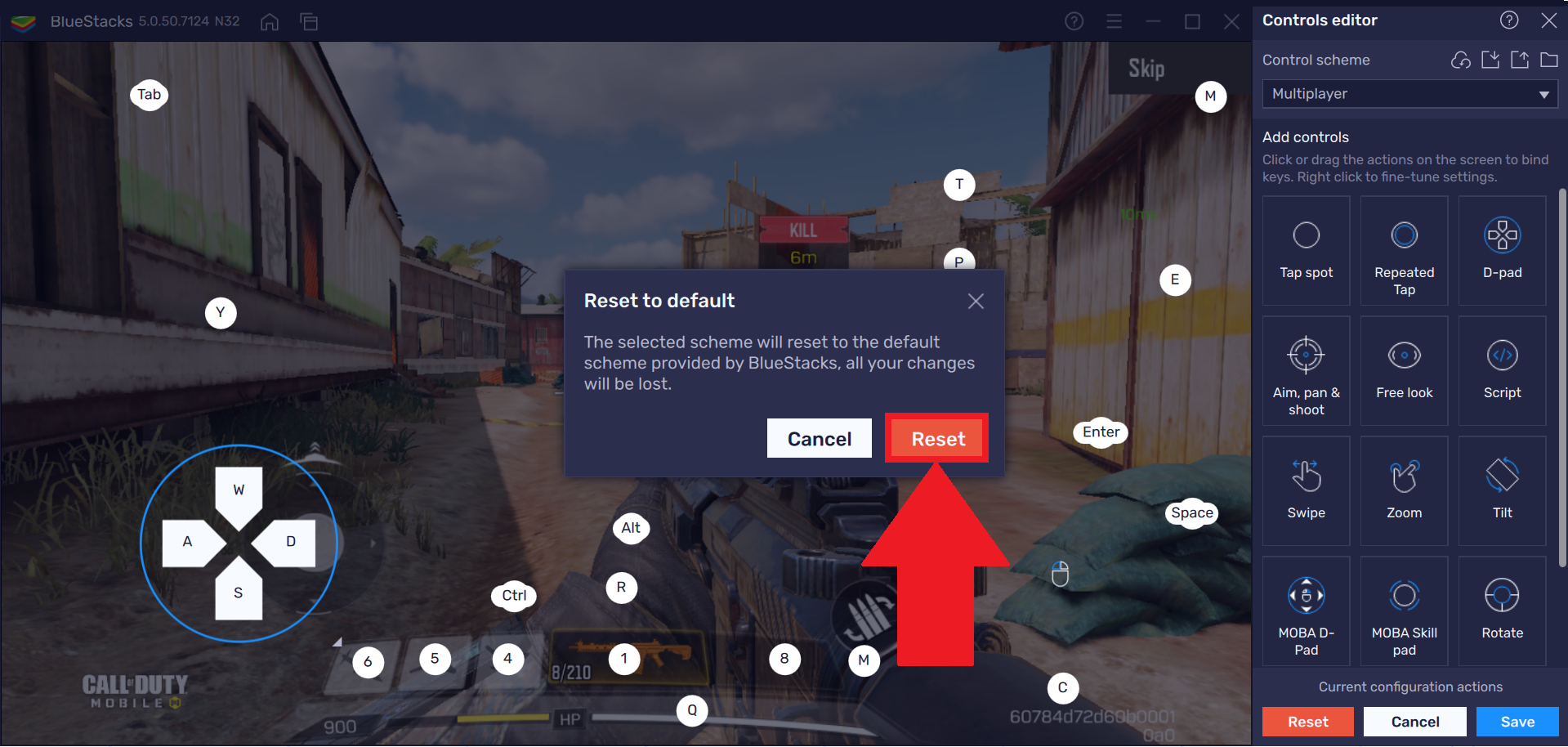
4.png

6. 선택한 컨트롤 스킴이 재설정되며 모든 컨트롤이 기본값으로 되돌려집니다.
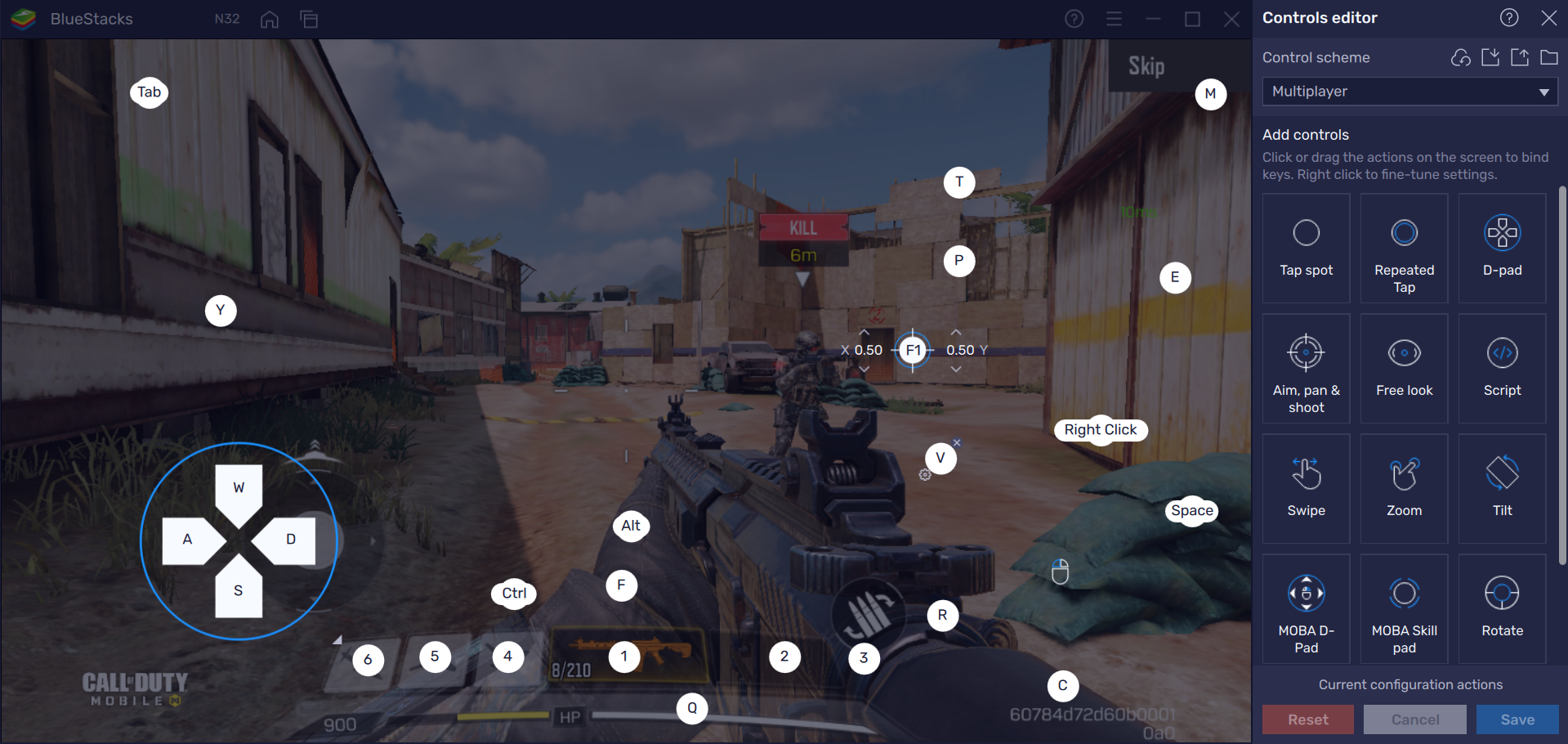
5.png


BlueStacks를 선택해 주셔서 감사합니다. 즐겁게 사용하시길 바랍니다. 추가 질문이 있으시면 support@bluestacks.com으로 문의해 주세요. 즐거운 게임 되세요!

도움이 되었습니까?
125명 중 44명이 도움이 되었다고 했습니다.
Reach out to us on Reddit (Join Reddit) or Discord (Join Discord) or at support@bluestacks.com with your questions.

We’d love to hear from you! Please take a moment to share your thoughts on the BlueStacks Help Center via this survey.
Subscribe to BlueStacks Weekly!
Get updates on new releases, features, and fixes. Discover trending games & enjoy exclusive gift codes!
By subscribing, I agree to receive weekly updates from the BlueStacks Help Center.
Thank you for subscribing to BlueStacks Weekly
Keep an eye on your inbox for updates on the latest features, gaming trends, bug fixes, gift codes, and much more!