跳至主內容

煙雨江湖 - 推薦設定及Google商店搜尋問題的解決方案

Google商店無法搜尋到煙雨江湖?

此遊戲僅能在64位元版本上運作, 請使用多開管理器新增64位元版本即可在商店中搜尋煙雨江湖


遊戲推薦設定:

幀率設置: 超高


推薦版本:

BlueStacks 5 64位元版本


詳細步驟:

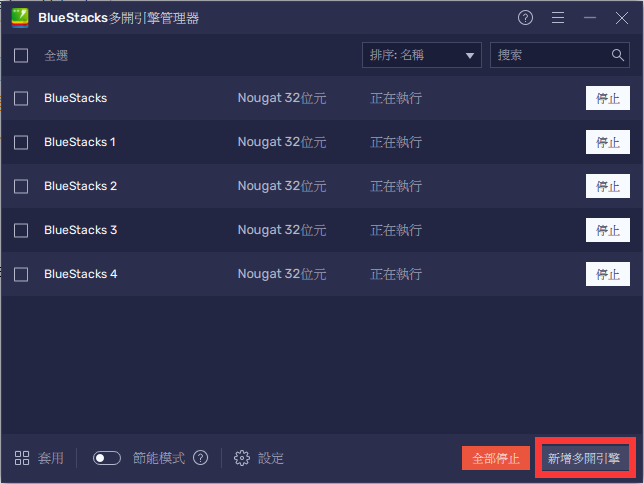
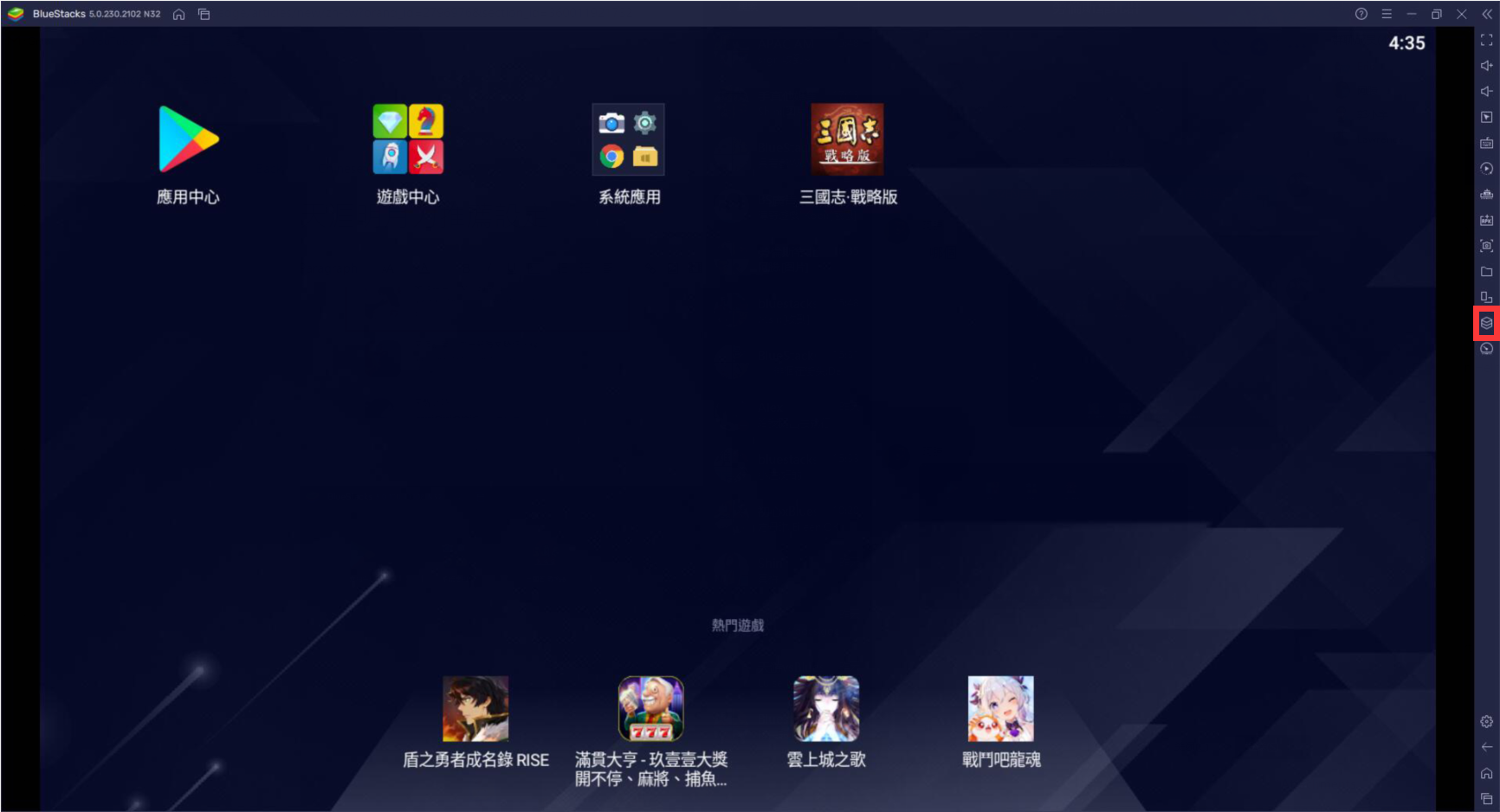
1. 開啟BlueStacks 首頁並從右方工具欄點擊"多開管理器"
mceclip11.png

2. 選擇新增多開引擎

mceclip0.png

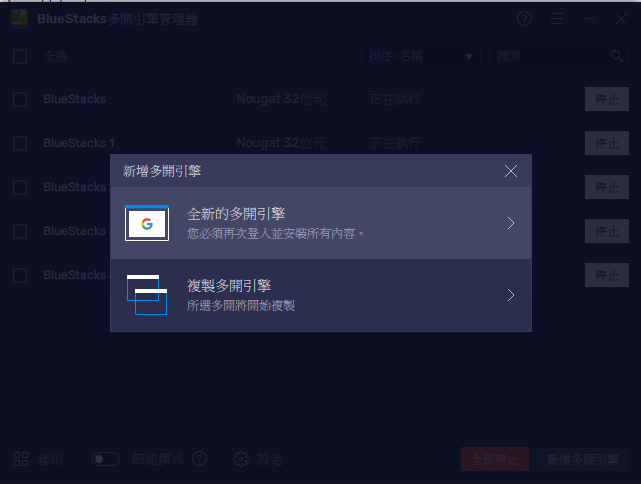
3. 選擇"全新的多開引擎"

mceclip1.png

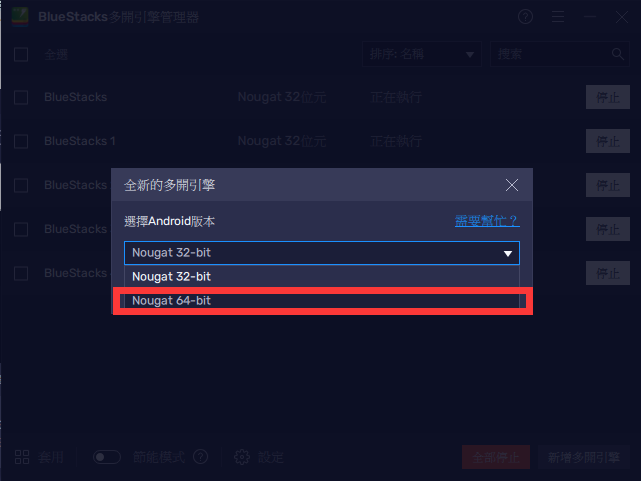
4. 選擇64位元

mceclip2.png

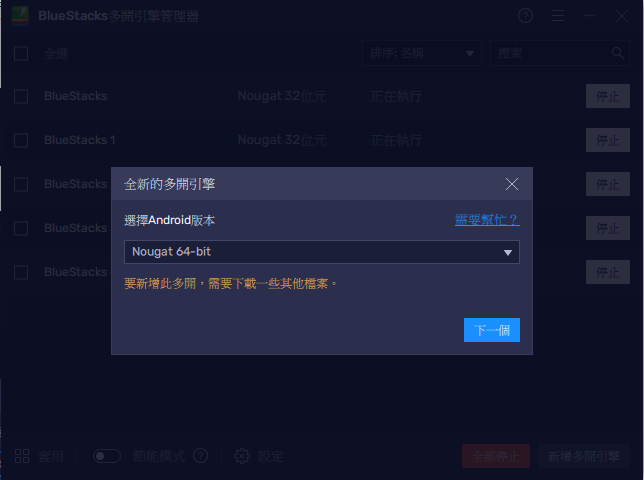
5. 若您未曾下載64位元版本此時會需要下載此版本, 請點擊"下一步"

mceclip3.png

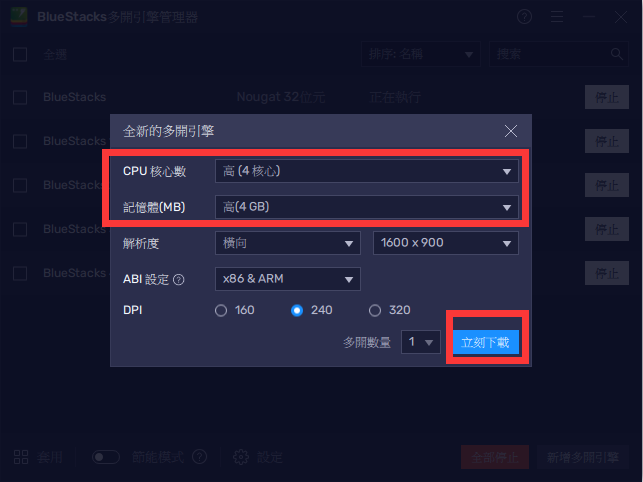
6. 選擇您想分配的CPU及RAM後點擊立刻下載

mceclip6.png

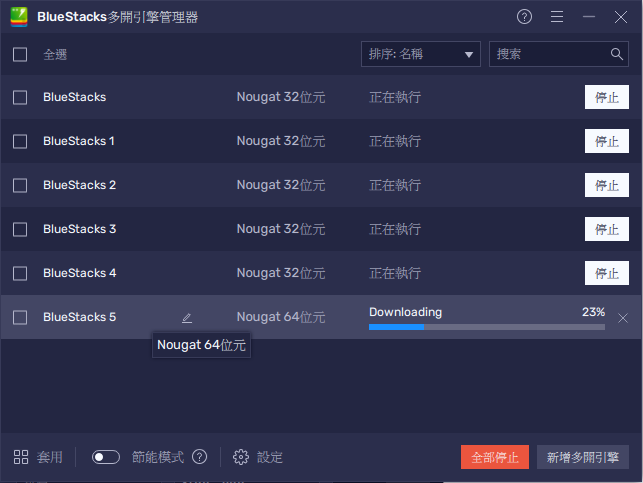
7. 此時您會在畫面中看到下載進度

mceclip7.png

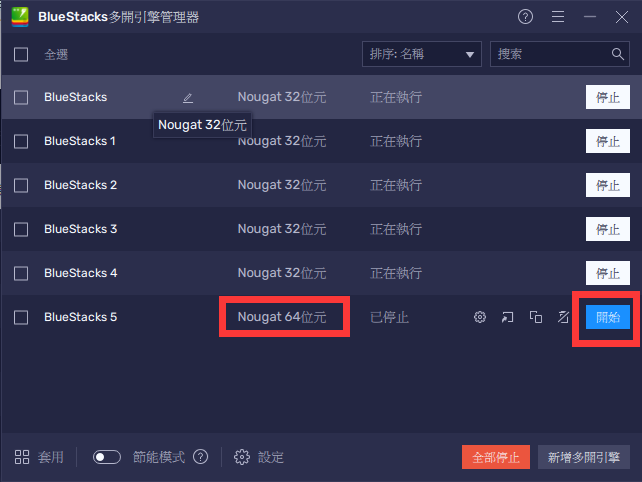
8. 一旦下載完成後, 請點擊"開始"

mceclip8.png

9. 登入Google後您現在可以在Google play商店中找到"煙雨江湖"

mceclip0.png

推薦設定:

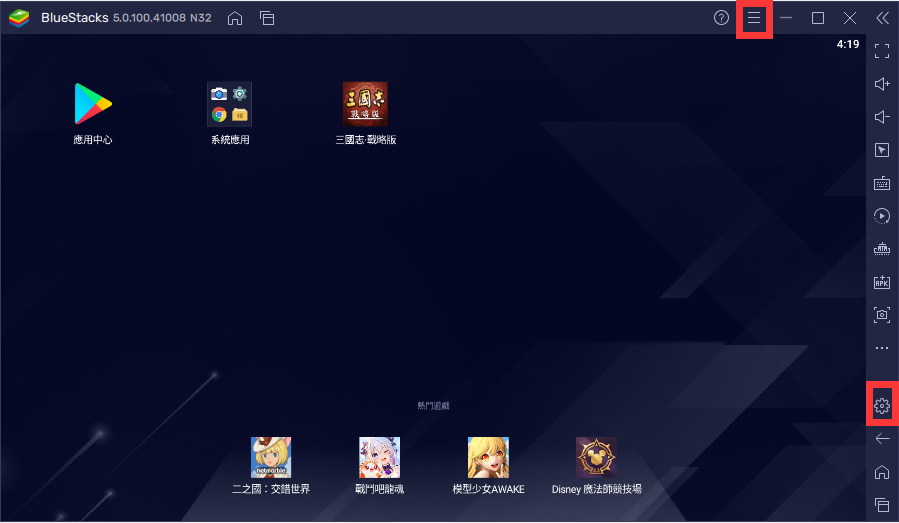
1. 點擊右方齒輪圖標進入設定選單

mceclip10.png

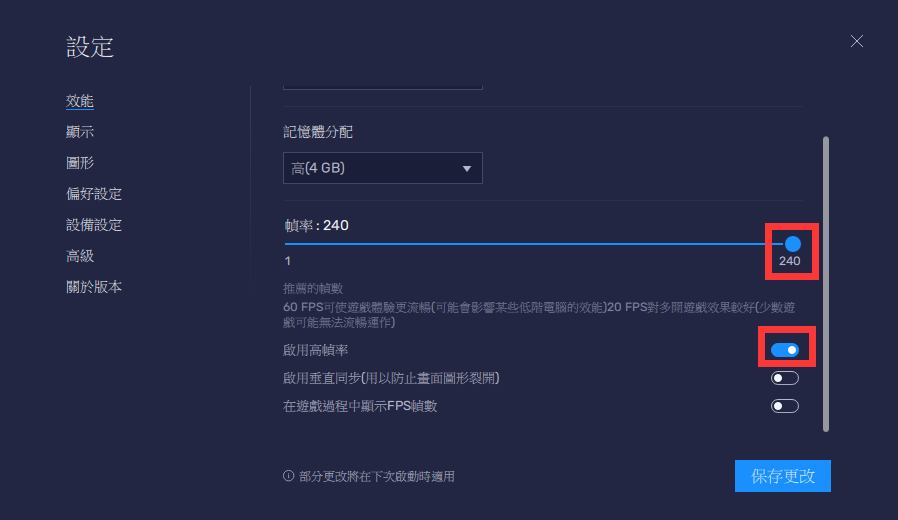
2. 進入設定選單, 在"效能"設定中

  • 啟用高幀率
  • 將幀率滑塊拉至最右方
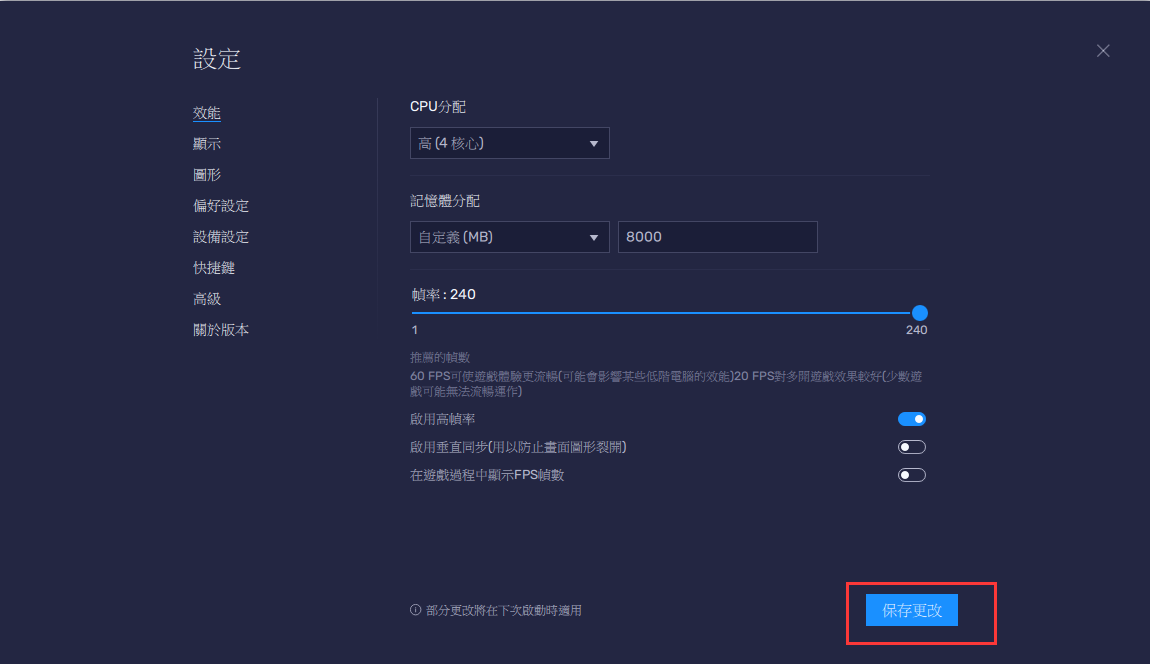
  • 點擊保存更改

mceclip14.png

保存更改並關閉設定選單

mceclip1.png

3.現在您可以開始享受煙雨江湖所帶來的遊戲體驗

這篇文章是否有幫助?
11 人中有 6 人覺得有幫助
Reach out to us on Reddit (Join Reddit) or Discord (Join Discord) or at support@bluestacks.com with your questions.

We’d love to hear from you! Please take a moment to share your thoughts on the BlueStacks Help Center via this survey.
Subscribe to BlueStacks Weekly!
Get updates on new releases, features, and fixes. Discover trending games & enjoy exclusive gift codes!
By subscribing, I agree to receive weekly updates from the BlueStacks Help Center.
Thank you for subscribing to BlueStacks Weekly
Keep an eye on your inbox for updates on the latest features, gaming trends, bug fixes, gift codes, and much more!