天堂M的推薦設定

這能提供什麼幫助?

本文將幫助您在BlueStacks 5上遊玩天堂M時以60FPS獲得最佳的遊戲體驗。


遊戲內推薦設定

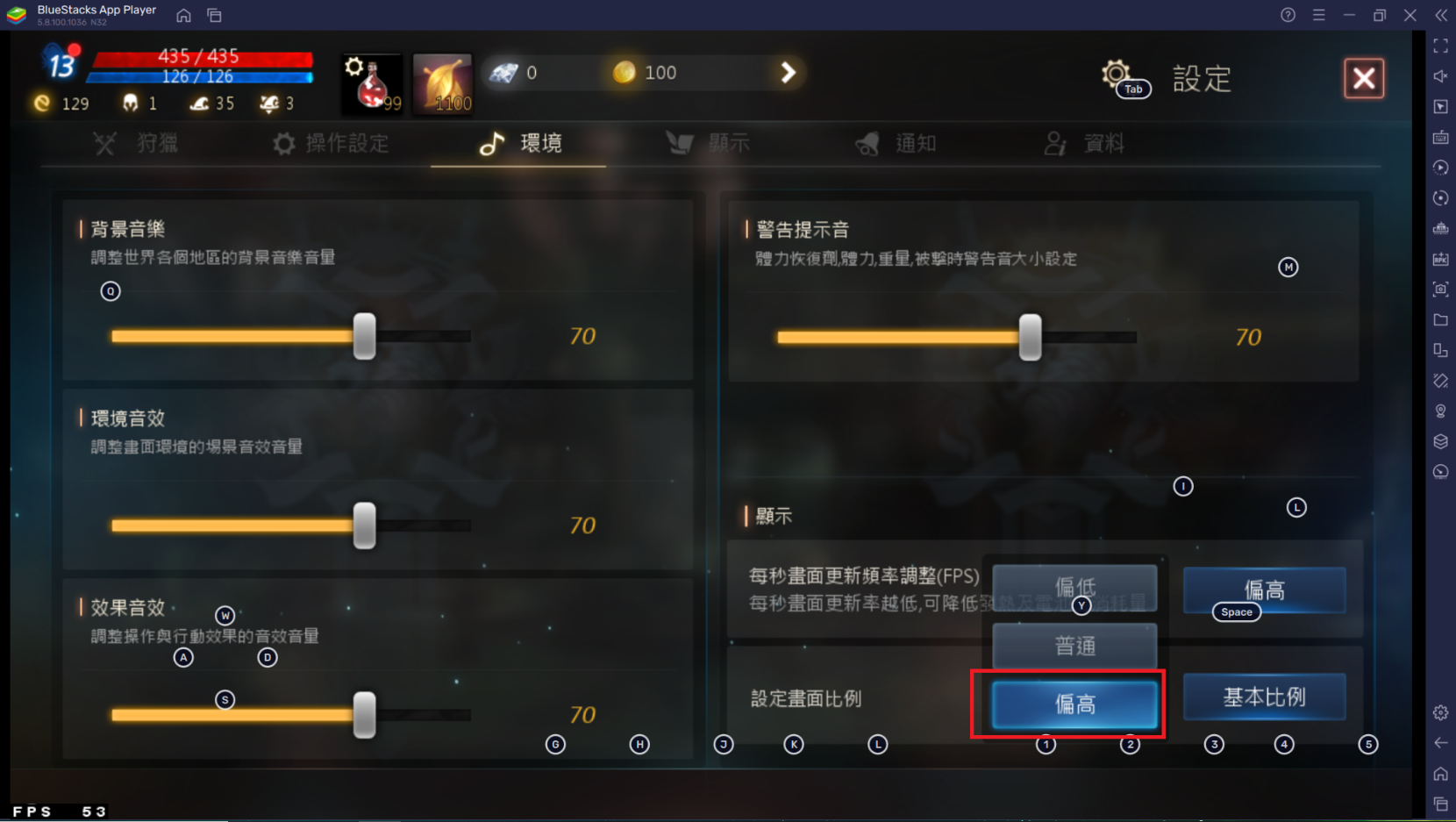
每秒更新頻率調整(FPS) - 偏高


詳細步驟

1. 下載安裝並啟動天堂M

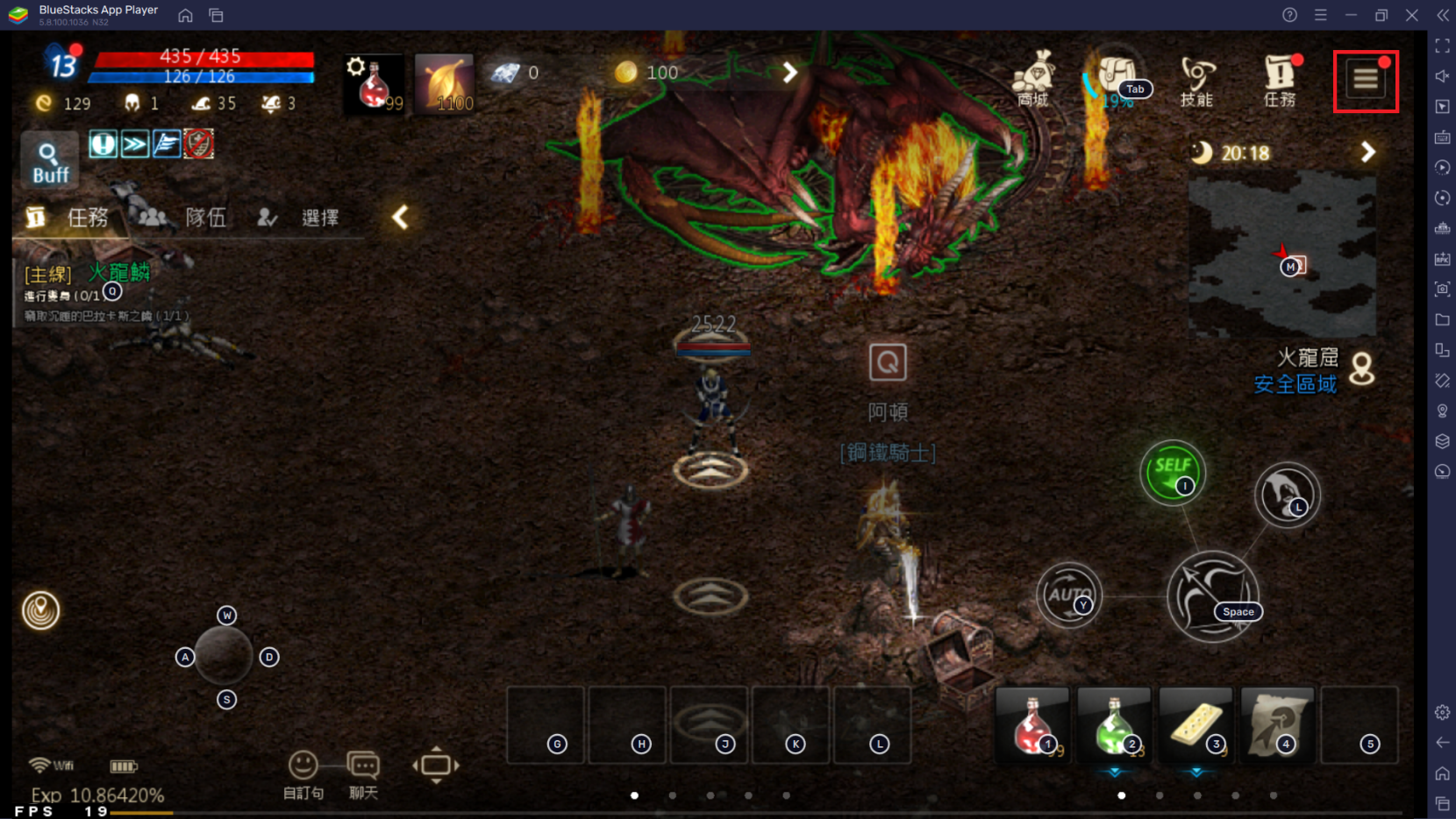
2. 點擊遊戲內右上角選單圖標
mceclip0.png

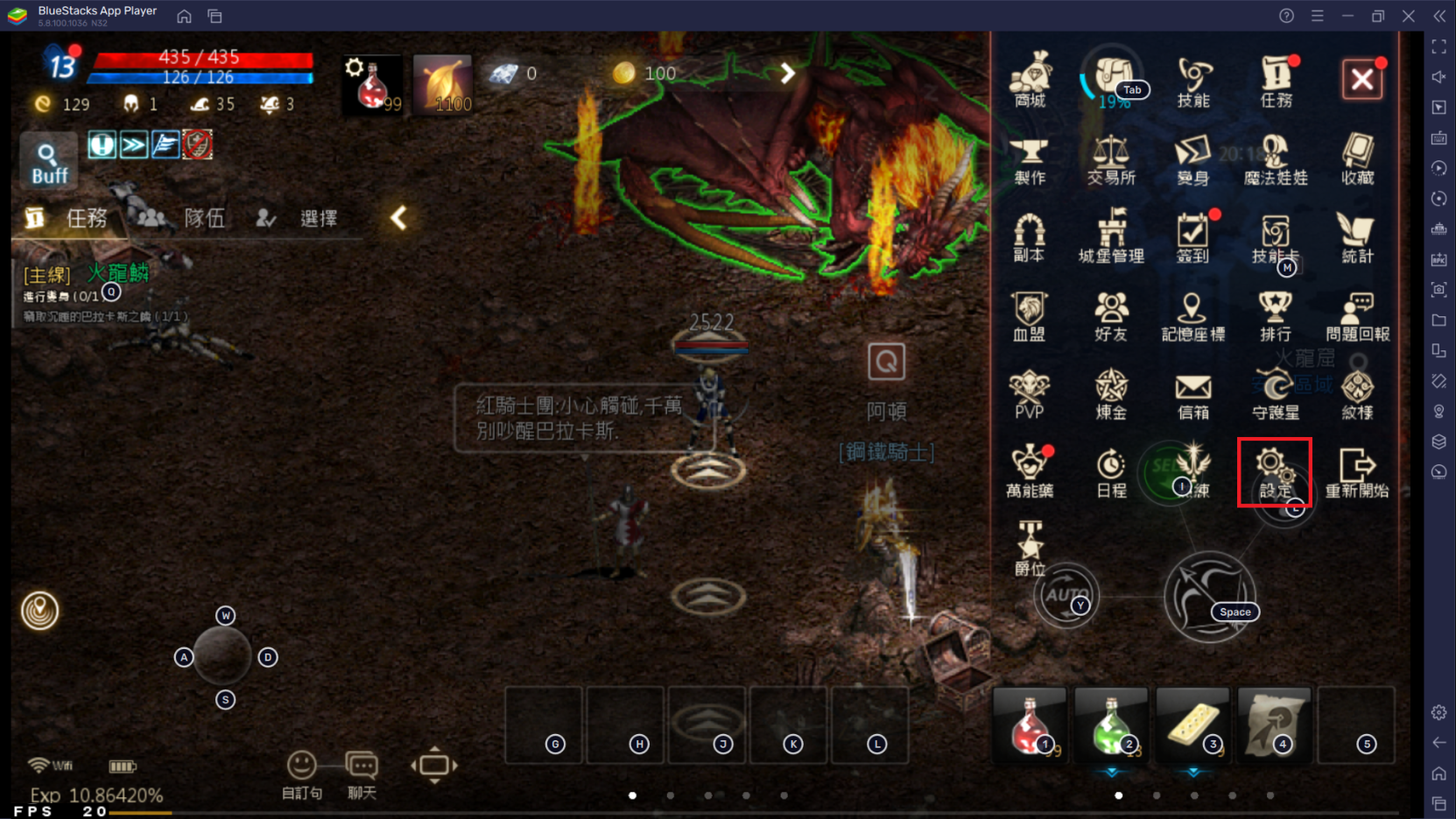
3. 點擊齒輪圖標的"設定"

mceclip1.png

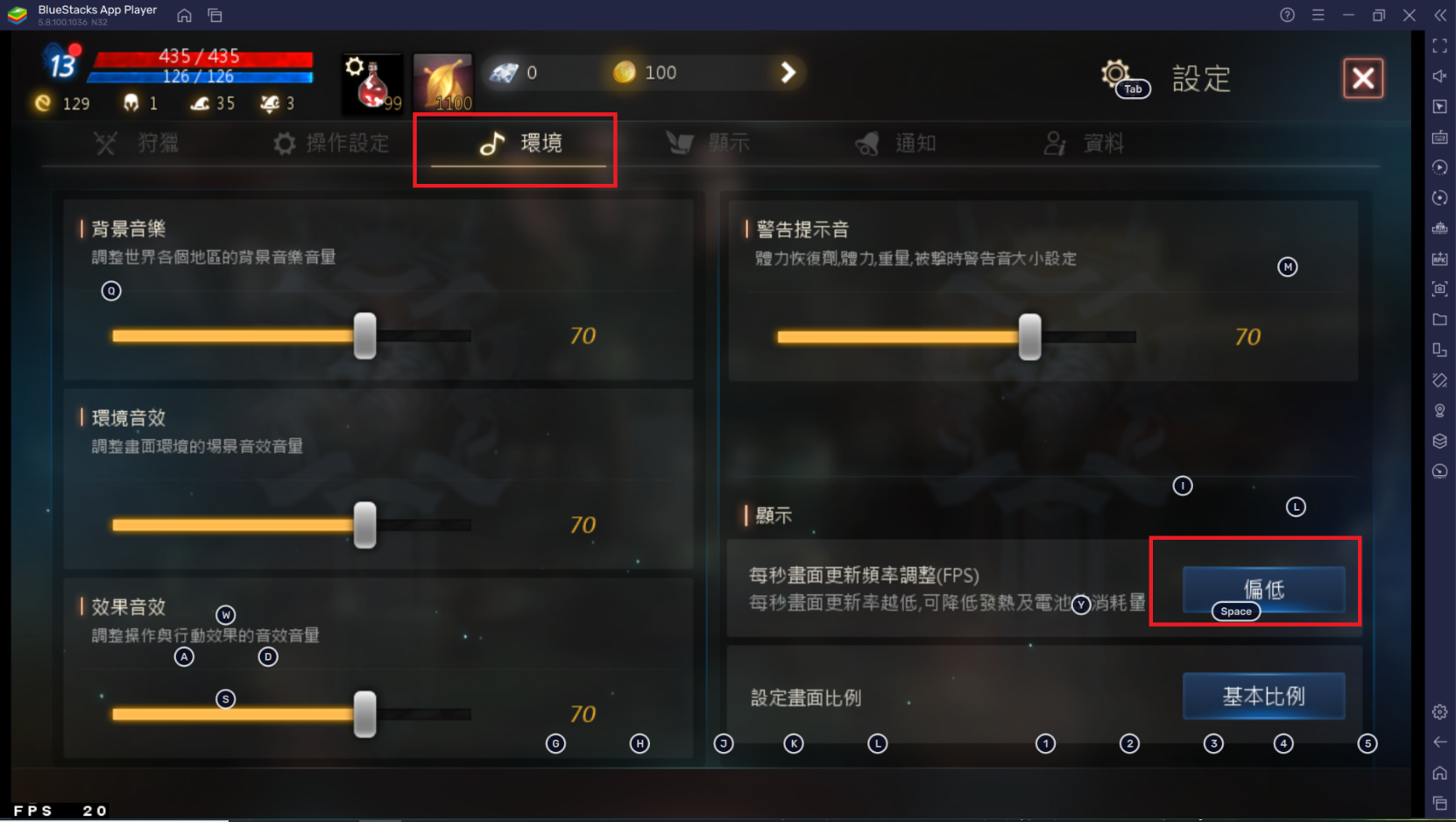
4. 選擇"環境"

mceclip2.png

5. 點擊"每秒畫面更新頻率調整(FPS)"選擇"偏高"

mceclip3.png

6. 點擊右上角的"X"按鈕來關閉設定選單並回到遊戲


感謝您選擇了BlueStacks! 我們希望您喜歡,祝您遊戲愉快!

這篇文章是否有幫助?
5 人中有 3 人覺得有幫助
Reach out to us on Reddit (Join Reddit) or Discord (Join Discord) or at support@bluestacks.com with your questions.

We’d love to hear from you! Please take a moment to share your thoughts on the BlueStacks Help Center via this survey.
Subscribe to BlueStacks Weekly!
Get updates on new releases, features, and fixes. Discover trending games & enjoy exclusive gift codes!
By subscribing, I agree to receive weekly updates from the BlueStacks Help Center.
Thank you for subscribing to BlueStacks Weekly
Keep an eye on your inbox for updates on the latest features, gaming trends, bug fixes, gift codes, and much more!