在 BlueStacks 5 上以改進的圖形玩 MU ORIGIN 3 ASIA

這將如何幫助我?

您現在可以在 BlueStacks 5 上以改進的圖形玩 MU ORIGIN 3 ASIA。展開一段充滿危險和挑戰的史詩旅程,讓您不會錯過任何細節! 

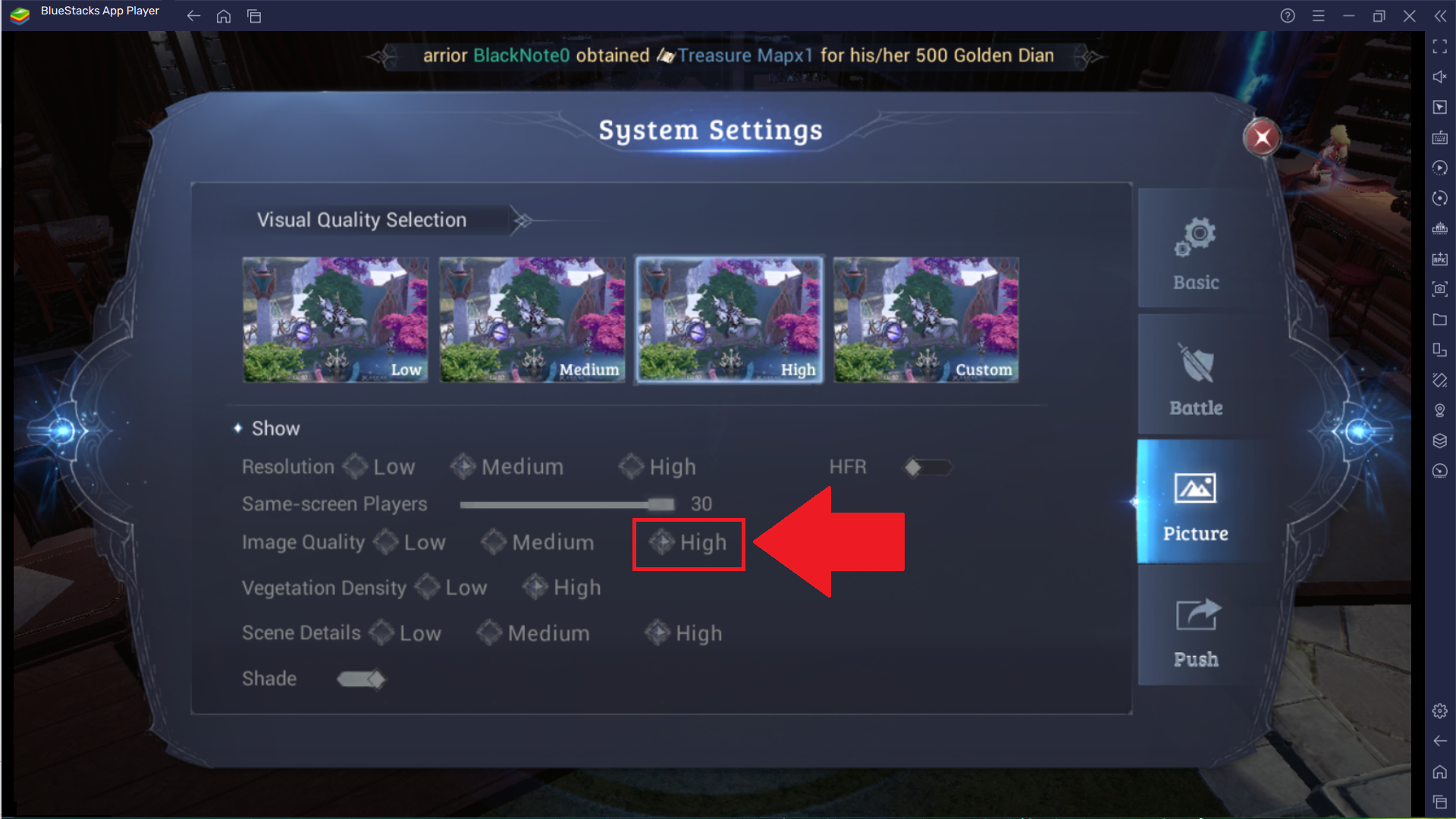
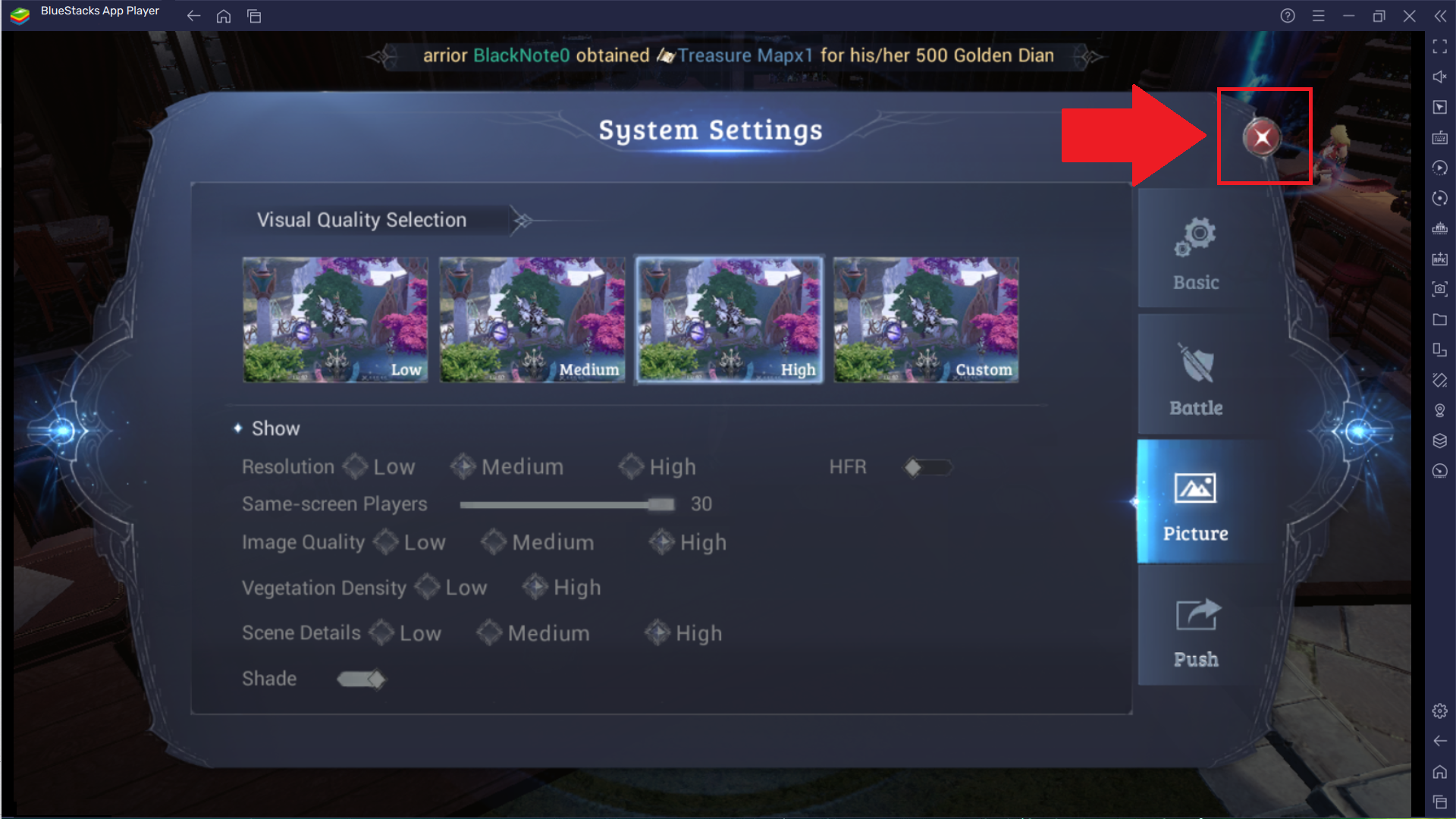
您可以通過在遊戲內設置中將 "圖像質量" 設置為 "高" 來實現這一點。

您準備好將毀滅性的技能釋放到敵人身上,並體驗快速戰鬥的刺激了嗎?踏入 MU ORIGIN 的世界,準備實現您理想中的幻想。


我該如何做到這一點?

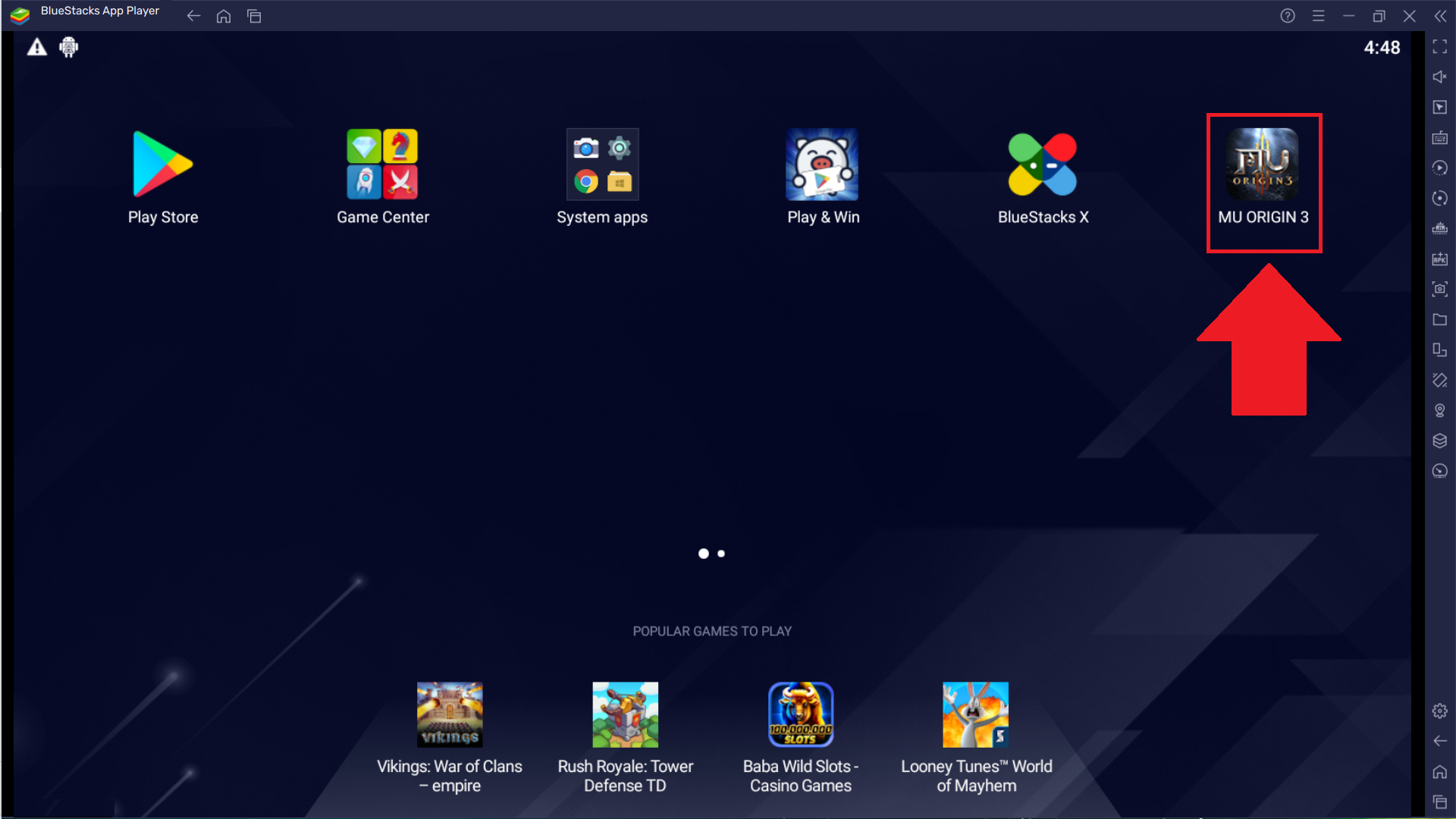
1. 從您的 BlueStacks 5 主屏幕啟動 MU ORIGIN 3 ASIA。
1.1.png

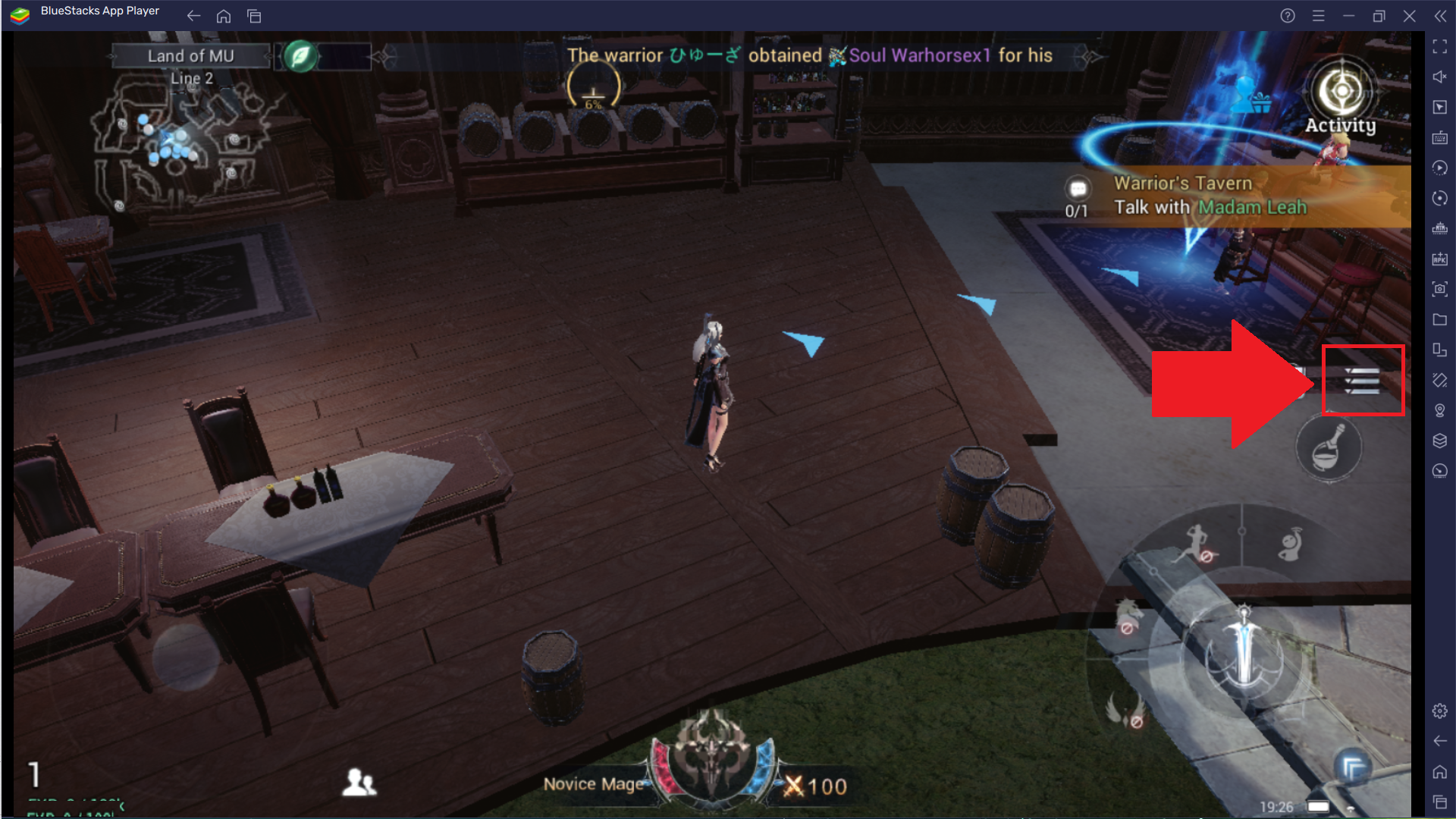
2. 從屏幕右側選擇漢堡圖標,如下所示。

1.png

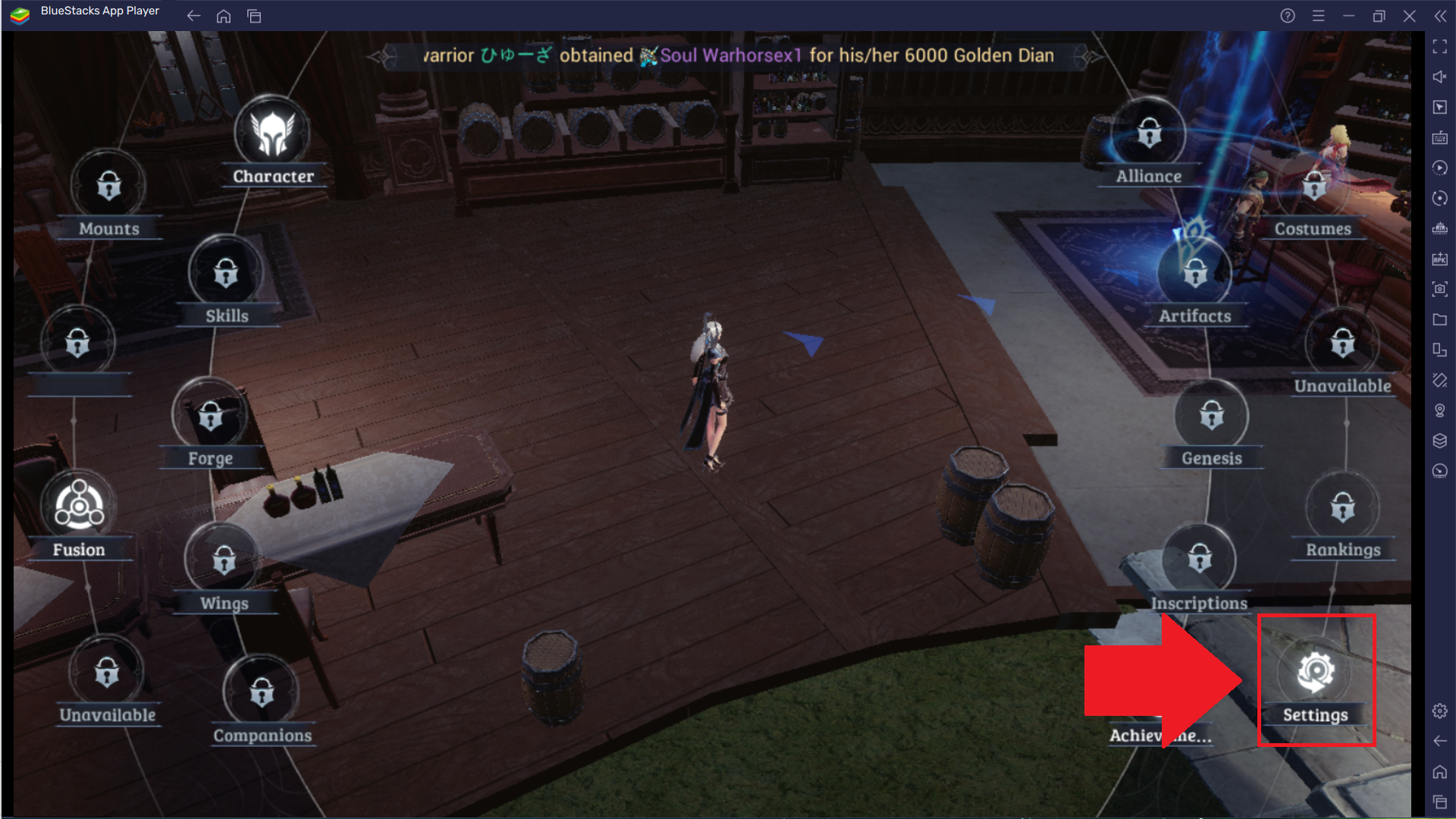
3. 點擊齒輪圖標以訪問遊戲內設置菜單。

2.png

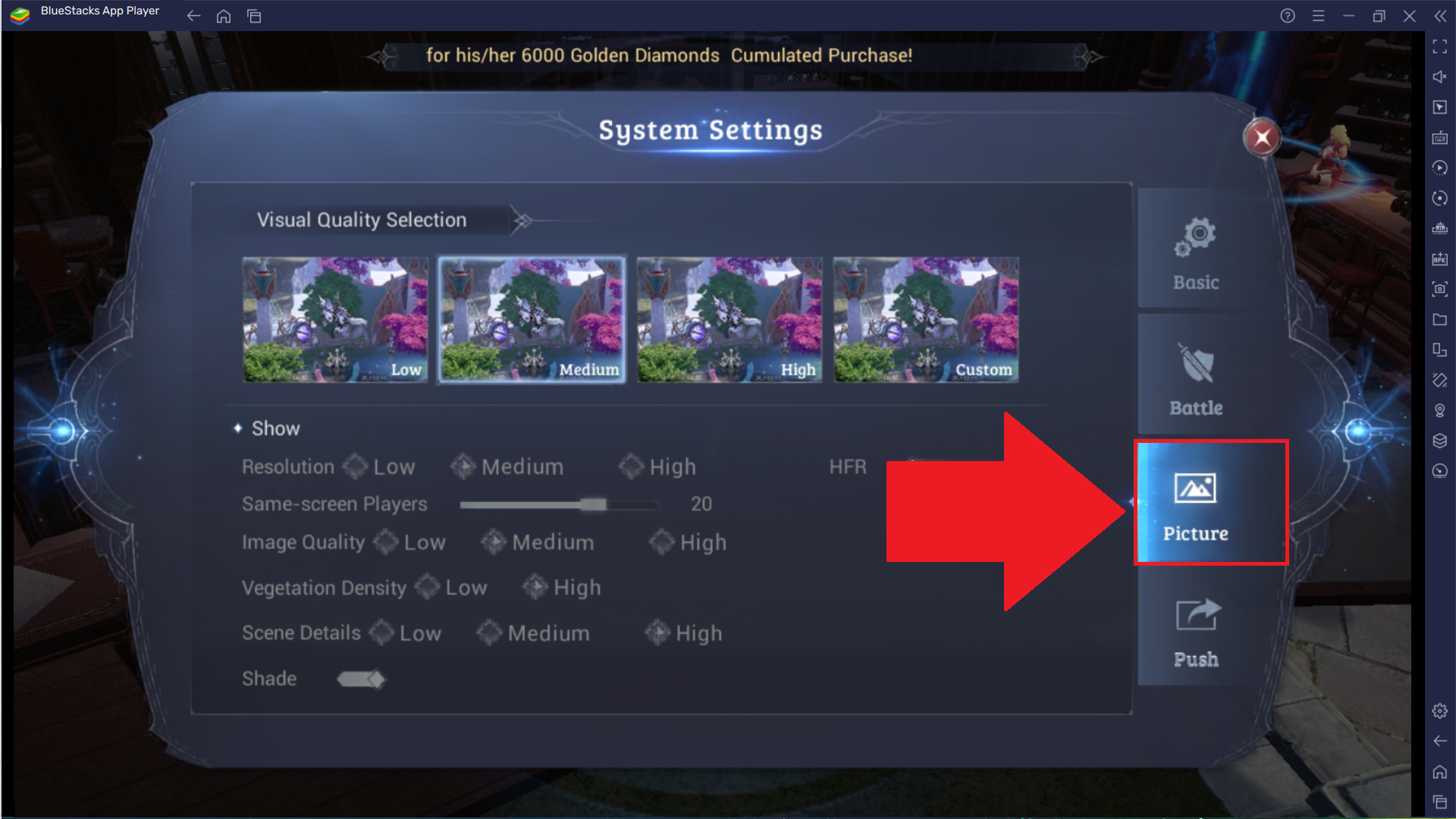
4. 導航到"圖片"選項。

4.png

5. 將"圖像質量"設置為"高"

5.png

6. 當您完成所需的選擇後,點擊屏幕右上角的"X"以退出到遊戲大廳。

6.png

現在,當您在 BlueStacks 5 上以改進的圖形玩 MU ORIGIN 3 ASIA 時,您已經準備好釋放非凡的技能來消滅敵人。


感謝您選擇 BlueStacks 5。我們希望您喜歡使用它。祝您遊戲愉快!

這篇文章是否有幫助?
6 人中有 1 人覺得有幫助
Reach out to us on Reddit (Join Reddit) or Discord (Join Discord) or at support@bluestacks.com with your questions.

We’d love to hear from you! Please take a moment to share your thoughts on the BlueStacks Help Center via this survey.
Subscribe to BlueStacks Weekly!
Get updates on new releases, features, and fixes. Discover trending games & enjoy exclusive gift codes!
By subscribing, I agree to receive weekly updates from the BlueStacks Help Center.
Thank you for subscribing to BlueStacks Weekly
Keep an eye on your inbox for updates on the latest features, gaming trends, bug fixes, gift codes, and much more!