غرض:
توضح هذه المقالة الخطوات الفنية التي يمكنك اتباعها لتمكين Windows Management Instrumentation Service (WMI) على جهاز الكمبيوتر الخاص بك.
فوائد:
إذا كانت خدمة WMI في حالة توقف أو معطلة ، فلن تسمح لـ BlueStacks بالتمهيد.
سيساعد تمكين هذه الخدمة في تشغيل BlueStacks بشكل صحيح.
إصدارات BlueStacks تتأثر:
جميع إصدارات BlueStacks.
الجمهور:
جميع مستخدمي BlueStacks.
جيو المتضررة:
كل جيو
خطوات:
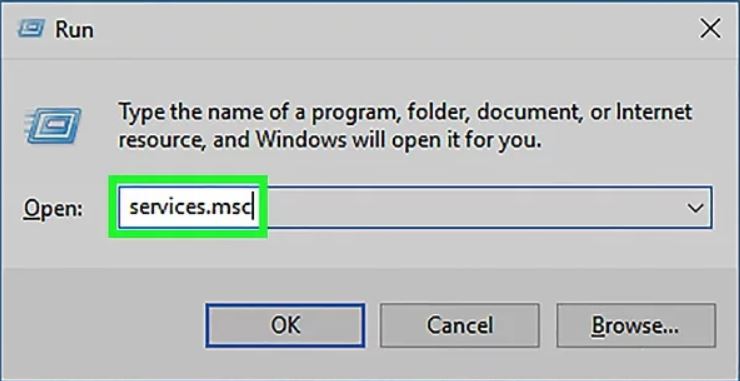
1. اضغط على مفاتيح ⊞ Win + R في وقت واحد.
2. اكتب services.msc
3. اضغط على موافق أو اضغط على زر الإدخال ↵ Enter.
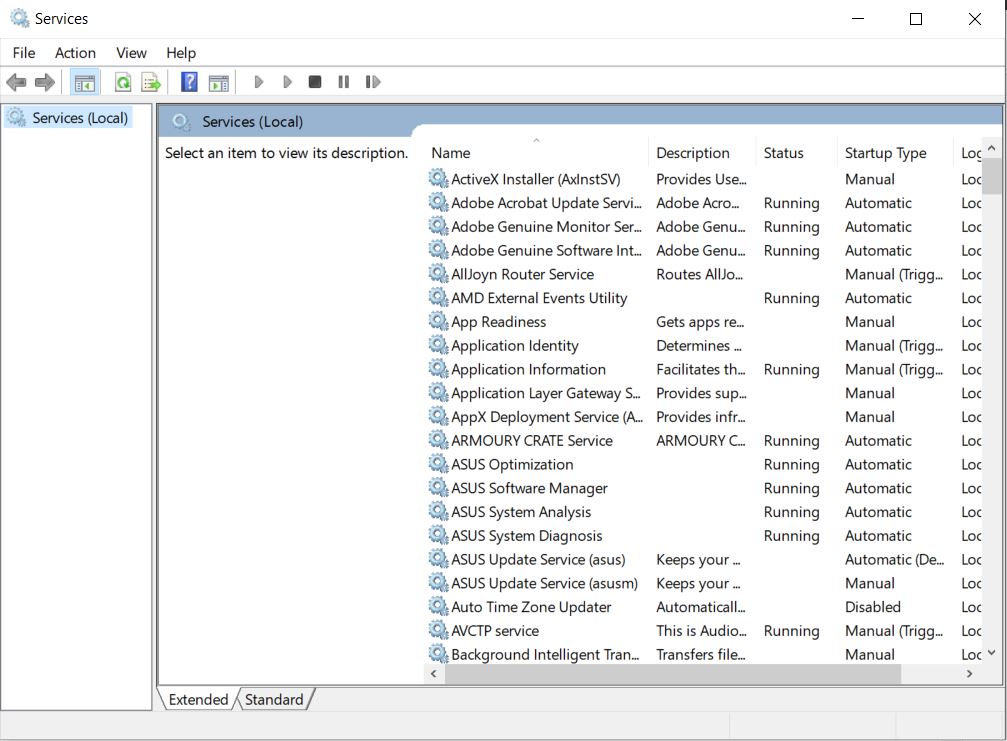
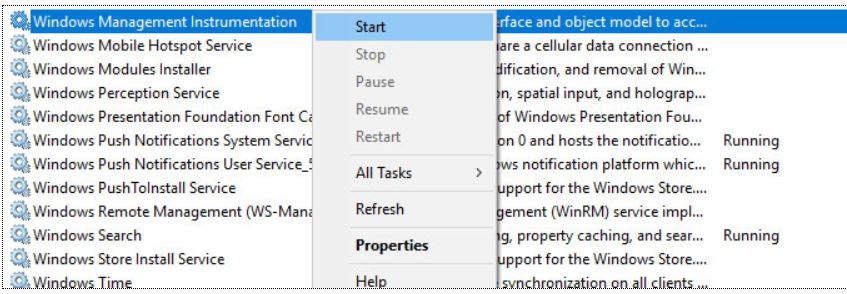
3. سيتم فتح نافذة الخدمات ، من قائمة الخدمات حدد موقع Windows Management Instrumentation.
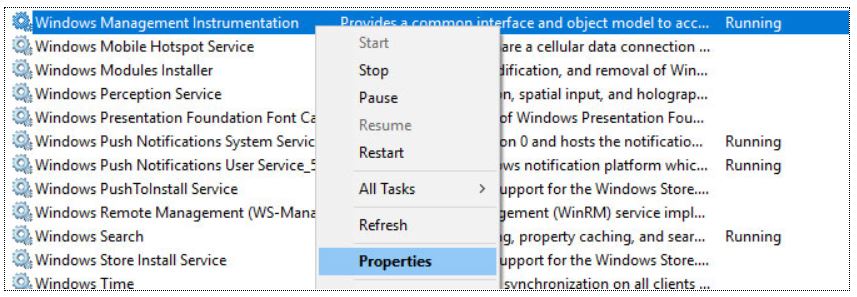
4. انقر بزر الماوس الأيمن فوق خدمة Windows Management Instrumentation في خدمات Windows وحدد عنصر القائمة "خصائص".
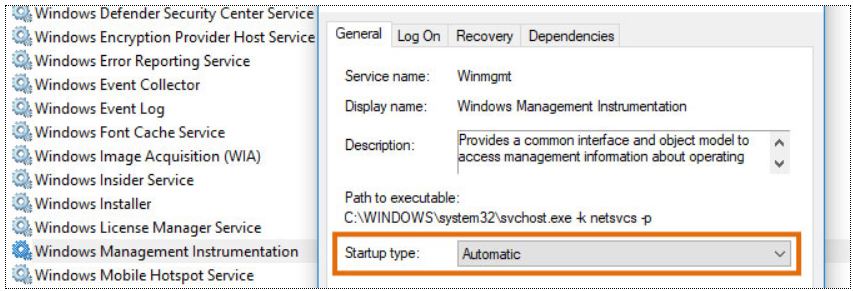
5. اضبط نوع بدء التشغيل للخدمة على Automatic في النافذة المنبثقة الناتجة واضغط على OK.
6. ابدأ تشغيل خدمة Windows Management Instrumentation.
7. أغلق نافذة الخدمات.
8. أغلق BlueStacks وأعد تشغيله.
نحن نقدر حقا اختيارك بلو ستاكس. نأمل أن تستمتع باستخدامه. إذا كان لديك أي أسئلة أخرى ، يرجى الاتصال بنا على .support.bluestacks.com شكرا جزيلا.