كيف سيساعد هذا؟
تتطلب بعض ألعاب MOBA أن يتحرك البطل / اللاعب / الصورة الرمزية في اتجاهات غير محددة باستخدام عناصر تحكم رئيسية متنوعة لمهارات وقدرات مختلفة.
باستخدام BlueStacks 4.250 وما فوق ، يمكنك استخدام عنصر التحكم MOBA D-pad ، من محرر الضوابط ، للحصول على حركة بزاوية 360 درجة في اللعبة لشخصيتك.
كيف يمكنني استخدام وضع MOBA؟
للعب في وضع MOBA ، تحتاج إلى:
- استخدم MOBA D-pad
- استخدم إعدادات MOBA Skill
كيفية استخدام MOBA D-pad
تمنحك MOBA D-pad القدرة على التحرك في شخصيتك في أي اتجاه. مع هذا ، تحصل على حركة بزاوية 360 درجة والتي يمكن أن تكون مفيدة للغاية في تلك المعارك الشديدة. ستوضح لك الخطوات أدناه كيفية استخدام MOBA D-pad.
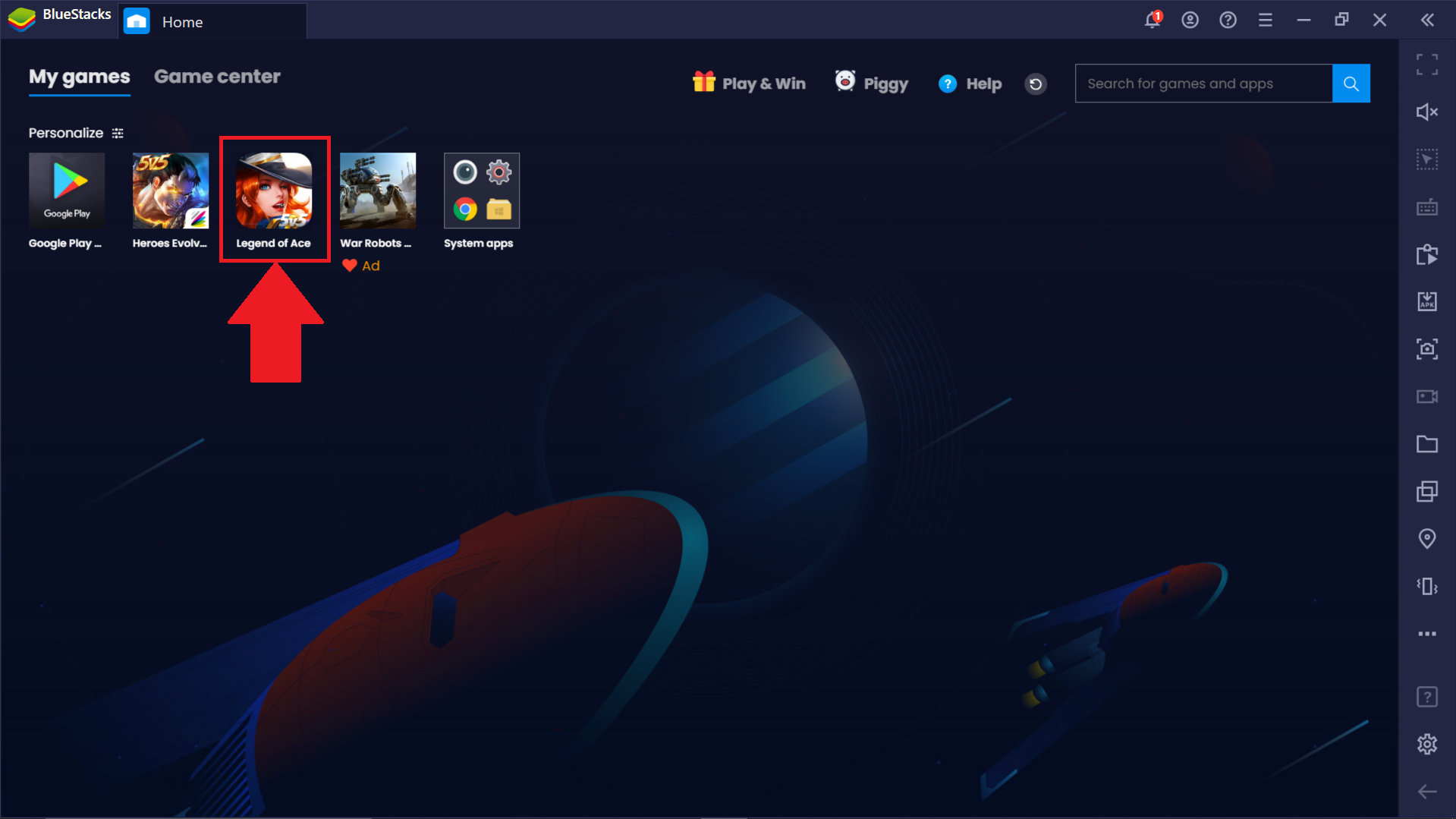
1. قم بتشغيل أي لعبة MOBA من اختيارك من شاشة BlueStacks الرئيسية. كمثال ، نحن نذهب مع Legend of Ace.
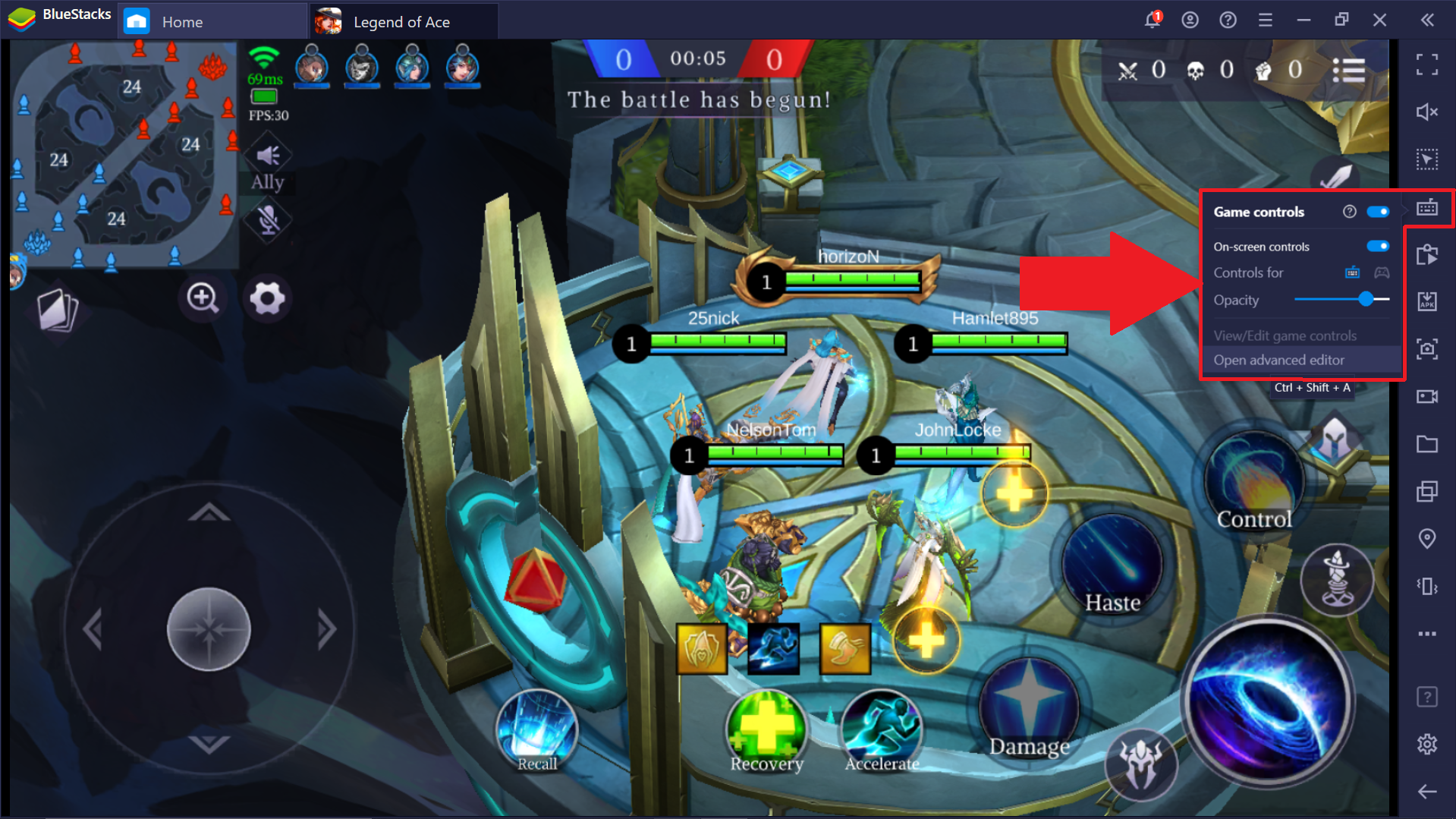
2. انقر فوق رمز لوحة المفاتيح على شريط الأدوات الجانبي للوصول إلى قائمة عناصر التحكم في اللعبة. هنا ، انقر فوق "فتح محرر متقدم".
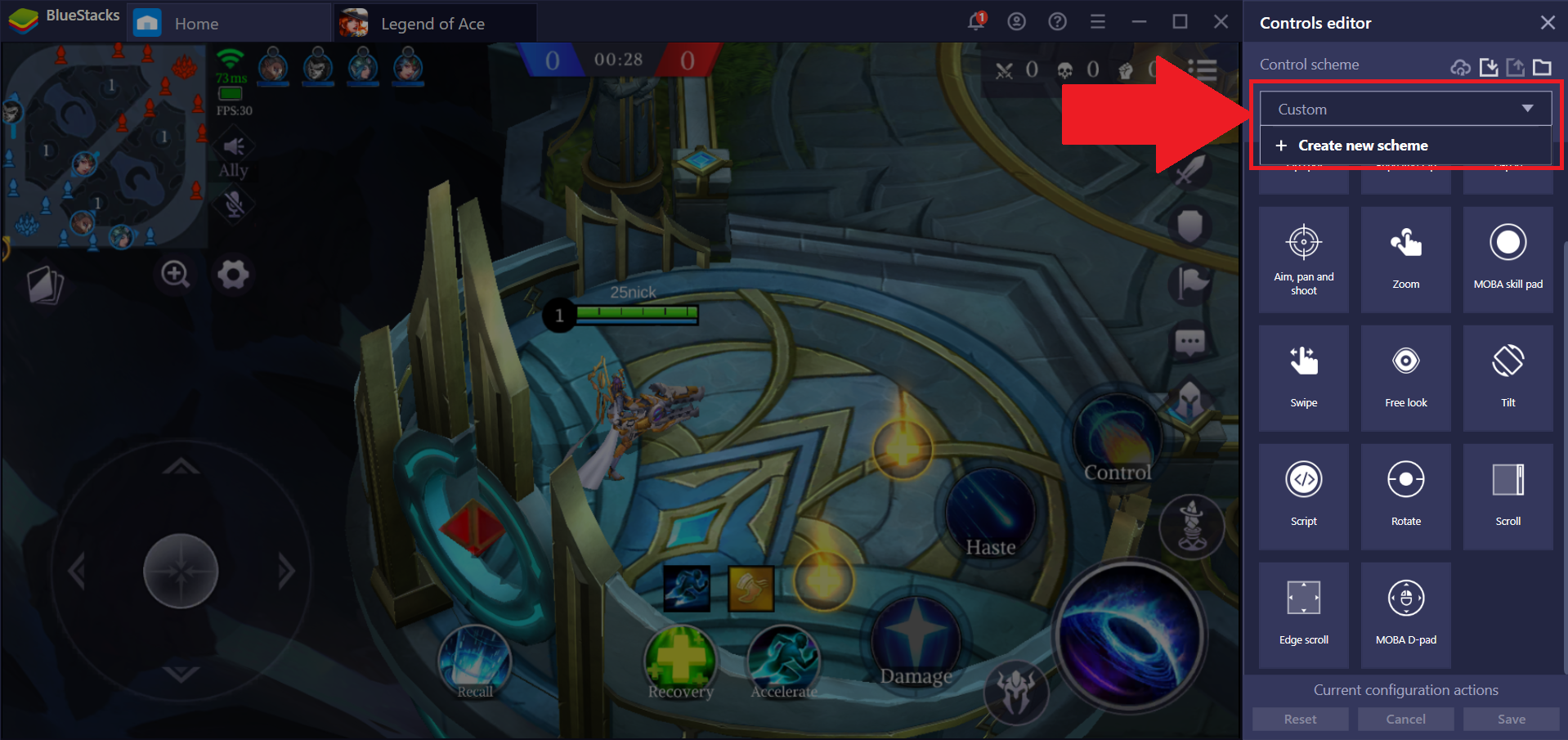
3. انقر فوق نظام التحكم الحالي قيد الاستخدام وحدد "إنشاء مخطط جديد".
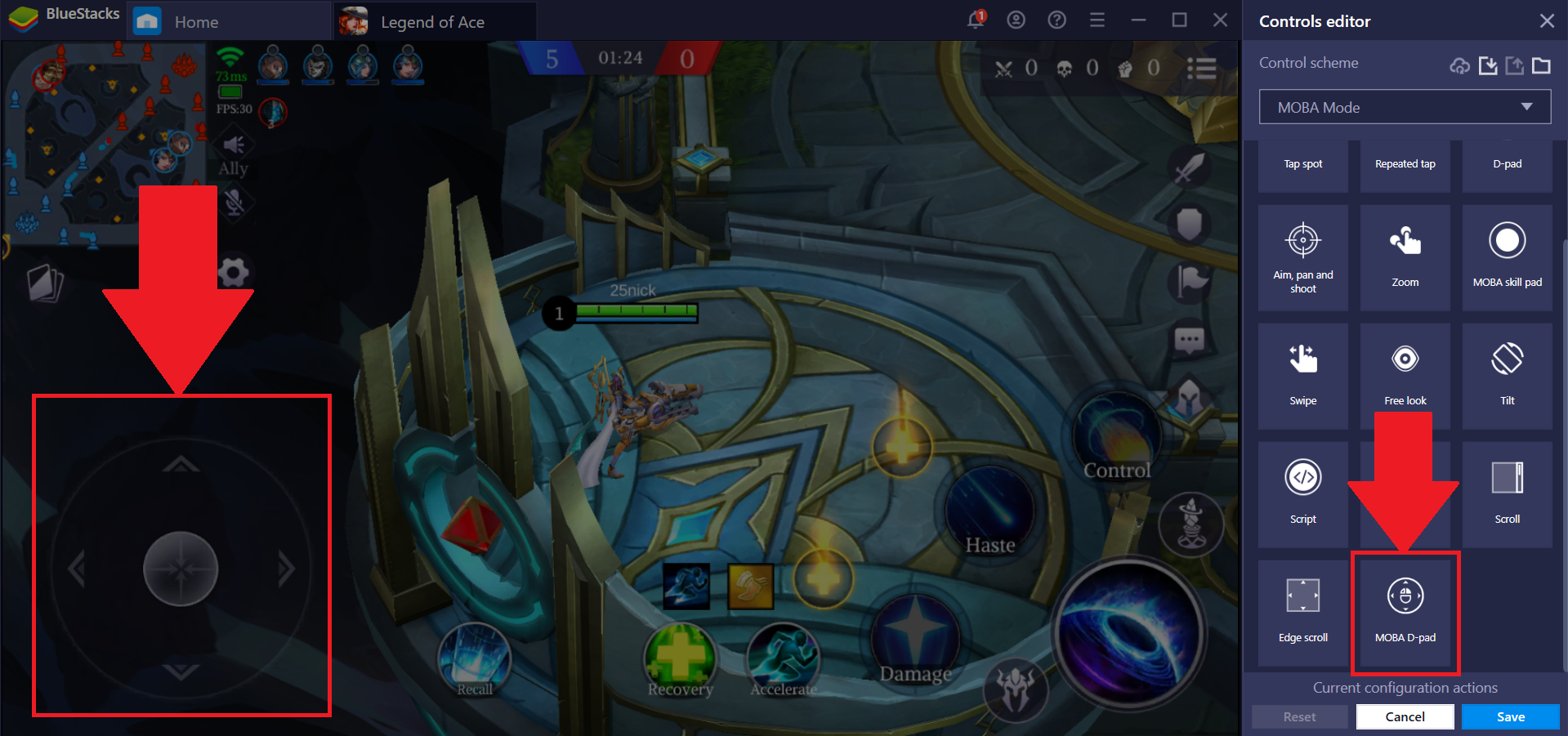
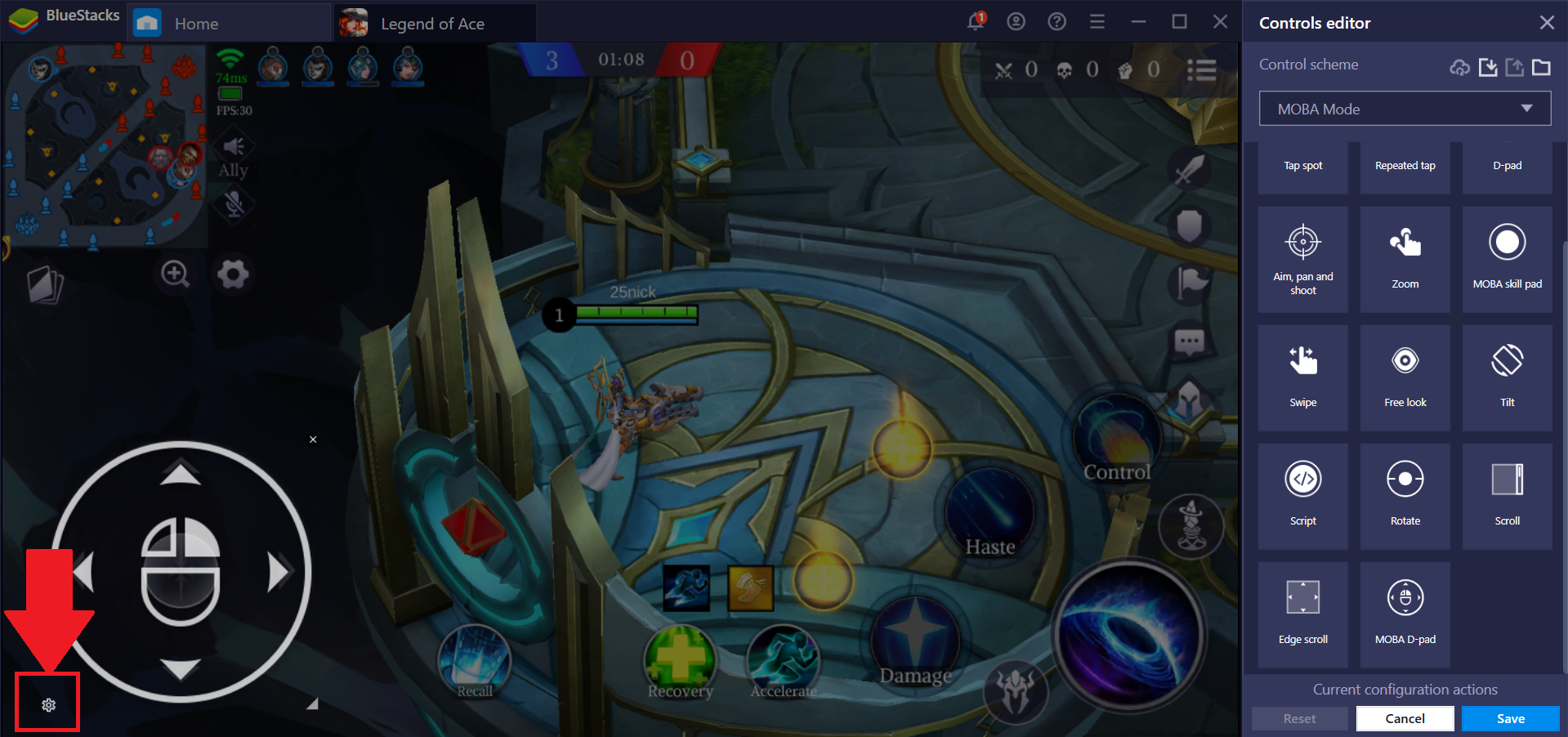
4. بعد ذلك ، انقر فوق مفتاح تحكم MOBA D-pad واسحبه إلى عناصر التحكم في الحركة داخل اللعبة.
5. للوصول إلى الإعدادات المتقدمة ، انقر فوق رمز الترس في مفتاح التحكم ، كما هو موضح أدناه.
6. أخيرًا ، ضع دمية البطل في منتصف الشاشة. لوضعه ، انقر فوق الرمز الخاص به ، كما هو موضح أدناه. هناك أيضًا مجموعة متنوعة من الإعدادات الأخرى التي يمكنك تعديلها هنا ، وكلها موضحة بعد الصورة أدناه.
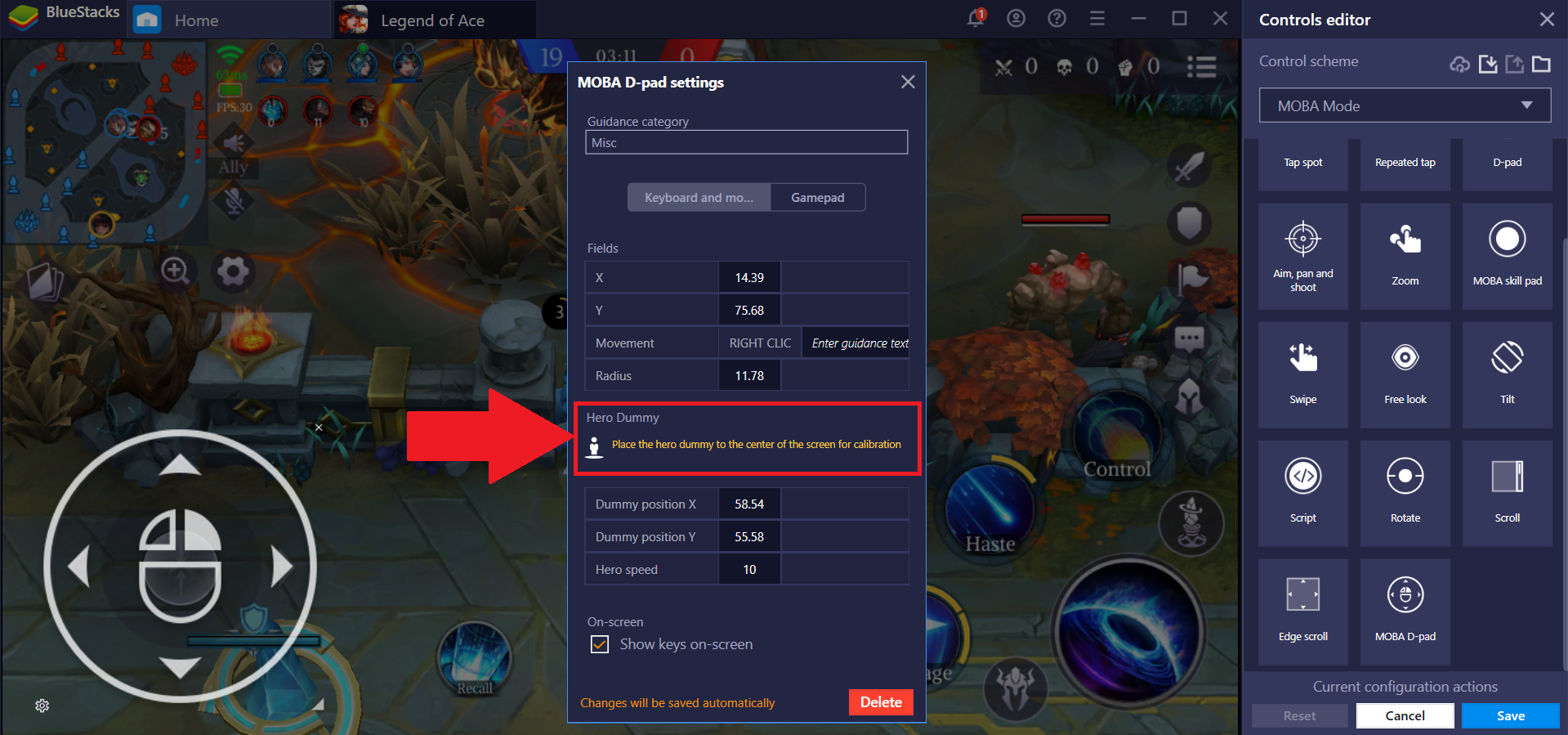
| Field | Description |
| X | X coordinate of the D-pad. Automatically picked up from the location where the Dpad Control is placed |
| Y | Y coordinate of the D-pad. Automatically picked up from the location where the D-pad Control is placed |
| Up | Keyboard key assigned for Up action of D-pad Control |
| Down | Keyboard key assigned for Down action of D-pad Control |
| Left | Keyboard key assigned for the Left action of D-pad Control |
| Right | Keyboard key assigned for the Right action of D-pad Control |
| Moba Control Mode | Check if need to run D-pad in MOBA mode. |
| Hero Dummy Icon | Place the Hero dummy icon on the center of the screen for calibration |
| Guidance Category | Guidance string to show up on the game control window |
كيفية استخدام إعدادات MOBA Skill
توفر إعدادات MOBA Skill مزايا مختلفة مقارنة بعناصر التحكم العامة المضمنة في اللعبة.
1. انقر فوق مفتاح التحكم "MOBA Skill pad" في محرر عناصر التحكم ووضعها مباشرة على المهارات / القدرات المعروضة في لعبة MOBA التي تختارها.
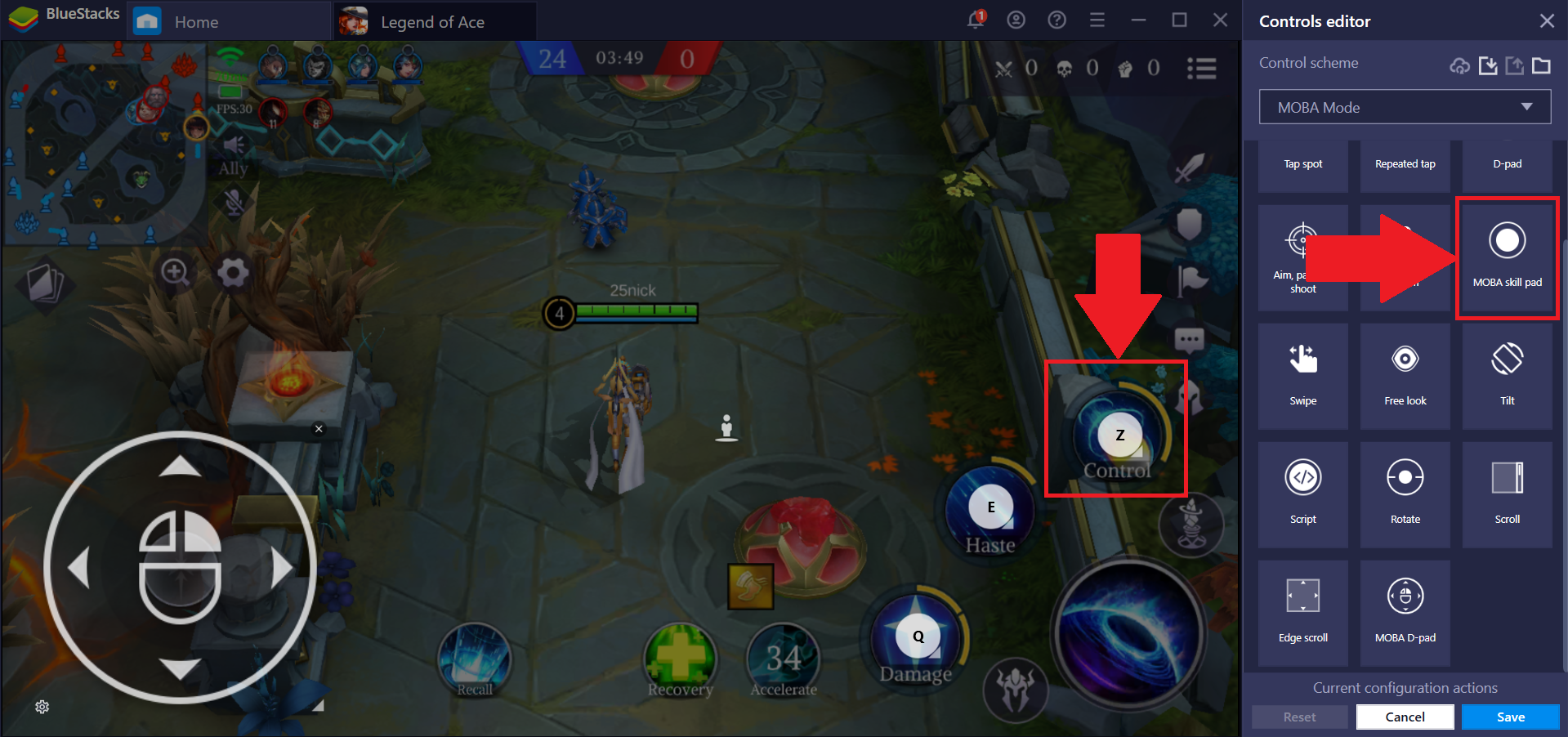
بعد وضعها ، يمكنك بعد ذلك تعيين عناصر تحكم رئيسية من اختيارك لها.
3. للوصول إلى قائمة الإعدادات المتقدمة ، انقر فوق رمز الترس كما هو موضح أدناه.
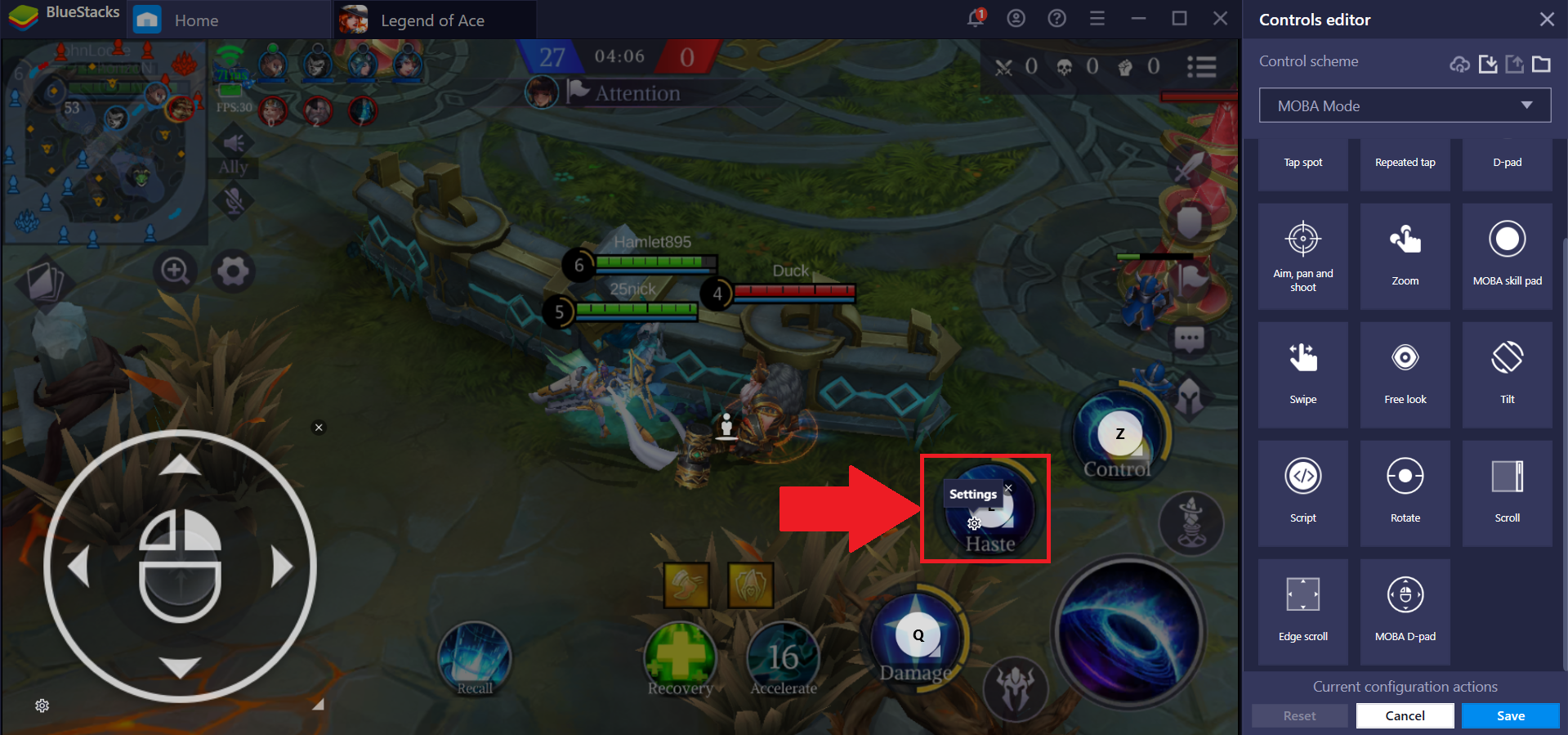
4. انقر فوق "مزيد من الإعدادات" ، كما هو موضح أدناه.
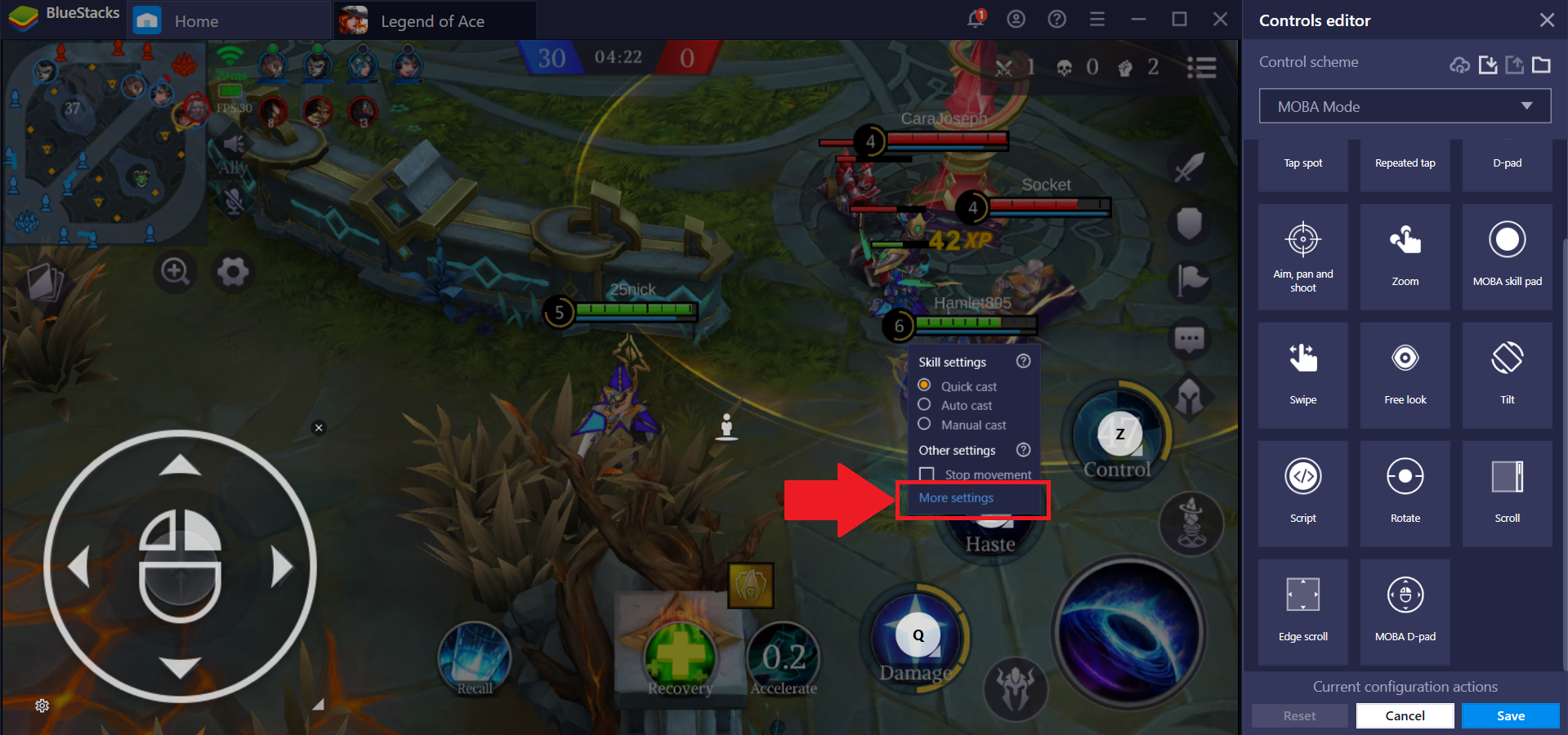 5. من هنا ، يمكنك إضافة مفتاح "إلغاء الأمر". باستخدام هذا ، يمكنك إلغاء أي قدرات / مهارات ربما لم ترغب في استخدامها. هناك أيضًا مجموعة متنوعة من الإعدادات الأخرى التي يمكنك تعديلها ، وكلها موضحة بعد الصورة أدناه.
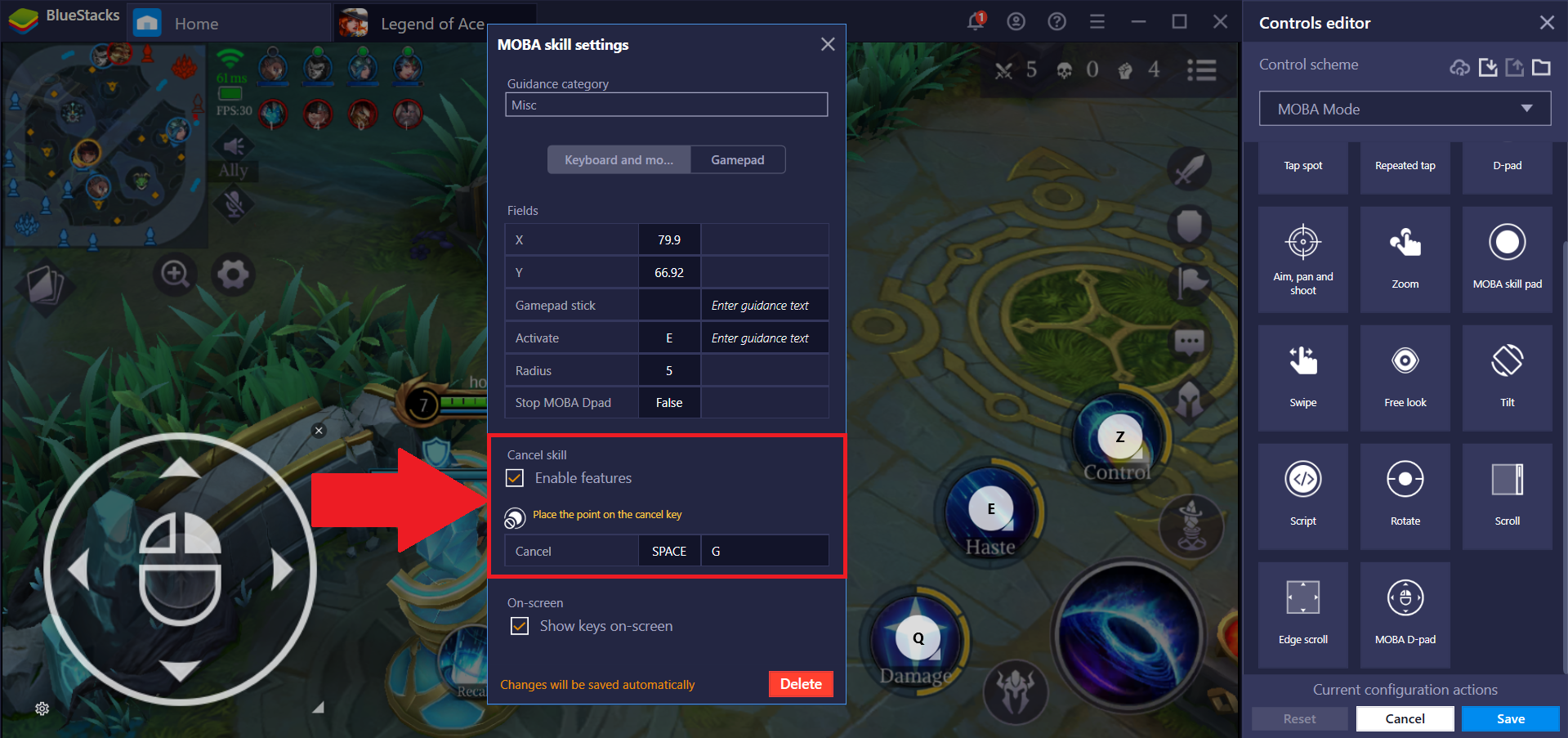
| Field | Description |
| X | X coordinate of MOBA Skill |
| Y | Y coordinate of the MOBA Skill |
| Activate | Keyboard key assigned to activate Skill |
| Autocast Toggle | Keyboard key assigned to toggle between active skill. |
| Cancel | Keyboard key assigned to cancel activated skill |
| Cancel key icon | Place icon on the cancel tap point |
| Dead Zone Radius | Radius in which MOBA skill doesn't operate |
| Guidance Category | Guidance string to show up on the game control window |
كيف أحفظ ضوابطي؟
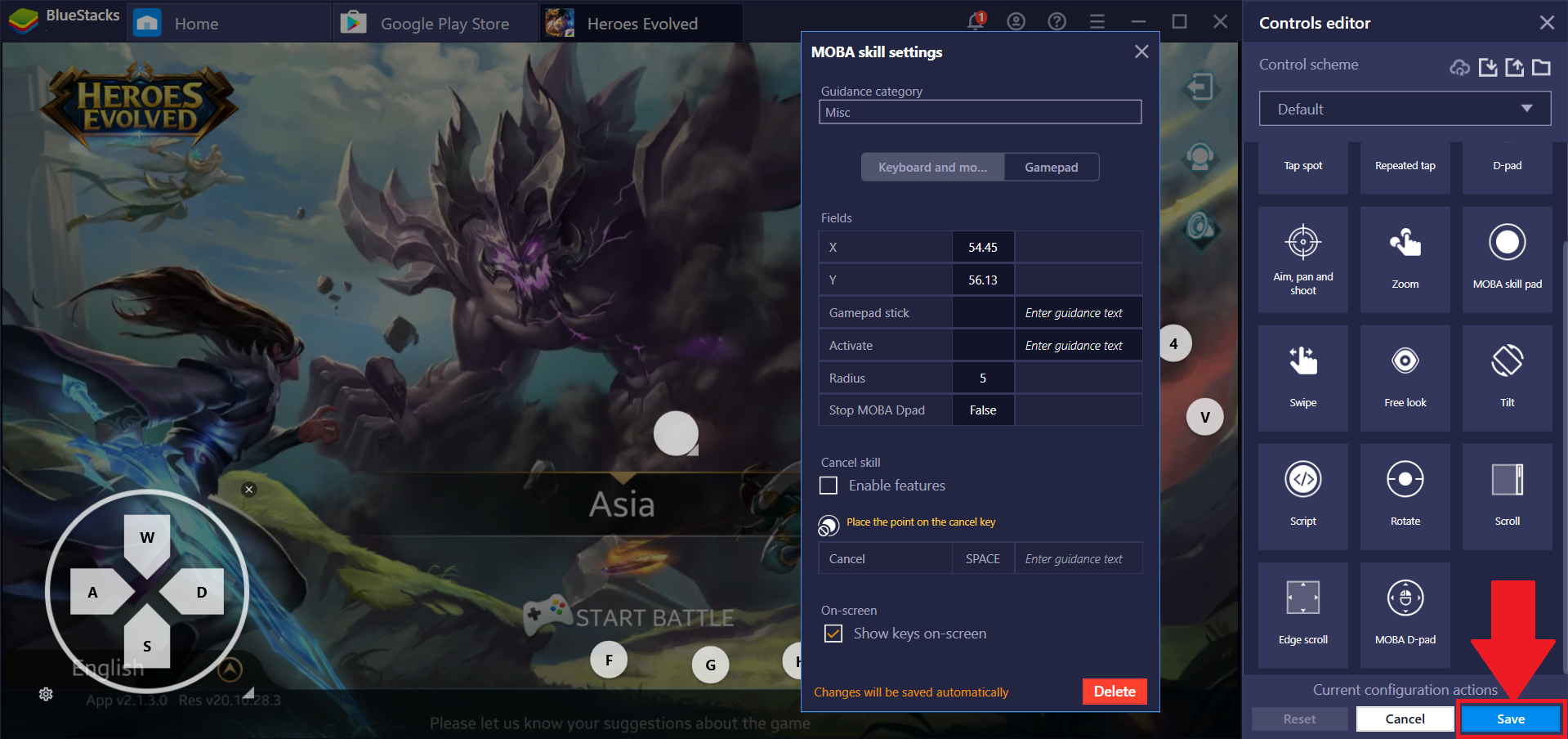
بمجرد تطبيق إعدادات MOBA D-pad و MOBA Skill على لعبتك ، انقر فوق "حفظ". سيؤدي هذا بعد ذلك إلى حفظ مخطط التحكم حتى تتمكن من استخدام عناصر التحكم هذه كلما لعبت اللعبة.
نحن نقدر حقا اختيارك بلو ستاكس. نأمل أن تستمتع باستخدامه. إذا كان لديك أي أسئلة أخرى ، يرجى الاتصال بنا على .support.bluestacks.com شكرا جزيلا.