كيف سيساعد ذلك؟
من خلال الخطوات الموضحة أدناه ، ستتمكن من إضافة أو إزالة أي حساب Google من BlueStacks.
ما هي الخطوات التي يجب علي اتباعها؟
1. قم بتشغيل BlueStacks وافتح تطبيقات النظام من علامة التبويب "ألعابي".
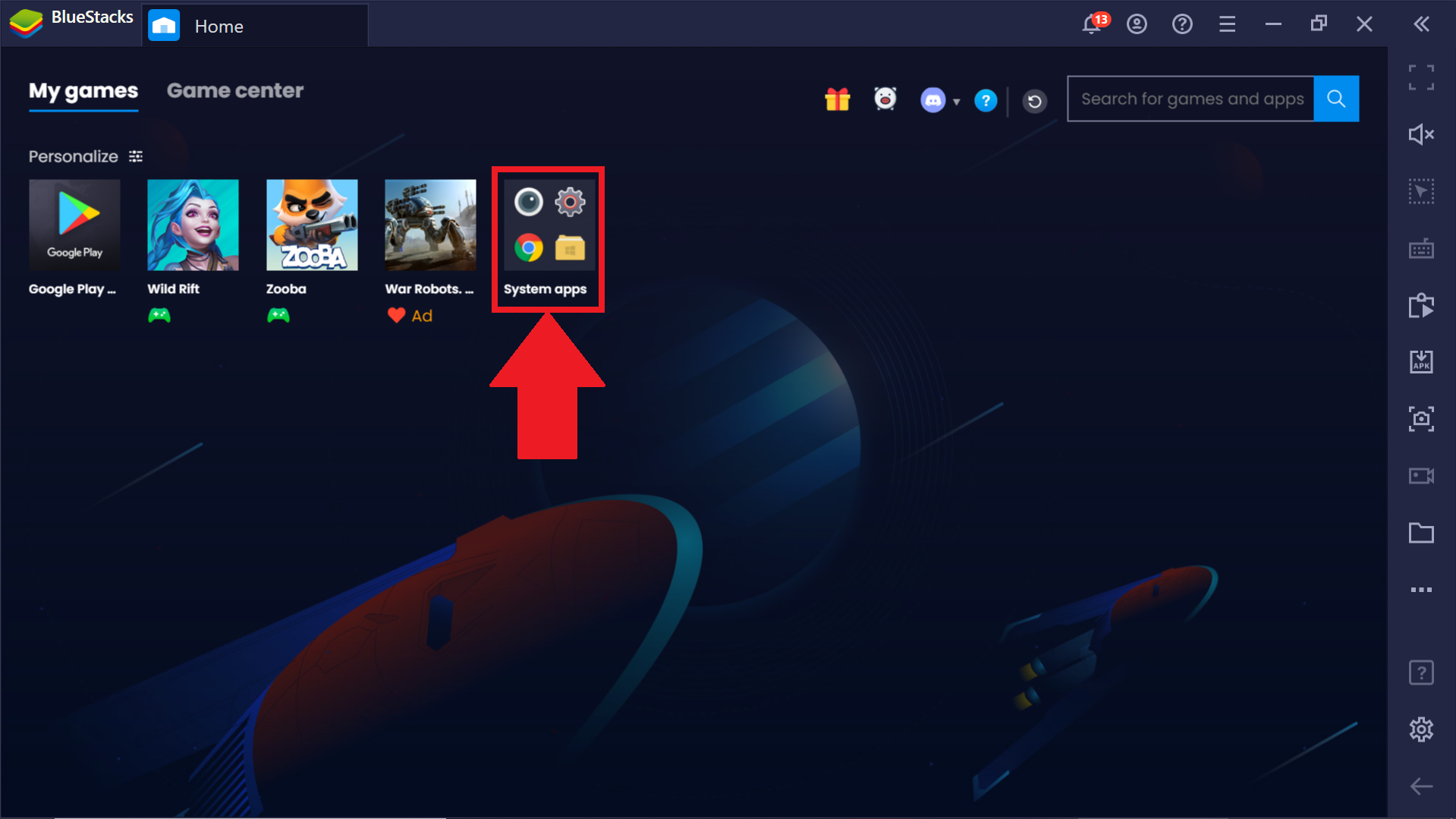 2. هنا ، انقر نقرًا مزدوجًا فوق رمز إعدادات Android.
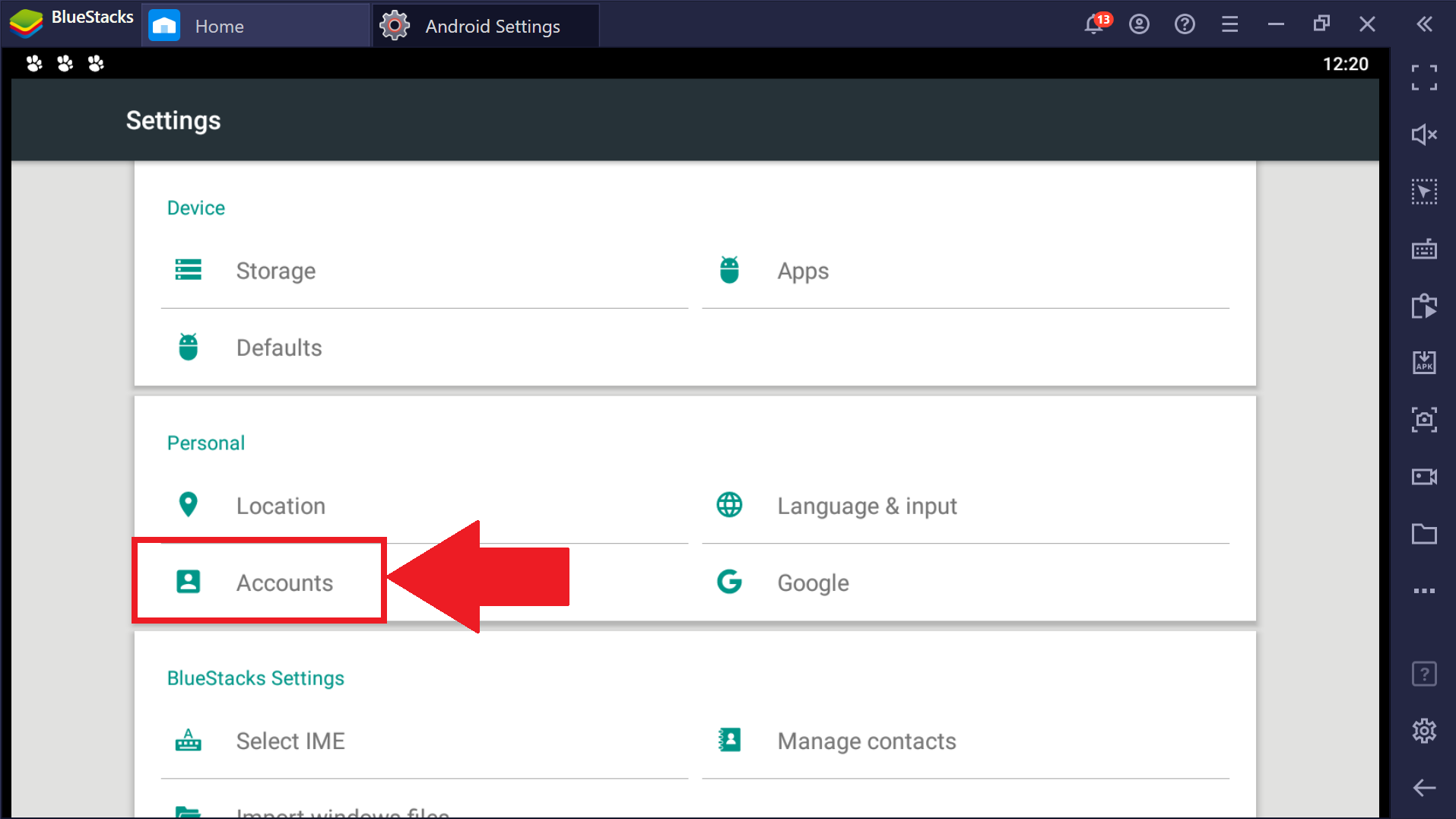
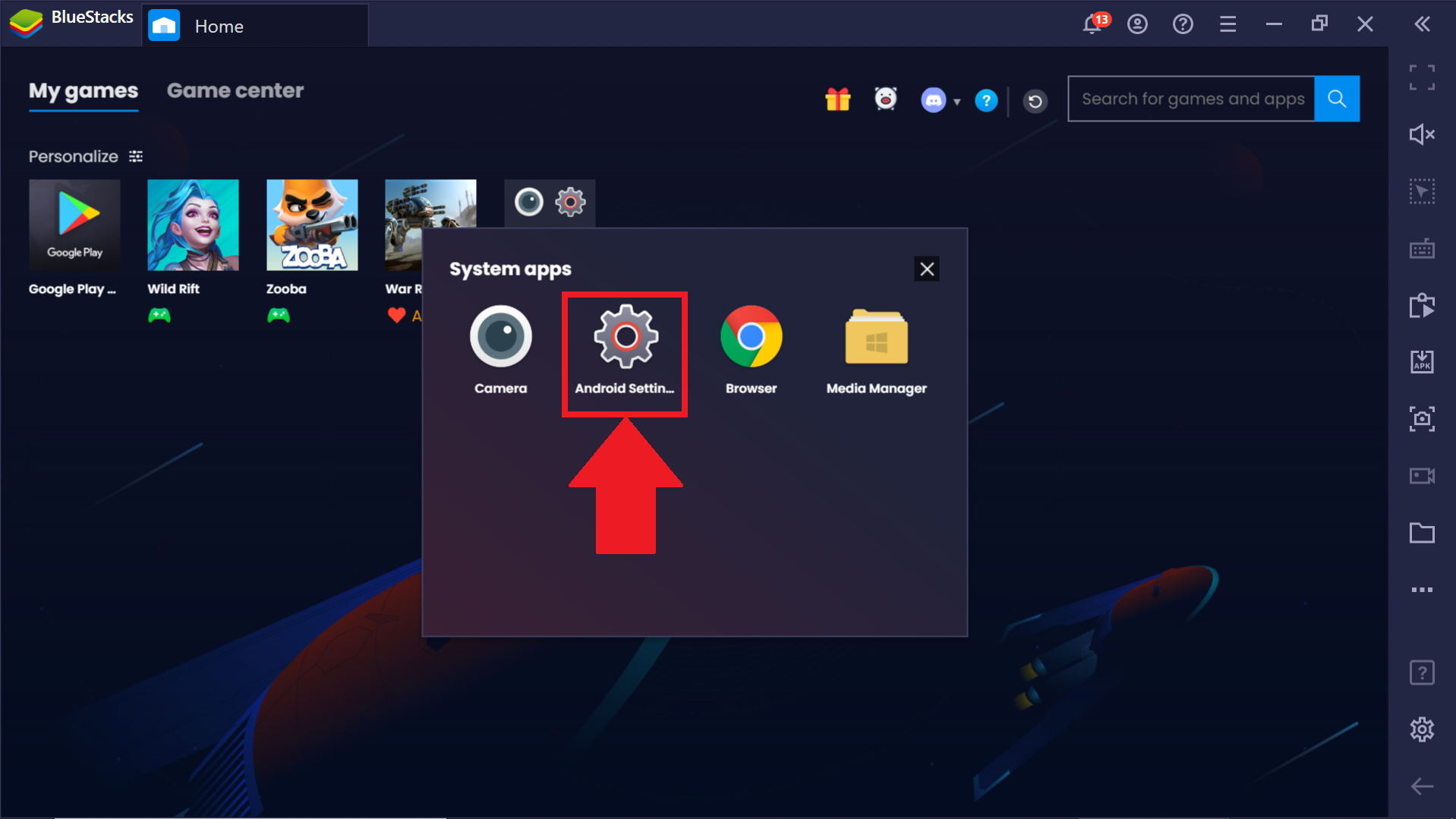 3. سيتم فتح علامة التبويب "إعدادات Android". هنا ، انقر فوق الحسابات.
 4. الآن ، انقر فوق Google كما هو موضح أدناه.
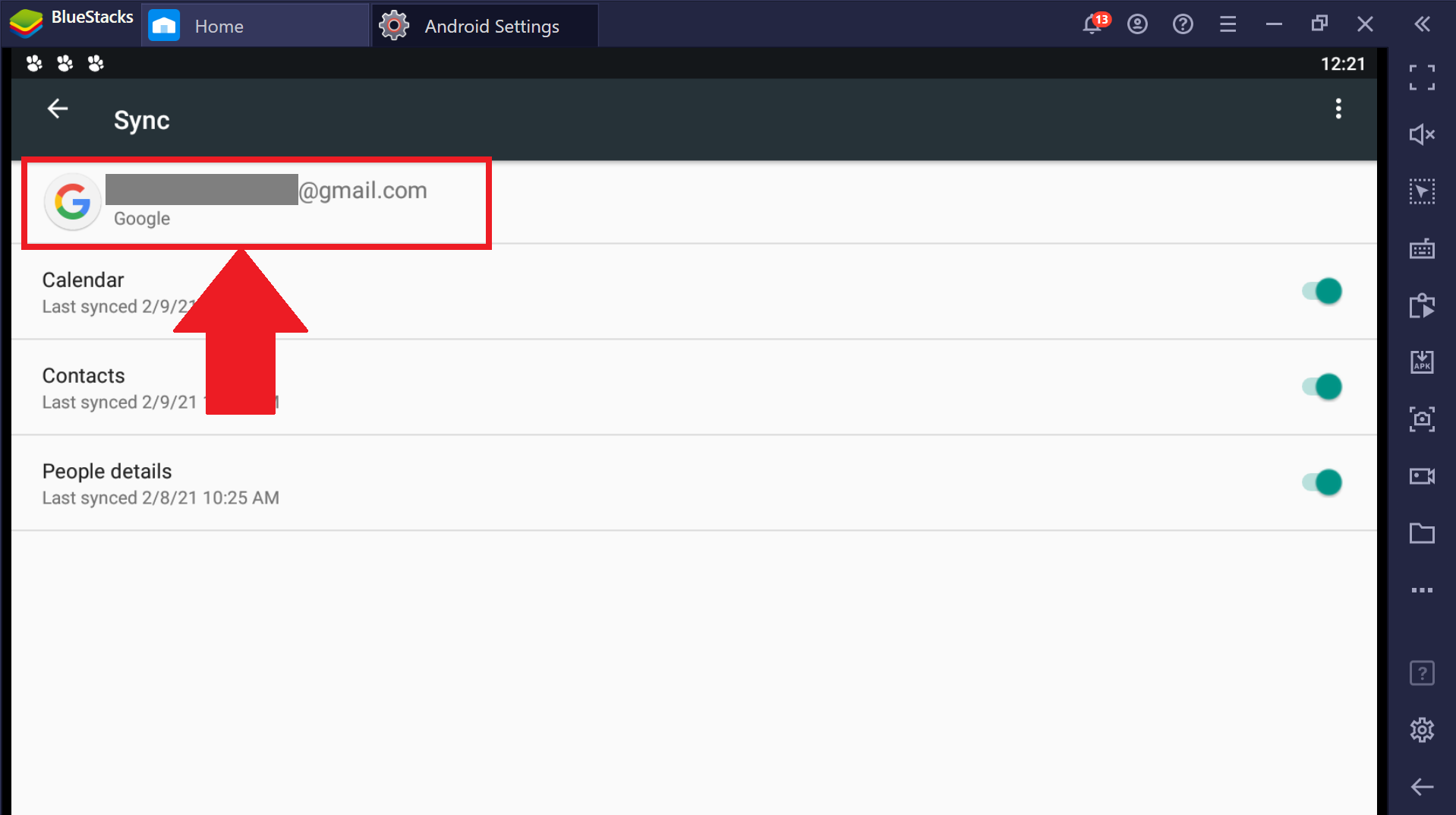
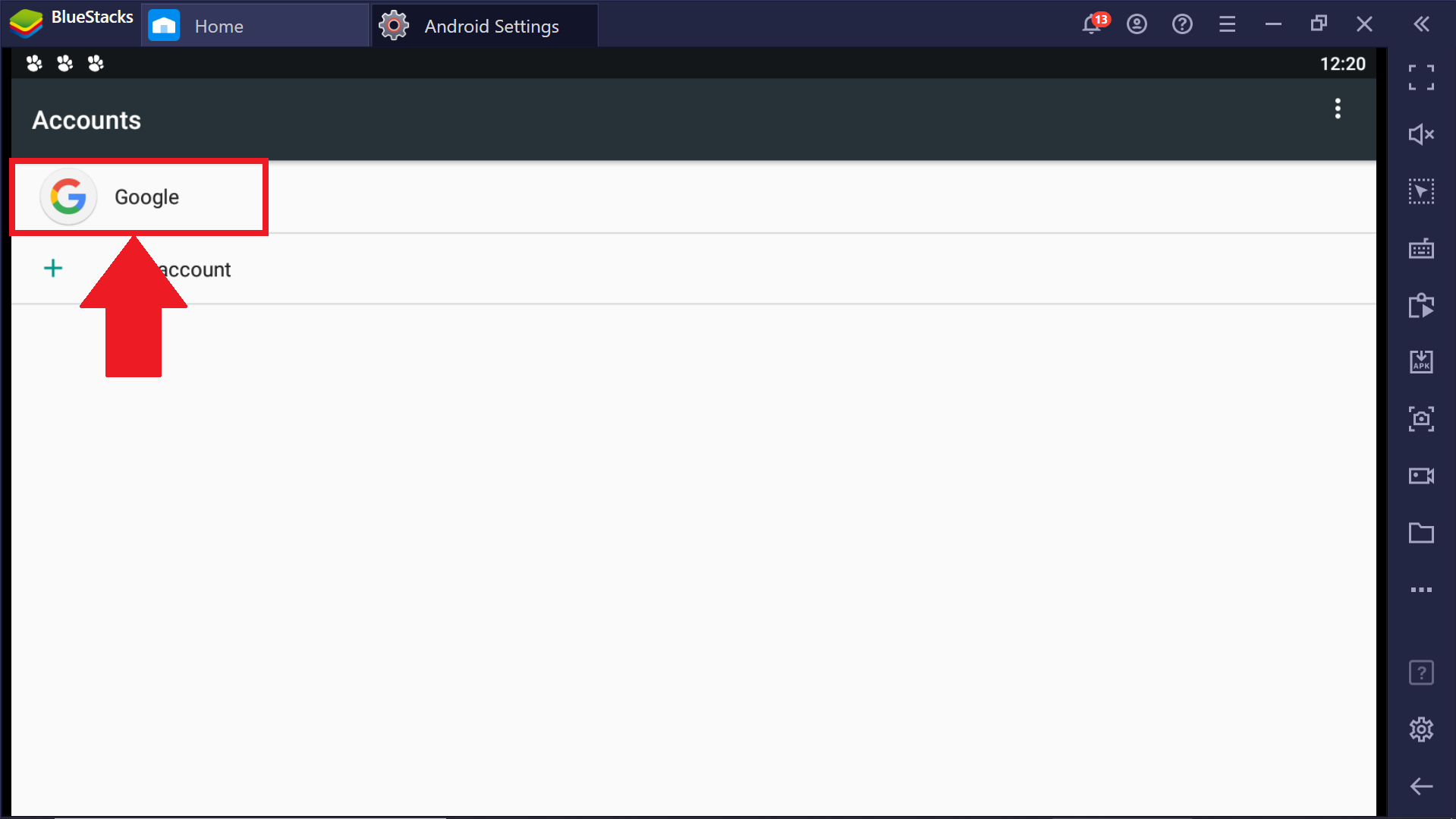 5. سيؤدي النقر فوق Google إلى إظهار حساب Google الذي تستخدمه حاليًا على BlueStacks.
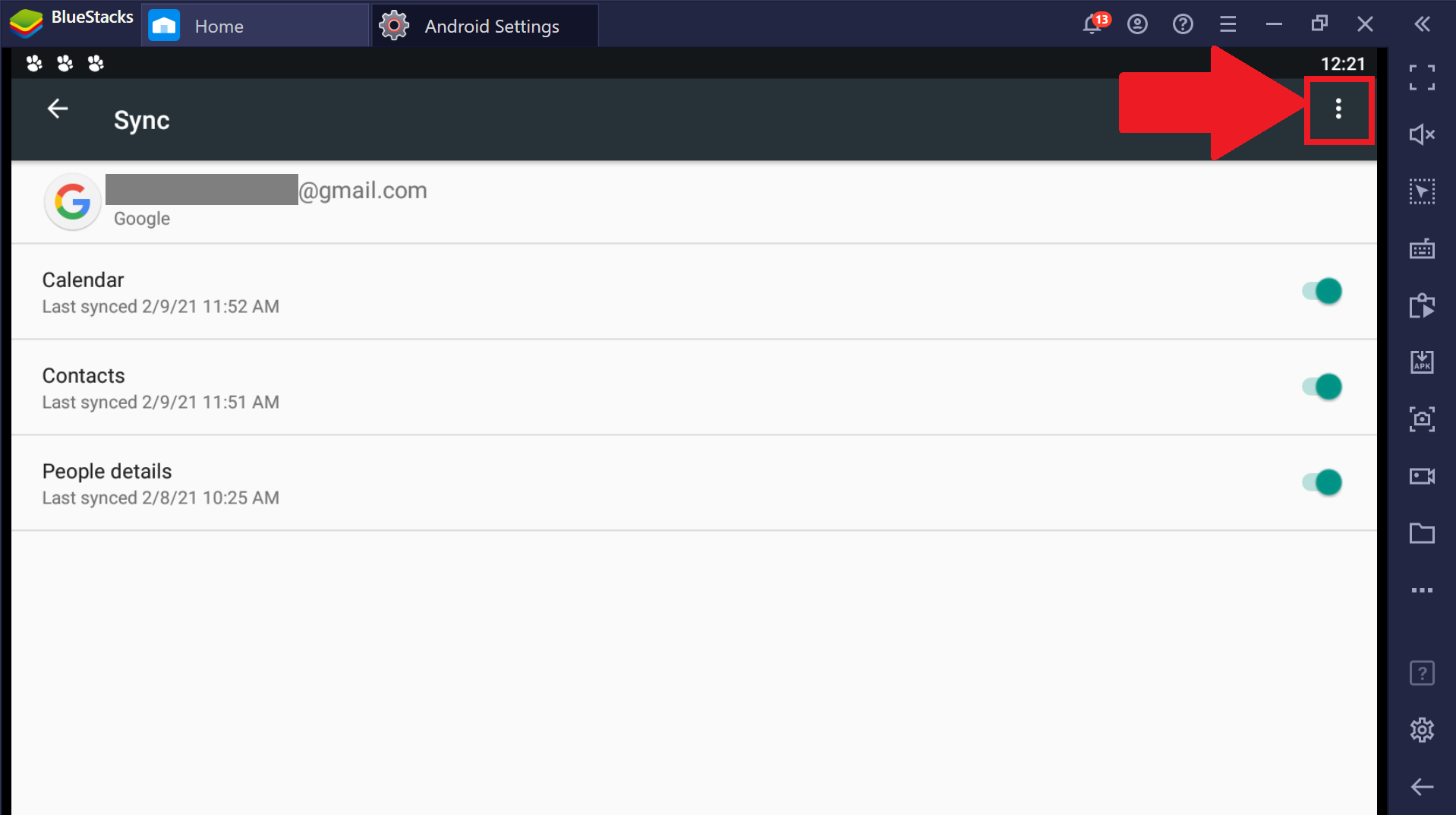
 6. انقر على النقاط الثلاث في أعلى الجانب الأيمن من الشاشة.
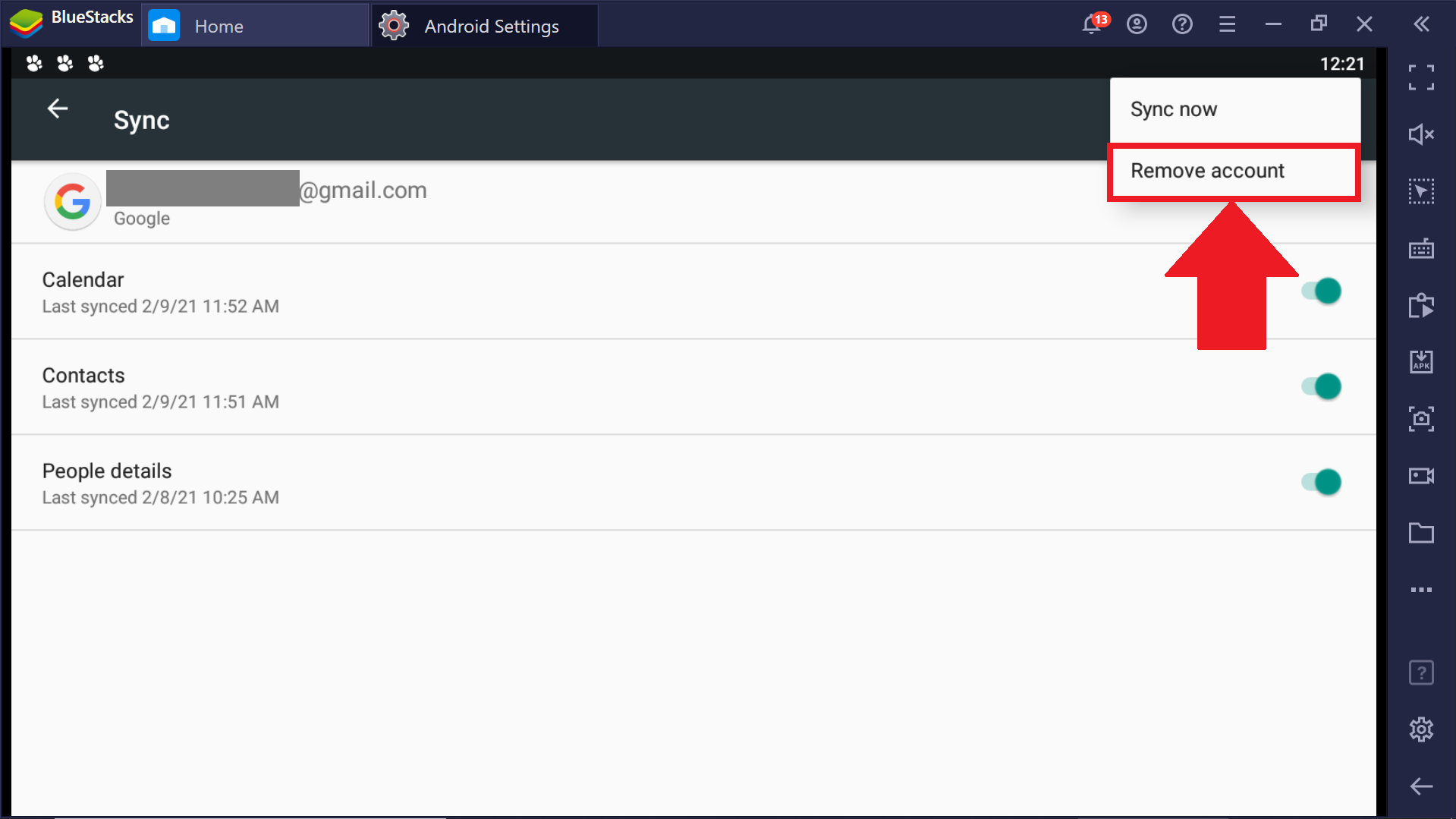
 7. انقر فوق إزالة الحساب كما هو موضح أدناه ، وستتم إزالة حسابك في النهاية.
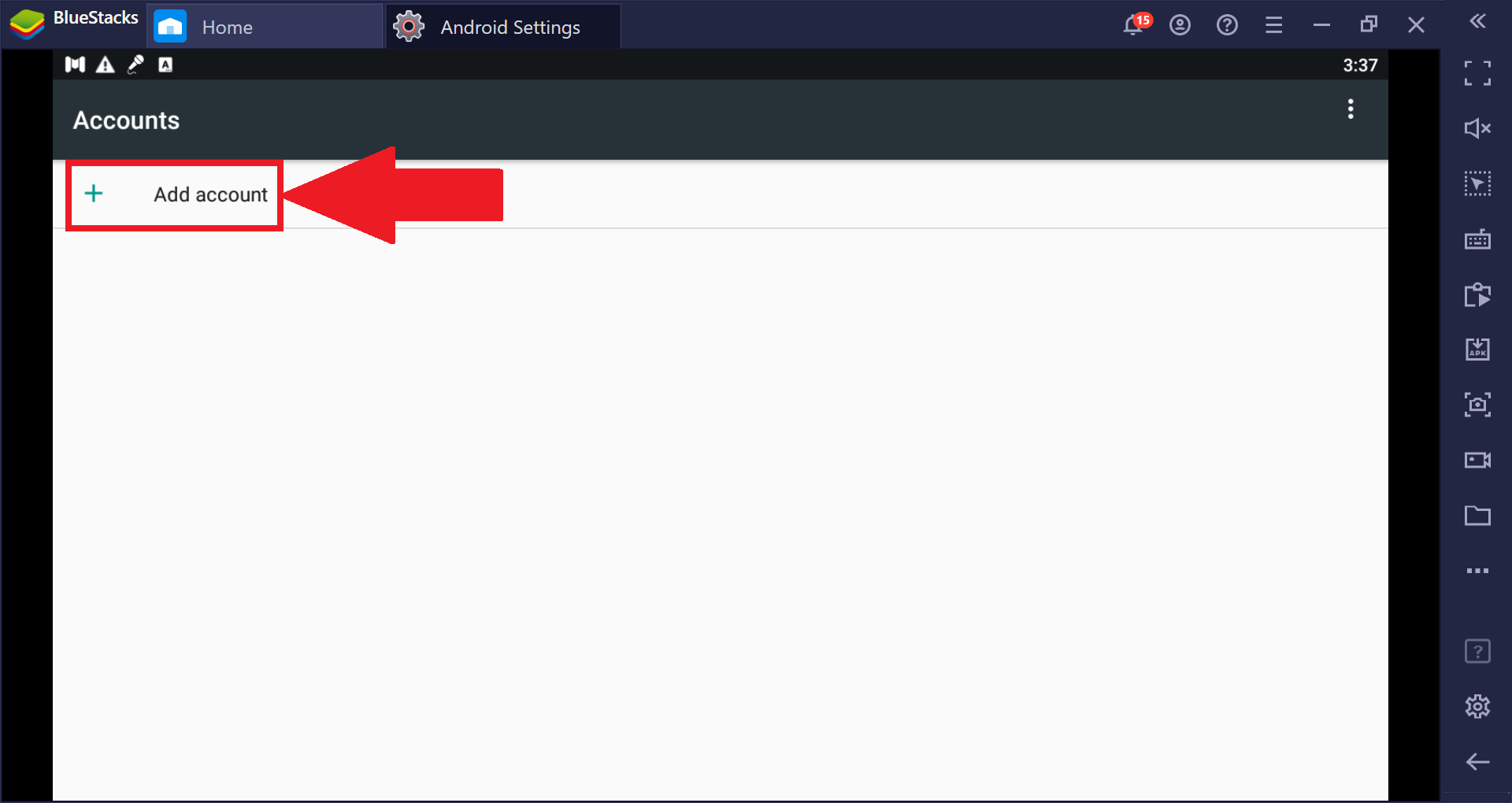
 8. الآن سترى خيار إضافة حساب. اضغط عليها واتبع التعليمات التي تظهر على الشاشة لإضافة حسابك الجديد.
ماذا لو كنت أستخدم BlueStacks الأقدم؟
إذا كنت تستخدم إصدارًا أقدم من BlueStacks ، فيرجى read this article ماذا لو كنت أستخدم BlueStacks الأقدم؟
نحن نقدر حقا اختيارك بلو ستاكس. نأمل أن تستمتع باستخدامه. إذا كان لديك أي أسئلة أخرى ، يرجى الاتصال بنا على .support.bluestacks.com شكرا جزيلا.