التخطي إلى المحتوى الرئيسي

كيف يمكنني التحقق من مشتريات Google Play على BlueStacks؟

كيف سيساعد هذا؟

ستعلمك هذه المقالة خطوات التحقق من سجل الشراء على متجر Google Play.


ما هي الخطوات التي يجب علي اتباعها؟

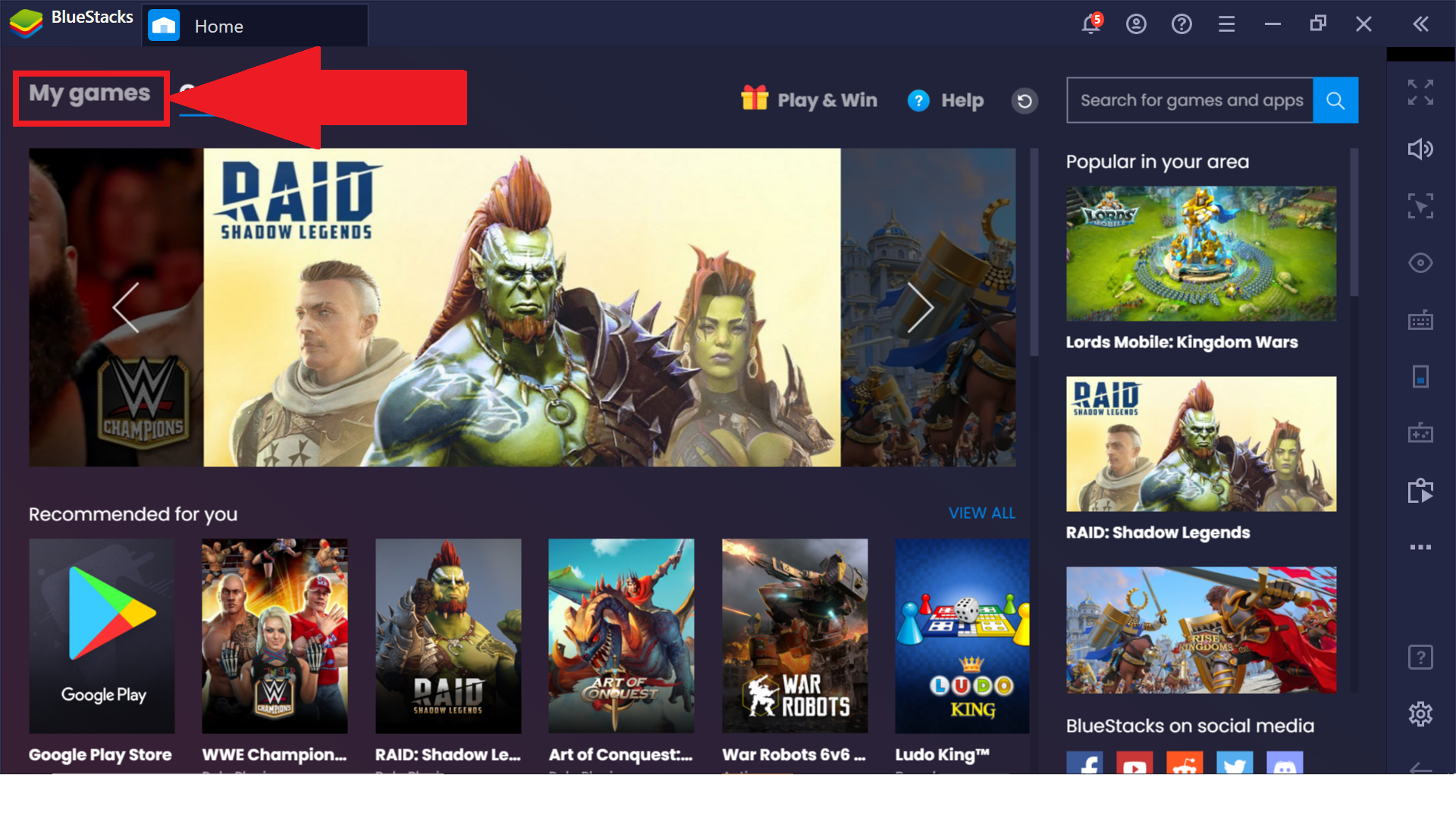
1. قم بتشغيل BlueStacks وانتقل إلى أقسام ألعابي.
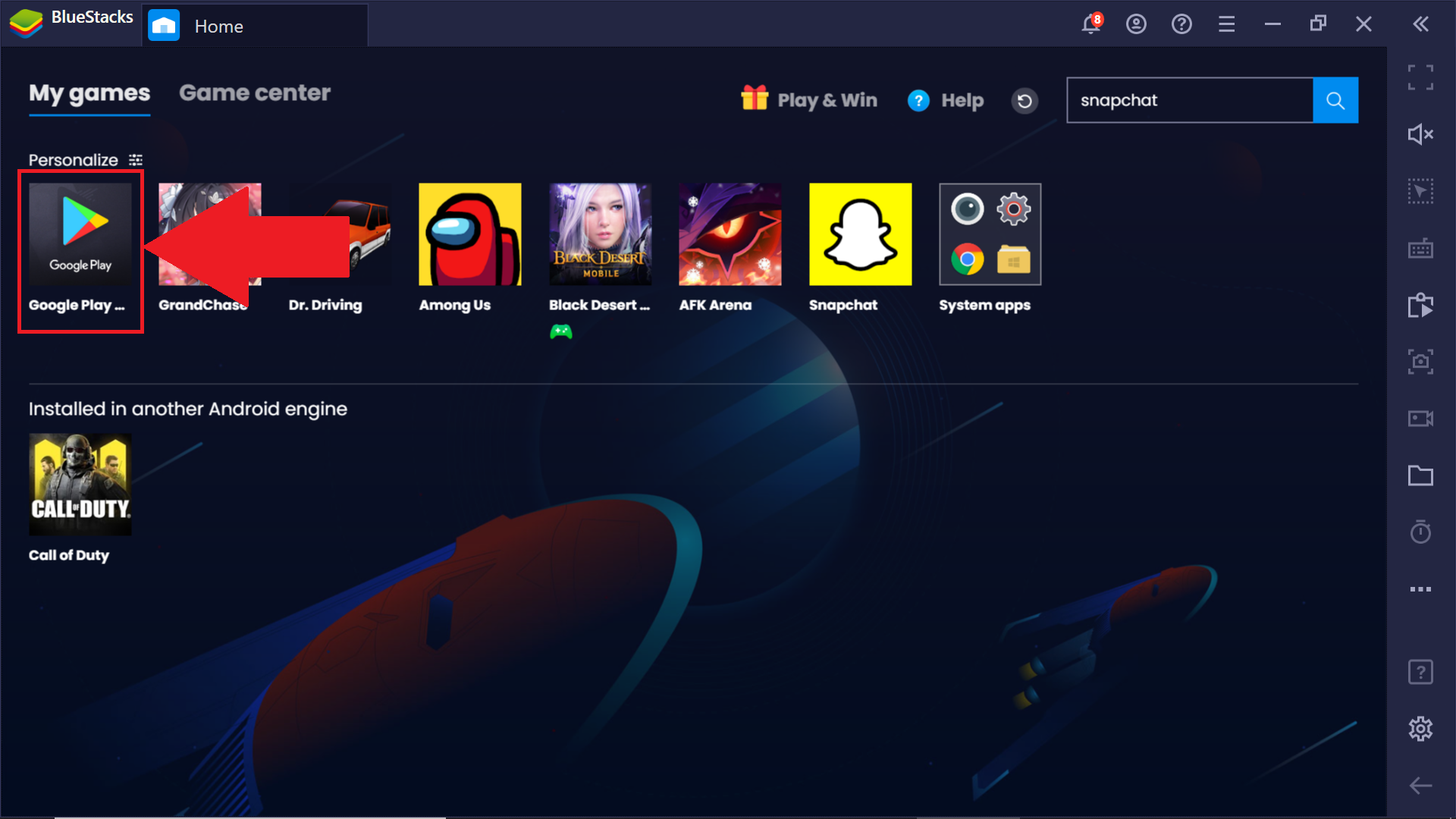
1.png2. انقر هنا على أيقونة متجر Google Play.
16.png

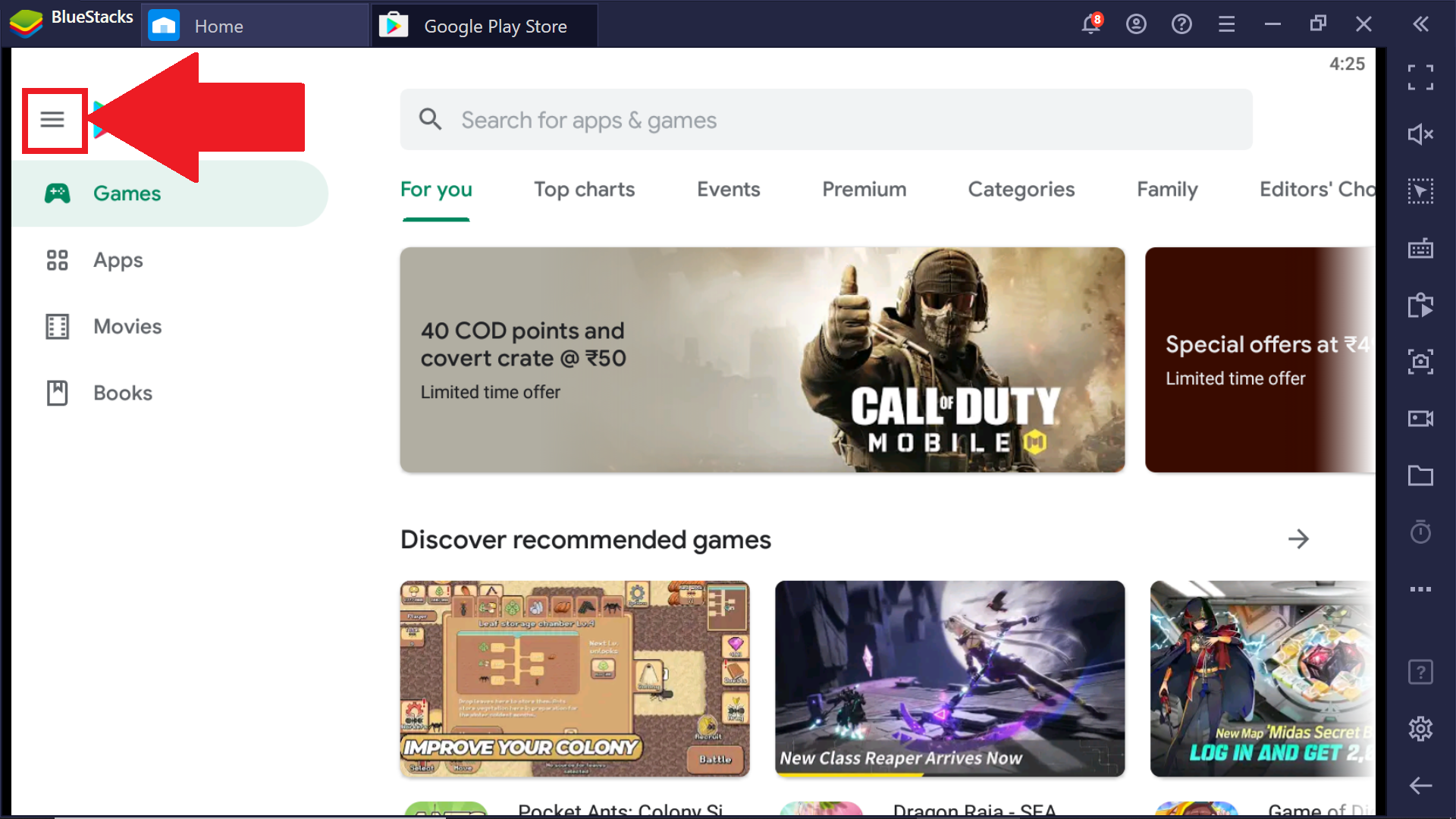
3. بمجرد فتحه ، انقر فوق قائمة الهامبرغر في الجزء العلوي الأيسر.
17.png

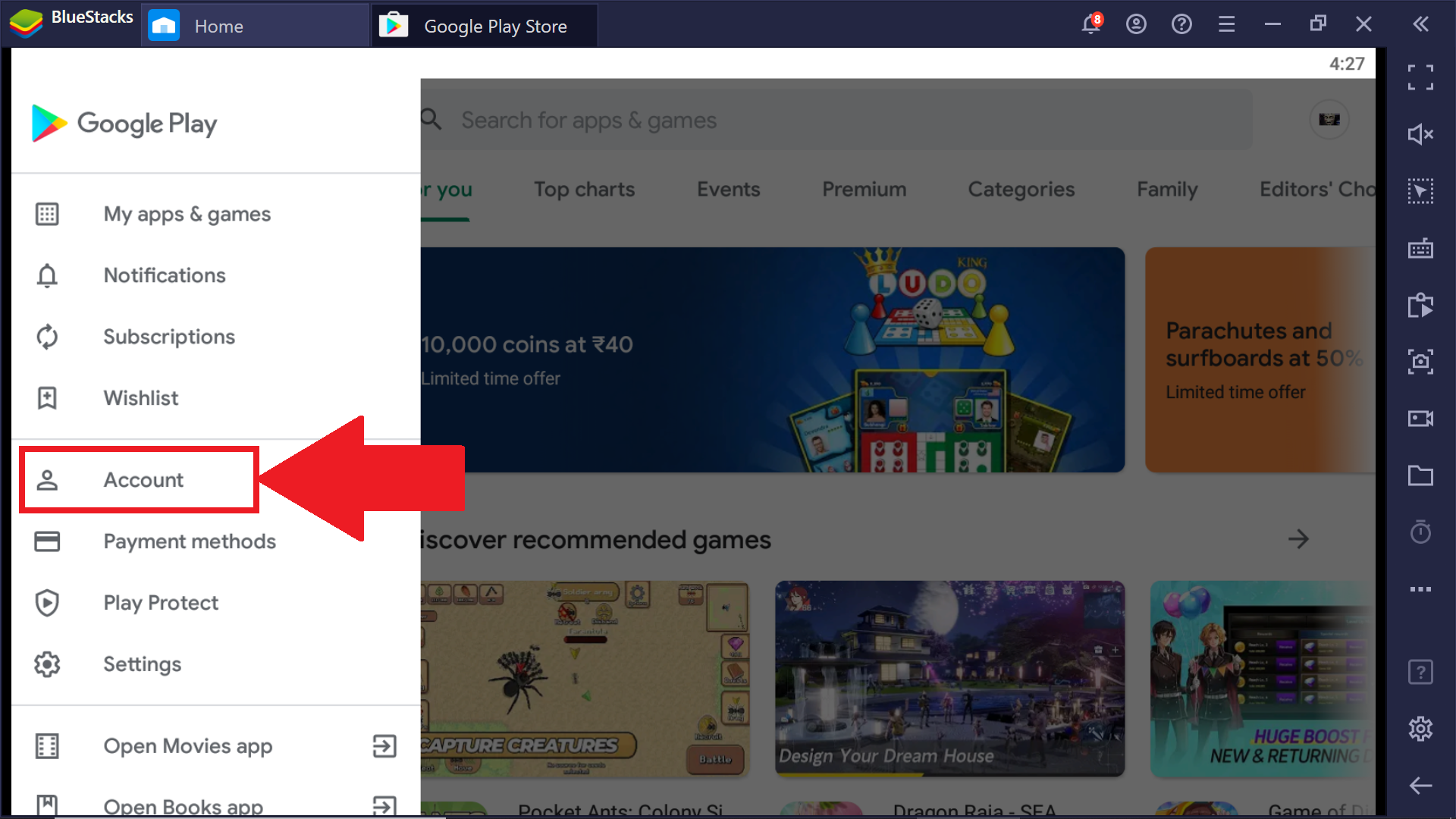
4. هنا ، انقر فوق الحساب.

18.png

5. بمجرد فتح إعدادات الحساب ، انتقل إلى قسم محفوظات الشراء.
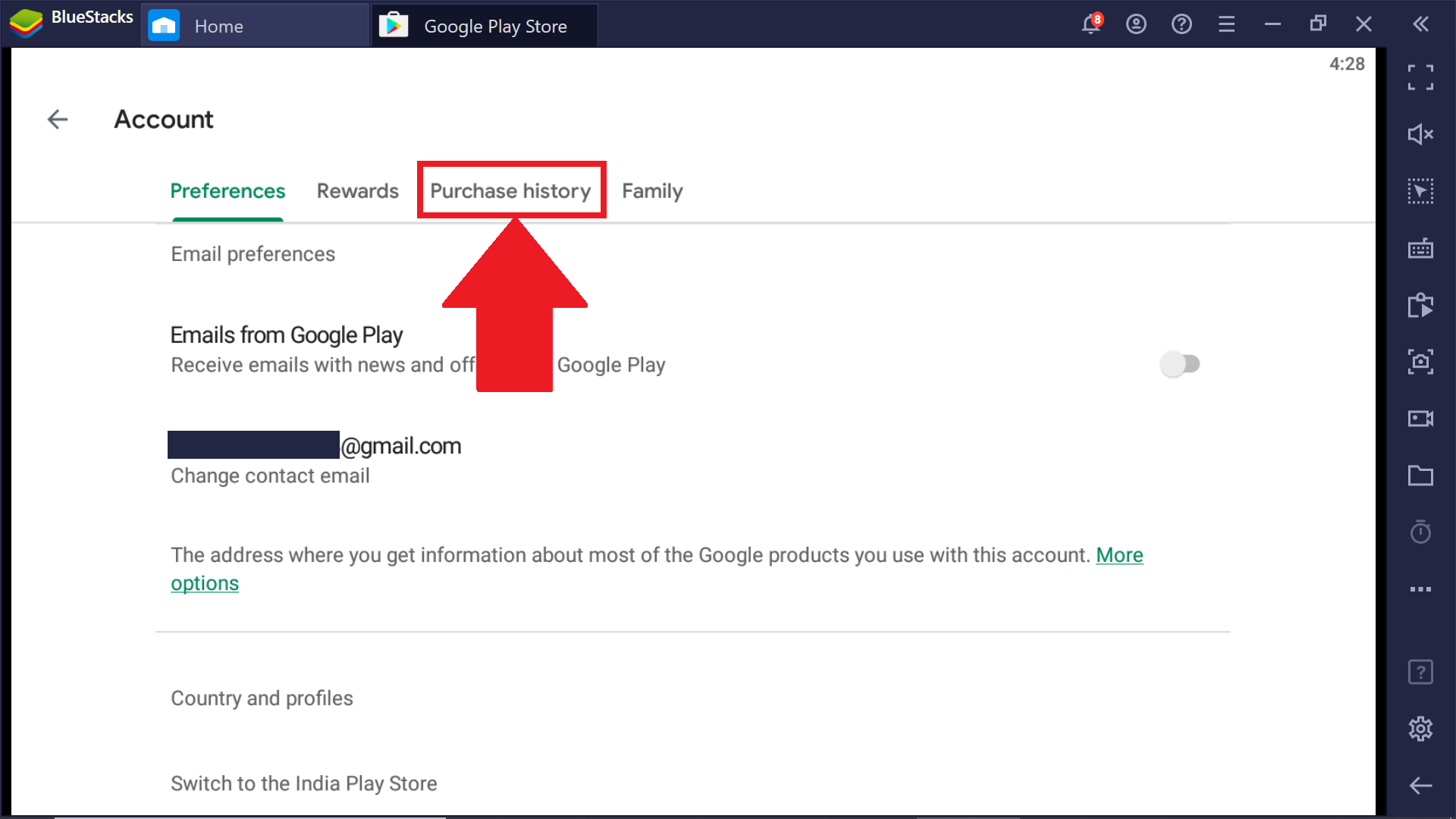
19.png

ستتمكن الآن من عرض جميع المشتريات التي قمت بها على متجر Google Play.
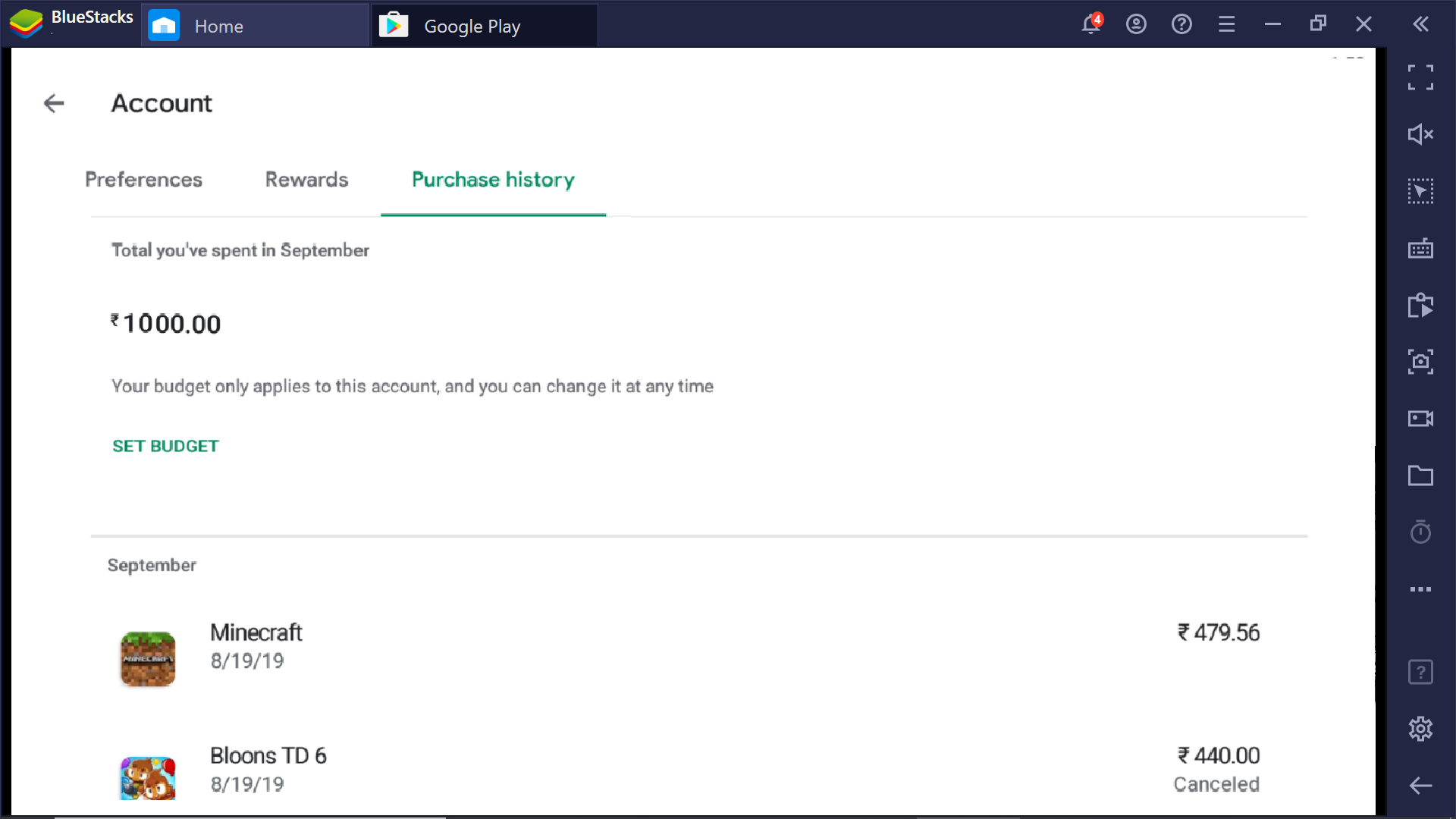


20.png


هل كان هذا المقال مفيداً؟
38 من 77 وجدوا هذا مفيداً
Reach out to us on Reddit (Join Reddit) or Discord (Join Discord) or at support@bluestacks.com with your questions.

We’d love to hear from you! Please take a moment to share your thoughts on the BlueStacks Help Center via this survey.
Subscribe to BlueStacks Weekly!
Get updates on new releases, features, and fixes. Discover trending games & enjoy exclusive gift codes!
By subscribing, I agree to receive weekly updates from the BlueStacks Help Center.
Thank you for subscribing to BlueStacks Weekly
Keep an eye on your inbox for updates on the latest features, gaming trends, bug fixes, gift codes, and much more!