كيف يساعد هذا؟
مسائل السلطة. باتباع الخطوات أدناه ، يمكنك تعيين GPU الخاص بجهاز الكمبيوتر / الكمبيوتر المحمول الخاص بك إلى BlueStacks مما سيزيد من الأداء العام.
يرجى ملاحظة أن الإعدادات أدناه مخصصة للمستخدمين الذين لديهم أنظمة GPU مزدوجة. هذا إذا كان لديك بطاقة رسومات مدمجة ووحدة معالجة رسومات منفصلة.
- Click here to learn how to enable this in BlueStacks settings.
- Click here to learn how to dedicate your GPU through BIOS settings.
- Click here to learn how to increase performance through Windows
كيف سيعزز هذا تجربتي؟
1) يمكن أن يوفر هذا تعزيزًا في FPS ، مما يتيح لك الوصول إلى علامة 60 إطارًا في الثانية في ألعاب مختلفة. يضمن امتلاك FPS أعلى الحصول على الرسوم المتحركة الأكثر سلاسة والحد الأدنى من الكمون أثناء لعب الألعاب ، سواء عبر الإنترنت أو دون اتصال.
2) بعد تمكين هذا ، سيلاحظ المستخدمون الذين لديهم مشاكل تتعلق بالتأخر زيادة في الأداء مما يسمح بتجربة أكثر متعة داخل BlueStacks.
3) ستتمكن من لعب ألعابك المفضلة بأعلى الإعدادات الممكنة ، اعتمادًا على اختيارك لوحدة معالجة الرسومات. وهذا يوفر تجربة رسومية أكثر إثراء.
يرجى ملاحظة أن الإعدادات المذكورة أدناه ستوفر تجربة لعب أفضل ولكنها قد تؤثر على الأداء العام للنظام.
كيف يمكنني تمكين هذا؟
تخصيص GPU في إعدادات BlueStacks.
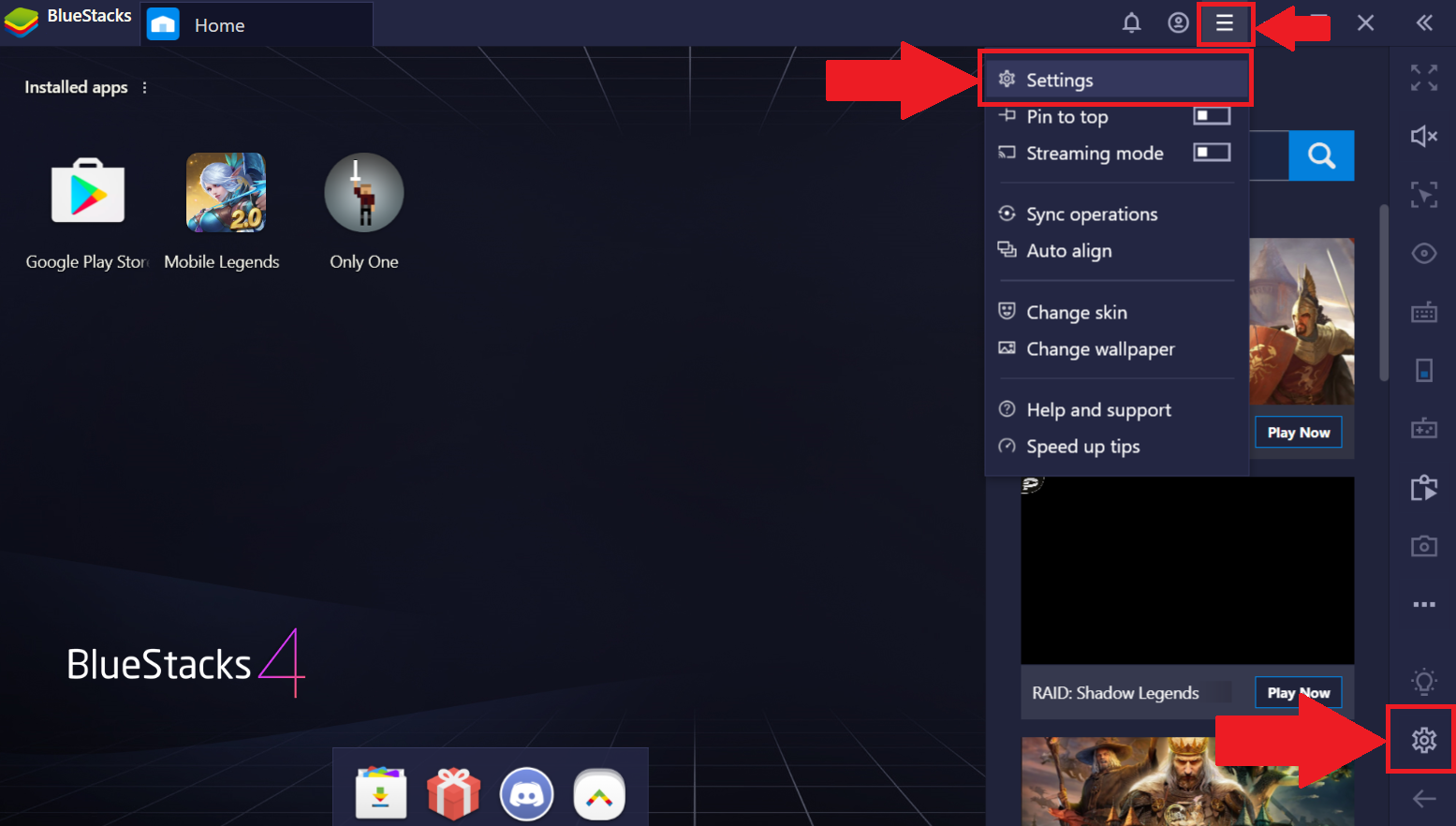
انقر على قائمة الهامبرغر أعلى اليمين. ستنخفض القائمة التي يمكنك من خلالها تحديد "الإعدادات". بدلاً من ذلك ، يمكنك النقر على رمز الترس في الجزء السفلي الأيمن لبدء قائمة الإعدادات.
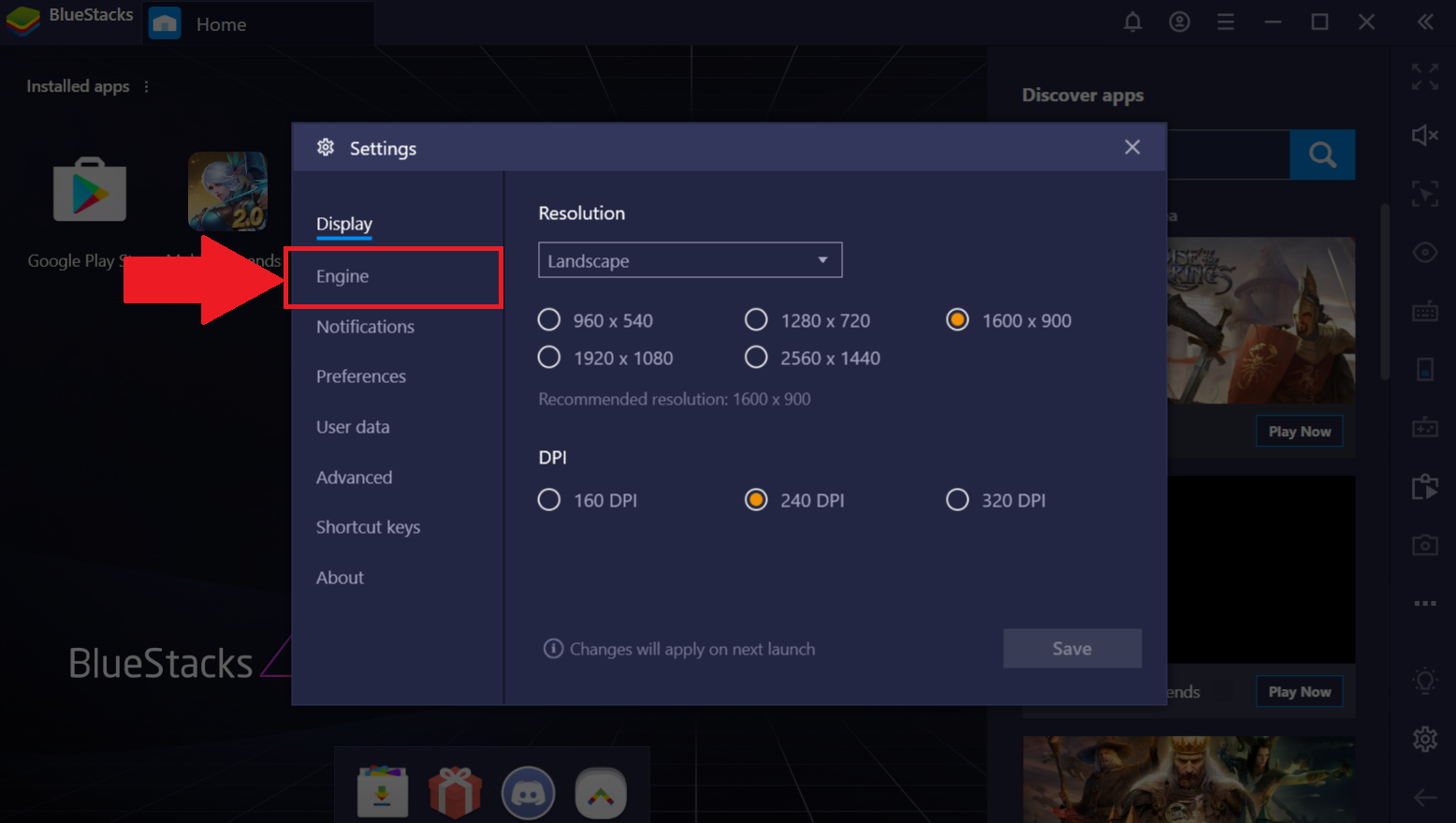
في إعدادات BlueStacks ، انتقل إلى علامة التبويب "المحرك" ، كما هو موضح أدناه.
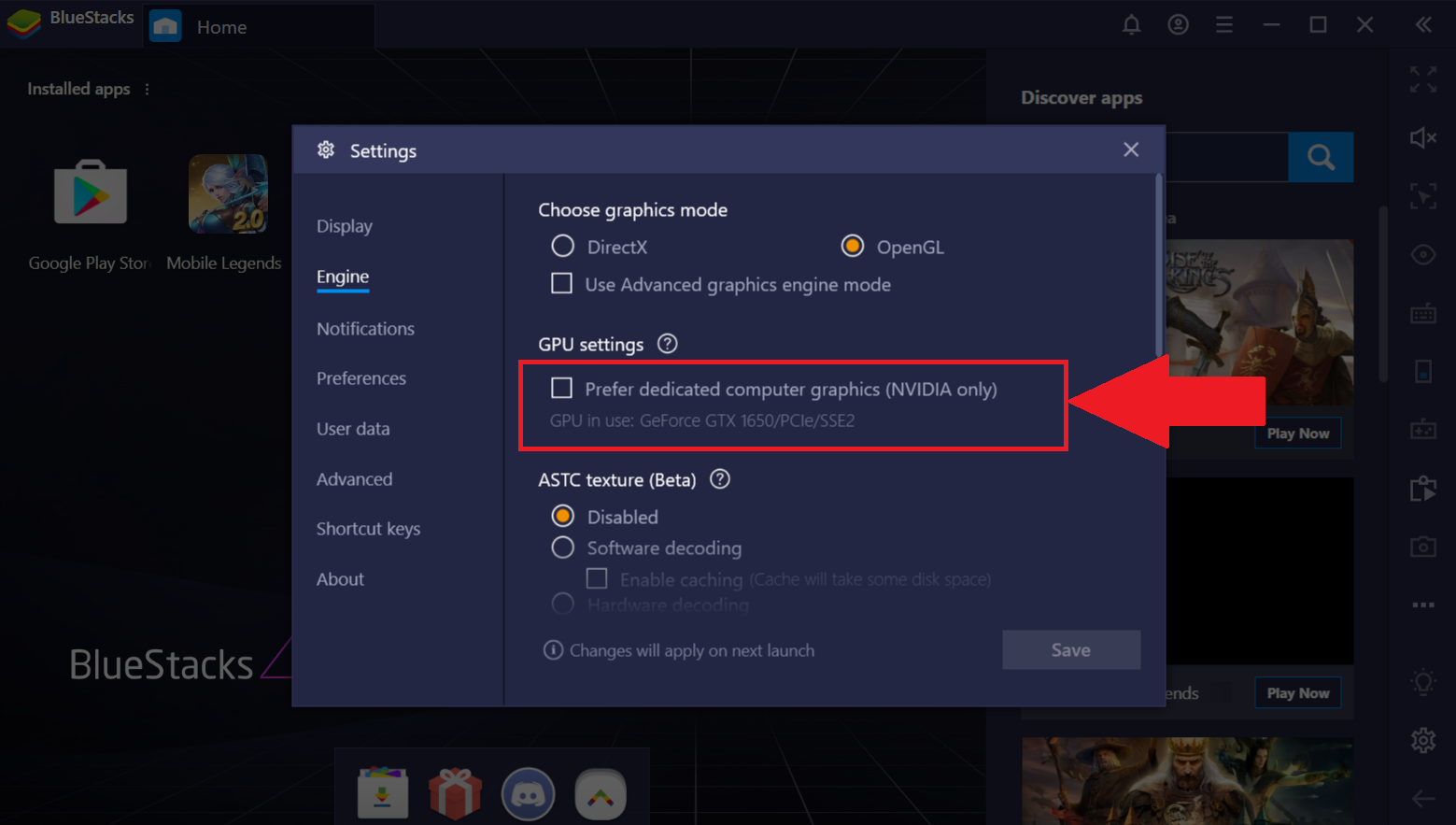
في علامة التبويب "المحرك" ، انقر فوق المربع الموجود أسفل "إعدادات GPU". سيسمح هذا لـ BlueStacks باستخدام GPU المخصص الخاص بك.
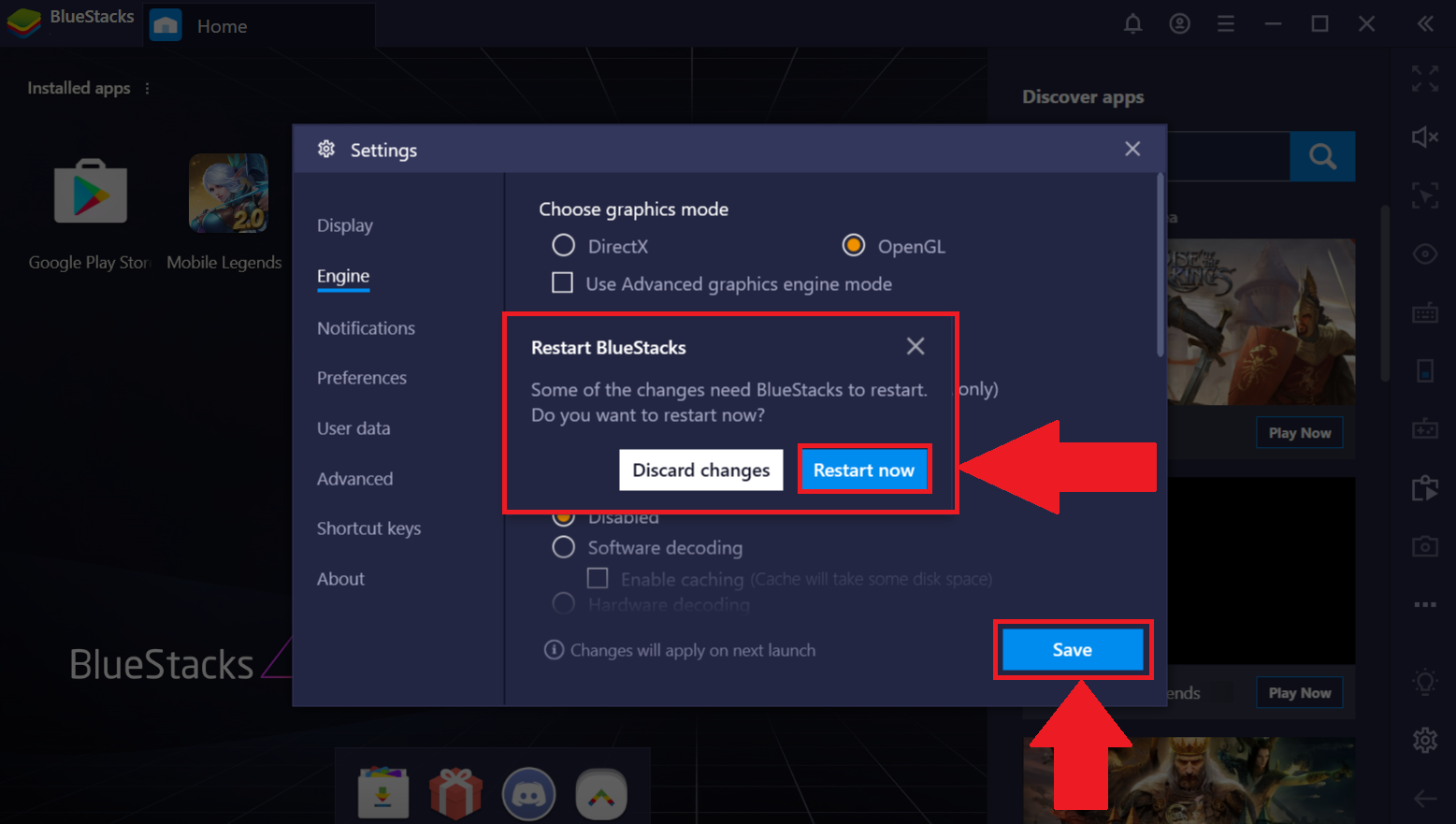
انقر على "حفظ" في أسفل اليمين. ستظهر نافذة منبثقة تطالبك بإعادة تشغيل BlueStacks. انقر فوق "إعادة التشغيل الآن".
تخصيص GPU من خلال إعدادات BIOS.
ملاحظة: هذه الإعدادات متاحة فقط لأجهزة الكمبيوتر المحمولة المحددة. قد يتسبب تغيير الإعدادات في BIOS في حدوث مشكلات في الكمبيوتر الشخصي / الكمبيوتر المحمول. يرجى ملاحظة أن BlueStacks لن يكون مسؤولاً عن أي مشاكل قد تحدث عند تغيير هذه الإعدادات.
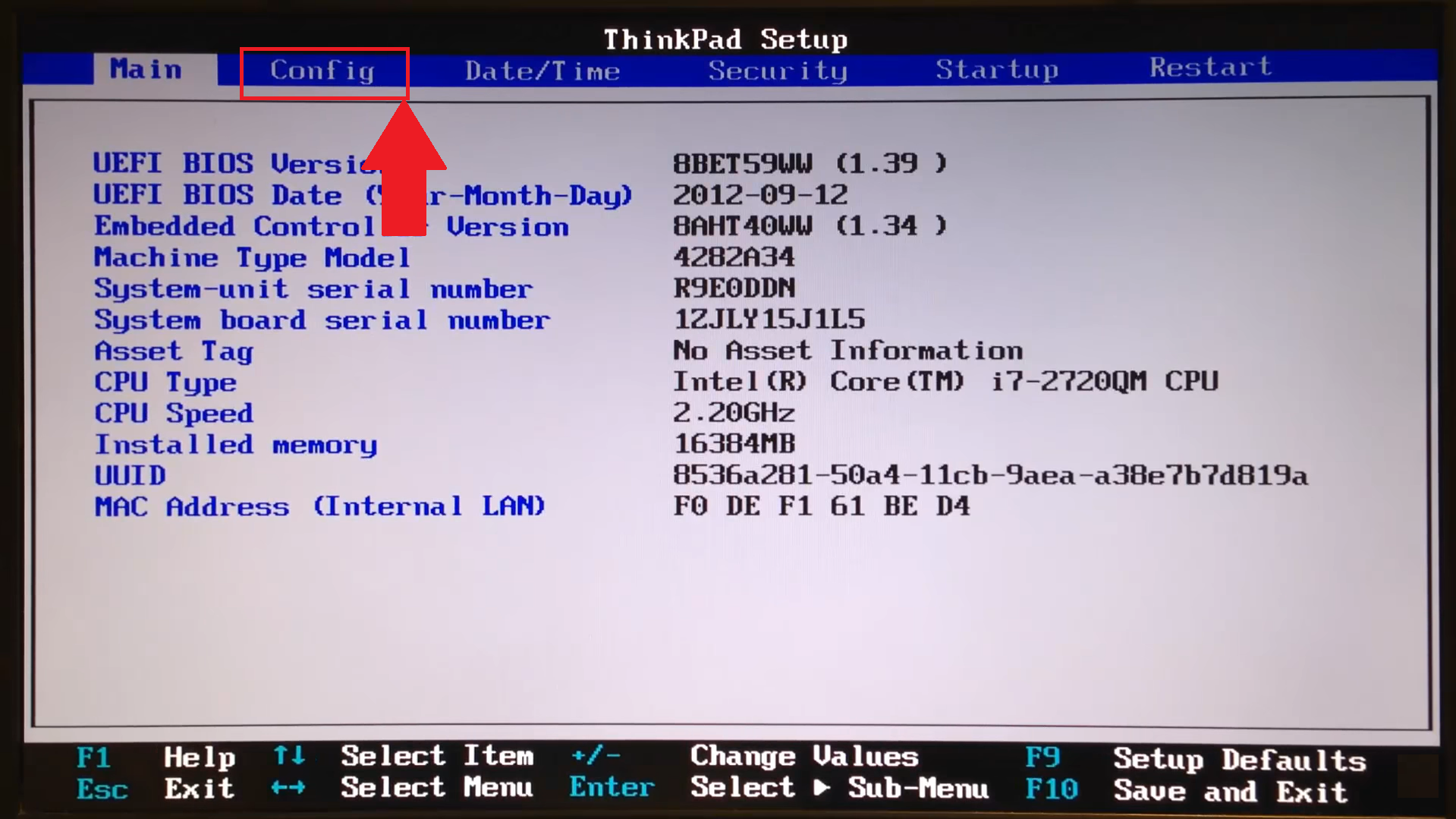
لمعرفة كيفية الدخول إلى BIOS ، انقر هنا. بمجرد إدخال BIOS ، اتبع الخطوات أدناه.
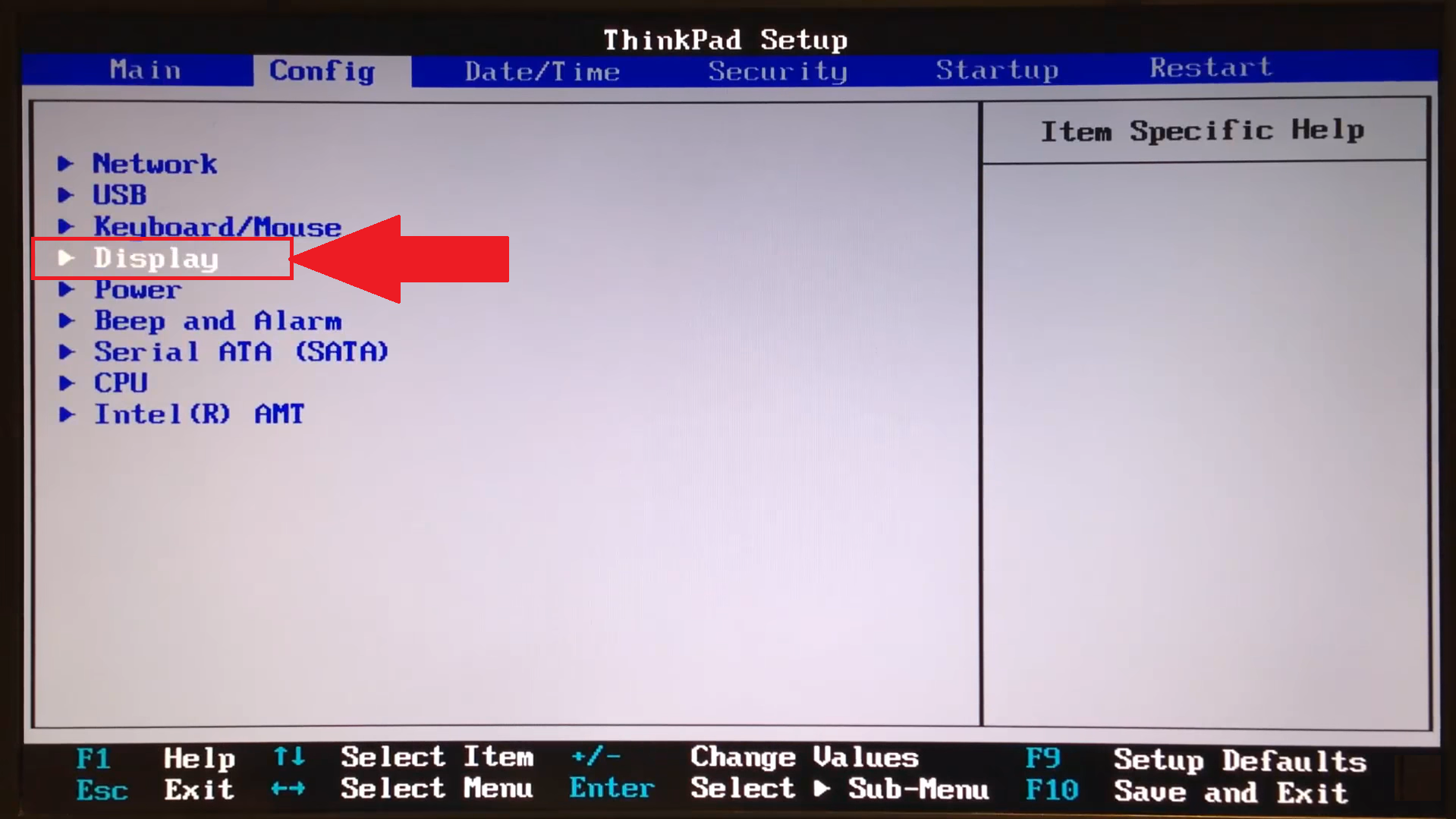
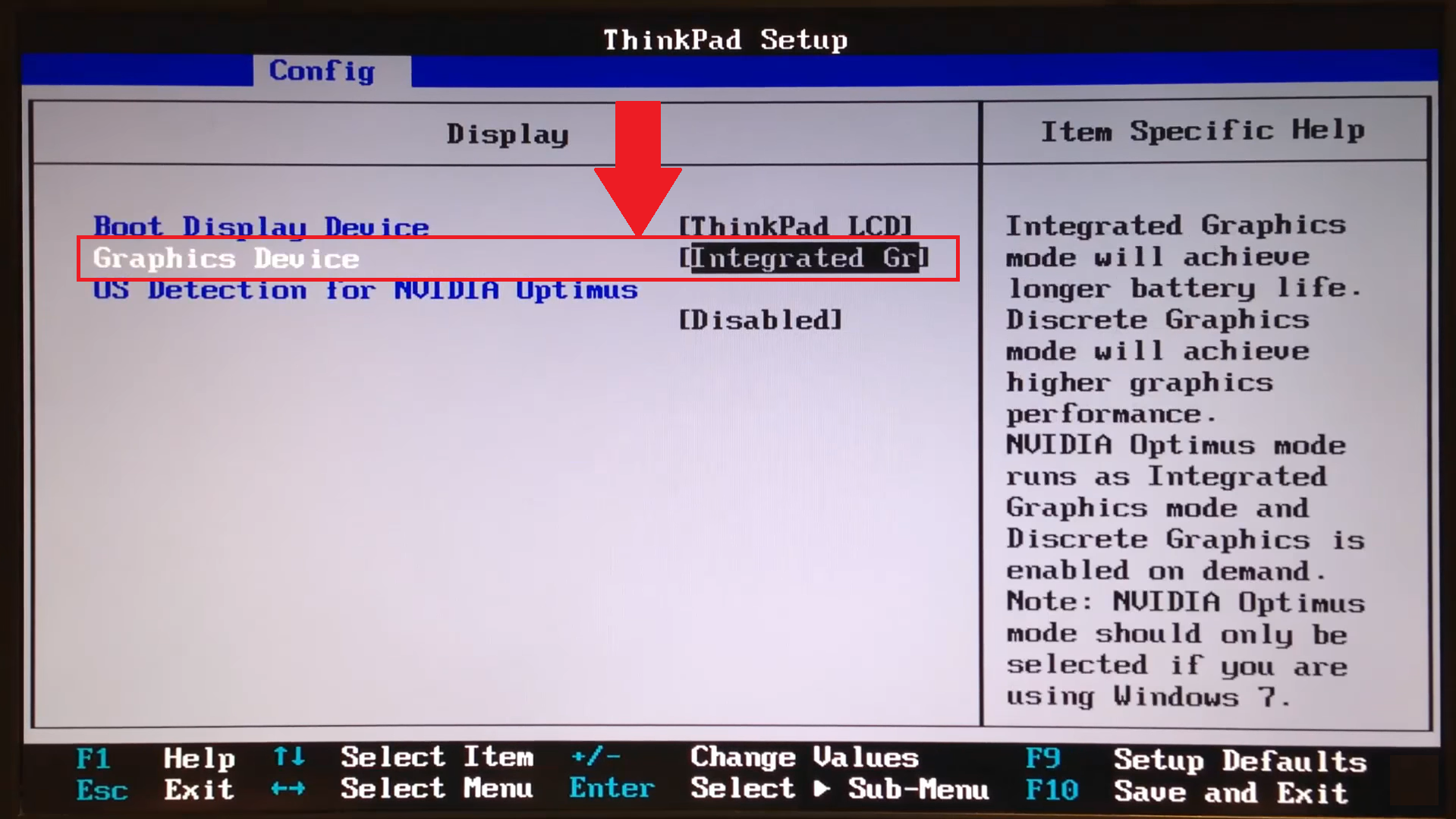
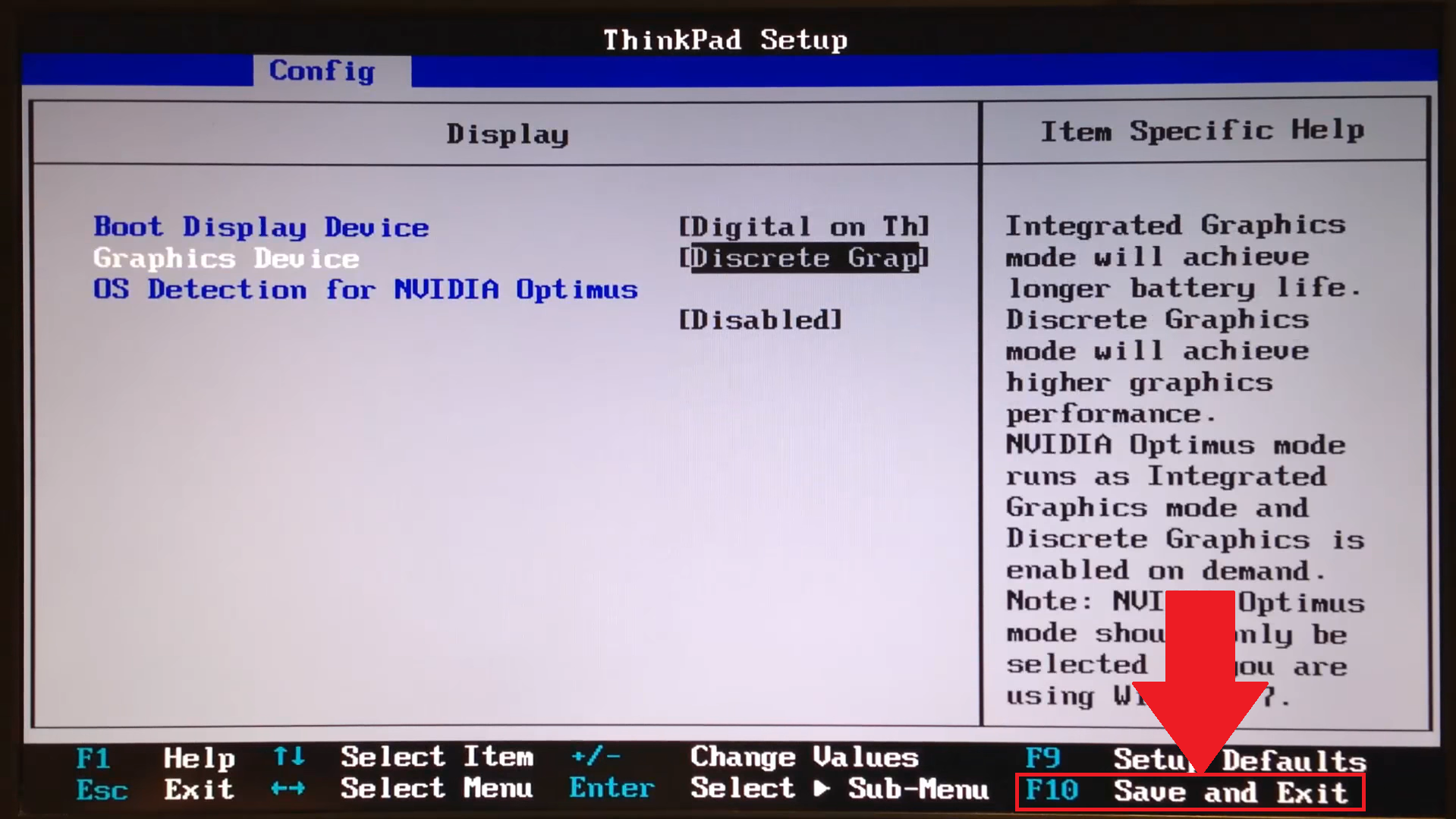
لأغراض تمثيلية ، فإن BIOS الموضح أدناه هو من كمبيوتر محمول ThinkPad. قد تختلف إعدادات BIOS الخاصة بك اعتمادًا على الشركة المصنعة.
1) حدد "التكوين" ، كما هو موضح أدناه.
2) انتقل إلى "العرض".
3) هنا ، حدد "جهاز الرسومات".
4) حدد "رسومات منفصلة".
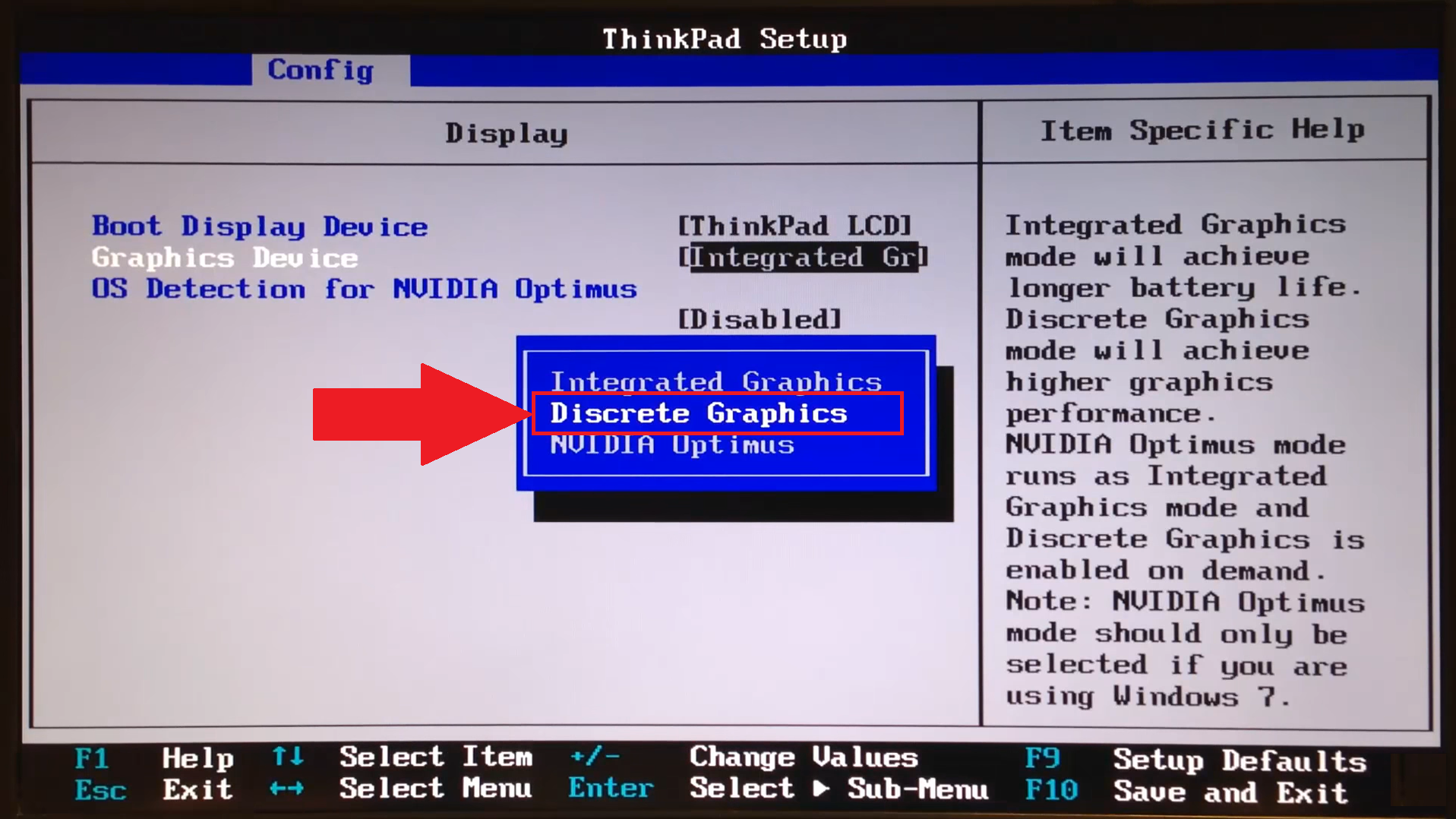
5) كل ما عليك فعله الآن هو حفظ التغييرات والخروج.
زيادة الأداء من خلال Windows
ملاحظة: هذه الإعدادات متوفرة فقط على أنظمة معينة.
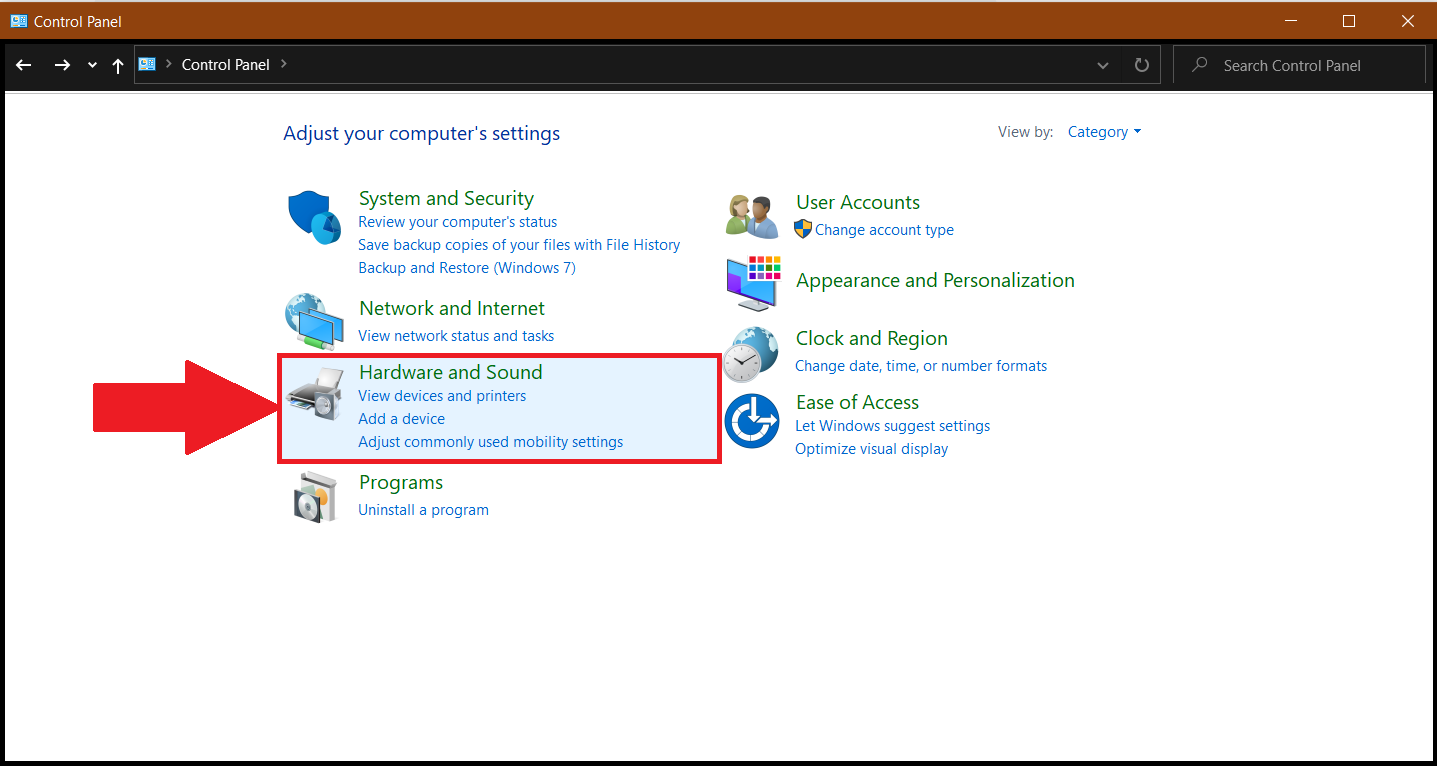
1) افتح لوحة التحكم على جهاز الكمبيوتر / الكمبيوتر المحمول ، وانقر على "الأجهزة والصوت" ، كما هو موضح أدناه.
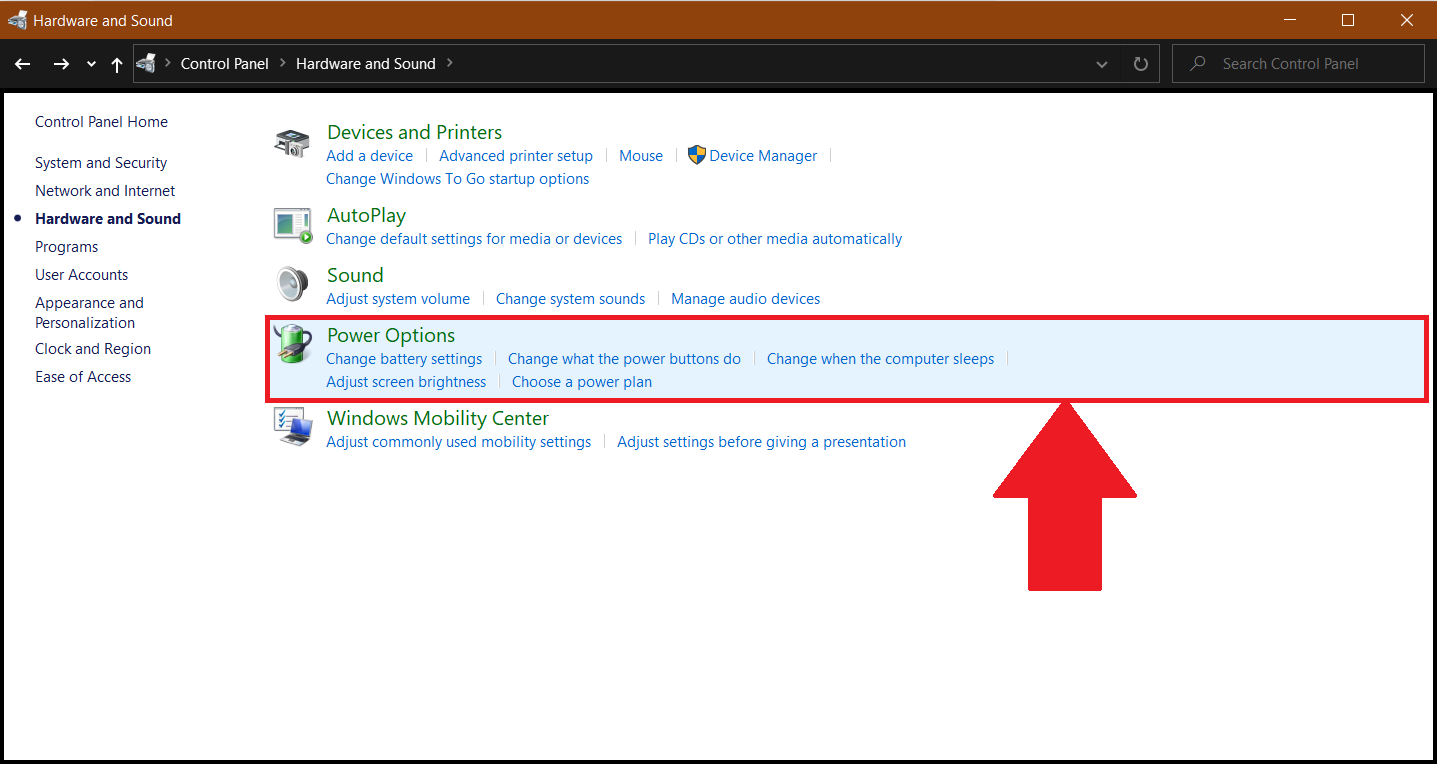
2) بعد ذلك ، انقر فوق "خيارات الطاقة".
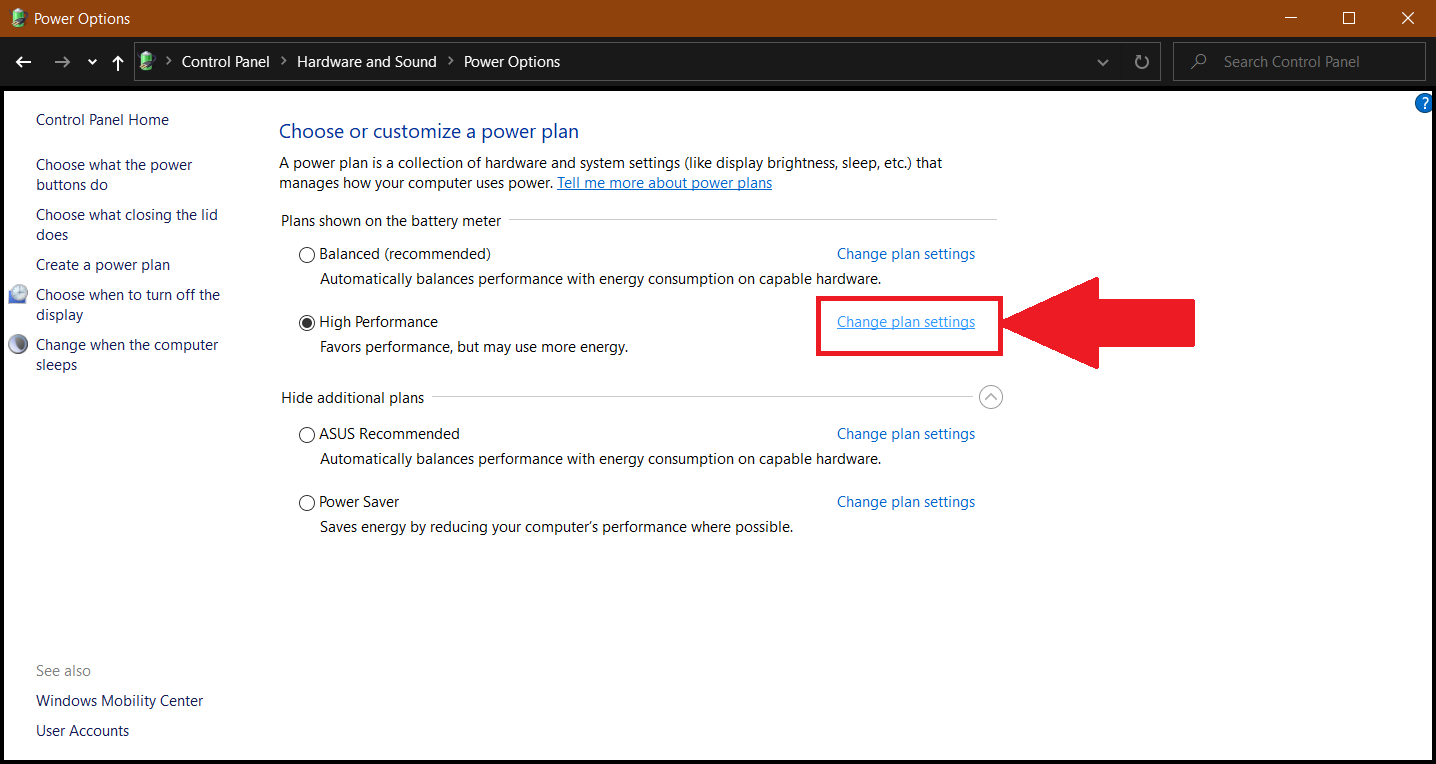
3) هنا ، انقر فوق "تغيير إعدادات الخطة". قد تكون في وضع "متوازن" أو "توفير الطاقة" هنا ، نوصيك بشدة بالتبديل إلى "الأداء العالي" ثم النقر فوق "تغيير إعدادات الخطة".
4) انقر على "تغيير إعدادات الطاقة المتقدمة" ، كما هو موضح أدناه.
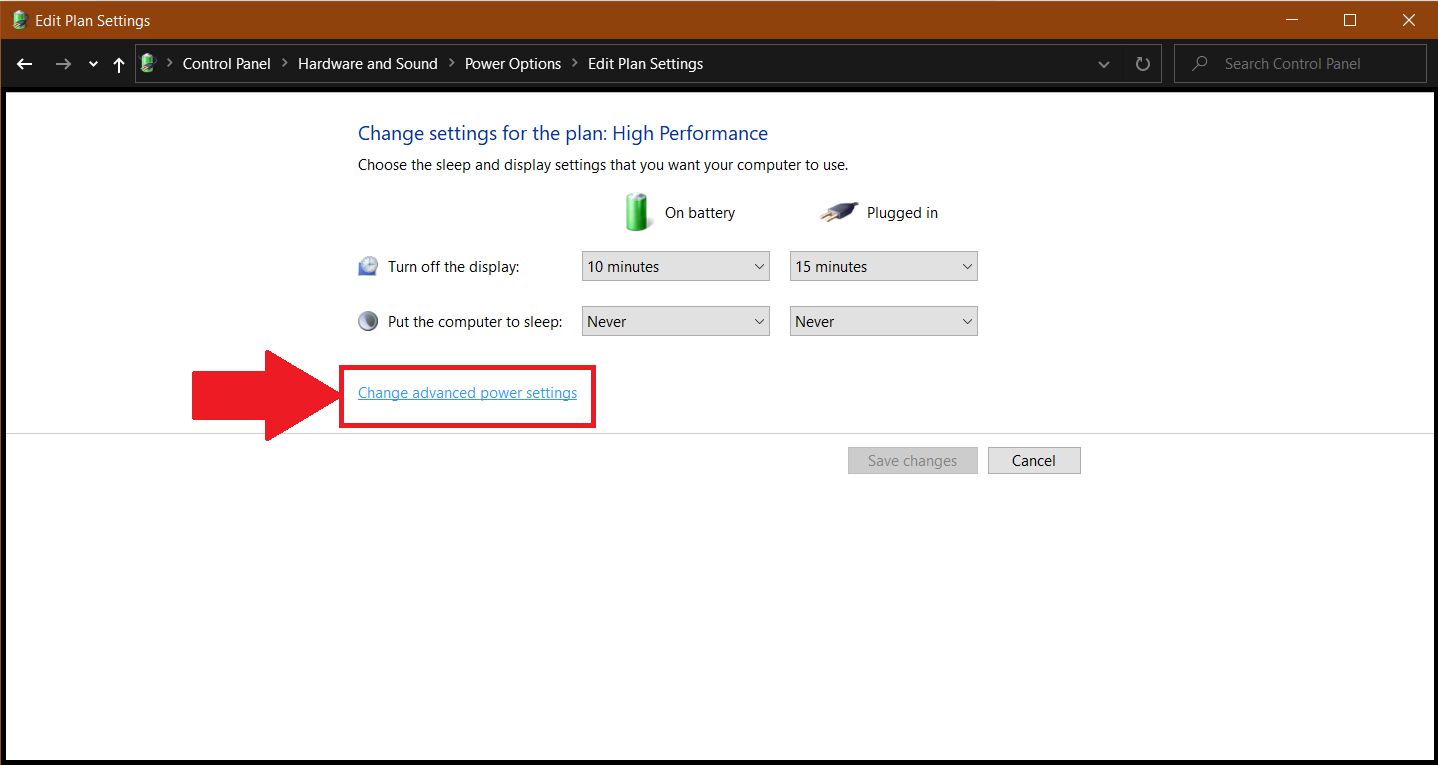
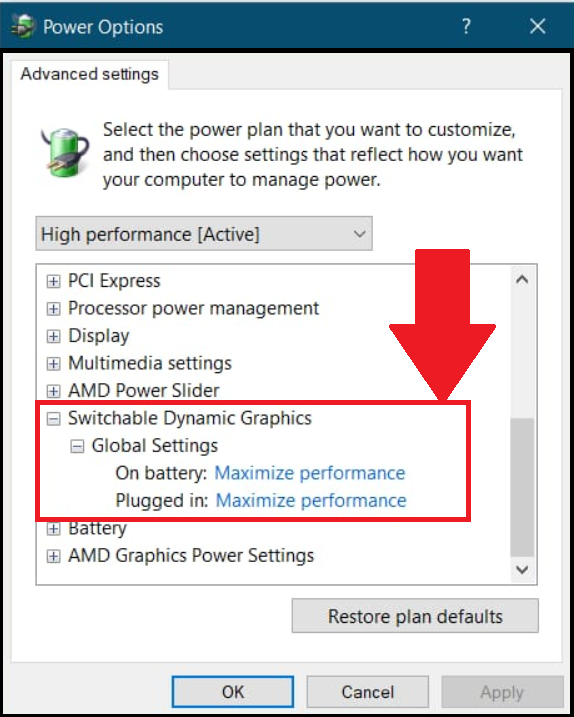
5) هنا ، قم بالتمرير لأسفل حتى تجد "رسومات ديناميكية قابلة للتبديل" وانقر على أيقونة "+" ، بجانبها. ضمن "الإعدادات العامة" ، غيّر "على البطارية" و "متصل" إلى "زيادة الأداء".
نحن نقدر حقا اختيارك بلو ستاكس. نأمل أن تستمتع باستخدامه. إذا كان لديك أي أسئلة أخرى ، يرجى الاتصال بنا على .support.bluestacks.com شكرا جزيلا.