كيف يمكنني حل هذا؟
يمكن حل تعطل 7DS: GC في BlueStacks 5 Beta عن طريق تشغيل أداة الإصلاح السريع ، والتي يمكنك العثور عليها في الخطوات أدناه. بعد تشغيل هذه الأداة ، ستتمكن من تشغيل 7DS: GC دون أي تعطل.
1. Download this tool على جهاز الكمبيوتر الخاص بك عن طريق النقر فوق الارتباط المحدد.
2. بعد تنزيل الأداة ، انتقل إلى الموقع حيث تم حفظها وانقر نقرًا مزدوجًا على ملف exe. سيتم فتح الأداة وتشغيلها لمدة قصيرة جدًا ثم يتم إغلاقها تلقائيًا.
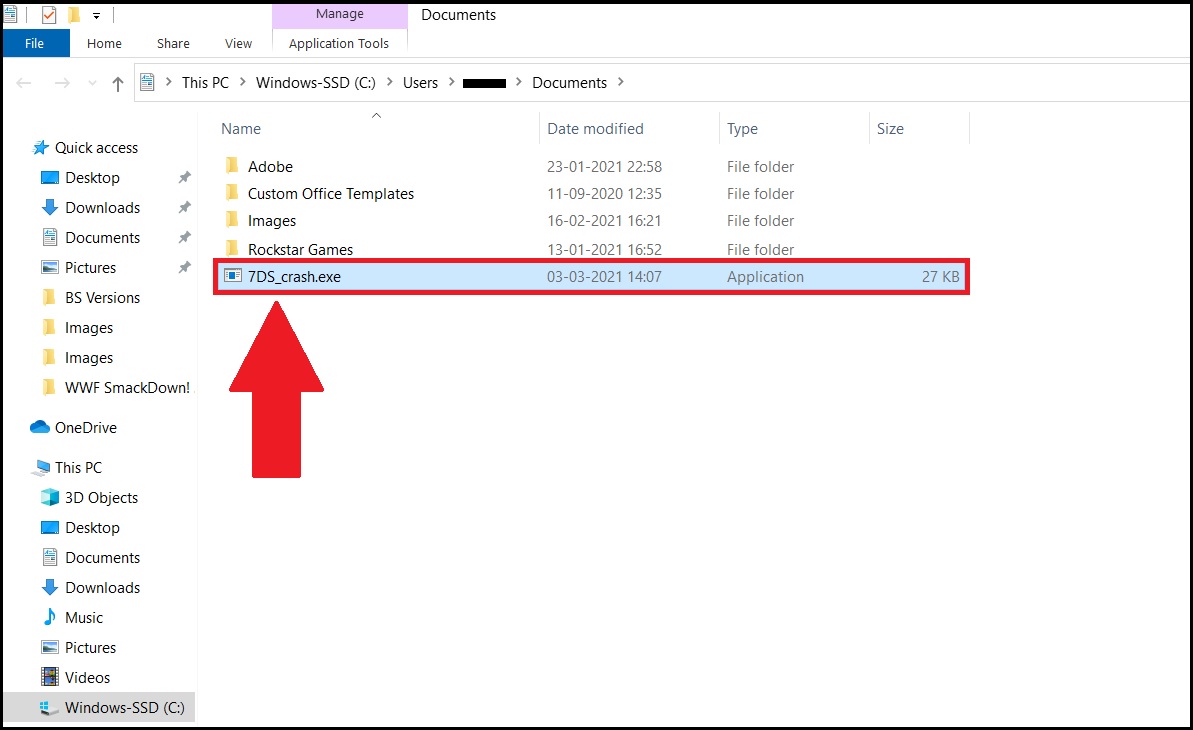
ملاحظة: سيؤدي تشغيل هذه الأداة أيضًا إلى إغلاق جميع المثيلات النشطة لـ BlueStacks 5 Beta.
3. أعد تشغيل BlueStacks 5 Beta ومن شاشته الرئيسية ، قم بتشغيل Seven Deadly Sins: Grand Cross. هذا هو! لن تواجه بعد الآن أي مشكلات تعطل أثناء لعب اللعبة.

نحن نقدر حقا اختيارك بلو ستاكس. نأمل أن تستمتع باستخدامه. إذا كان لديك أي أسئلة أخرى ، يرجى الاتصال بنا على .support.bluestacks.com شكرا جزيلا.