MOBAストップムーブメントの使い方

MOBAストップムーブメントについて

BlueStacks バージョン 4.180のアップデートに伴って追加された機能で『Mobile Legends: Bang Bang』をはじめとするMOBAゲームにおいて非常に役に立ちます。

こちらを有効にした場合、スキルを放った後にキャラクターの動きが止まります。先に進む前に周囲を見渡して安全確認をしたい場合などに役立つ機能となっています。


設定を有効にする方法

以下の手順に従って有効にしてください。

1) まずプレイするMOBAゲームを起動します(こちらでは『Mobile Legends: Bang Bang』を起動しています)。その後、サイドバーにあるキーボードのアイコンをクリックして「上位ゲームコントロール」を開きます。
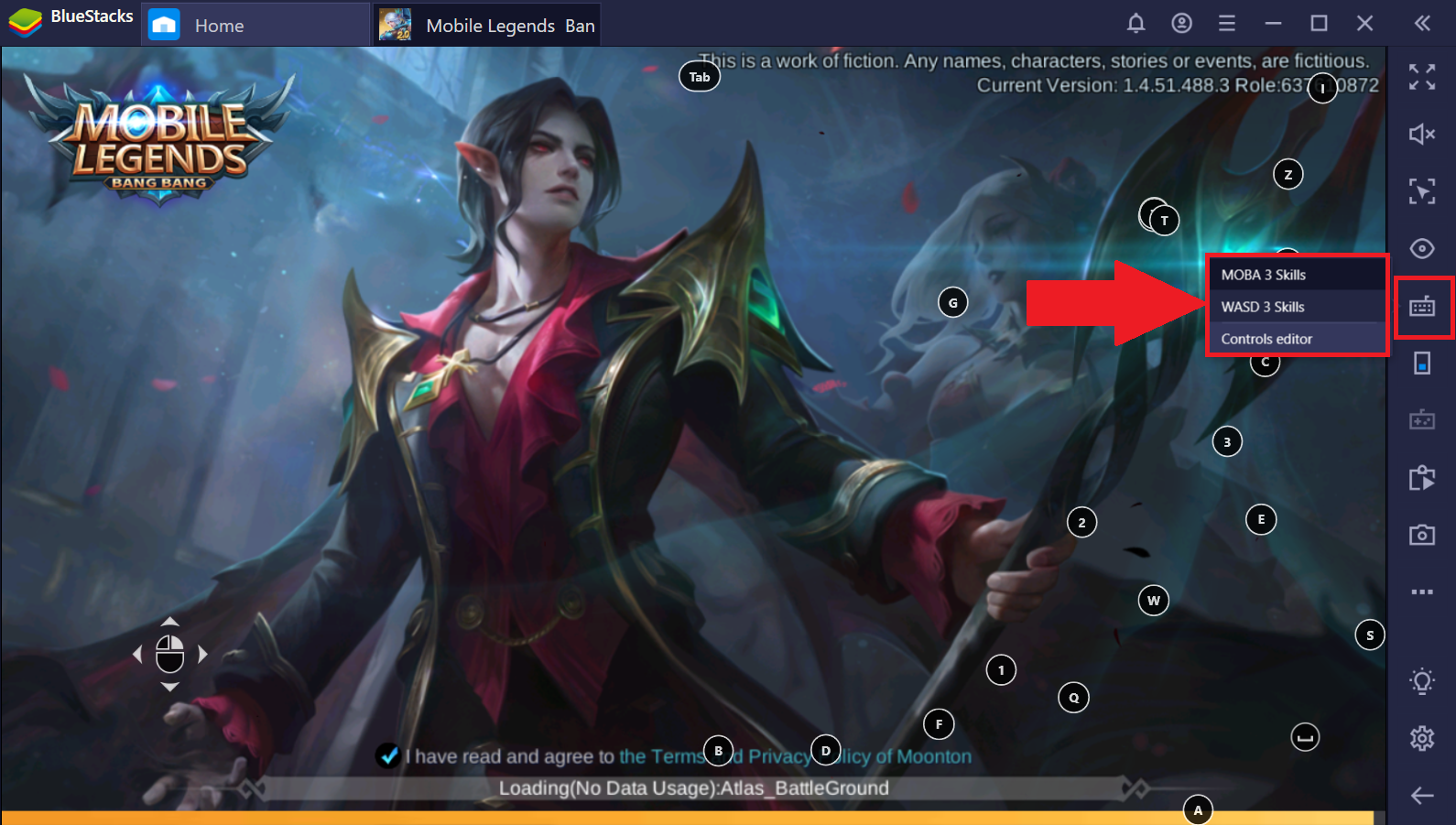
2.png

2) 画面上に表示されたキーコントロールアイコンの左下にある歯車のアイコンをクリックします。
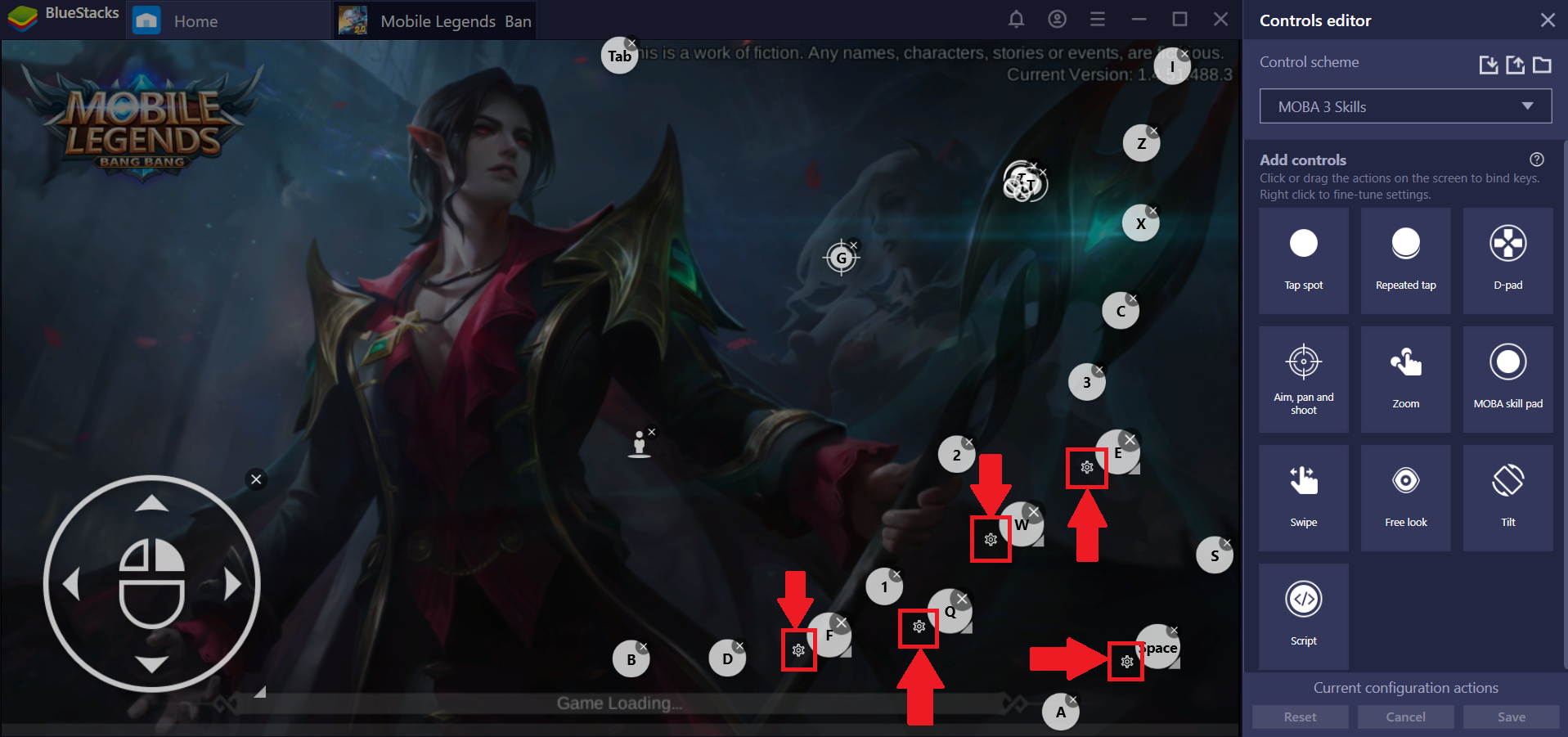
3.png

3) 歯車のアイコンをクリックした際に現れるウィンドウ内の「動作の停止」にチェックを入れます。
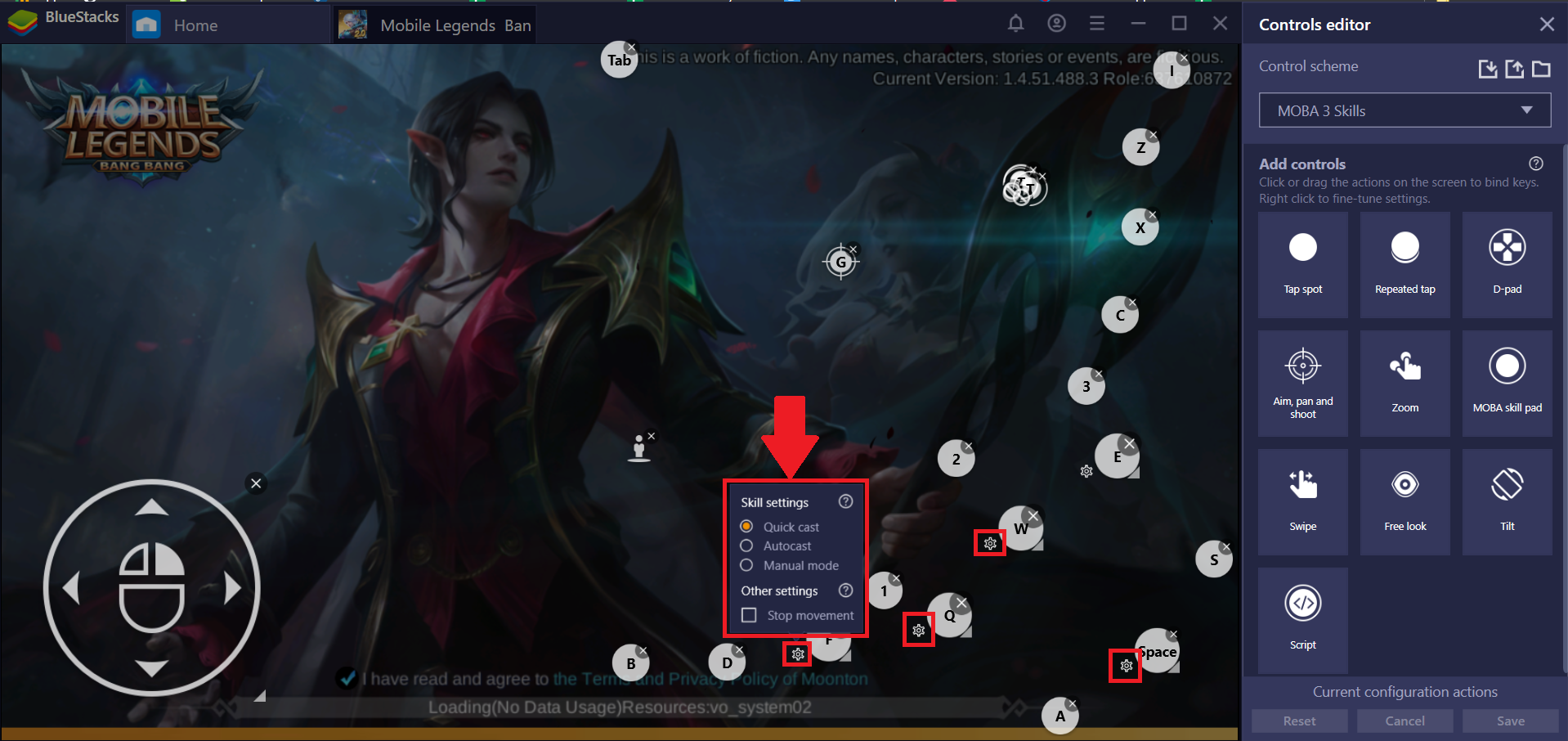
4.png

このウィンドウからはスキルの設定も変更することができます。スキル設定の選択についてはこちらを参照してください。


いつもBlueStacksをご利用いただき、誠にありがとうございます。ご不明な点がございましたら、support at bluestacks dot com.までお知らせください。どうぞ宜しくお願いいたします。


最終更新日:2019年2月20日


この記事は役に立ちましたか?
64人中34人がこの記事が役に立ったと言っています
Reach out to us on Reddit (Join Reddit) or Discord (Join Discord) or at support@bluestacks.com with your questions.

We’d love to hear from you! Please take a moment to share your thoughts on the BlueStacks Help Center via this survey.
Subscribe to BlueStacks Weekly!
Get updates on new releases, features, and fixes. Discover trending games & enjoy exclusive gift codes!
By subscribing, I agree to receive weekly updates from the BlueStacks Help Center.
Thank you for subscribing to BlueStacks Weekly
Keep an eye on your inbox for updates on the latest features, gaming trends, bug fixes, gift codes, and much more!