BlueStacks上的天翼破曉

這能提供什麼幫助?

您將能夠流暢且不再發生任何問題的遊玩天翼破曉


該怎麼使用Lollipop版本遊玩天翼破曉?

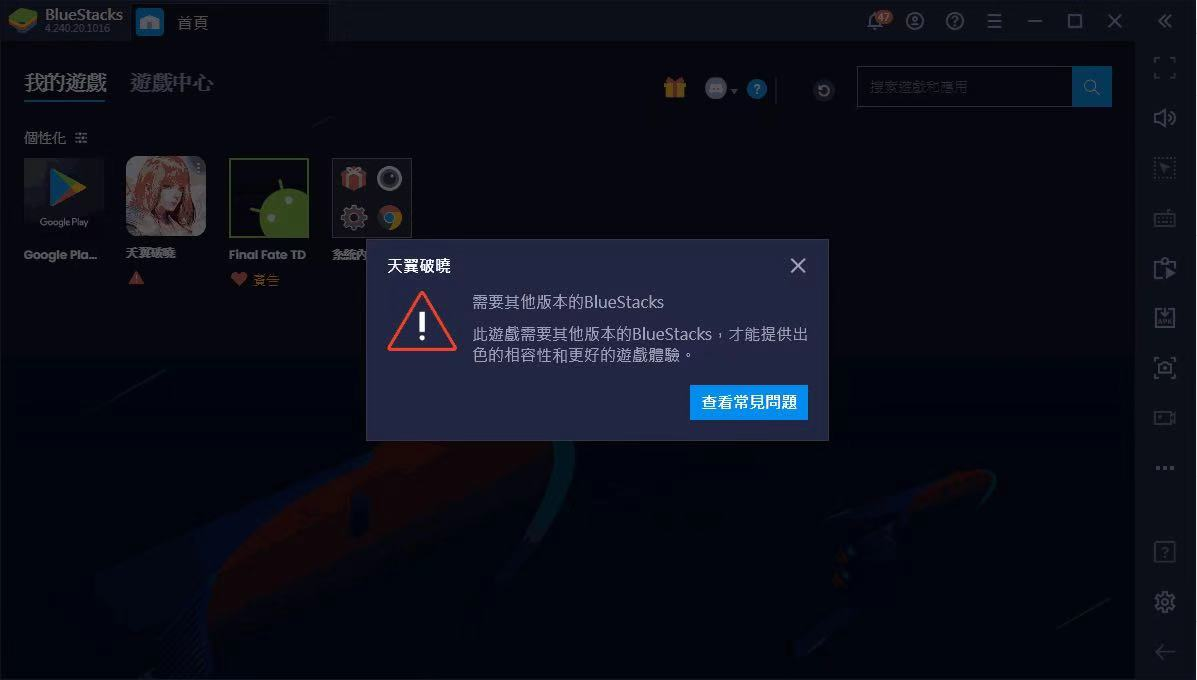
1. 當您啟動天翼破曉時,您將看到系統要求您使用Nougat 32-bit(Large virtual address)版本進行此遊戲

mceclip0.png

mceclip0.png

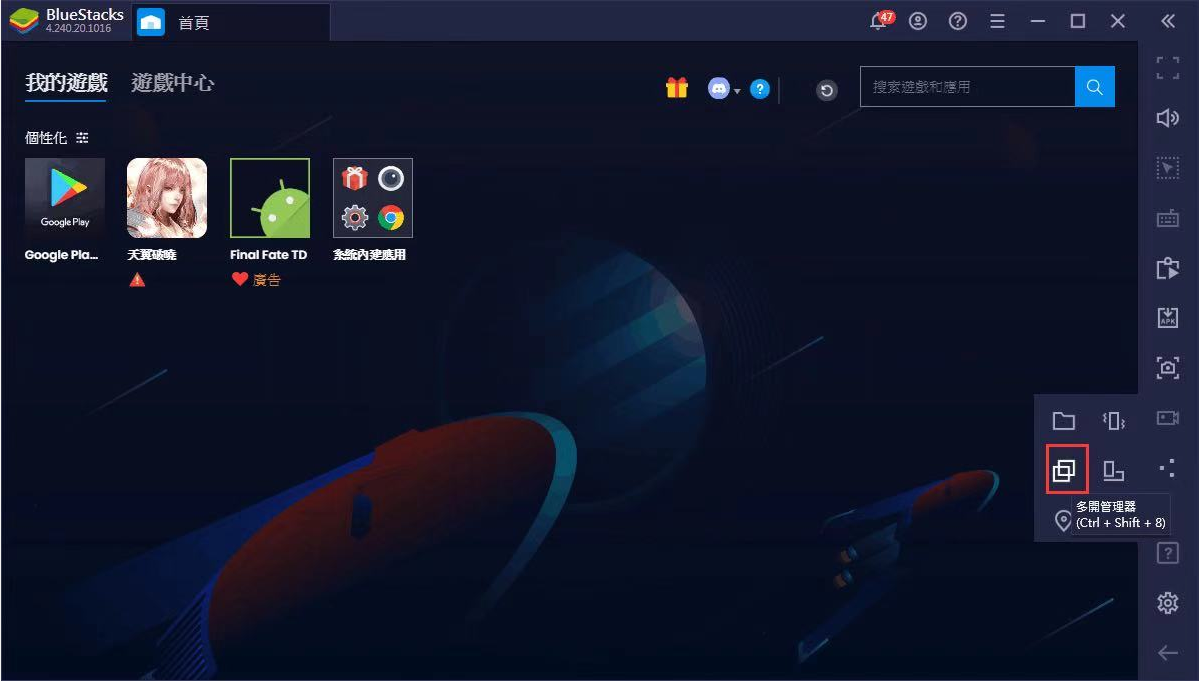
2. 請關閉此提醒,並開啟右方工具欄的"更多"按紐

mceclip1.png

3. 選擇多開管理器


mceclip2.png

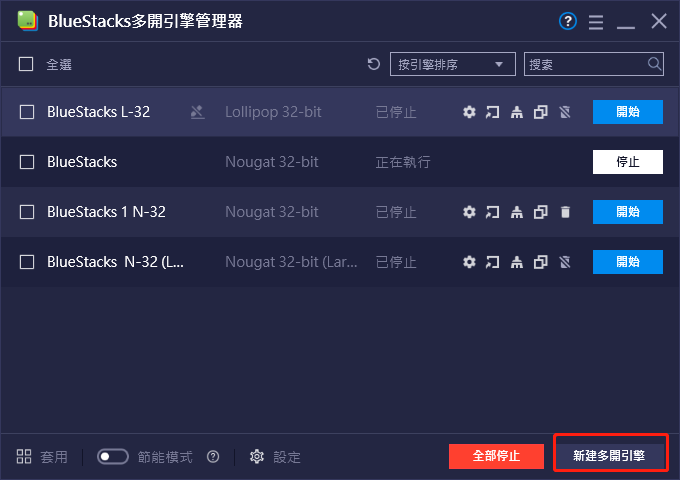
4. 選擇新建多開引擎

mceclip3.png

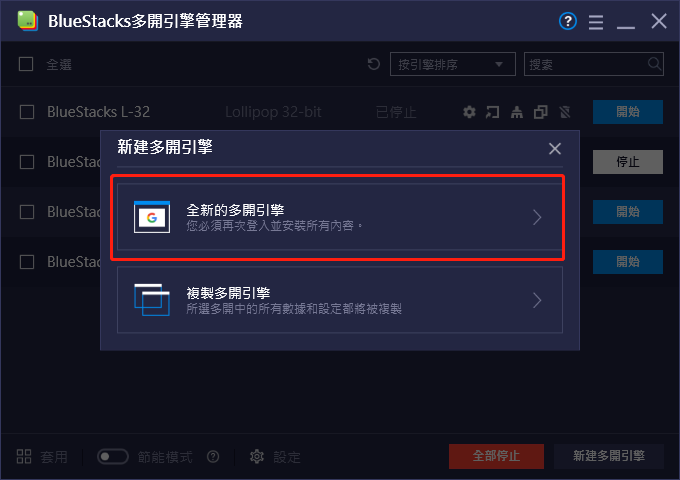
5. 選擇全新的多開引擎

mceclip4.png

6. 點擊下拉按紐,選擇Nougat 32-bit(Large virtual address),並選擇"下一步"
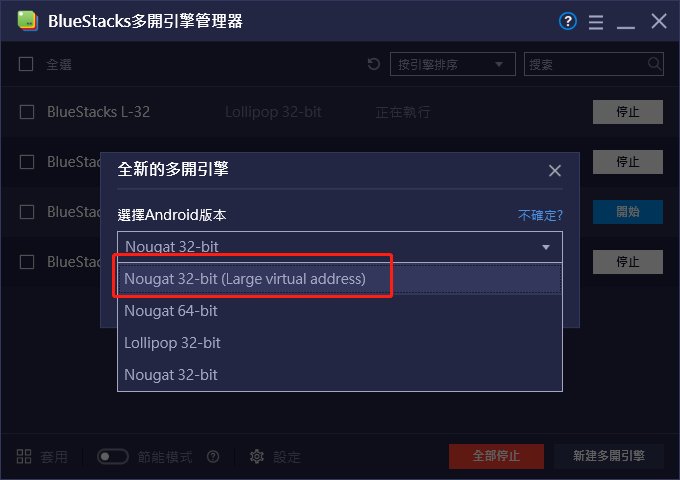
mceclip0.png

7. 選擇您要分配給此多開的資源設定,如果電腦配備較高,建議選擇4CPU及4GB記憶體,若配備較低建議選擇2CPU及2GB記憶體,選擇完畢請按下創建
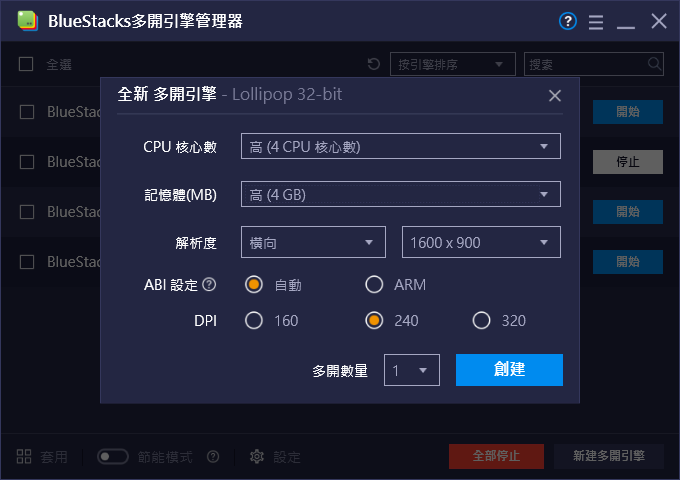
mceclip6.png

8. 首次新增此版本的多開需要進行下載,下載完畢按下開始即可啟動Nougat 32-bit(Large virtual address)版本
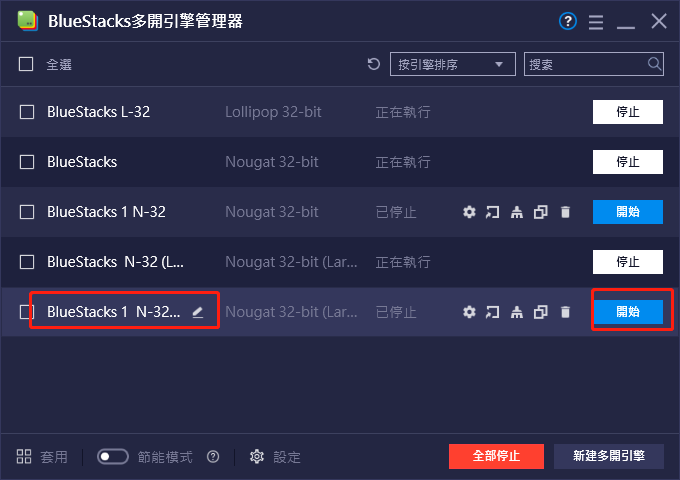
mceclip1.png


感謝您選擇了BlueStacks。 我們希望您喜歡它。 如果您還有其他疑問,請透過support@bluestacks.com與我們聯繫。 祝您遊戲愉快!

最後更新時間為2020年11月6日。


這篇文章是否有幫助?
12 人中有 8 人覺得有幫助
Reach out to us on Reddit (Join Reddit) or Discord (Join Discord) or at support@bluestacks.com with your questions.

We’d love to hear from you! Please take a moment to share your thoughts on the BlueStacks Help Center via this survey.
Subscribe to BlueStacks Weekly!
Get updates on new releases, features, and fixes. Discover trending games & enjoy exclusive gift codes!
By subscribing, I agree to receive weekly updates from the BlueStacks Help Center.
Thank you for subscribing to BlueStacks Weekly
Keep an eye on your inbox for updates on the latest features, gaming trends, bug fixes, gift codes, and much more!