BlueStacks打字(輸入法)問題的解決方案

這能提供什麼幫助?

在Windows10上當您更新到Win10 2004版本後您可能發現在各種應用軟體上輸入法出現問題,此文章將幫助您解決打字(輸入法)問題。


為什麼打字(輸入法)出現問題?

Windows 10的2004及早期的20H2版本出現微軟輸入法與部分應用不相容的問題,微軟在稍早之前發佈了補丁更新已解決這個問題。


要怎麼解決呢?

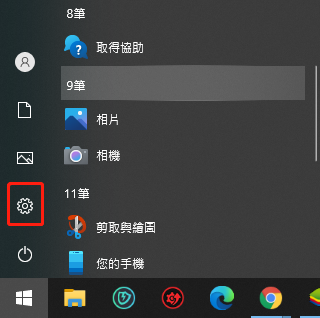
1. 點開您左下角的開始按鈕
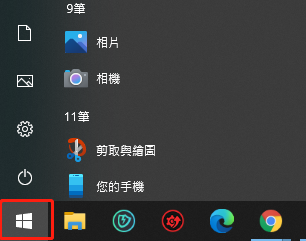
mceclip0.png

2.檢查電源標誌處是否有黃色驚嘆號(若無驚嘆號請跳至步驟5)

exclamation.jpg

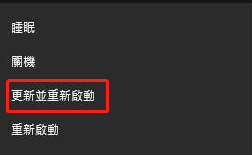
3.若有黃色驚嘆號請點擊"電源"

4.請選擇"更新並重新啟動"

mceclip4.png

5.若您的電源並無驚嘆號,請在相同位置開啟齒輪圖標"設定"

mceclip1.png

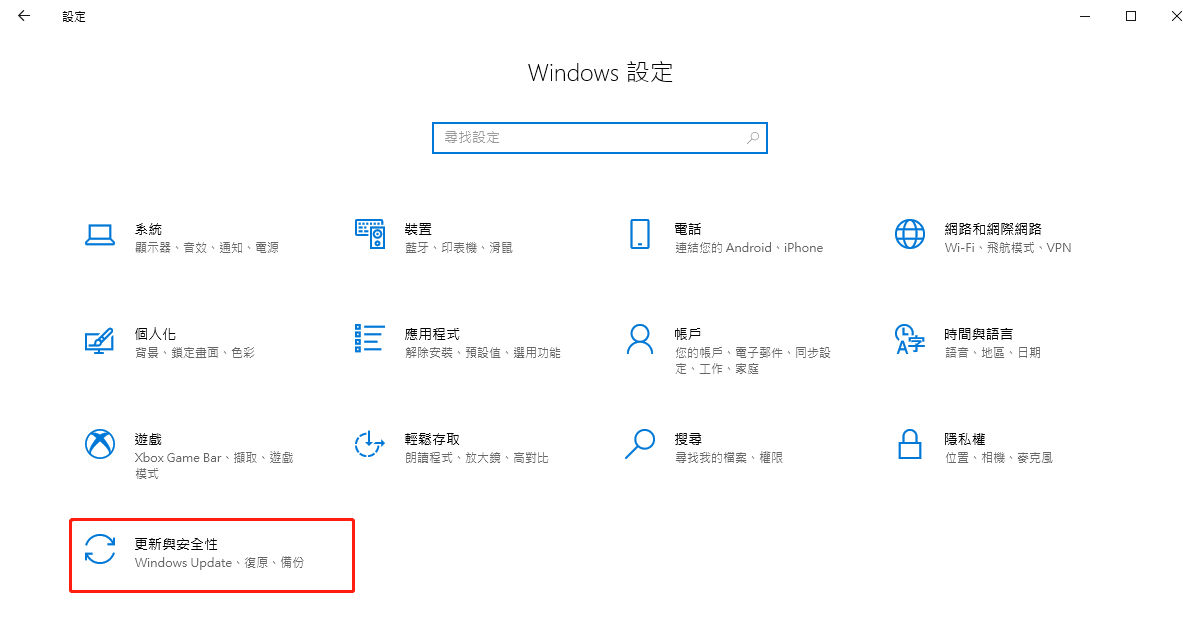
6.選擇"更新與安全性"

mceclip2.png

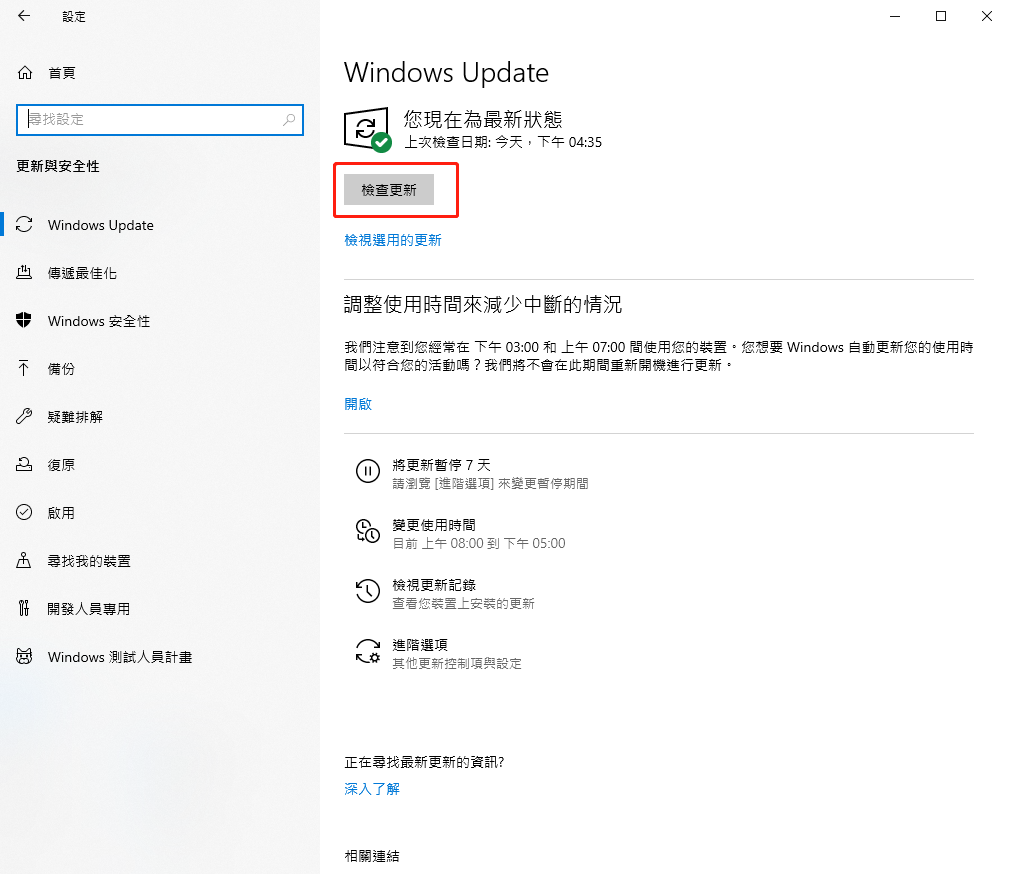
7.在Windows Update中選擇"檢查更新"

mceclip3.png

8.若您並非最新版本,則此時會顯示"立即重新啟動"按鈕


9.點擊 "立即重新啟動"讓Windows進行更新,即可解決此問題


您也可以從微軟的官網下載補丁進行更新


感謝您選擇了BlueStacks。我們希望您喜歡它。如果您還有其他問題,請通過bluestacks.com與我們聯繫。非常感謝你。

最後更新於2020年12月11日

這篇文章是否有幫助?
22 人中有 3 人覺得有幫助
Reach out to us on Reddit (Join Reddit) or Discord (Join Discord) or at support@bluestacks.com with your questions.

We’d love to hear from you! Please take a moment to share your thoughts on the BlueStacks Help Center via this survey.
Subscribe to BlueStacks Weekly!
Get updates on new releases, features, and fixes. Discover trending games & enjoy exclusive gift codes!
By subscribing, I agree to receive weekly updates from the BlueStacks Help Center.
Thank you for subscribing to BlueStacks Weekly
Keep an eye on your inbox for updates on the latest features, gaming trends, bug fixes, gift codes, and much more!