Highlights
Enter the arena in Pokémon Champions, a competitive strategy experience built entirely around Pokémon battles. Recruit and train Pokémon, unlock powerful Mega Evolutions, and compete against Trainers worldwide across multiple battle formats.
Victory Points earned through battle help strengthen your roster, refine team strategies, and prepare for tougher opponents waiting higher up the ranked ladder. With support for cross-platform matchmaking and connectivity with Pokémon HOME, every match offers new tactical possibilities.
Experience every showdown on BlueStacks 5 with enhanced visuals, stable performance, and a bigger battlefield on PC.
Jump to a section:
Why Play Pokémon Champions on BlueStacks 5
Macros: Automate repetitive tasks by recording and replaying sequences of actions with a single click.
Multi-Instance & Sync: Run multiple accounts simultaneously and mirror actions across instances
Eco Mode: Reduce CPU and memory usage while farming, summoning, or multitasking efficiently.
Scripts: Execute complex action sequences with a single keybind for a more streamlined gameplay
Real-Time Translation: Instantly translate in-game text into your preferred language.
High FPS: Enjoy smoother visuals and more responsive gameplay with reduced lag and stuttering.
Repeated Tap: Automate continuous tapping or perform a set number of taps with a single key press.
How to Download and Install Pokémon Champions
To download Pokémon Champions on BlueStacks 5: Launch BlueStacks 5 ➔ Use the search bar on the home screen or Open BlueStacks Store and search for the game ➔ Select the relevant search result and click on "Install."
For a more detailed walkthrough and alternative methods, see this article.
Quick Start Checklist ⭐
Complete these tasks first to get a strong start in Pokémon Champions.
☐ Finish all Tutorials
☐ Claim your first Trial Recruitment
☐ Unlock Ranked Battles
☐ Purchase your first Mega Stone
☐ Obtain Focus Sash or Leftovers
☐ Complete Daily Missions
☐ Build your first team of six Pokémon
☐ Play at least five Ranked Matches
Gameplay Overview
Pokémon Champions is designed entirely around competitive Pokémon battles, bringing together familiar mechanics from the main series games into a streamlined PvP experience. Instead of exploring regions or completing a Pokédex, the focus here is on assembling strong teams, understanding battle mechanics, and outplaying opponents in strategic turn-based matches.
Battles follow the traditional Pokémon formula, with moves, Abilities, held items, type matchups, and status effects all playing an important role. Team composition is just as important as individual Pokémon strength, as successful teams are built around synergy, coverage, and reliable win conditions rather than relying on a single powerful attacker.
At the start of every match, Trainers can preview their opponent's full roster and choose which Pokémon to bring into battle. Singles require selecting three Pokémon from a team of six, while Doubles use four Pokémon from the same six-member roster. Predicting your opponent's strategy and selecting the right lineup often determines the outcome before the first move is even made.
Battle Modes
There are three different modes of Pokémon battles to try: Ranked Battles, Casual Battles, and Private Battles. You can challenge these modes in both Single Battle and Double Battle formats.
- Global ranked play: Test your skills against players worldwide and see how far you can climb on the competitive ladder.
- Casual matches: Want something lighter? Hop into relaxed bouts where you can try ideas, practice, or just play for fun.
- Private battles: Share a room with friends or family for invite-only matches. Perfect for bragging rights at home or quick sparring sessions.
Progression revolves around earning Victory Points (VP), the game's primary resource used to recruit Pokémon, train them, purchase Mega Stones, and acquire powerful held items. Victory Points (VP) can be gained from Ranked Battles and other places in Pokémon Champions. VP cannot be directly purchased, so keep battling and gaining VP to power up your team even more!
Mega Evolution is currently one of the defining mechanics in competitive play, allowing certain Pokémon to temporarily transform and gain access to improved stats, new abilities, and stronger battle presence. Combined with weather effects, Trick Room strategies, speed control, and support Pokémon, every battle offers countless tactical possibilities.
Playing Pokémon Champions on BlueStacks 5 provides a smoother and more comfortable battle experience, making it easier to manage teams, study opponents during team preview, and enjoy every match on a larger screen with stable performance.
Tips and Tricks ⭐
Pokémon Champions rewards preparation and smart decision-making more than raw Pokémon strength. These tips will help you build stronger teams, earn resources efficiently, and improve your battle performance from the very beginning.
- Complete Every Tutorial: Tutorials explain important mechanics such as move priority, Double Battles, and Mega Evolution, and also reward players with useful items and Mega Stones. Finishing them early provides a solid foundation for competitive play.
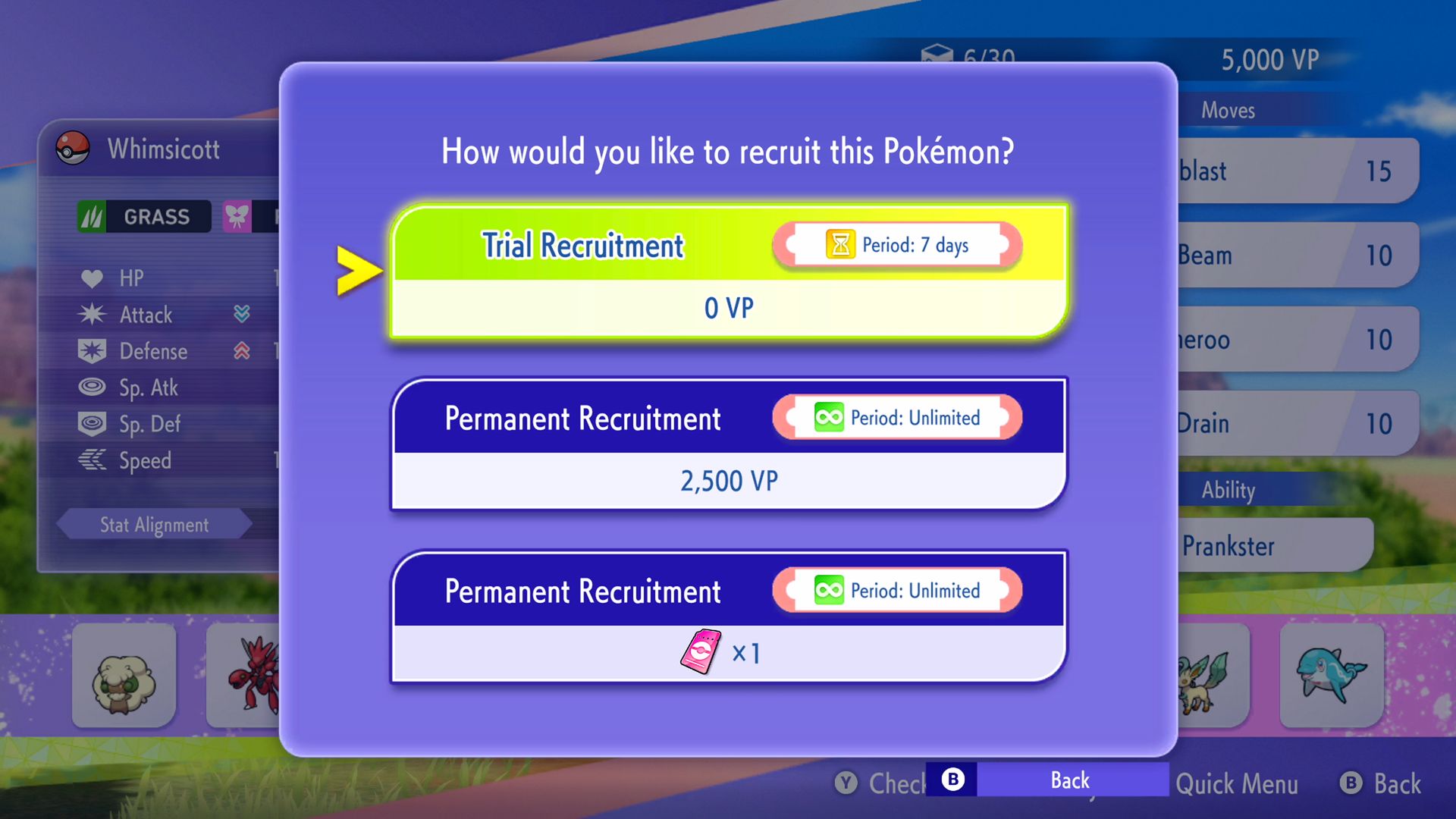
- Make Trial Recruitment Part of Your Routine: The Trial Recruitment refreshes daily and allows you to temporarily recruit a Pokémon without spending VP. Test Pokémon in Casual Battles before investing resources into permanent recruitment.
- Spend Victory Points Carefully: VP is required for recruiting Pokémon, training stats, purchasing Mega Stones, and obtaining held items. Prioritize competitive essentials such as Focus Sash, Leftovers, and your team's Mega Stone before purchasing cosmetics.
- Practice in Ranked Battles: Ranked Battles pair players with opponents of similar skill levels, making them a better learning environment than Casual Battles. Lower ranks provide a safer place to understand team compositions and common strategies.
Beginner Mistakes ⭐
Many new Trainers lose valuable resources and slow down their progress by making avoidable mistakes. Keeping these points in mind can save a significant amount of VP and help you build stronger teams sooner.
- Building a Team Around Only One Attacker: Experienced players quickly identify and eliminate teams that rely entirely on a single Pokémon.
- Recruiting Too Many Pokémon Too Soon: It is better to fully invest in one strong team than spread resources across multiple unfinished teams.
- Treating Casual Battles as Easy Matches: Casual matchmaking has no rank restrictions and may pair you against highly experienced players.
- Ignoring Team Preview: Choosing the wrong Pokémon at team selection often leads to difficult matchups that could have been avoided.
Recommended Settings
For the best experience on BlueStacks 5, use the following settings:
- CPU Allocation: 4 Cores or higher
- Memory Allocation: 4 GB RAM or higher
- Graphics mode: OpenGL
- Frame Rate: 60 FPS
- Display Resolution: 1920 x 1080
System Requirements
To enjoy the game without lag, make sure your PC meets these requirements:
- OS: Windows 7 or newer, macOS 11 (Big Sur) or newer
- Processor: Intel, AMD, or Apple Silicon (M1 to M4)
- RAM: At least 4GB (8 GB recommended)
- Storage: At least 5GB of free space
- Permissions: Administrator access
- Graphics: Updated drivers from Microsoft or your chip maker
Detailed Guides
Best Pokémon to Use in Ranked Battles
Best Ways to Earn and Use Victory Points
Pokémon Full Roster Guide
Best Items Guide
Tips and Tricks
Beginner's Guide
Character Customization Guide
Redeem Codes
Frequently Asked Questions ⭐
Find answers to some of the most common questions about Pokémon Champions, including battles, progression, and gameplay features.
Q. Can I transfer Pokémon from Pokémon HOME?
A. Yes. Pokémon Champions supports connectivity with Pokémon HOME, allowing Trainers to team up with certain Pokémon they have previously obtained in other compatible Pokémon titles.
Q. Can Victory Points (VP) be purchased?
A. No. Victory Points cannot be purchased directly. They are earned by participating in Ranked Battles, completing missions, and taking part in various in-game activities.
Q. Does Pokémon Champions support cross-platform play?
A. Yes. Trainers playing on Android devices, Nintendo Switch, Nintendo Switch 2, and BlueStacks 5 can compete against each other through cross-platform matchmaking.
Q. What battle formats are available?
A. Pokémon Champions offers three battle modes: Ranked Battles, Casual Battles, and Private Battles. Each mode can be played in either Single Battle or Double Battle formats.
Q. Is Mega Evolution available in Ranked Battles?
A. Yes. Mega Evolution is enabled under the current Ranked Battle ruleset, making Mega-capable Pokémon and their Mega Stones valuable additions to competitive teams.
Q. Can I play Pokémon Champions on a PC?
A. Yes. Pokémon Champions can be played on a PC using BlueStacks 5. Playing on a larger screen provides better visibility during team preview, smoother performance, and access to useful BlueStacks features such as High FPS, Multi-Instance, and Real-Time Translation.
Troubleshooting Arena
Game not launching? Clear the app cache or update BlueStacks 5.
Low FPS? Allocate more RAM and CPU cores through BlueStacks settings.
Game missing from the Play Store? Install the APK manually by dragging it into BlueStacks.
Need more assistance? Visit the BlueStacks Help Center or submit a problem report.
Forge an unstoppable team, master Mega Evolution, and prove your skills against Trainers from around the globe. Your journey to Pokémon mastery begins now, only on BlueStacks 5.
Thank you for choosing BlueStacks. We hope you enjoy using it. Happy Gaming!