Purpose
บทความนี้จะแนะนำการใช้งานระบบควบคุมแบบผสมใน Bluestacks.
Benefits
เพื่อเพิ่มประสบการณ์การเล่นเกมที่ลื่นไหลกว่า
Audience
ผู้ใช้งาน BlueStacks version 4.140 ขึ้นไป
BlueStacks versions affected
BlueStacks version 4.140 ขึ้นไป
Geo's affected
ทุกพื้นที่
Steps to add combination keys on BlueStacks.
1) เปิด Advanced game controls UI
การใช้งานระบบควบคุมแบบผสมทำได้โดยเปิด Game Controls โดยคลิกที่ไอคอน  บริเวณด้านข้างของ App Player.
2) เพิ่ม Tap spot เข้าไปในเกม
ใช้หน้าต่าง Game controls ทำการเพิ่มจุดแตะเข้าไปในเกม PubG
3) กด Shift+W เพิ่กำหนดเป็นปุ่มควบคุมของจุดแตะ
4) บันทึกและออกจาก Advanced controls UI.
5) หลังจากนี้เมื่อกด W ตัวละครจะเดินเท่านั้นแต่เมื่อกด Shift+W ตัวละครจะเปลี่ยนเป็นวิ่ง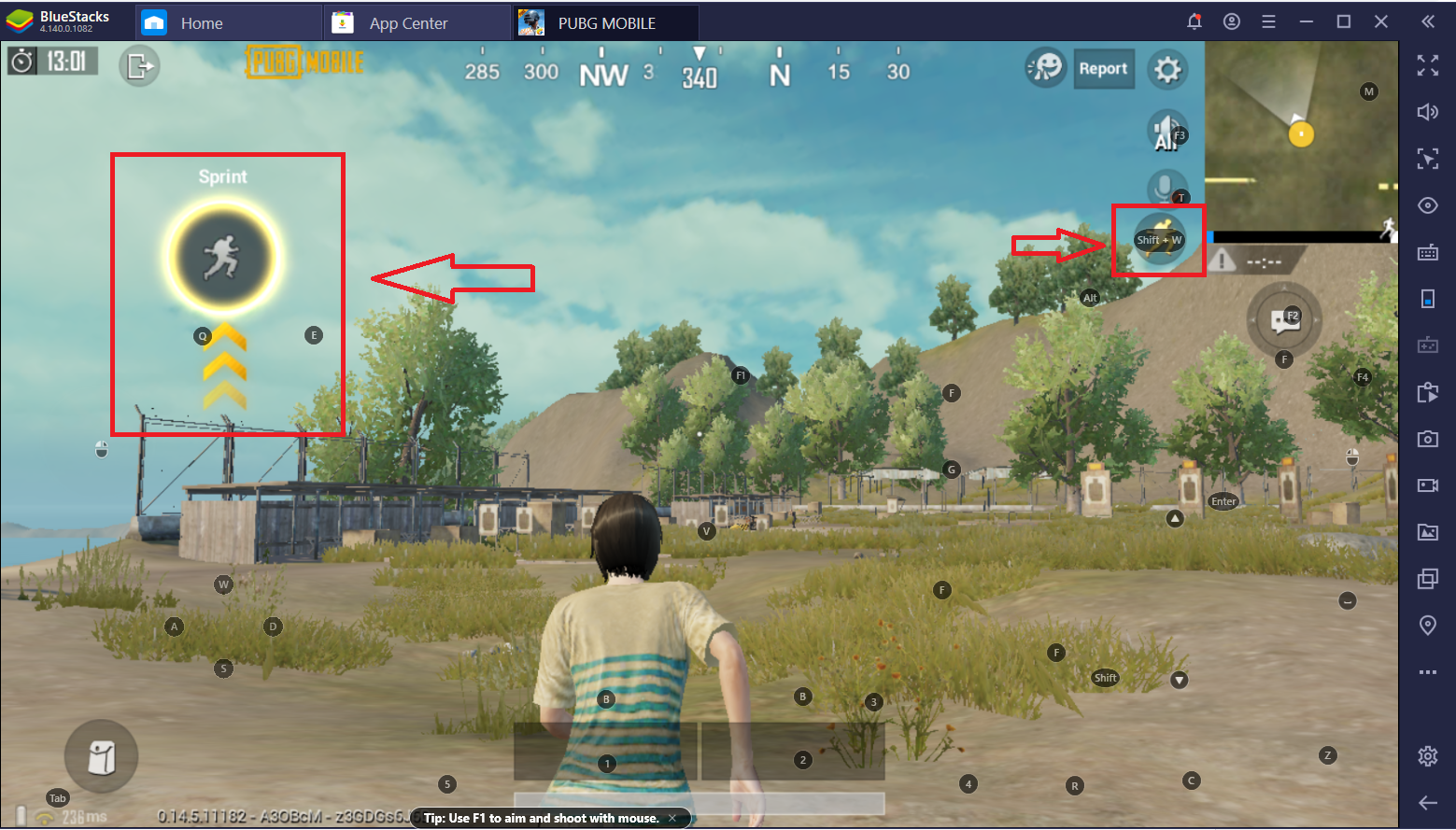
Note: ปุ่มควบคุมแบบผสมสามารถใช้งานได้ในระบบอื่นๆเช่น แตะซ้ำ หรือ ซูมด้วย
เรามีความยินดีเป็นอย่างยิ่งที่คุณเลือกใช้ BlueStacks เพื่อเล่นเกมของคุณ เราหวังเป็นอย่างยิ่งว่าคุณจะสนุกสนานเพลิดเพลินกับการเล่นเกมครั้งนี้ หากมีข้อสงสัยกรุณาติดต่อ support at bluestacks dot com. ขอขอบพระคุณ