How will this help?
BlueStacks gives you the power to synchronize all operations like gameplay, typing, earning game rewards, etc. among the multiple instances you have created.
This article will acquaint you with the process of synchronizing multiple instances on BlueStacks.
How can I synchronize my instances?
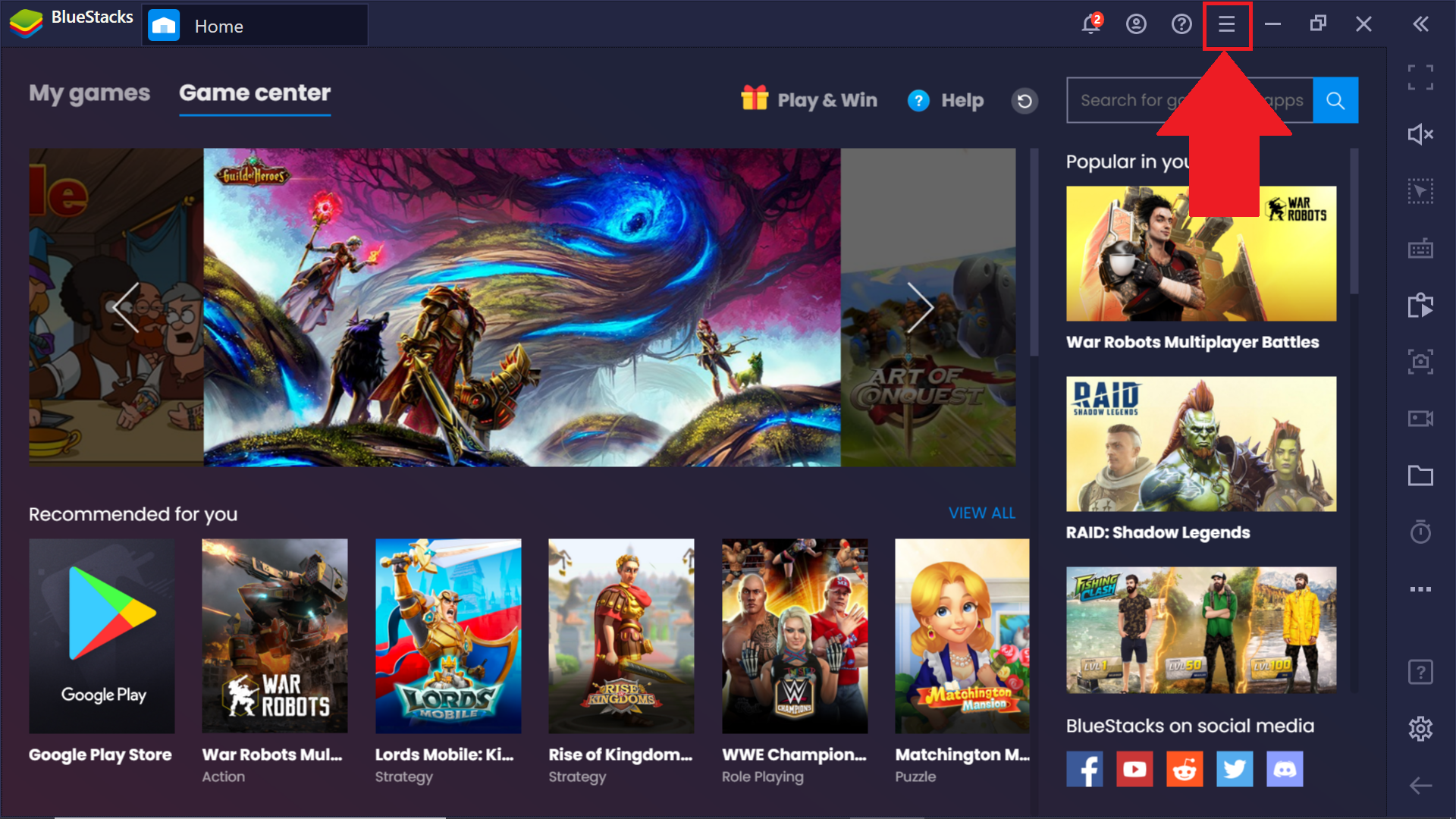
1. Launch BlueStacks and click on the hamburger icon, as shown below.
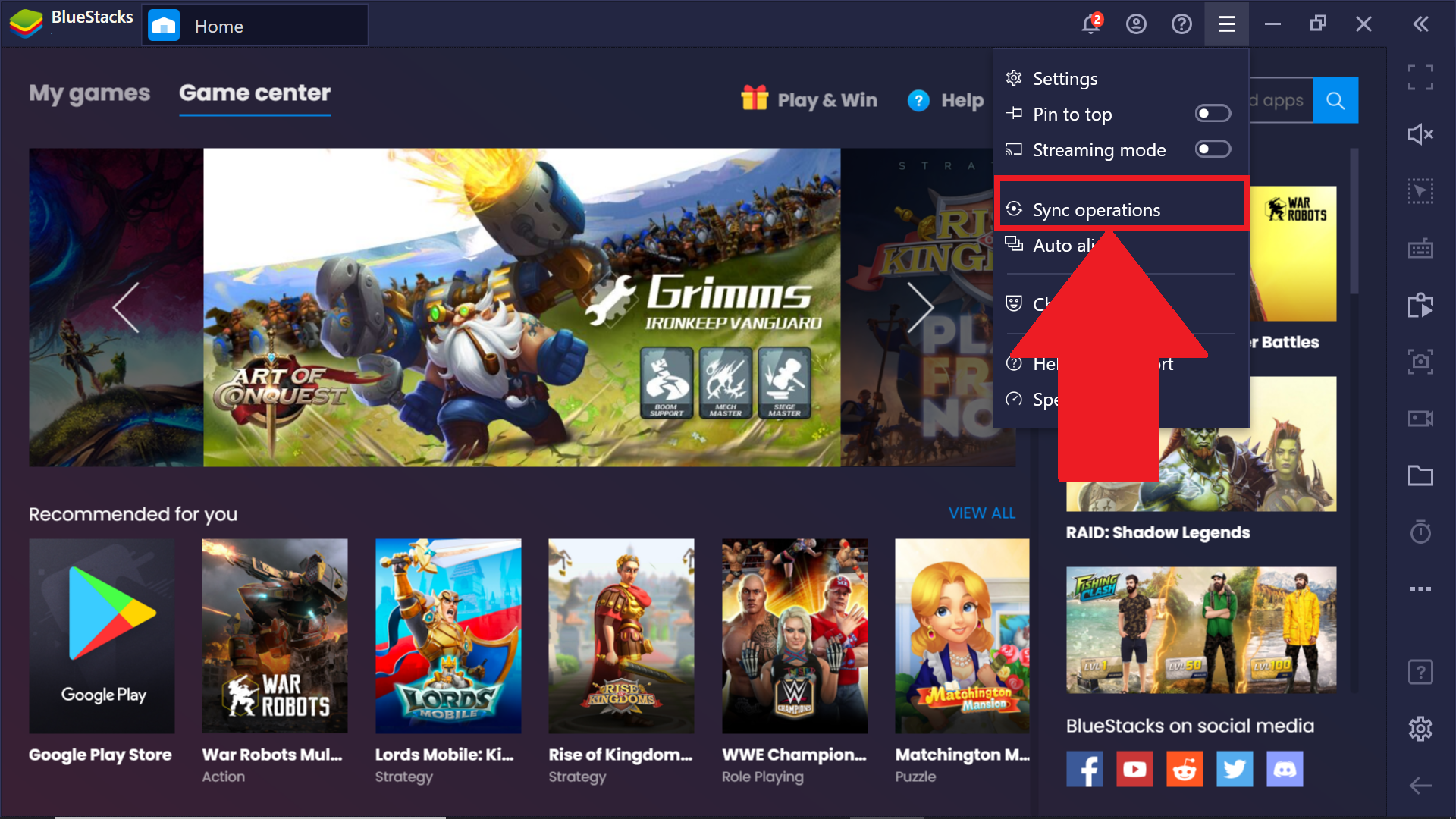
2. A drop-down menu will appear. Here. select Sync operations.
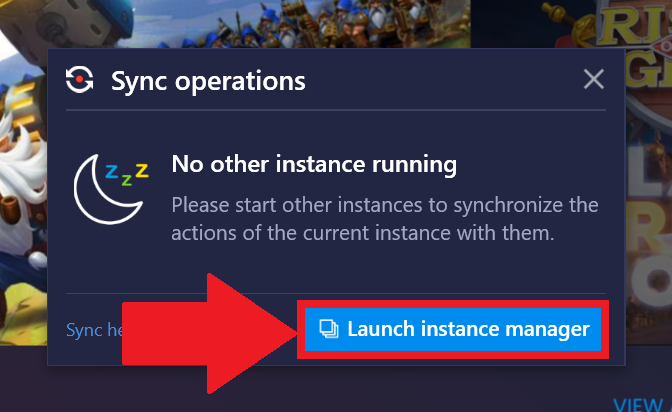
3. If only the primary BlueStacks instance is running, a pop-up window will appear asking you to start other instances. Here, click on Launch instance manager.
NOTE: If you already have multiple instances running that you want to synchronize, you may skip ahead to step 6.
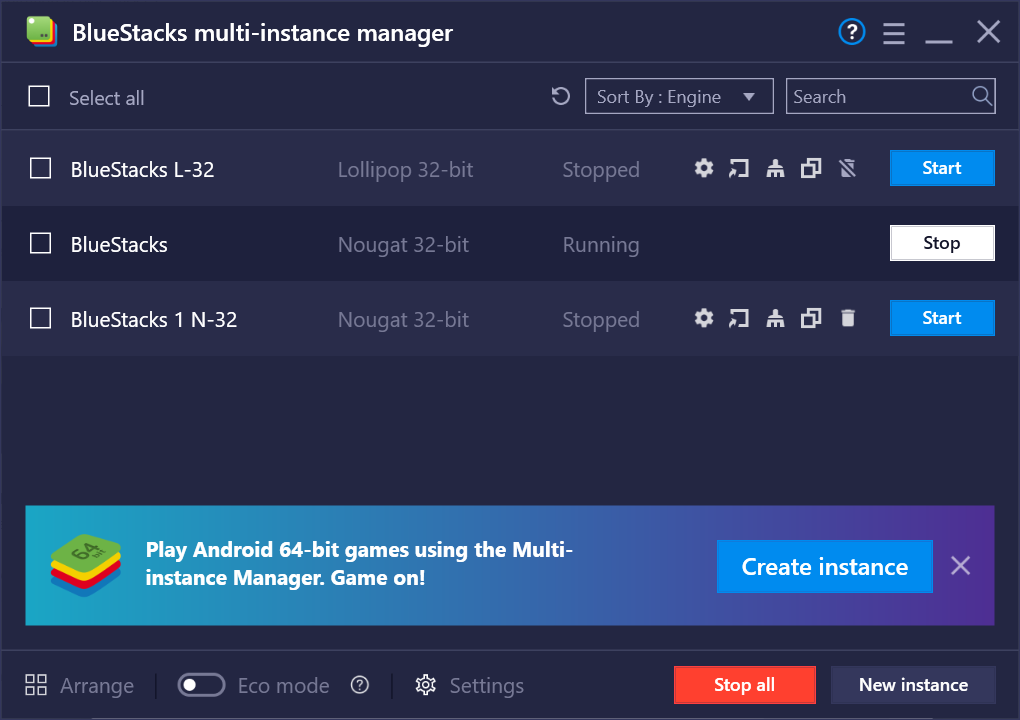
4. The Multi-instance manager will open up. Here, you can create or start multiple instances for BlueStacks. Please refer to this detailed article to learn how to do so.
5. Once there are multiple instances running, turn on sync operations again on the main instance.
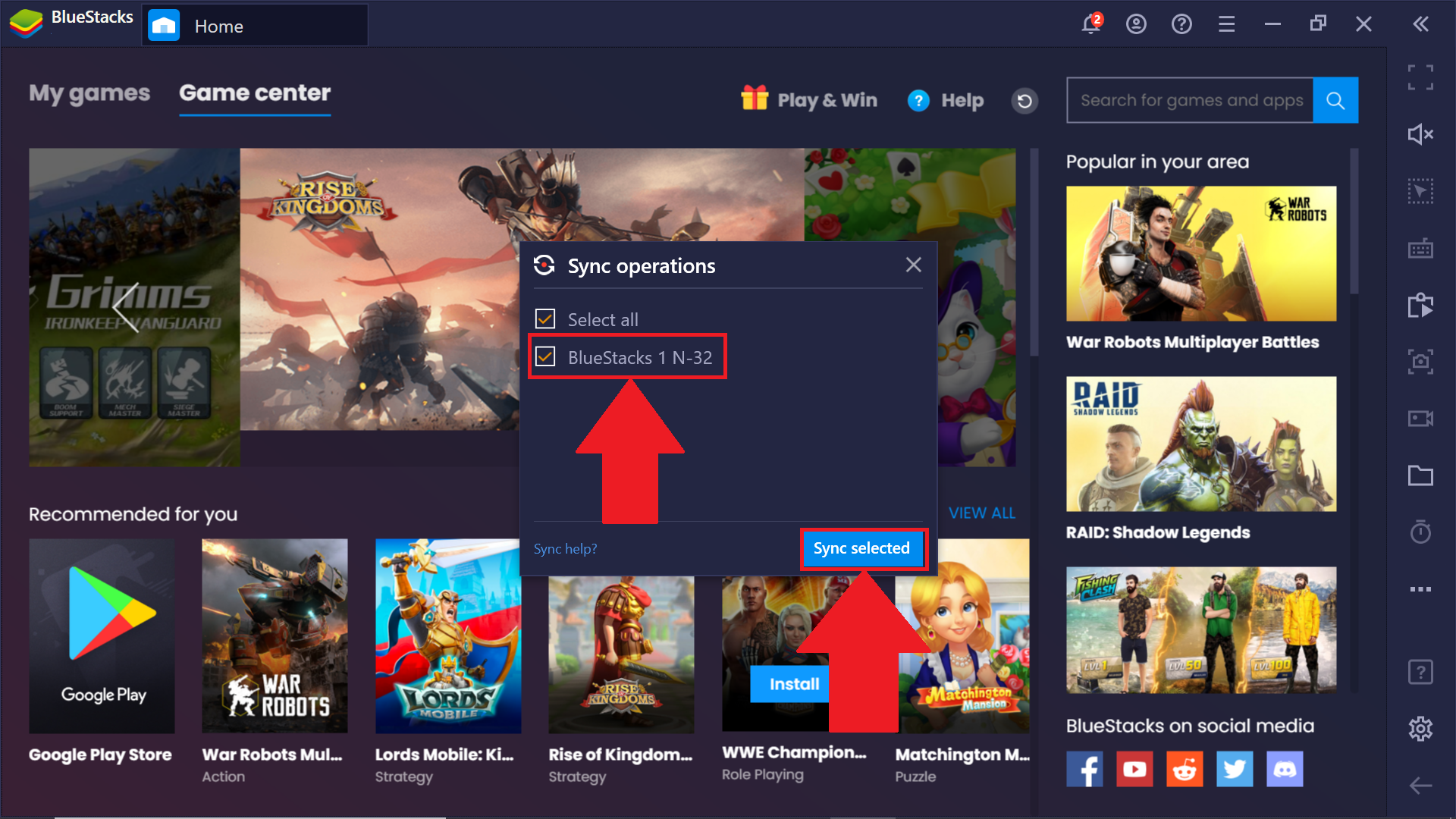
6. A new window will appear. Here, select the instance you want to synchronize with the main instance and click on Sync selected.
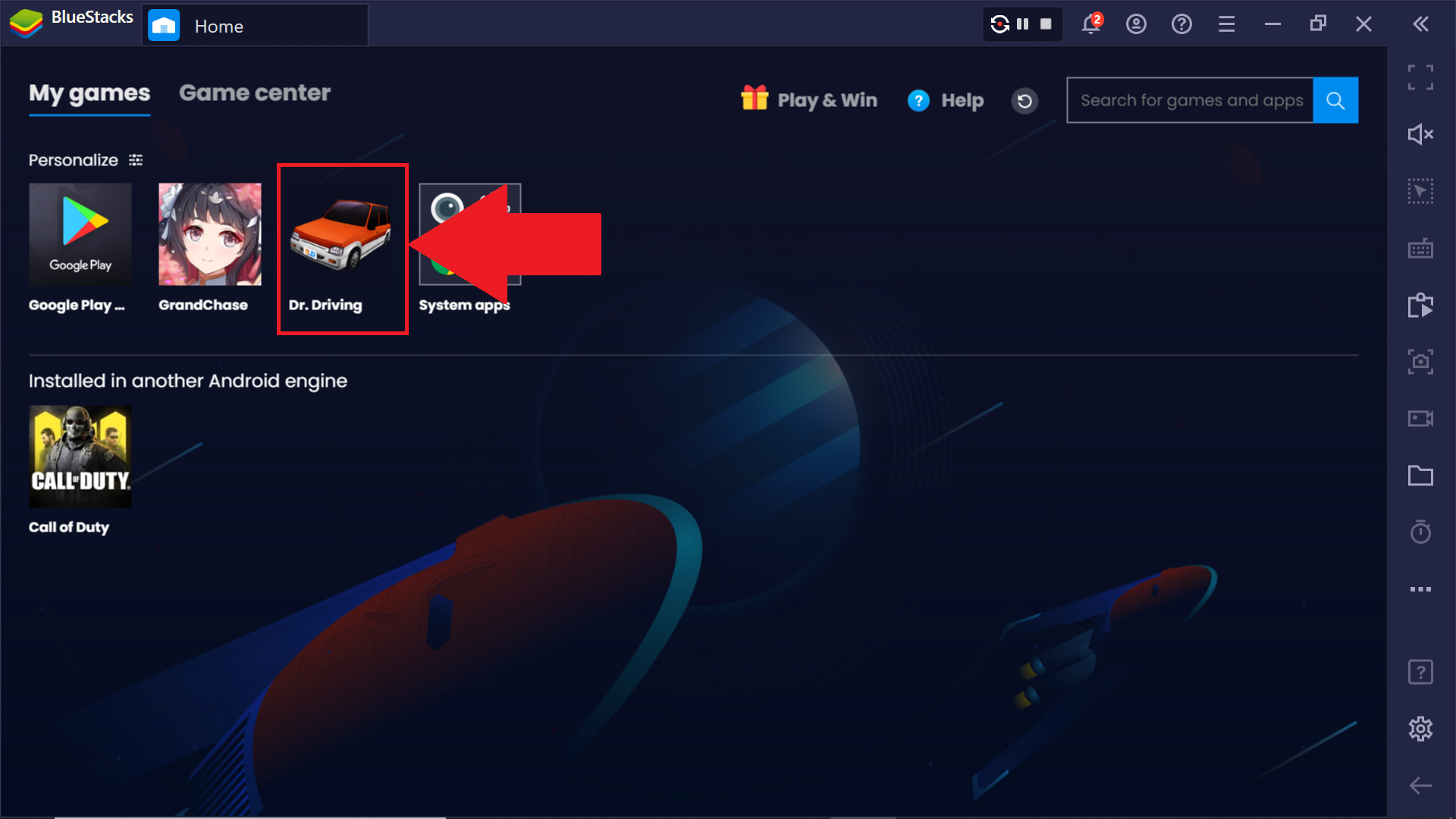
7. Now, go to the My games tab on the main instance and launch any game that you'd like. The same game will get launched on the synced instance as well.
 Now, every action that you perform in the primary instance will reflect on the synced instance as well.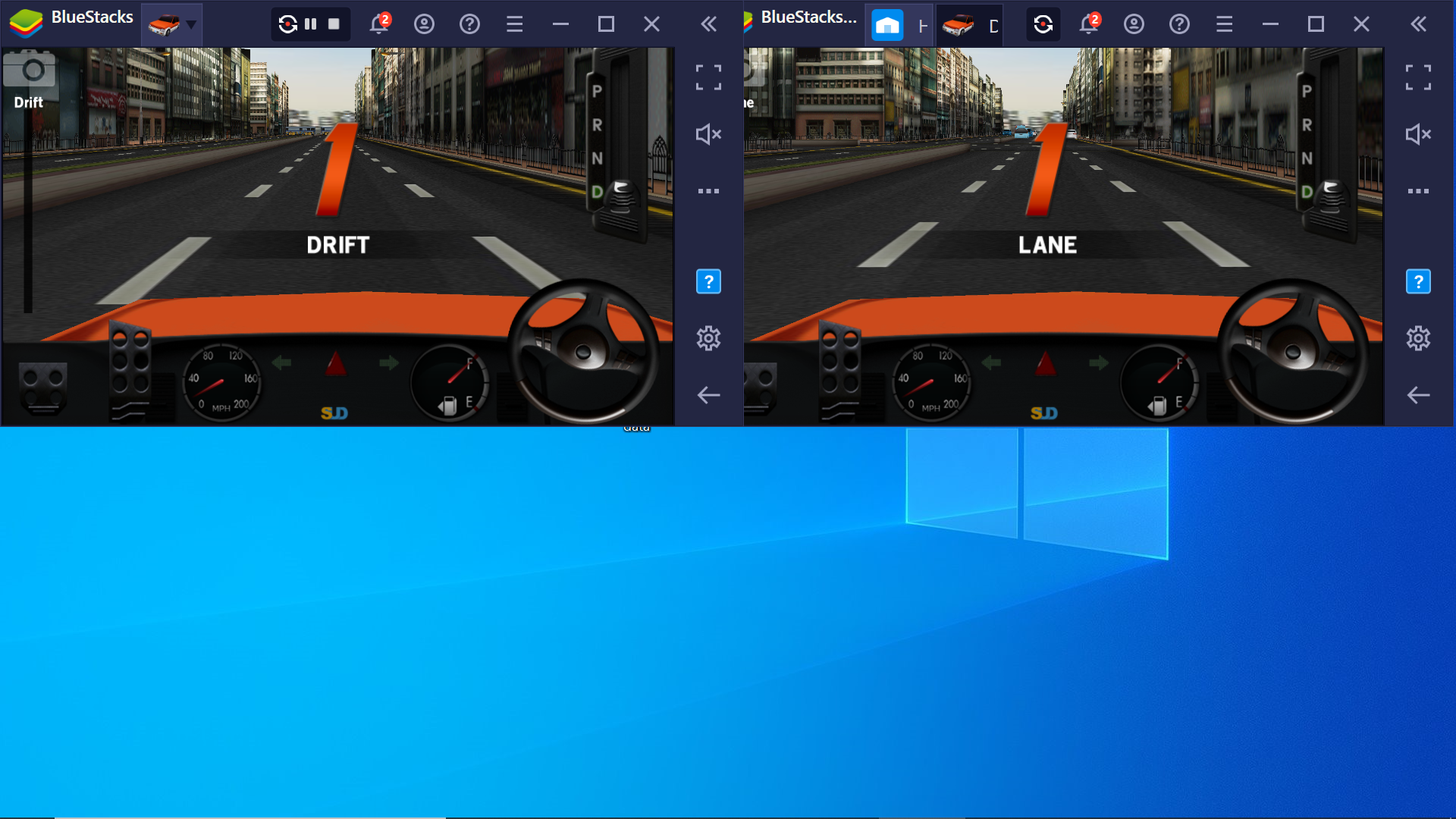
Thank you for choosing BlueStacks! We hope you enjoy using it. If you have any further questions, please contact us at support@bluestacks.com. Happy Gaming!
Last updated on Sept 1, 2020.