How will this help?
This article will provide you different troubleshooting methods which will help you resolve any:
How can I resolve sound issues?
If you cannot hear or are experiencing low sound in BlueStacks, please check the following settings:
Unmuting BlueStacks from the Side toolbar
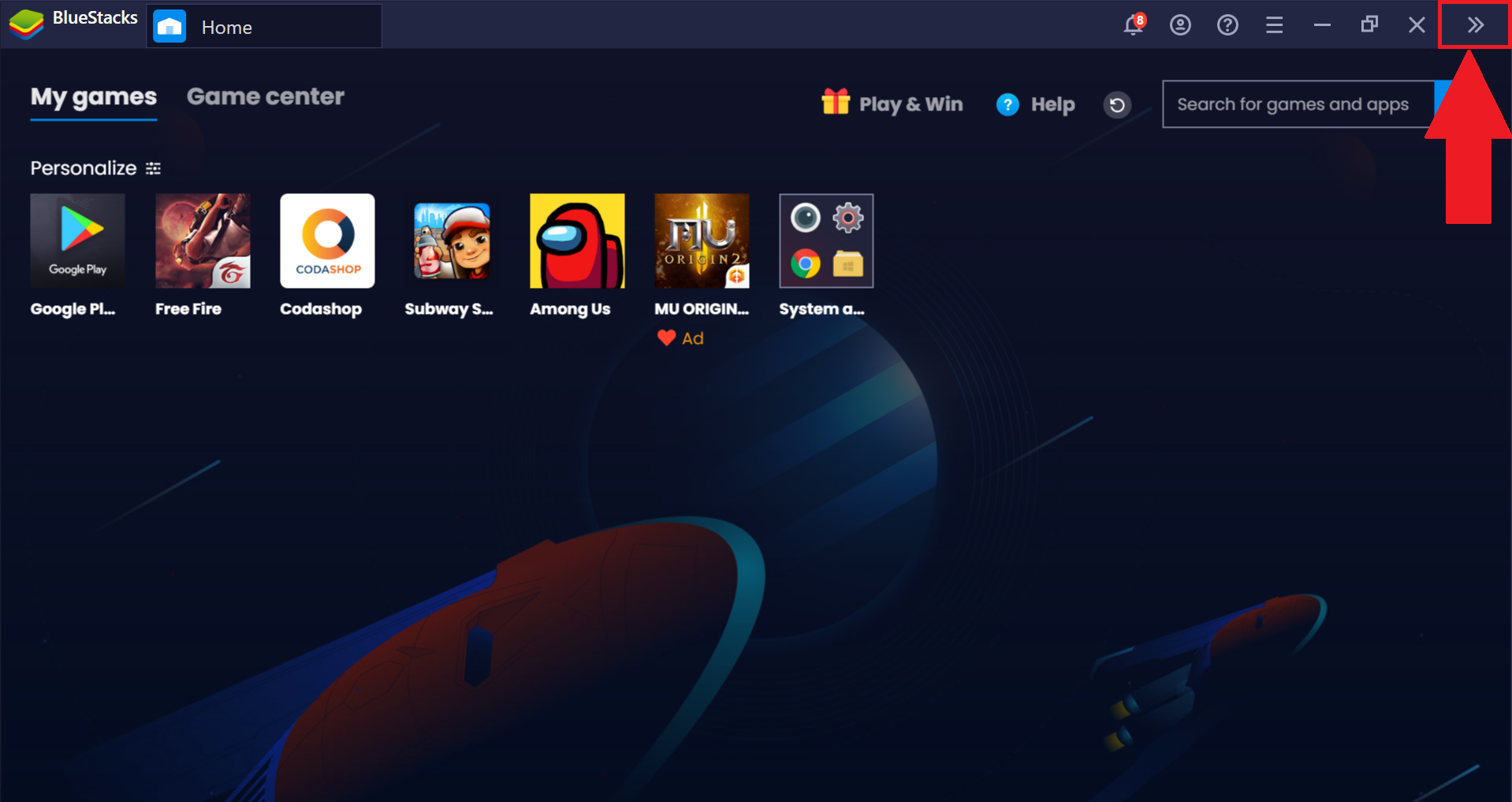
1. Click on the Expand icon on the right side of BlueStacks, as shown below.
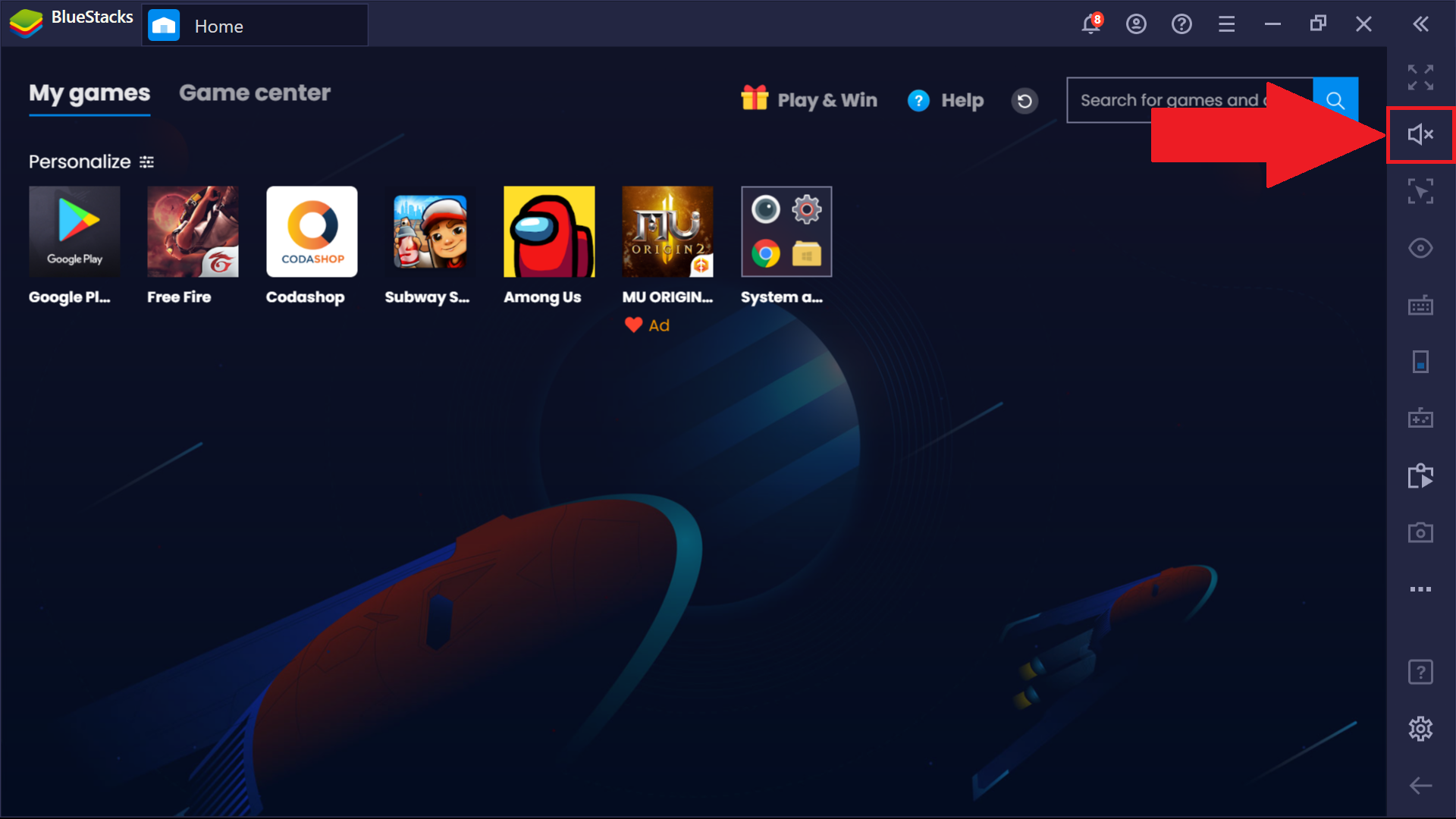
2. This will open up the Side toolbar. Here, click on the Volume buttom.
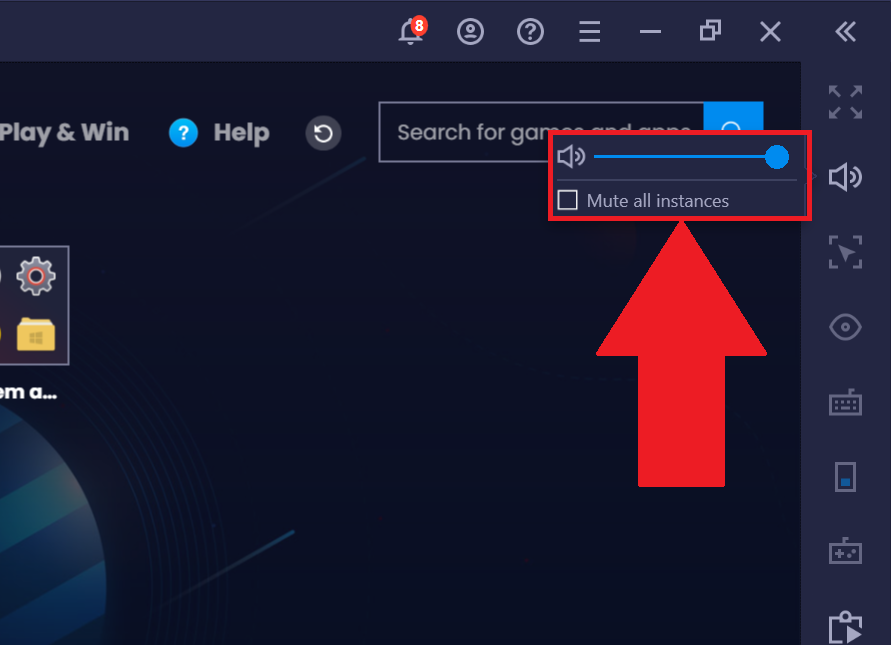
3. The volume option for BlueStacks will open up. Here uncheck "Mute all instances" and move the volume slider to the right.
Unmuting BlueStacks from the Volume Mixer
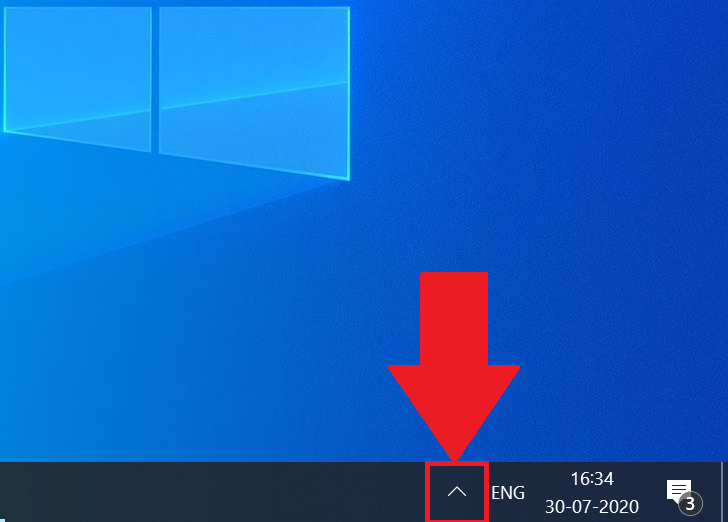
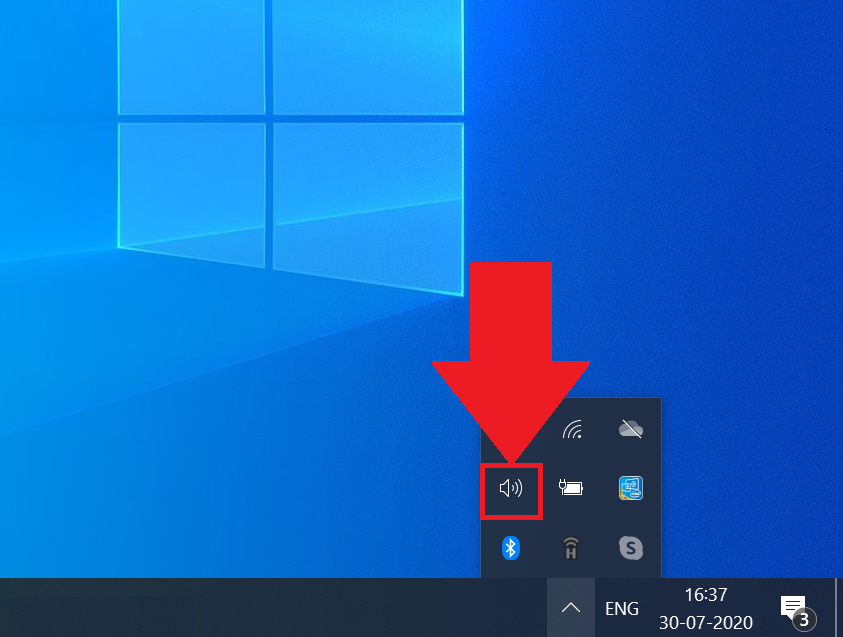
1. Open your System tray from the Windows taskbar
2. Here, right-click on the volume icon.
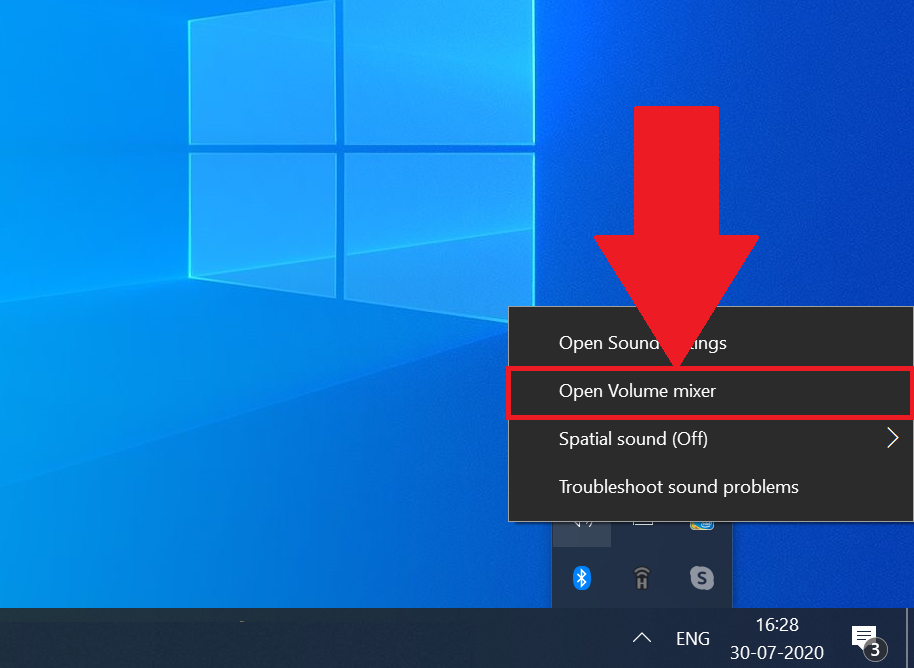
3. Now, click on Open Volume Mixer.
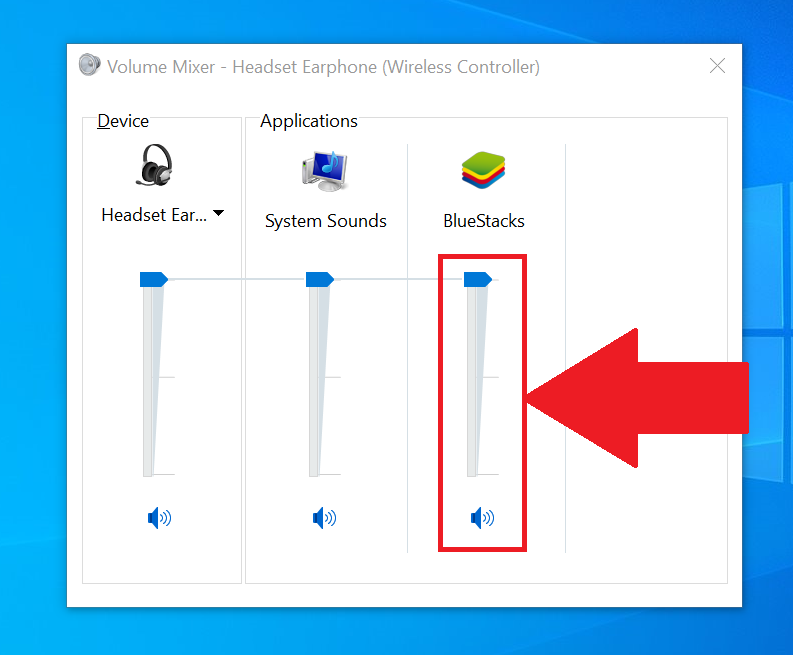
4. Make sure that the Speaker icon for BlueStacks Android Host is not muted. Also, you may maximize the volume as well.
How can I resolve microphone issues?
For resolving issues with the microphone, please ensure that the default system microphone is set to optimal settings. You can do that by following these steps:
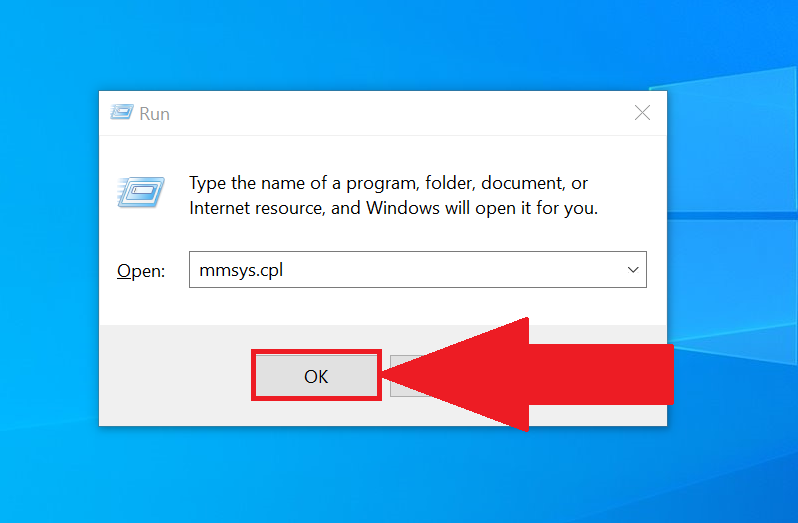
1. Open the Run dialogue box by pressing the "Windows" key and "R" together and type the command "mmsys.cpl".
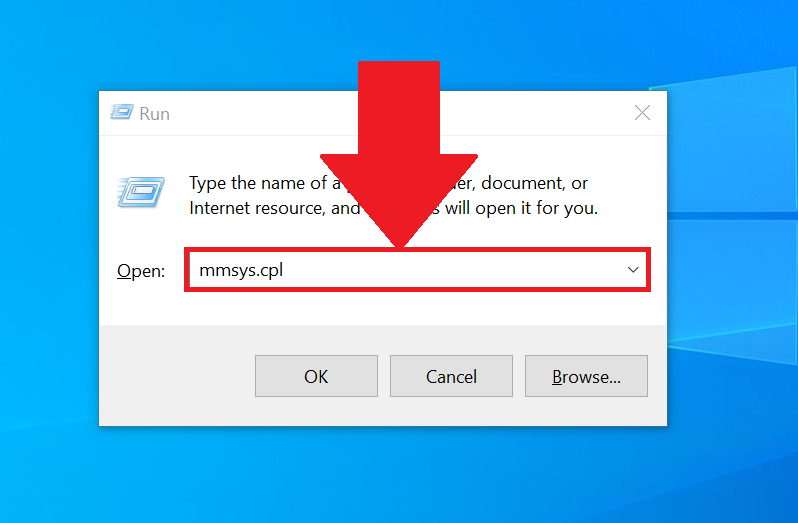
2. Click on OK, when you're finished typing the command.
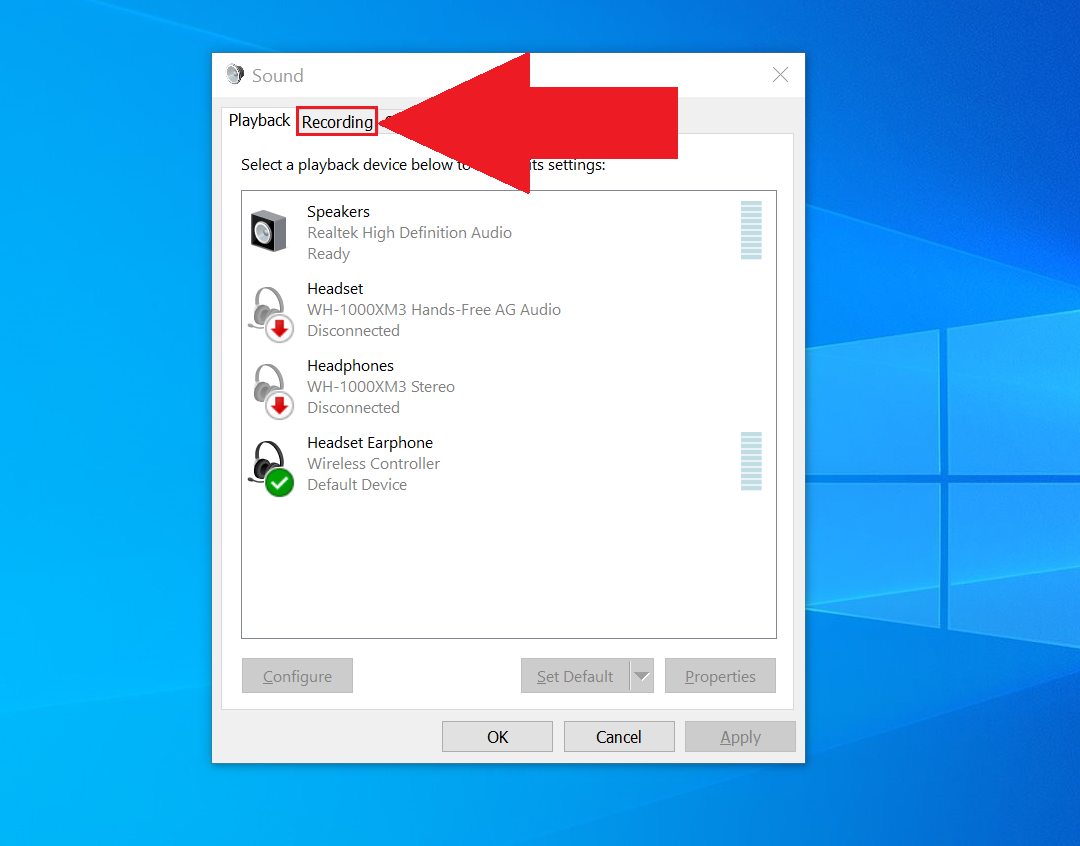
3. The Sound settings window will open up. Here, click on the Recording tab.
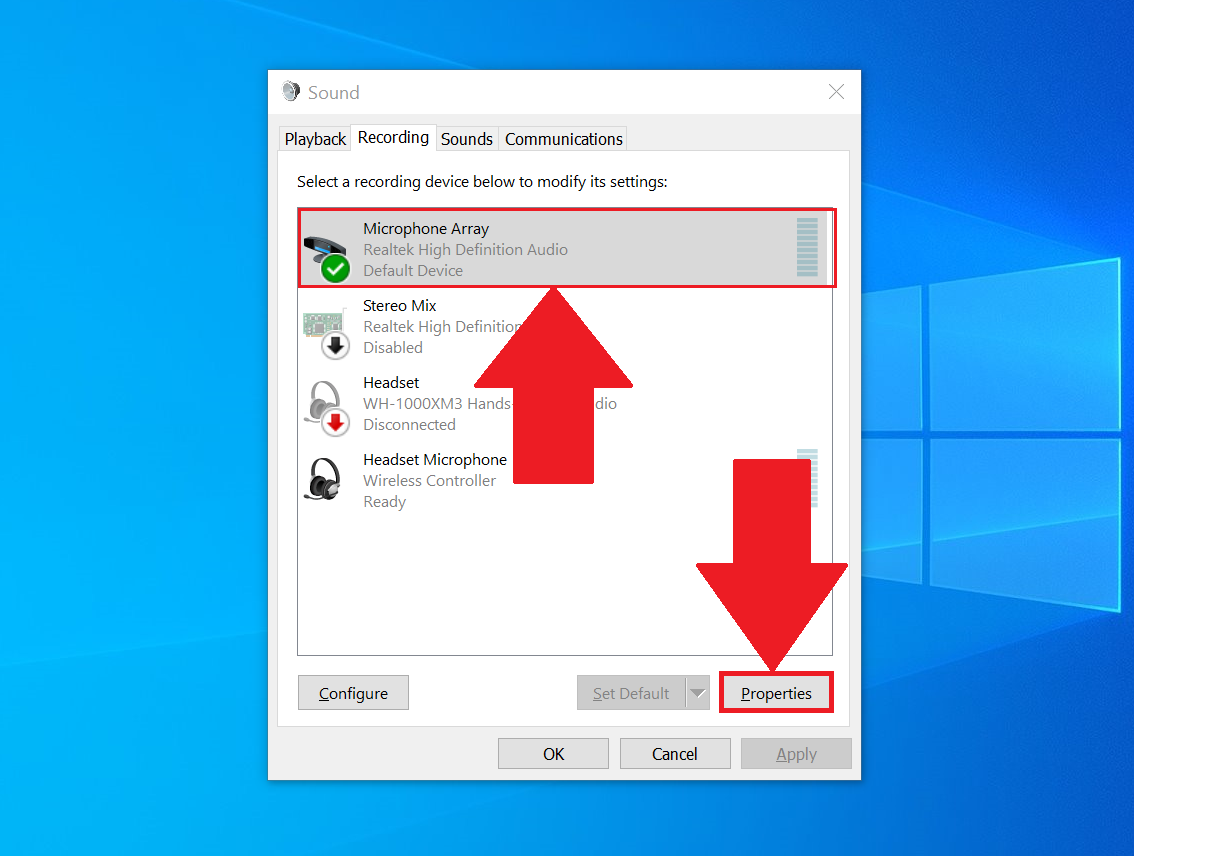
4. Once the recording tab opens, select the Default microphone device on your system and then click on Properties, as shown below.
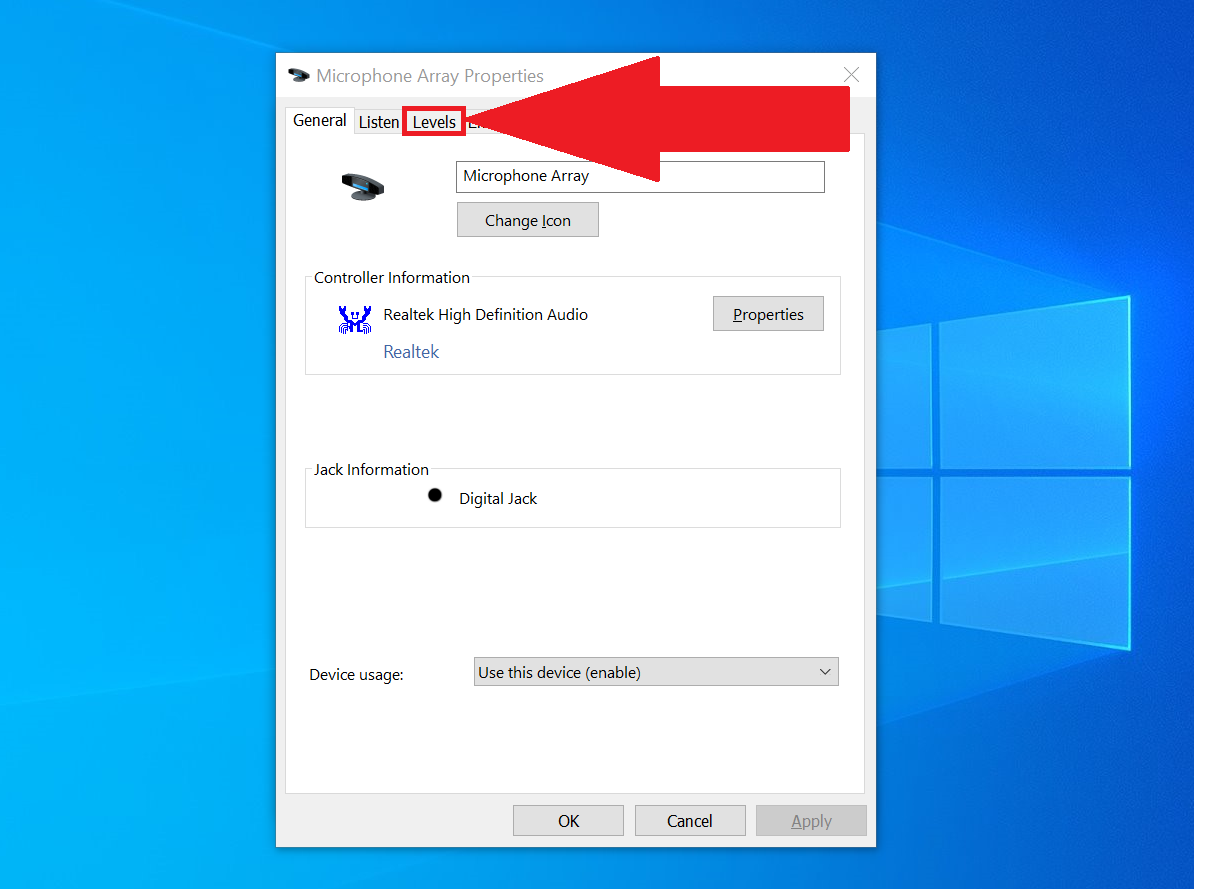
5. Click on the Levels tab in the microphone properties.
6. Now finally, increase you Microphone levels to 100%. In case you still experience low volume levels after that, increase your Microphone Boost levels as well.
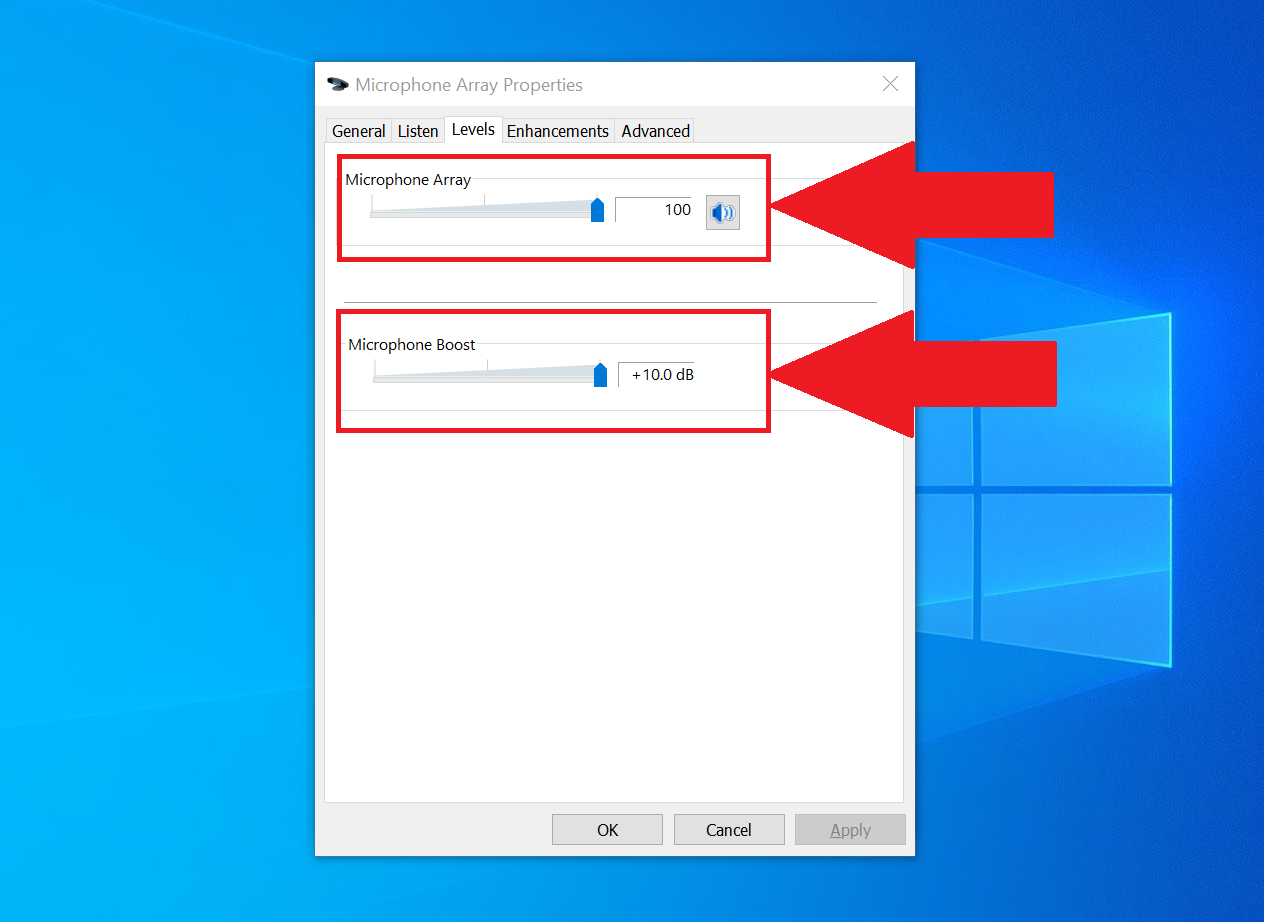
Click on OK or Apply to save your changes.
I'm on an older version of BlueStacks 4. What should I do?
If you're on an older version of BlueStacks 4, click here to learn how to resolve sound or microphone issues.
Thank you for choosing BlueStacks! We hope you enjoy using it. If you have any further questions, please contact us at support@bluestacks.com. Happy Gaming!
Last updated on July 30, 2020.