How will it help?
This article will teach you how to get the best gaming experience possible using all the available features on BlueStacks 4.140
BlueStacks 4.140
BlueStacks has gone through a variety of changes since its release and it is getting better as the days go by. While we highly recommend updating to the latest version, we do realize some users are still on older versions. Since we highly value your support, we have made separate game guides for different versions so as to accommodate all of you.
Here, you will come across all the relevant articles you need in case you run into any problems while playing. Before we dive into our vast library of articles and tutorials, you can watch a video we have prepared to get a glimpse into playing on BlueStacks.
- One of the defining and revolutionary changes brought into BlueStacks was Smart Controls which allows you to accomplish actions that would take you multiple clicks in one click. Or in some cases, no clicks at all. How cool is that? You may read here.
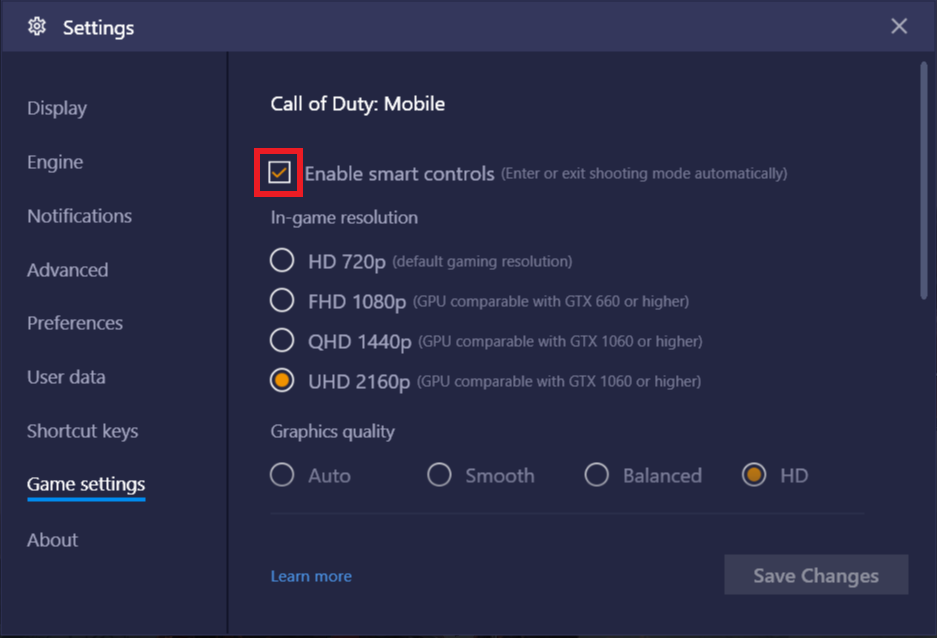
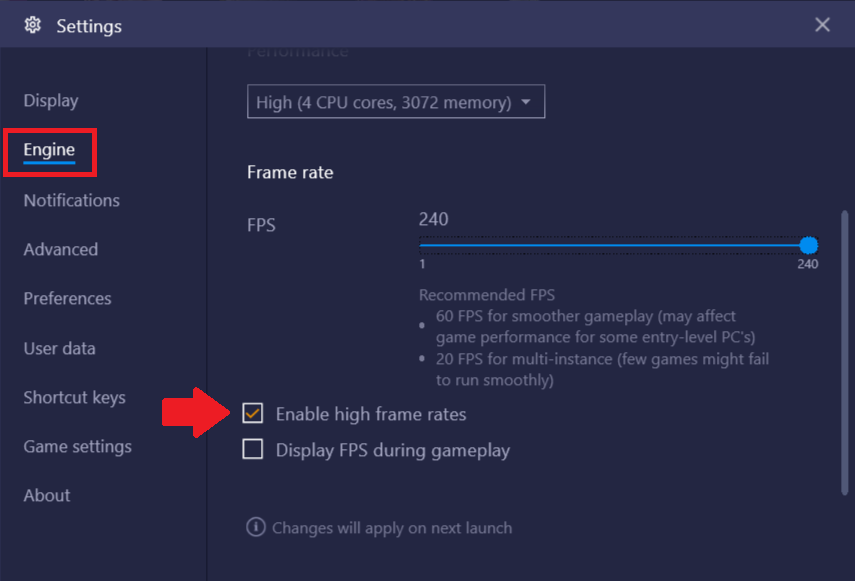
- In-Game Resolution - Looks do matter. Here at BlueStacks, we are dedicated to bringing you the best games in the highest graphical quality possible. To learn how to crank up the eye candy, click on the link here.
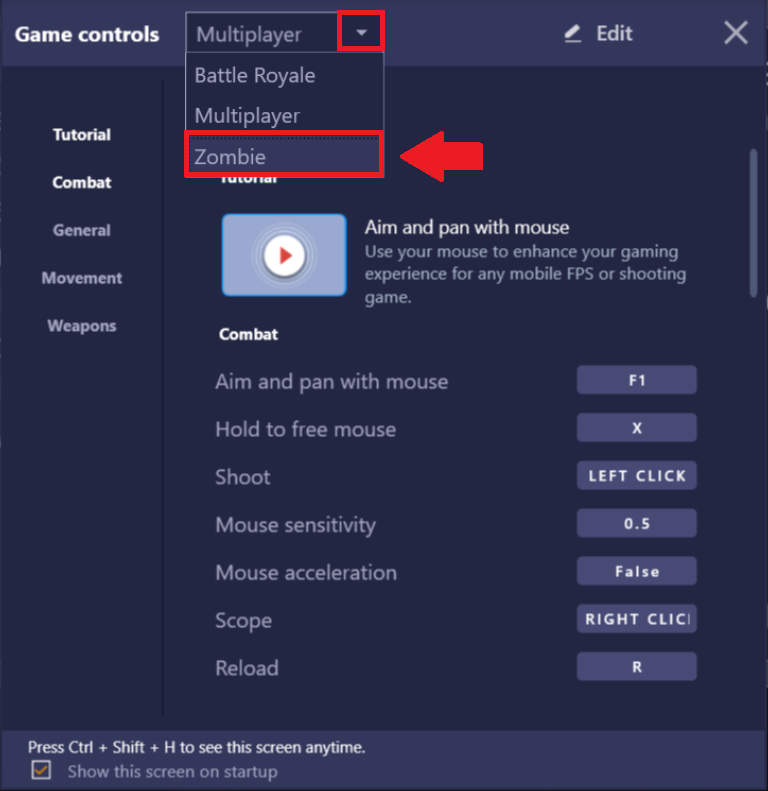
- Keyboard Controls - Excelling at a game matters not only on the individual skill level of a player but also how you have customized your controls hence giving you an edge over all other players. Refer to this article.
Thank you for choosing BlueStacks! We hope you enjoy using it. If you have any further questions, please contact us at support@bluestacks.com. Happy Gaming!
Last updated on June 23, 2020