How will this help?
This article will introduce you to the new features added to the fullscreen mode on BlueStacks. You can now access options without exiting the fullscreen mode.
Please note this is only available on BlueStacks versions 4.200 and above. If you are not on the latest version, you can update by clicking here.
What's new on BlueStacks 4.200 and above?
The all-new Smart Edge Gestures on BlueStacks now lets you access the options menu while still in fullscreen. View the Game Guide, Settings and much more without exiting the fullscreen mode.
We have added two new Smart Edge menus to make things easier for you:
Top-edge Menu: While playing in fullscreen, move your cursor to the top of your screen. A blue bar with an arrow will appear in the middle, as shown below.

Clicking on the blue bar will show you three options to choose from: Exit fullscreen, Game guide (if there is a game guide available for the app you're currently running) and Settings. 
Right-edge Menu: Move your cursor to the extreme right of your screen while still in fullscreen mode. A blue bar with an arrow will appear in the middle-right, as shown below.
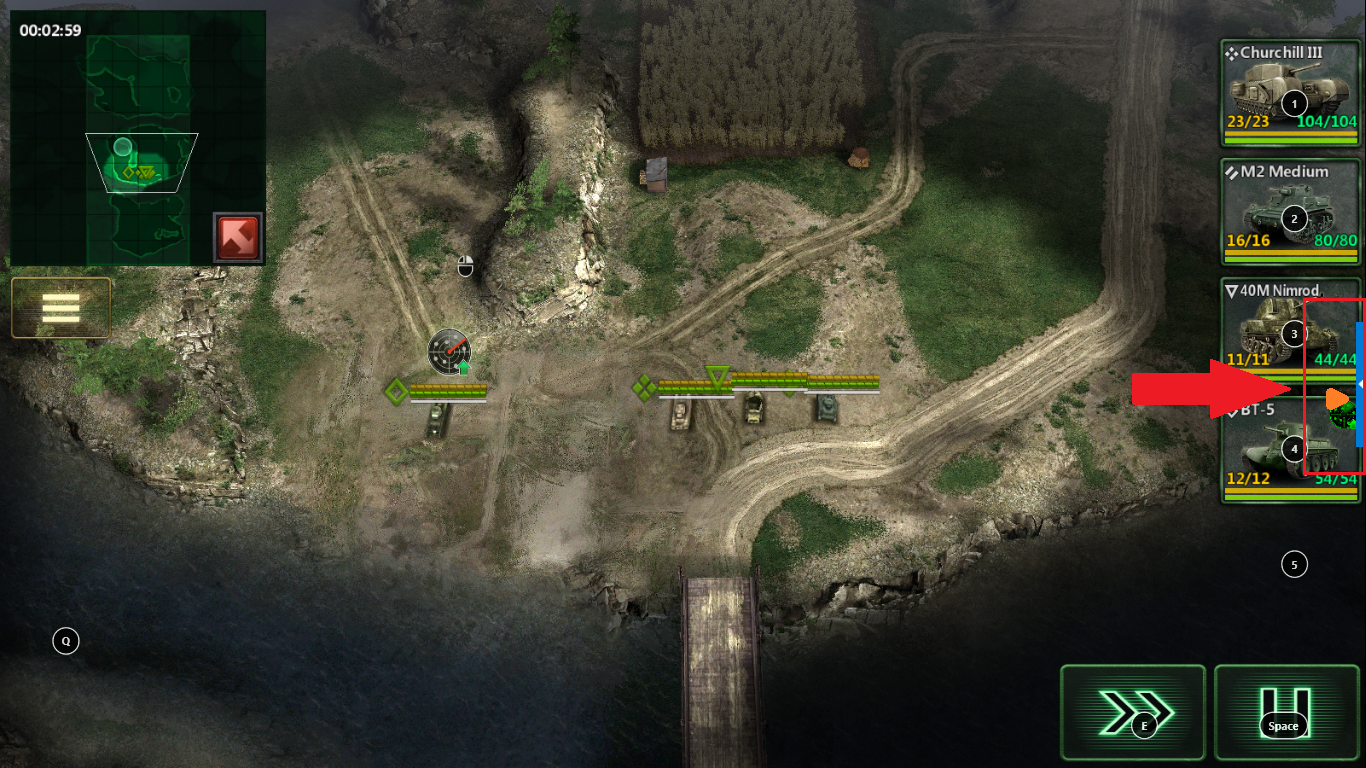
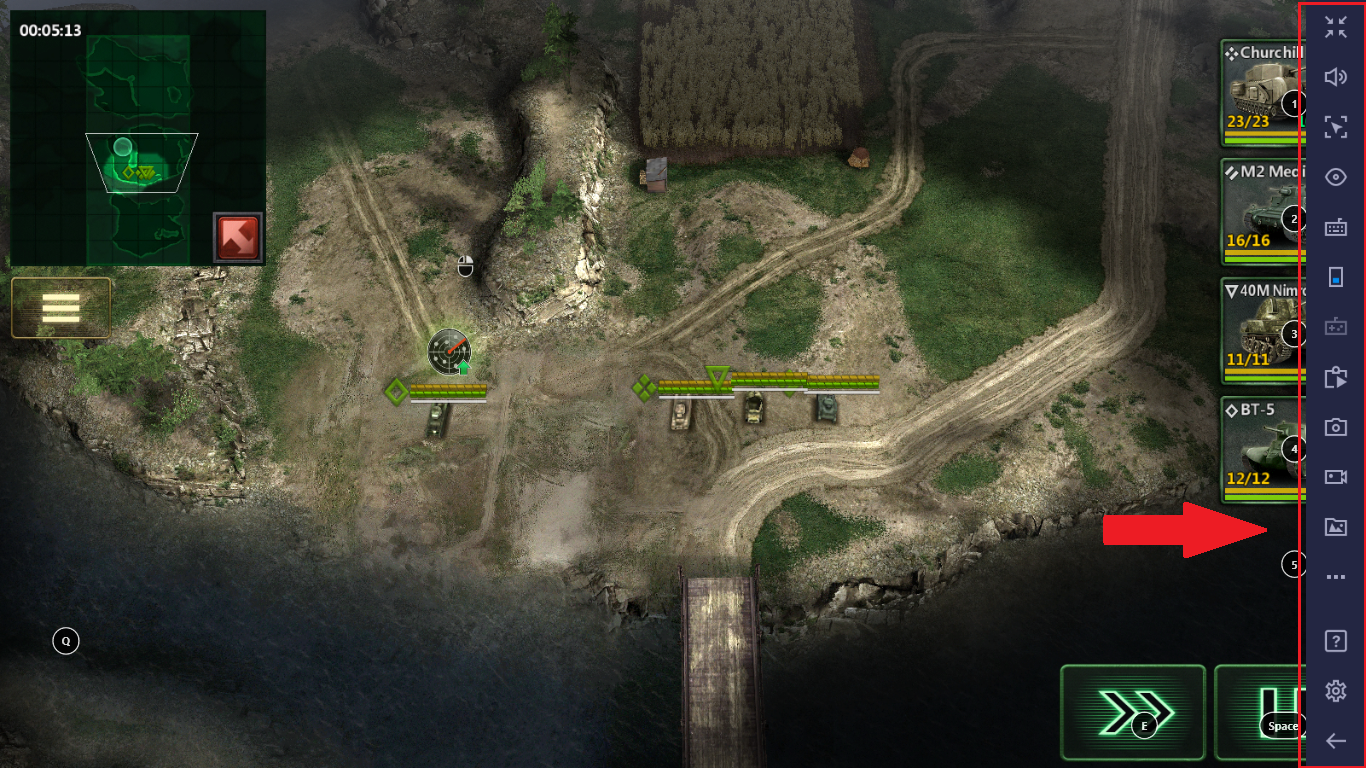
Click on the blue bar and the side-bar will appear for your assistance while still on fullscreen mode.
Thank you for choosing BlueStacks! We hope you enjoy using it. If you have any further questions, please contact us at support@bluestacks.com. Happy Gaming!
Last updated on April 29, 2020.