How will this help?
With BlueStacks 4, you can get visual feedback on various clicks/taps you perform with your mouse. This article will guide you on how to enable a setting that allows this. This is useful in various scenarios such as:
- When you are creating macros.
- When you are using macros.
NOTE: Enabling this setting can have a adverse affect on your performance. If you happen to face any performance issues, please turn this setting off.
How can I enable this?
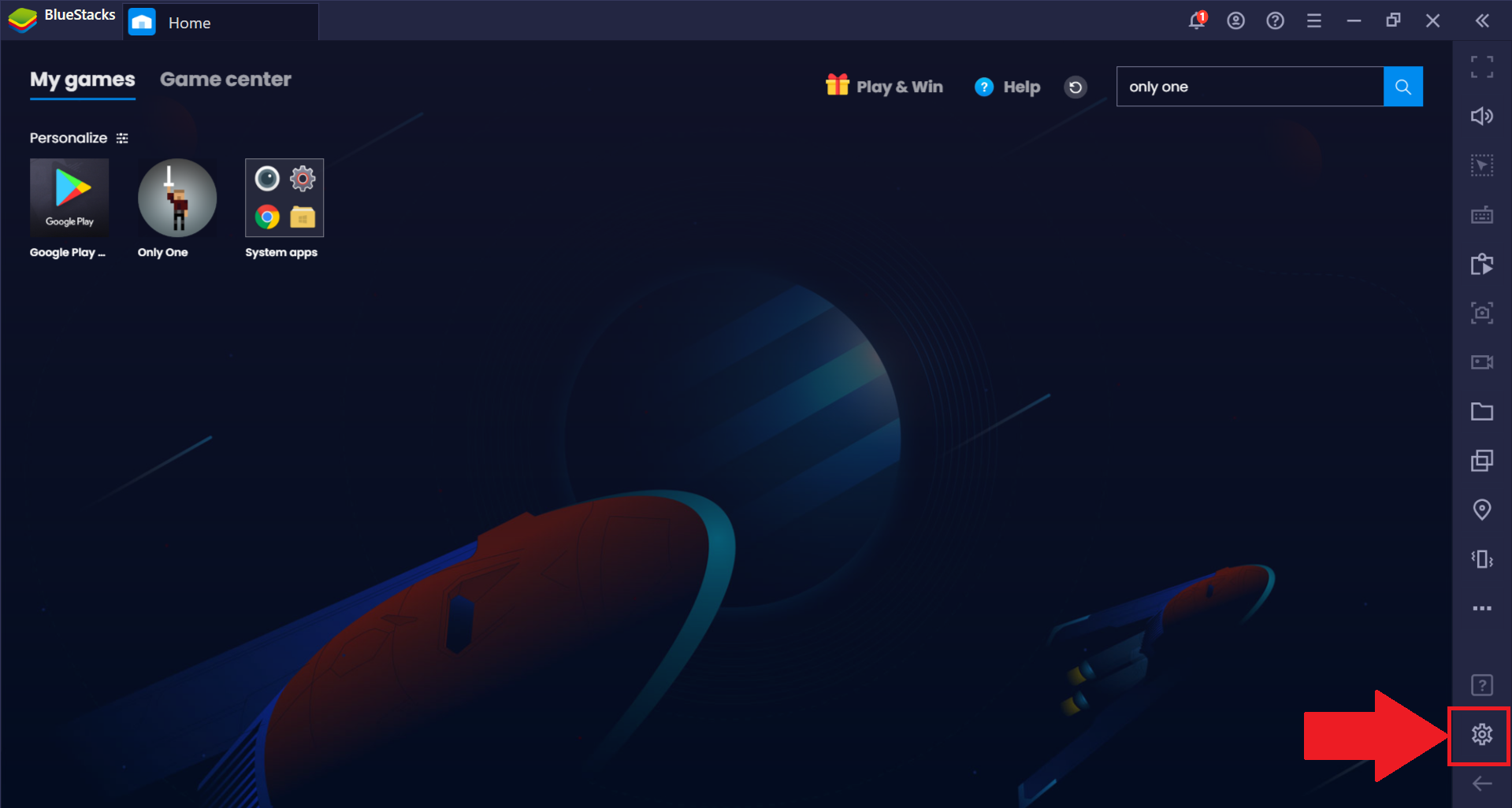
1. To enable this setting, launch BlueStacks and click on the gear icon on the bottom right to access the settings menu.
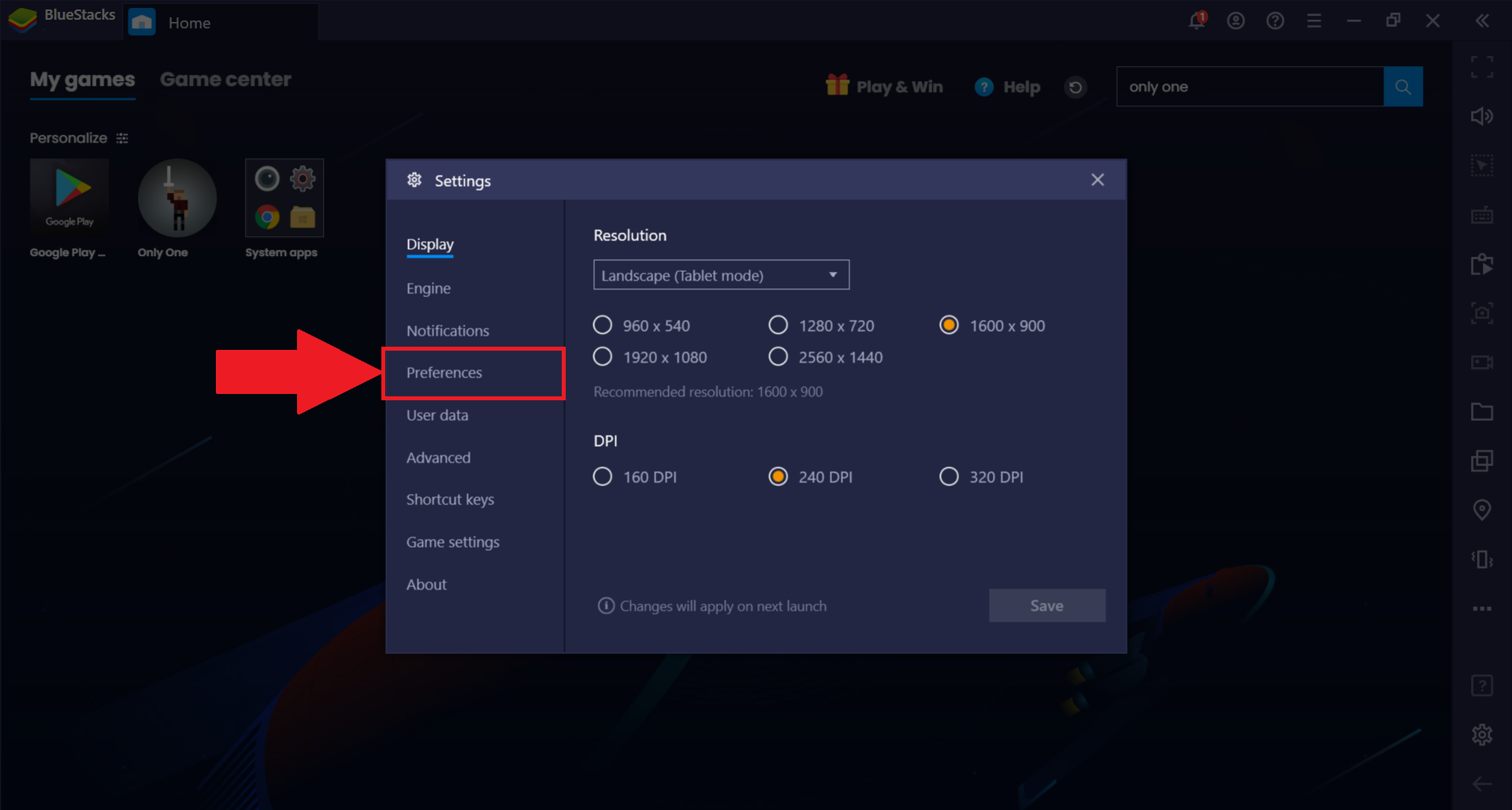
2. Click on the "Preferences" tab, as shown below.
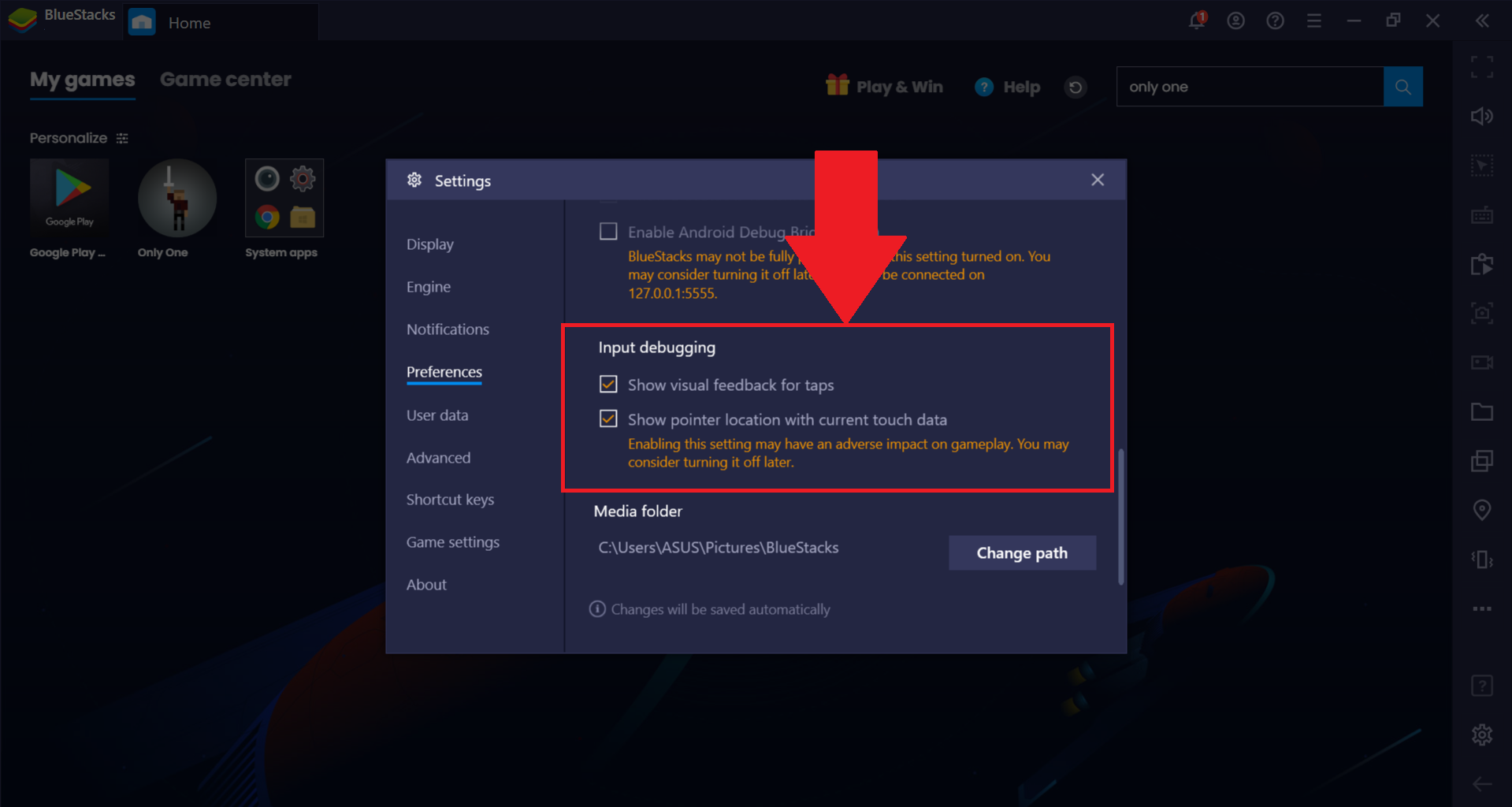
3. On the right-hand side, scroll down until you come across the "Input debugging" section. Enable either one of these settings:
- Show visual feedback for taps
- Show pointer location with current touch data.
If you cannot see these, please ensure you are on BlueStacks version 4.200 or above. You can download the latest version of BlueStacks from here.
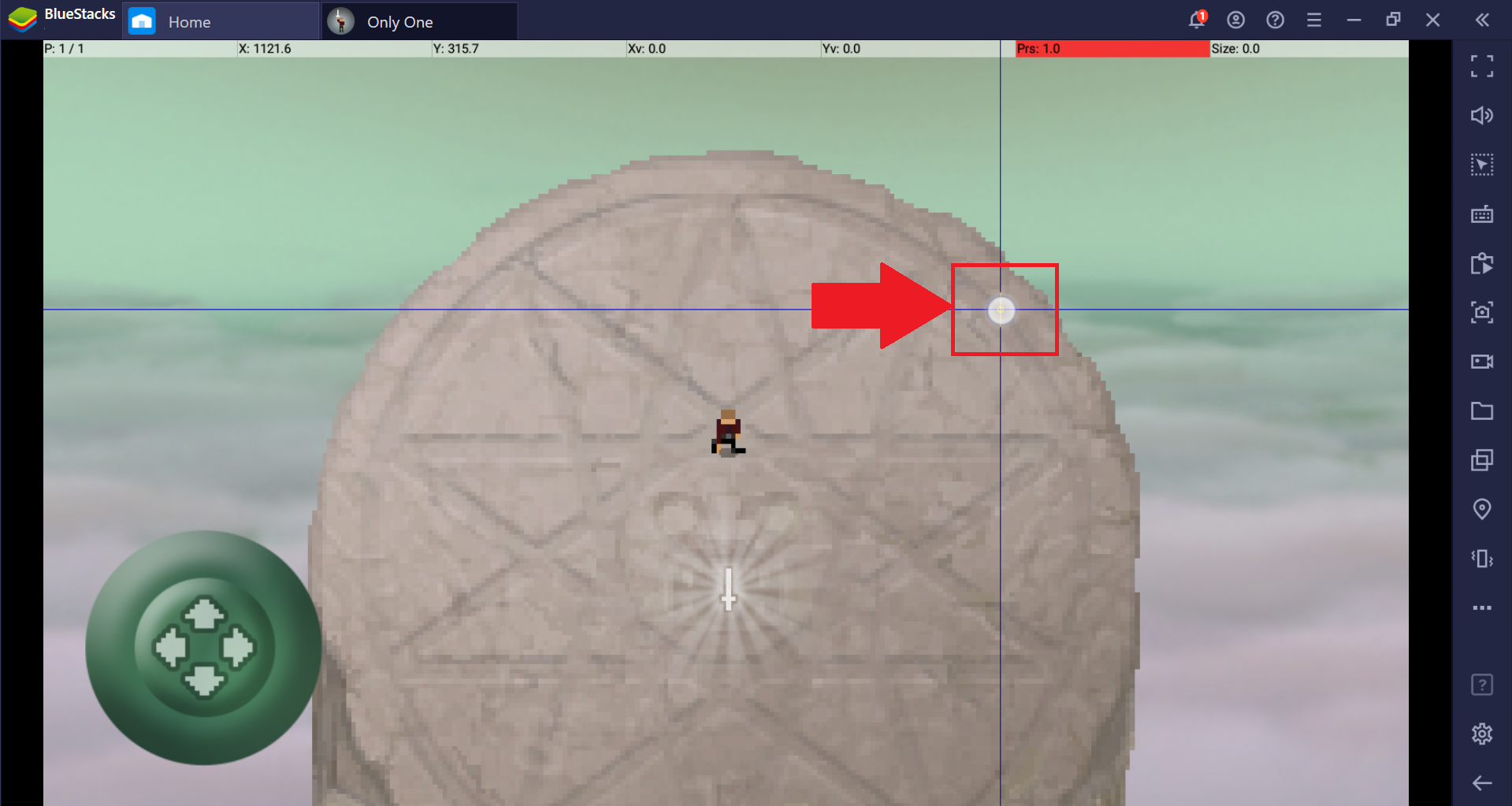
4. Once enabled, the image below shows an example of what you will see when you left click with your mouse while in-game or using any Android application such as the Google Play Store.
Thank you for choosing BlueStacks. We hope you enjoy using it. If you have any further questions, please contact us at support@bluestacks.com. Happy Gaming!
Last updated on September 3, 2020.