Game Highlights
Step into the world of Standoff 2, the action-packed multiplayer FPS that brings intense tactical combat right to your screen. Travel across stunning maps like Province and Sandstone, where every corner can decide your fate.
Choose from over 25 realistic weapons, customize them with skins and stickers, and outplay opponents in skill-based ranked battles. Whether you enjoy 5v5 competitive matches, 1v1 duels, or chaotic Free-for-All modes, every match is a test of reflexes and strategy.
Game Features:
- Over 25 realistic weapons with unique recoil patterns
- Skill-based ranked system with seasonal rewards
- Detailed 3D maps and immersive animations
- Weapon skins, stickers, charms, and Battle Pass rewards
- Supports up to 120 FPS for ultra-smooth gameplay
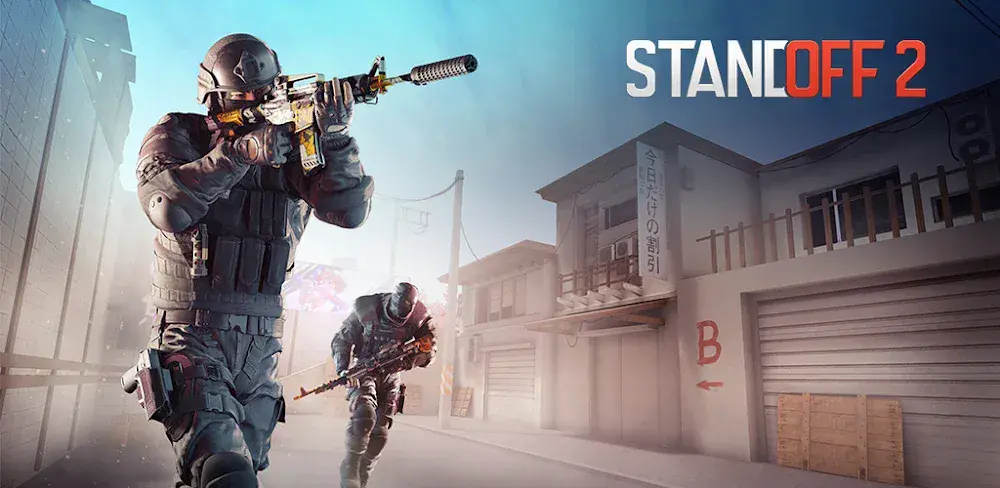
On BlueStacks 5, you gain sharper controls, smoother FPS, and the ultimate PC advantage to dominate every firefight.
Jump to a section:
NOTE: Please ensure you're on the latest version of BlueStacks 5 for the best experience.
Why Play Standoff 2 on BlueStacks 5
Playing Standoff 2 on PC with BlueStacks 5 transforms your experience. Enjoy sharper visuals on a larger screen, precise keyboard and mouse controls, and higher frame rates for competitive advantage.
- Macros: Say goodbye to repetitive tasks in Standoff 2. Use BlueStacks Macros to execute complex actions with a single keystroke. Record and share your macro files with friends.
- Multi-Instance: Play multiple games at the same time or use different accounts. Switch effortlessly between tasks with Multi-Instance.
- Multi-Instance Sync: Replicate actions from your main instance across multiple windows. Perfect for faster progression and testing strategies.
- Eco Mode: Lower your PC resource consumption while running multiple instances smoothly.
- High FPS: Enable higher frame rates for smoother gunfights and better reaction time.
How to Download and Install Standoff 2 on BlueStacks 5
To download Standoff 2 on BlueStacks 5:
Launch BlueStacks 5 ➔ Use the search bar on the home screen or Open BlueStacks Store and search for the game ➔ Select the relevant search result and click on "Install From Google Play."
For a more detailed walkthrough and some alternative methods, you can take a look at this article.
All about Gameplay
Experience realistic recoil mechanics, detailed maps, and fully skill-based combat in this free-to-play first-person shooter game. From sniper rifles like AWM and M40 to iconic rifles like AKR and P90, every weapon feels unique and powerful.
Battle in multiple modes, including Team Deathmatch, 5v5 competitive matches, Allies 2v2, and intense 1v1 duels. Climb seasonal ranks, complete calibrations, and earn exclusive rewards. Teamwork, communication, and precision aiming are the keys to victory. There is no pay-to-win system. Weapons are available from the start. Your skill, aim, and tactical knowledge determine success.
Standoff 2 is one of the most immersive mobile FPS titles available. If you enjoy tactical shooters on PC, this game delivers a similar competitive experience. To truly excel and climb the ranks, you need to sharpen your skills consistently.
Manage the Economy
Avoid force-buying every round. If you lose the pistol round, consider an eco-round to save money. In the following round, go for a full buy to maximize your chances of winning and building momentum.
Practice Your Aim
- Keep your crosshair at head level
- Learn recoil and spray patterns
- Play Deathmatch regularly to improve consistency
Master Utilities
Smoke grenades block vision and secure map control. Flashbangs blind opponents and create opportunities to push safely. Smart utility usage often decides close rounds.
Learn Every Weapon Type
Be comfortable with pistols, SMGs, rifles, snipers, and shotguns. Adapt your loadout based on the map and your team’s strategy.
Communicate with Your Team
Clear callouts and coordinated strategies greatly improve your win rate. Even basic information about enemy positions can turn the tide in your favor.
Adjust Sensitivity
Experiment with sensitivity settings in Deathmatch until you find what feels comfortable. Precision and control are essential for consistent performance.
Read the Map
Learn choke points, common enemy positions, and rotation timings. Strong map awareness gives you a tactical advantage and helps you control the pace of the game.
For more detailed strategies, read our detailed Beginner's Guide.
Key Controls
You can play Standoff 2 on BlueStacks 5 using Smart controls for a significantly enhanced gameplay experience. With smart controls, you'll be able to execute in-game actions faster and more efficiently, and also get rid of any unnecessary on-screen keys.
NOTE: Please ensure you're on the latest version of Standoff 2 for the Smart controls to work. If you'd like to update the app, click on "System apps" on your home screen, launch "Google Play Store", click on your profile icon, select "Manage apps & device", and update Standoff 2 from the list of apps. For more details, click here.
Movement controls
| Key | Action |
| Move forward, left, backward, right | |
| Jump | |
| Walk | |
| Crouch |
Combat controls
| Key | Action |
| Fire | |
| Aim | |
| Reload | |
| Primary Weapon | |
| Secondary Weapon | |
| Knife | |
| Flash Grenade | |
| HE Grenade | |
| Smoke Grenade | |
| Molotov/Thermite Grenade |
General controls
| Key | Action |
| Buy | |
| Defuse Bomb | |
| Pickup Weapon | |
| Throw Weapon | |
| Switch to Last Weapon Used | |
| Map | |
| Equip Bomb | |
| Scoreboard | |
| Chat |
Recommended BlueStacks Settings for Smooth Gameplay
By using the recommended settings, you will get the best possible gaming experience while playing Standoff 2 on BlueStacks 5. The recommended settings are as follows:
Recommended changes in the BlueStacks settings:
- Set "CPU allocation" to "High (4 Cores)"
- Set "Memory allocation" to "Enhanced (4 GB)"
- Switch on "Enable high frame rate"
- Set "Frame rate" to "90"
Recommended changes in the in-game settings:
- Set all "Video" parameters to "High"
- Set "Target FPS" to "90"
For more details, read this article.
How to Play at 120 FPS
You can play Standoff 2 at 120 FPS on BlueStacks 5 and experience seamless gameplay by making the following changes:
1. Enable high frame rate within BlueStacks settings and set the FPS counter to 240.
2. Set "TARGET FPS" to "120" within the in-game settings
NOTE: To play Standoff 2 at 120 FPS on BlueStacks 5 without any frame drops, please ensure that your CPU has a benchmark score of 12,000 or more. To learn more about how to find the benchmark score of your CPU, click here.
Minimum System Requirements
To enjoy the game without lag, make sure your PC meets these requirements:
- OS: Windows 7 or newer, macOS 11 Big Sur or newer
- Processor: Intel, AMD, or Apple Silicon M1 to M4
- RAM: At least 4GB
- Storage: 10GB of free space
- Permissions: Administrator access
- Graphics: Updated drivers from Microsoft or your chip maker
Detailed Guides
- Standoff 2 Movement Guide and Tips to Win More Battles
- Weapon Tier List: Choose the Best Guns for Competitive Play
- Standoff 2 Rank Guide
- Top 5 Mistakes to Avoid
- Best Ways to Climb Ranks Faster
- Tips and Tricks to Master Standoff 2
Redeem Codes
Use these promo codes to unlock exclusive rewards.
- SO2MCHROSE – graffiti “Hasta la Vista”
- SO2VOXWIN – rewards
- E57NX0S1SKIH – rewards
- ZKGERXGNOI7Q – rewards
- MAFHHHX6QVMR – rewards
- S02KIOTOHAN – rewards
- SO2BHTRAP – Gambit Graffiti
- FLASHBANG – Fragment box
Codes may expire or have limited usage, so redeem them quickly. For updated codes and details, click here.
To redeem codes, simply log in to your account and click the gun icon to access your inventory. Go to the Shop tab and open the Promocode section. Enter the code and click Apply.
Support & Troubleshooting
If you run into issues while playing Standoff 2 on BlueStacks 5, try these quick solutions:
- Game not launching? Clear the app cache or update to the latest version of BlueStacks.
- Low FPS or lag? Allocate more RAM and CPU cores in BlueStacks settings or lower in-game graphics settings.
- Game not visible in Play Store? Download the APK file and drag it into BlueStacks to install.
- Other technical issues? Visit the BlueStacks Help Center for detailed troubleshooting articles, or read this article for more solutions.
If the issue persists, submit a problem report directly from the BlueStacks Player or join our community on Discord for further assistance and helpful tips.
Standoff 2 delivers intense tactical FPS action with skill-based gunplay and competitive ranked matches. Master your aim, coordinate with your team, and sharpen your strategies to climb the ladder. On BlueStacks 5, enjoy superior controls, smoother frame rates, and enhanced performance.
Get ready to elevate your gaming skills and grab your favorite gun to join the standoff!
Tis' time to test your reflexes, tactics, and accuracy!
Thank you for choosing BlueStacks. We hope you enjoy using it. Happy Gaming!